

How integrations work
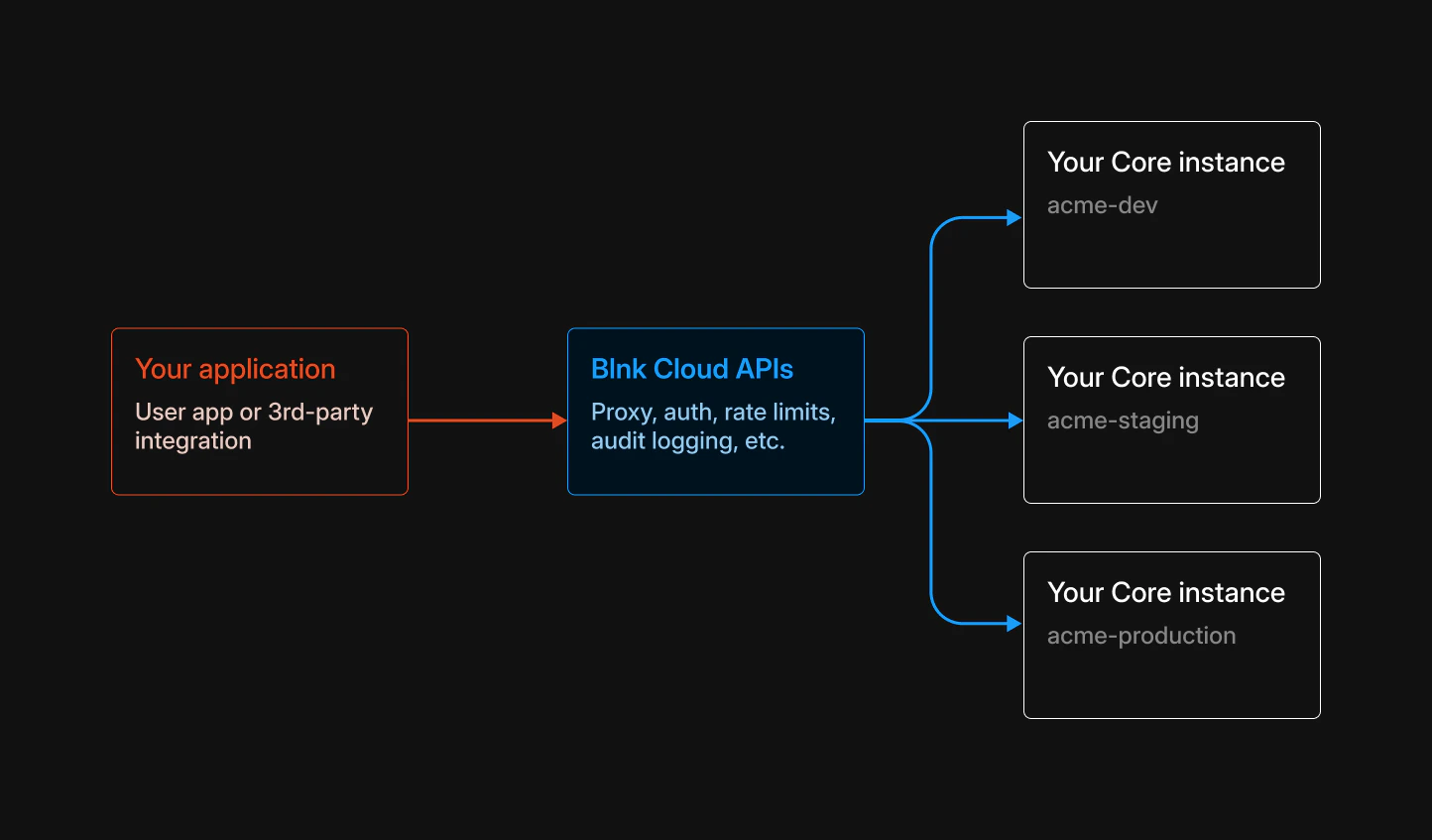
Your client authenticates with Blnk Cloud. Cloud validates the request, routes it to the correct Core instance usinginstance_id, and returns the response.
AI tools using MCP follow the same path: your assistant talks to Cloud, not directly to Core.
If you self-host Blnk Cloud under a production license, use your deployment’s public URL as the API base instead of
https://api.cloud.blnkfinance.com. See License configuration.Choose an integration
Pick the path that matches how you connect: credentials for authentication, then the API or protocol for the work you need to do.API keys
Server-side Cloud API credentials.
OAuth
Third-party and user-delegated access.
MCP
AI assistants on your ledger data.
Proxy API
Create and update Core resources.
Data API
Read instance data via GET.
Filters API
Advanced reads with JSON filters.
Alerts API
Programmatic alert management.