Documentation Index

Fetch the complete documentation index at: https://docs.blnkfinance.com/llms.txt

Use this file to discover all available pages before exploring further.

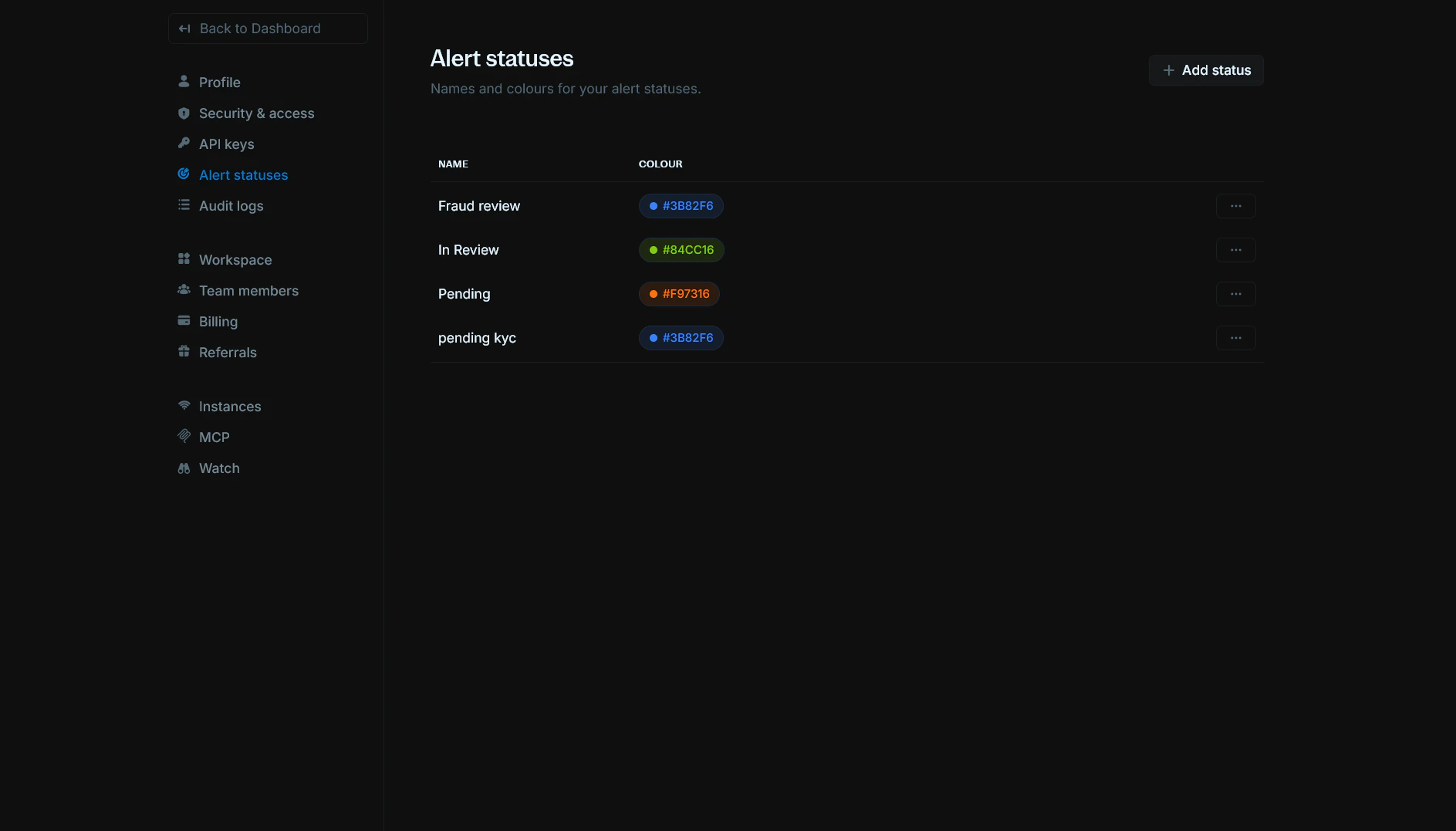
Alert statuses let you define custom names and colours for the statuses you use on alerts. You can create statuses like “Pending”, “In Review”, or “Fraud review” and assign each a colour so they’re easy to spot in your Alerts table and details. You can find it in Settings > Alert statuses. Alert statuses page showing list of statuses with name and colour

View alert statuses

The Alert statuses page lists all custom statuses for your organization. For each status you can see:
  • Name: The display name (e.g. “Fraud review”, “In Review”, “Pending”).
  • Colour: A colour swatch and hex code (e.g. #3B82F6, #84CC16). Colours must be one of the allowed values.
Use the Actions menu (three dots) on a row to edit or delete that status.

Add a status

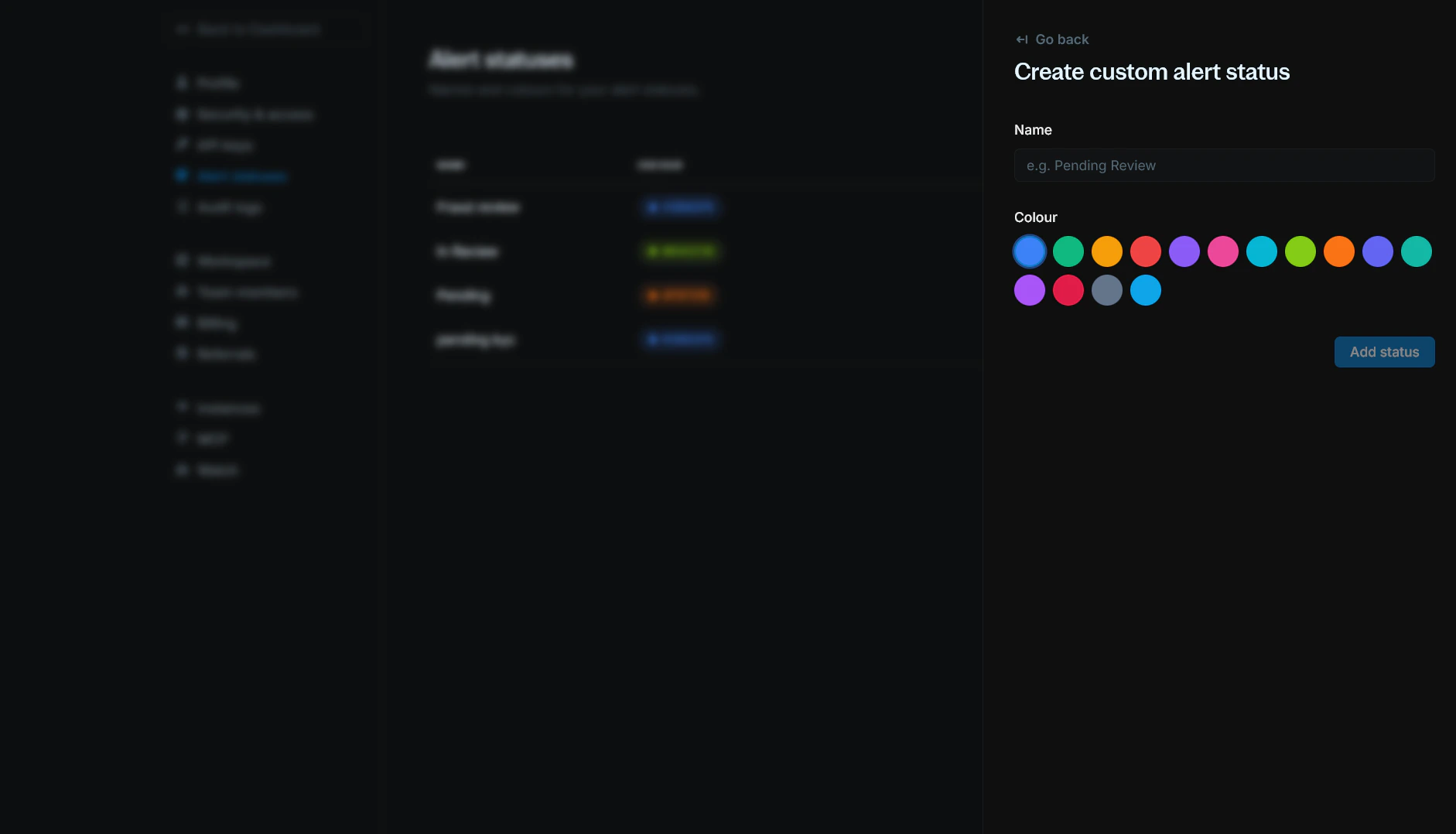
  1. Click + Add status in the top-right corner.
  2. Enter a Name for the status (e.g. “Pending Review”, “In Progress”).
  3. Choose a Colour from the allowed options.
  4. Click Add status.
Add alert status form with name and colour fields The new status will appear in the list and can be used when updating alerts.

Edit a status

  1. On the Alert statuses page, open the Actions menu (three dots) for the status you want to change.
  2. Select Edit.
  3. Update the Name and/or Colour.
  4. Click Save.

Delete a status

  1. On the Alert statuses page, open the Actions menu (three dots) for the status.
  2. Select Delete.
  3. Confirm the deletion.
If any alerts still use this status, you must reassign them to another status before you can delete it.

Need help?

We are very happy to help you make the most of Blnk, regardless of whether it is your first time or you are switching from another tool. To ask questions or discuss issues, please contact us or join our Discord community.