

Flag a balance
To flag a balance from Cloud:1
Open the balance actions
Open 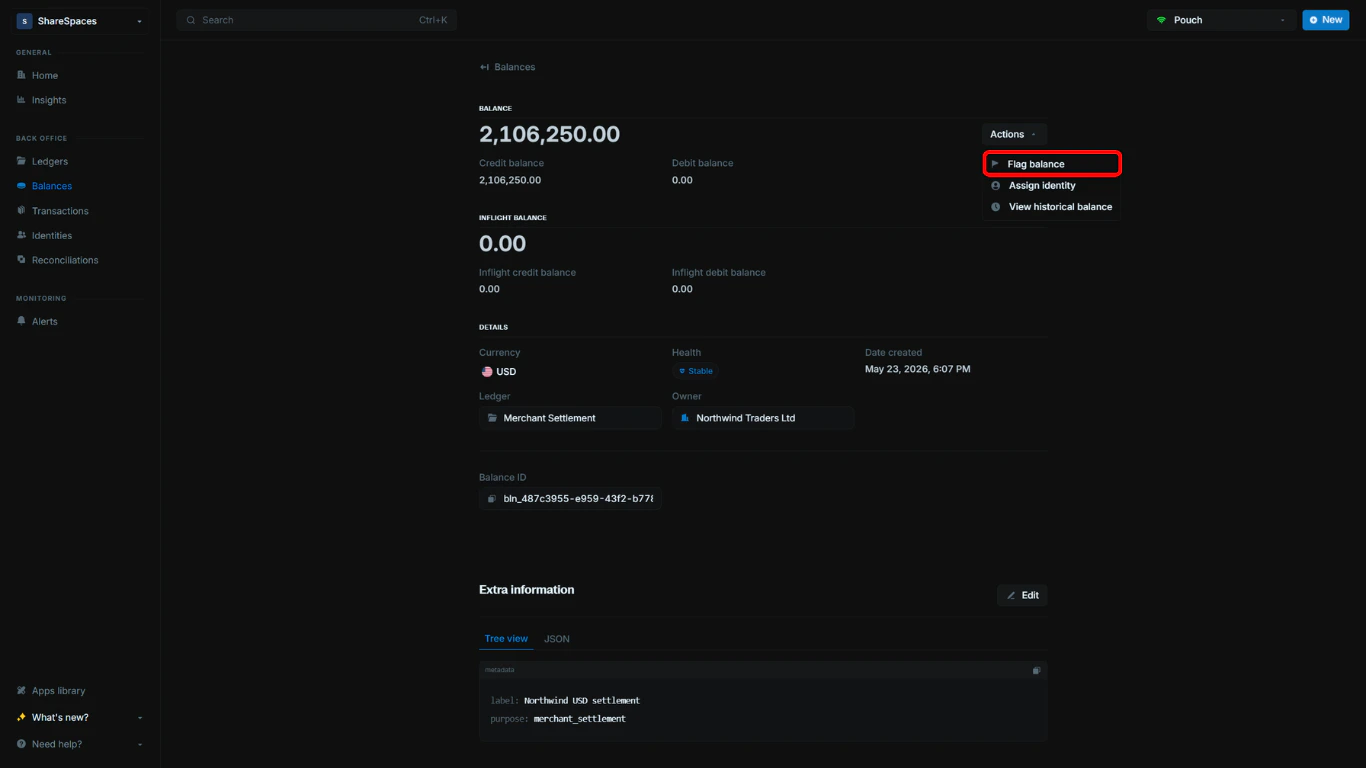
Balances and select the balance you want to review. In the details page, click Actions, then select Flag balance.2
Enter the flag details
In the modal, enter a title and a note, then choose a status. The note becomes the alert description. You can format it and 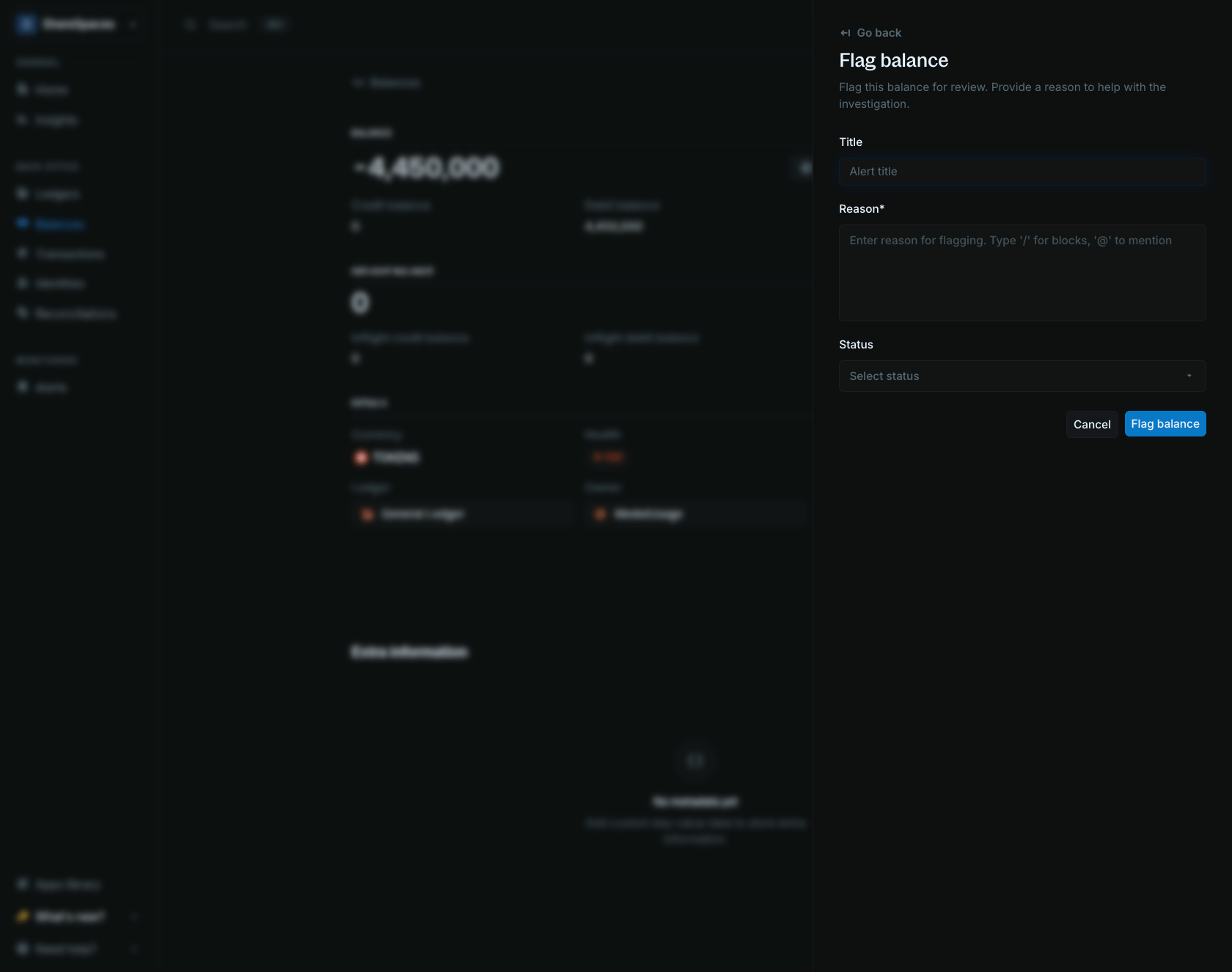
@mention teammates. See Alert description.3
Submit the flag
Click 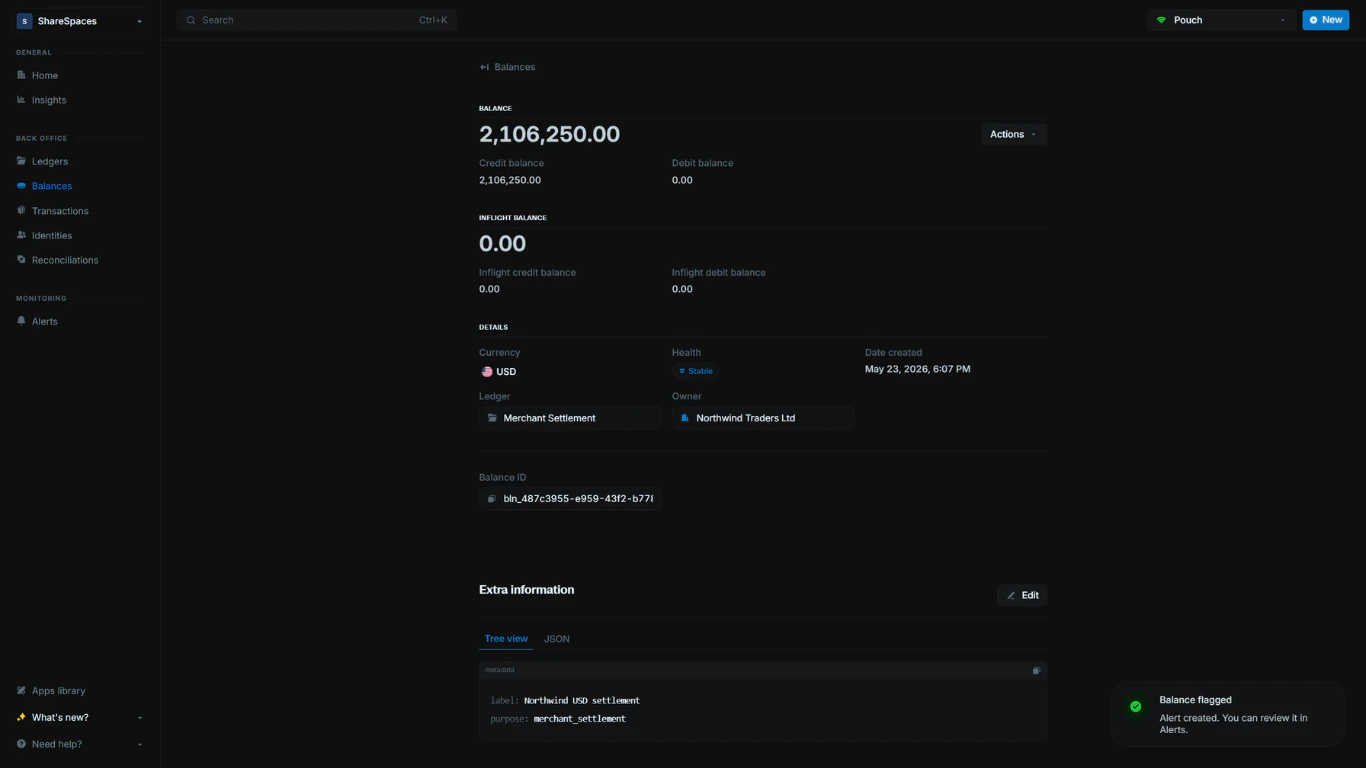
Flag balance to create the alert for this balance.Choose or create a status
Choose an existing status in the modal (for example,Flagged, Investigating, or Resolved). If you need a custom status, create one from Alert statuses and then return to the flag modal to select it.
Alert statuses
Custom alert statuses for your organization.
Alerts overview
View, assign, and resolve alerts.