

@Revenue, @Fees, etc.
Consider grouping balances by:
- Use case, e.g., Wallets Ledger, Savings Ledger, etc.
- Product type, e.g., Credit Cards Ledger, Debit Cards Ledger, etc.
- Location, e.g., USA Customers Ledger, Japan Customers Ledger, etc.
- Currency, e.g., USD Ledger, EUR Ledger, etc.
- or other relevant criteria that make sense for your business.
Create ledgers
To create a new ledger:1
Create ledger
Click 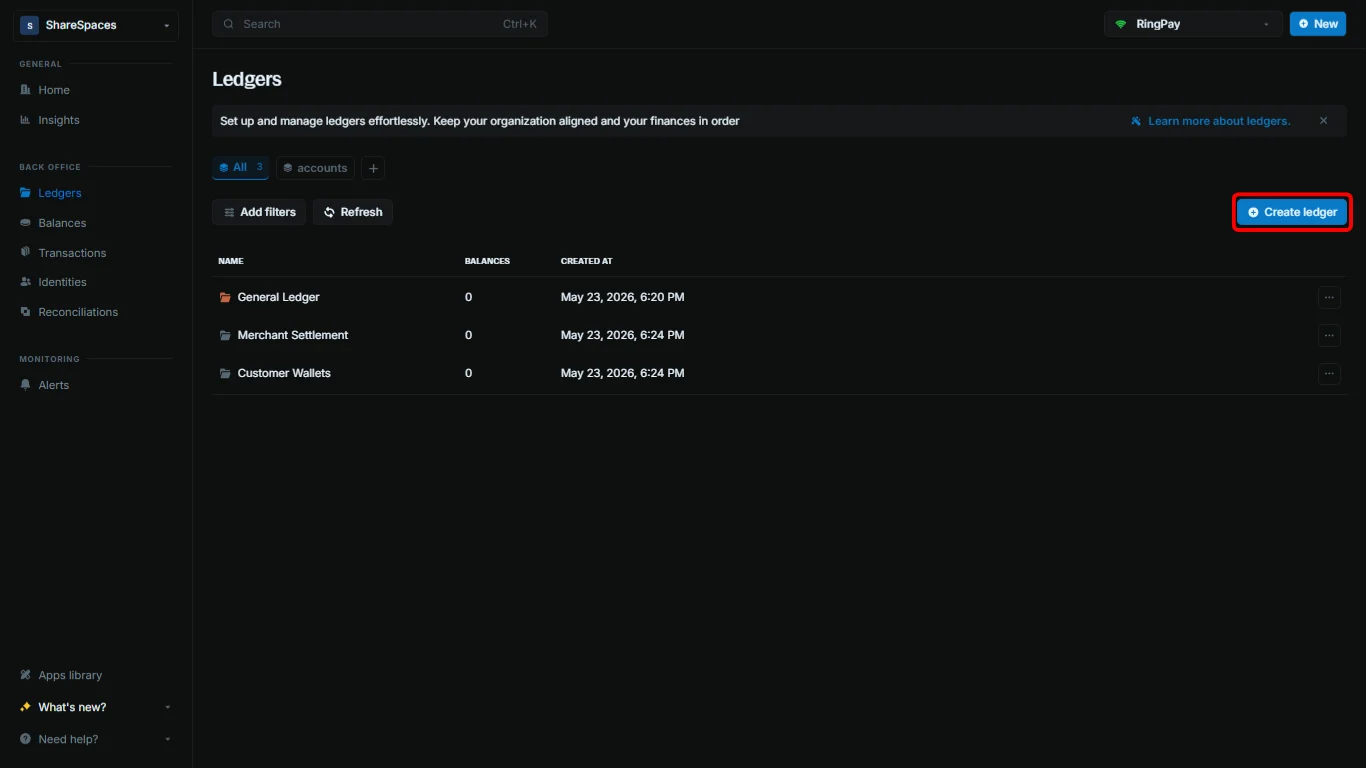
Create ledger in the top-right corner of the Ledgers table.2
Enter the ledger name
Provide a name for your ledger. Optionally add metadata.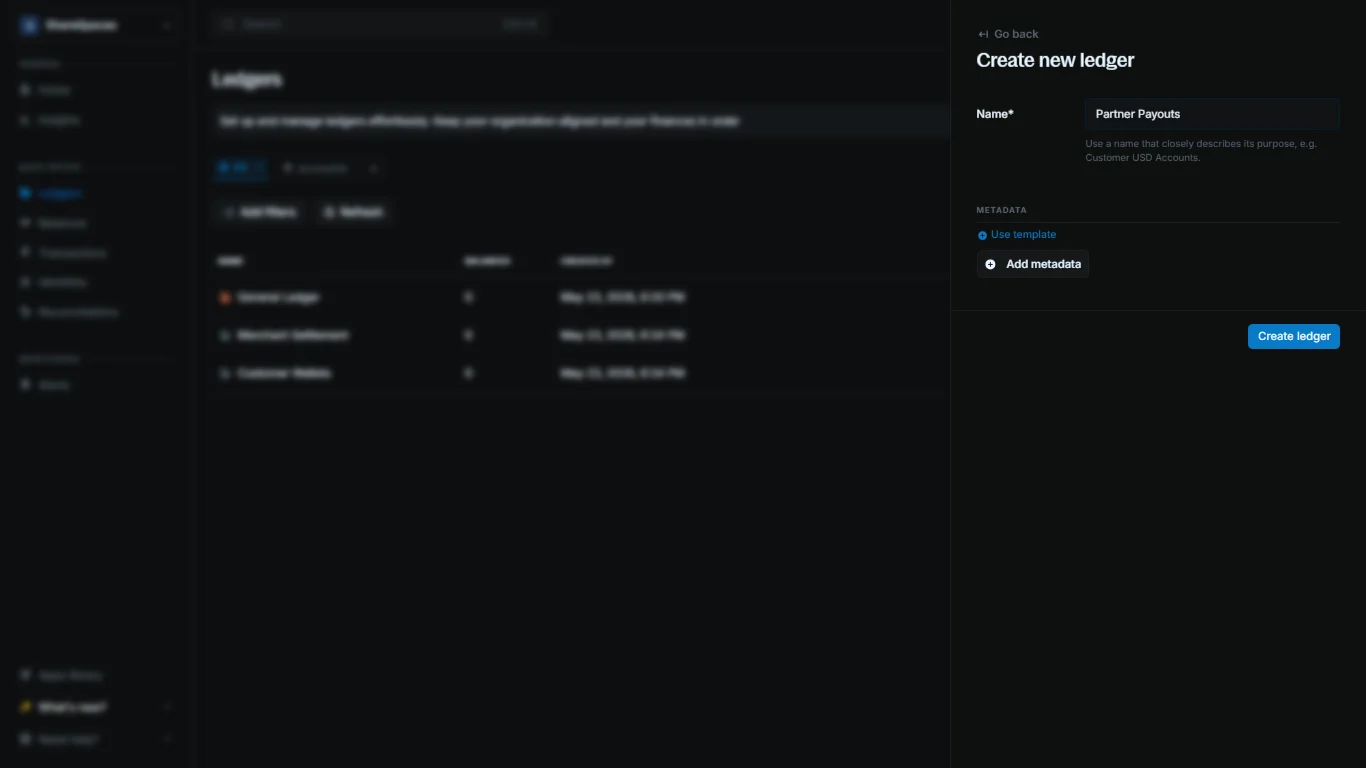
3
Complete
Click 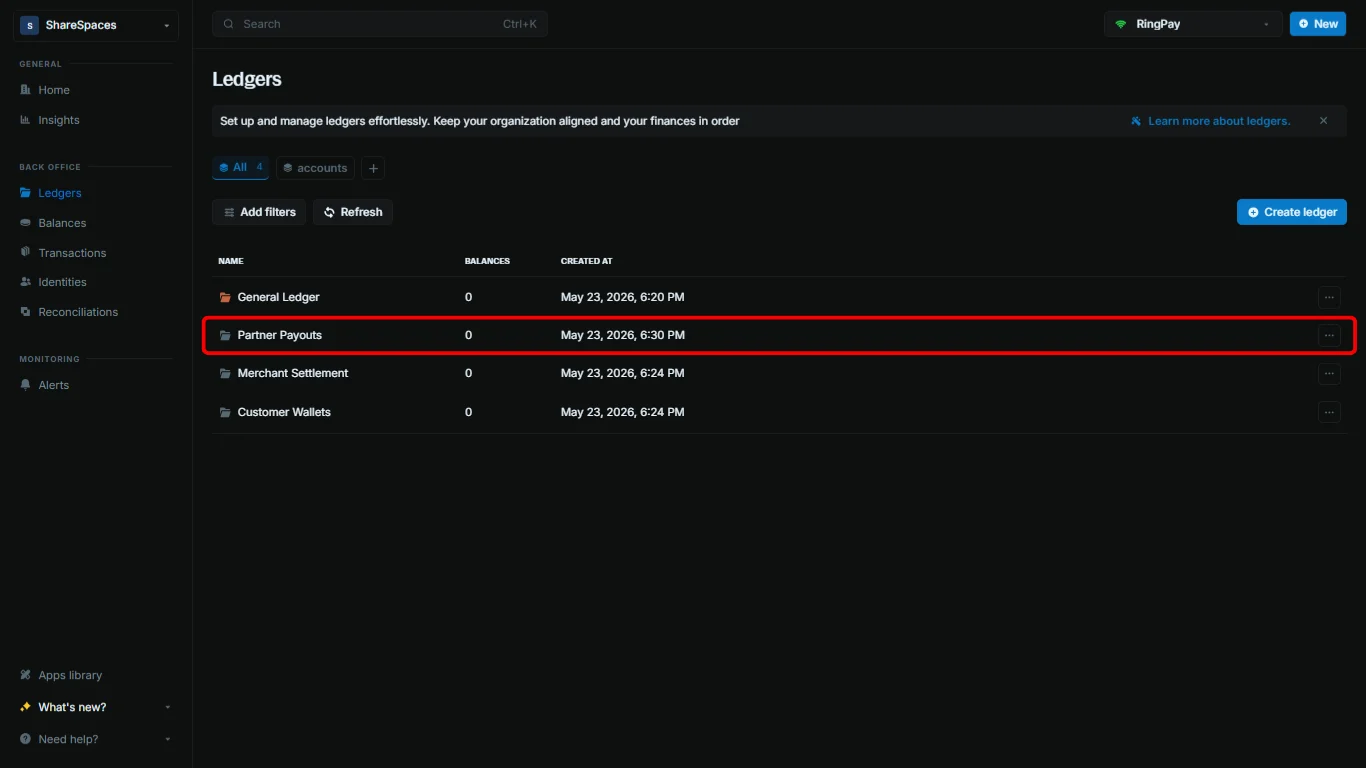
Create ledger to complete. Your new ledger appears in the Ledgers table.Working with ledgers
View ledger details
Click a ledger to see its summary details, including the number of balances and transactions.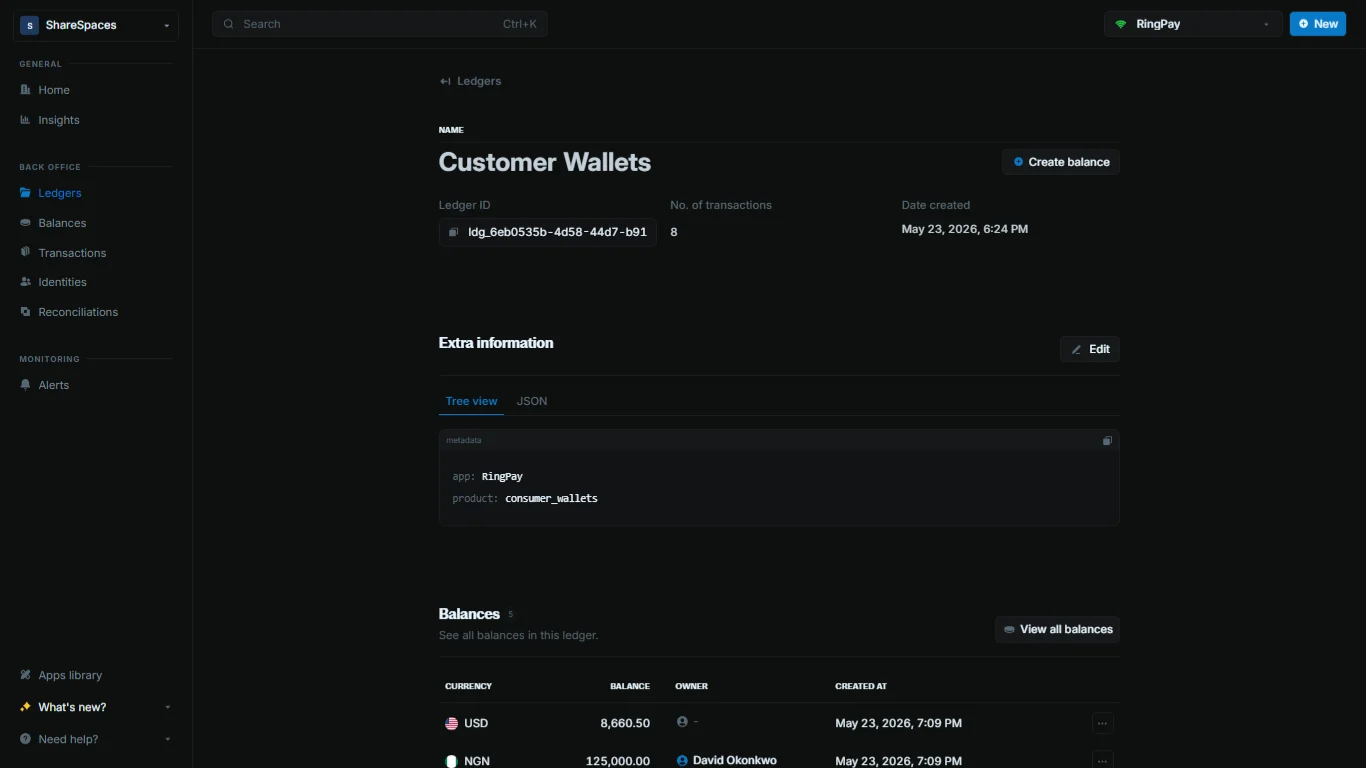
Ledger details
Balances, transactions, and ledger metadata.