Learn how to deploy a managed Core instance on Cloud.
Blnk Cloud requires a running Blnk Core instance to work. You can host your own Core instance or deploy a managed Core instance from Blnk.For managed instance, Blnk takes care of the deployment and maintenance of your Core instance, and automatically connects it to your Blnk Cloud workspace.
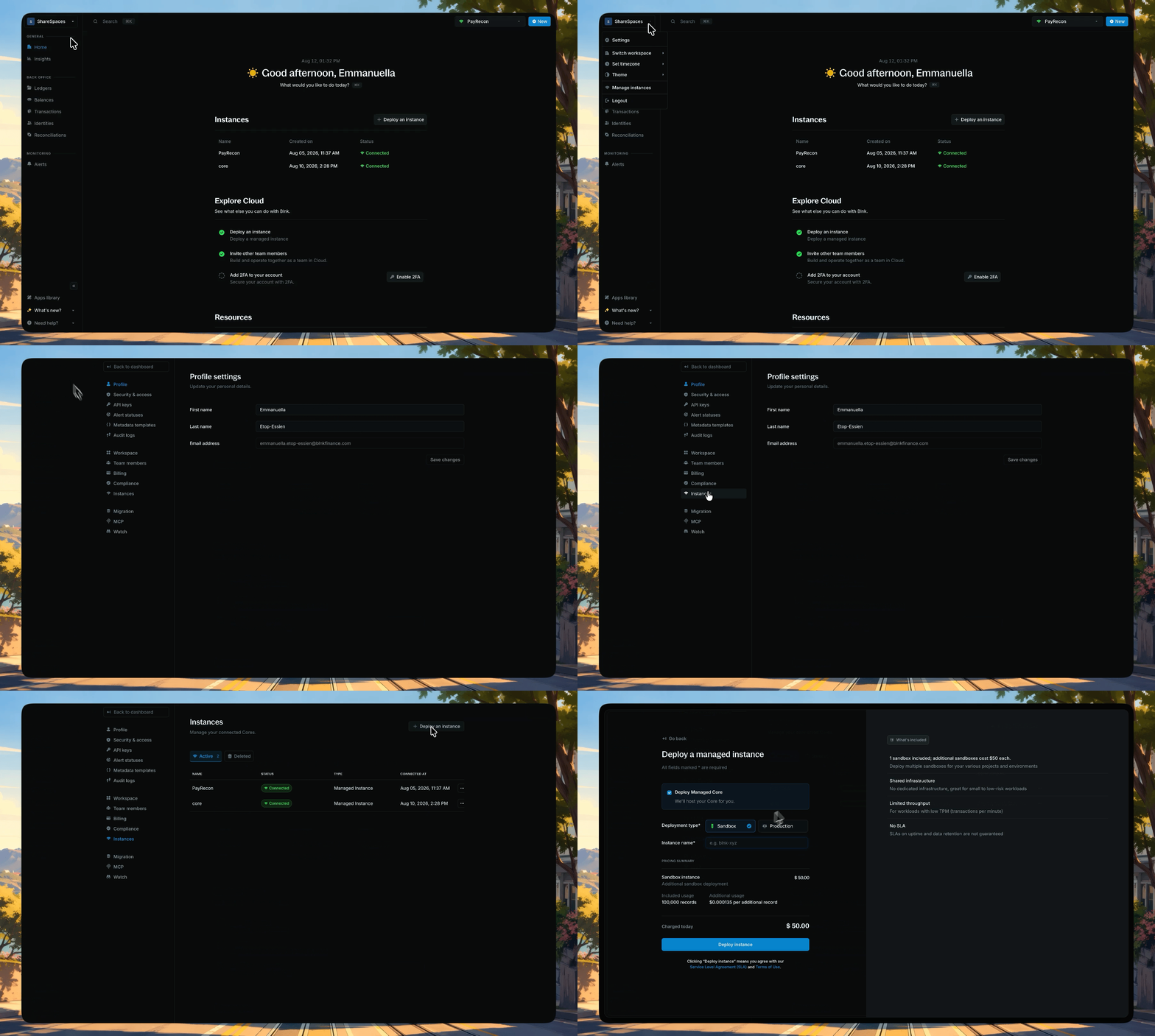
Enter a descriptive name for your instance, e.g. “blnk-sandbox-staging”.
Review the pricing summary.
Click Deploy instance to start the deployment.
Select Sandbox, name your instance, review pricing, and deploy
Select Production as your deployment type.
Enter a descriptive name for your instance, e.g. “blnk-production-staging”.
Choose a region closest to your app for your instance.
Review the pricing summary.
Click Deploy instance to start the deployment.
Select Production, name your instance, choose a region, review pricing, and deploy
3
Wait for it to connect
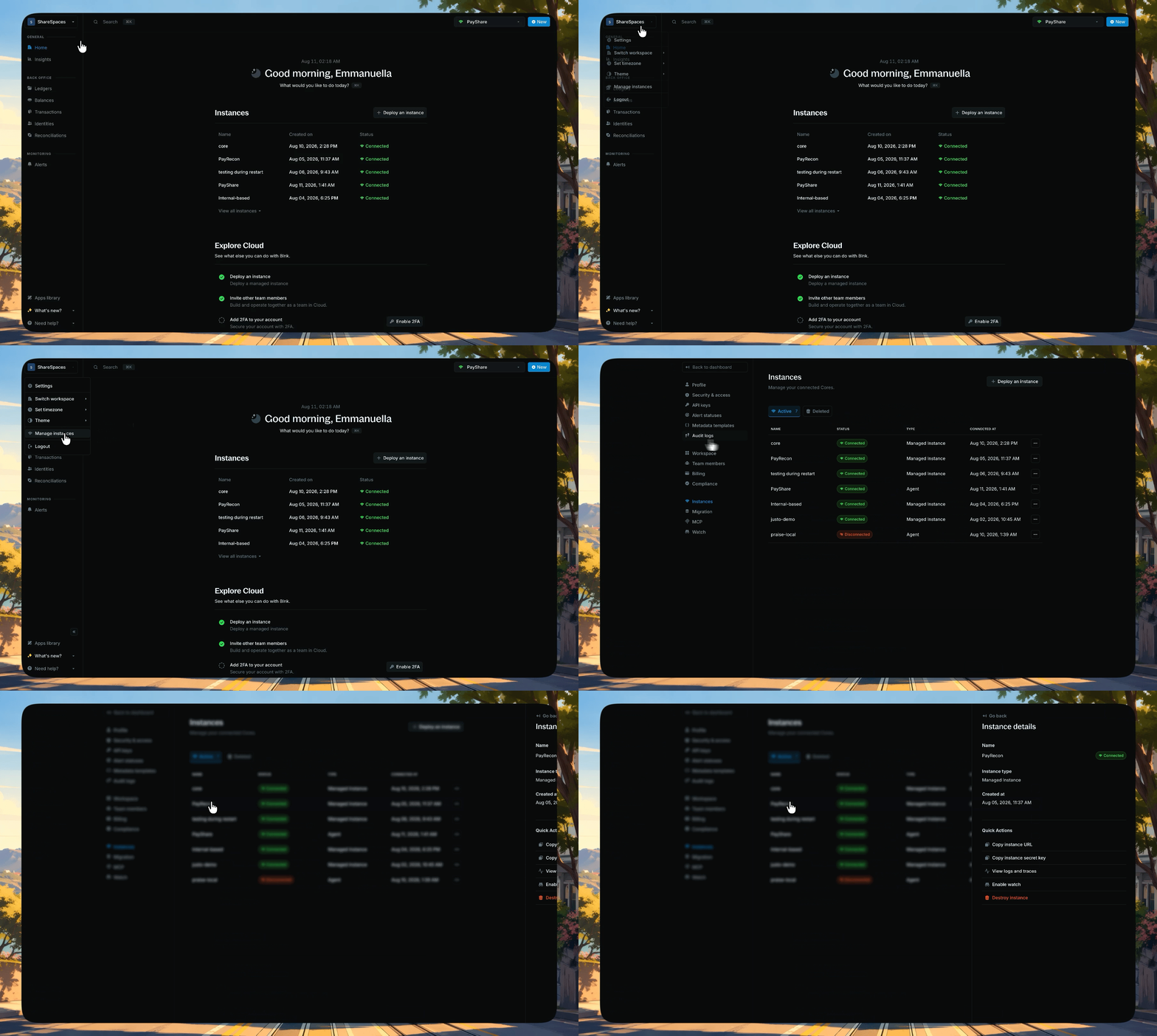
Sandbox instances typically deploy within 7 - 10 minutes; Production instances can take up to 10 - 30 minutes.When it’s ready, the connection status updates to Connected. Click the instance from your homepage, or go to Settings → Instances and click it, to open the details panel.Use the details to get your Core URL and secret key for Core API requests.
Click an instance from the homepage or Settings → Instances to open its details panel
For Production, you’ll also be invited to a dedicated Slack channel. Check your email for the invite.
Sandbox typically takes 7 - 10 minutes. Production can take 10 - 30 minutes. When it’s ready, the connection status updates to Connected.
Can I stay on Sandbox permanently?
Yes. Sandbox is a deployment type, not a time-limited trial. Stay on it as long as shared infrastructure without an SLA meets your needs. See Deployment types.
Do I need Production once I exceed my Sandbox allowance?
No. Record volume does not require Production. When you reach your included allowance, opt into usage-based billing to keep creating records.Choose Production when you need dedicated infrastructure, high availability, backups, or support SLAs.
Can I move my data off a managed instance?
Yes. You can export a managed instance to your own infrastructure, or import from self-hosted Core into Cloud. See Migrate your instance.
We are very happy to help you make the most of Blnk, regardless of whether it is your first time or you are switching from another tool.To ask questions or discuss issues, please contact us or join our Discord community.