

Flag transaction when a transaction needs manual review or investigation.
Flag a transaction
1
Open transaction actions
Open the transaction details page and click 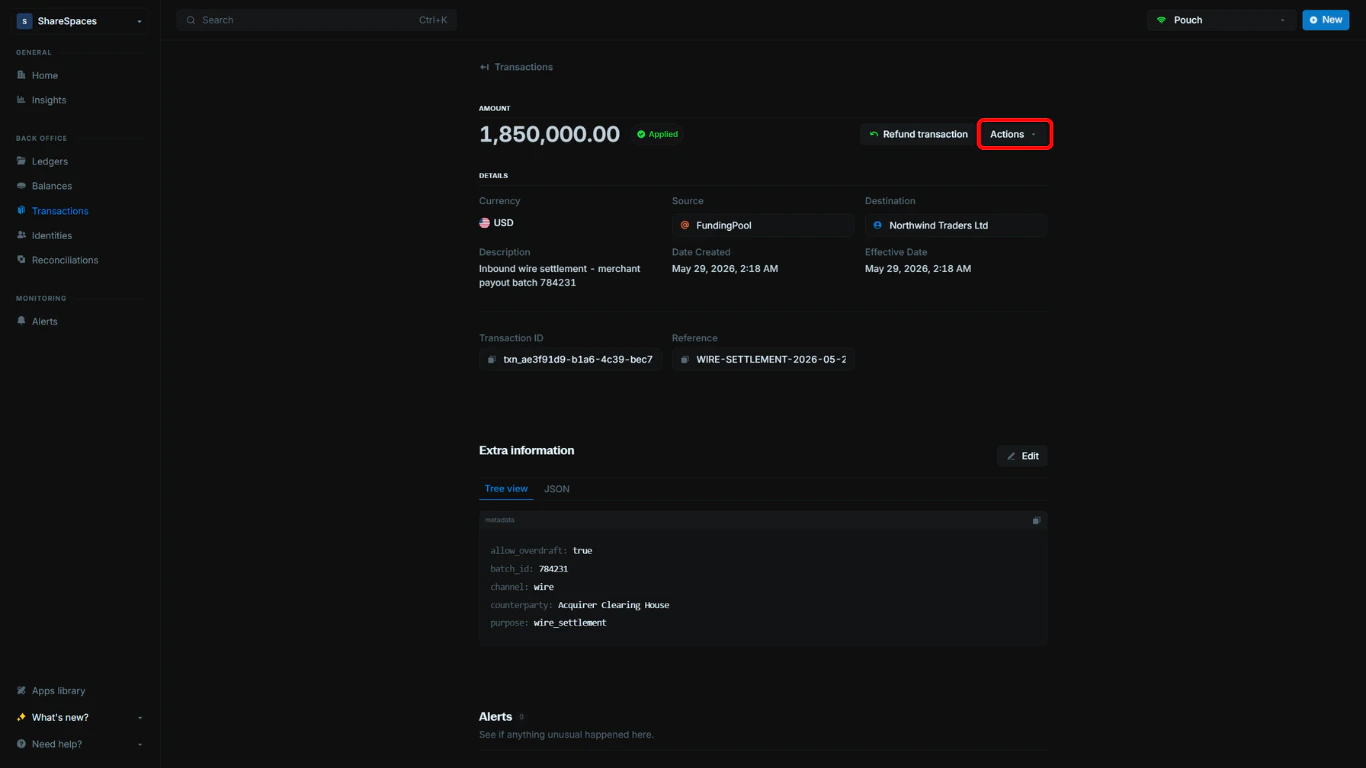
Actions.2
Select Flag transaction
In the dropdown, select 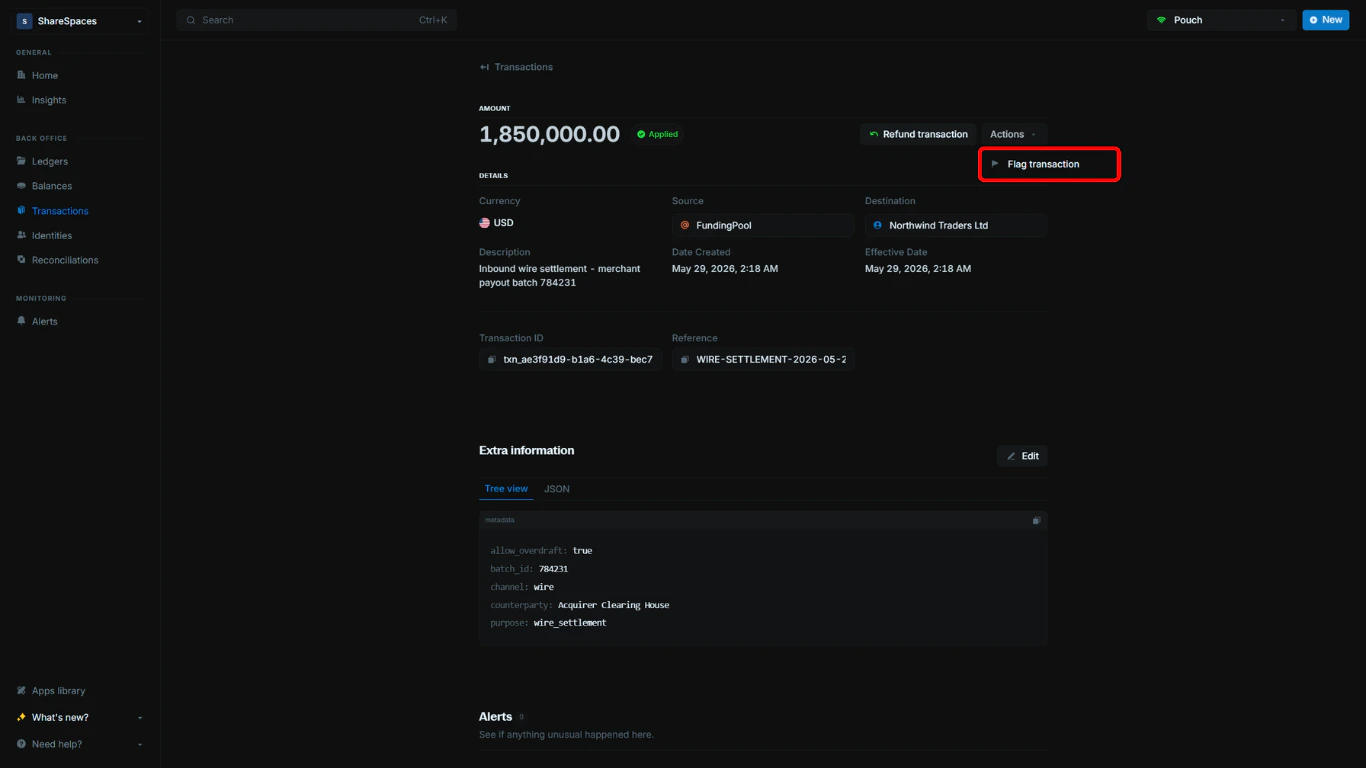
Flag transaction.3
Complete the flag modal
In the modal, enter a title and a note, then choose a status. The note becomes the alert description. You can format it and 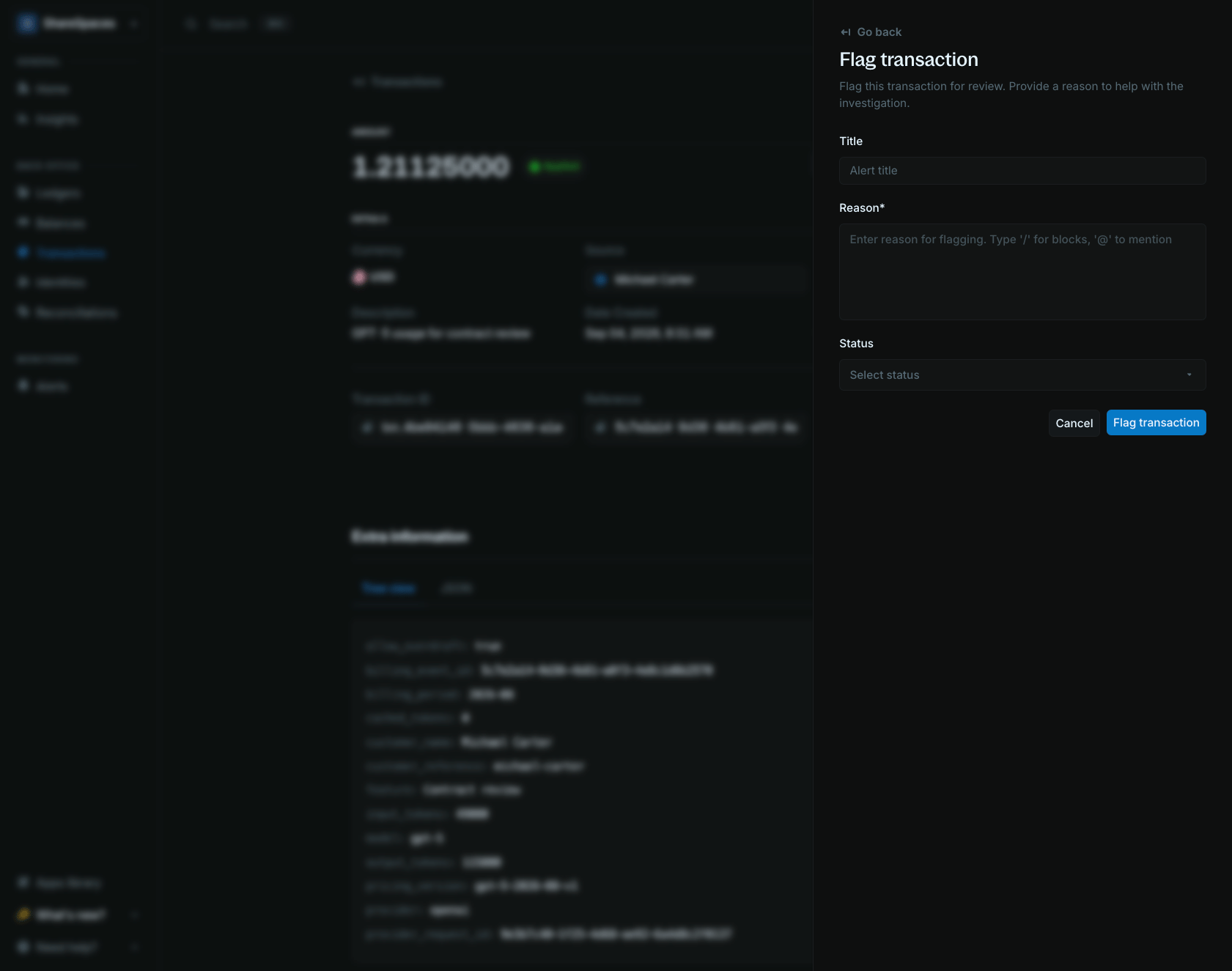
@mention teammates. See Alert description.Choose or create a status
Choose an existing status in the modal (for example,Flagged, Investigating, or Resolved). If you need a custom status, create one from Alert statuses and then return to the flag modal to select it.
Alert statuses
Custom alert statuses for your organization.
Alerts overview
Monitor, assign, and resolve flagged transactions.