Documentation Index

Fetch the complete documentation index at: https://docs.blnkfinance.com/llms.txt

Use this file to discover all available pages before exploring further.

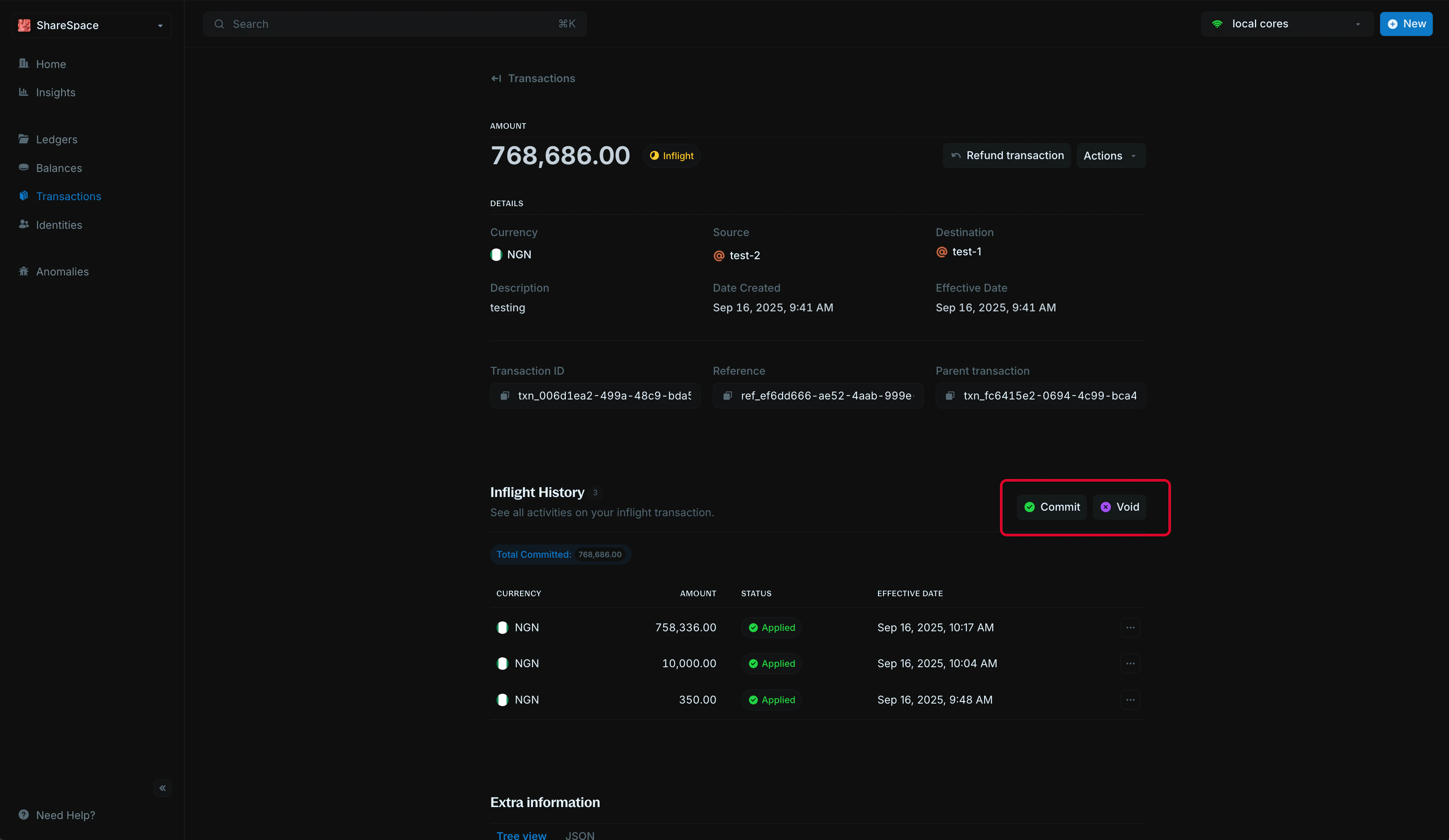
A transaction stays inflight until it is acted upon or expired. You can complete it with Commit or cancel it with Void. Transaction action buttons including Commit and Actions menu
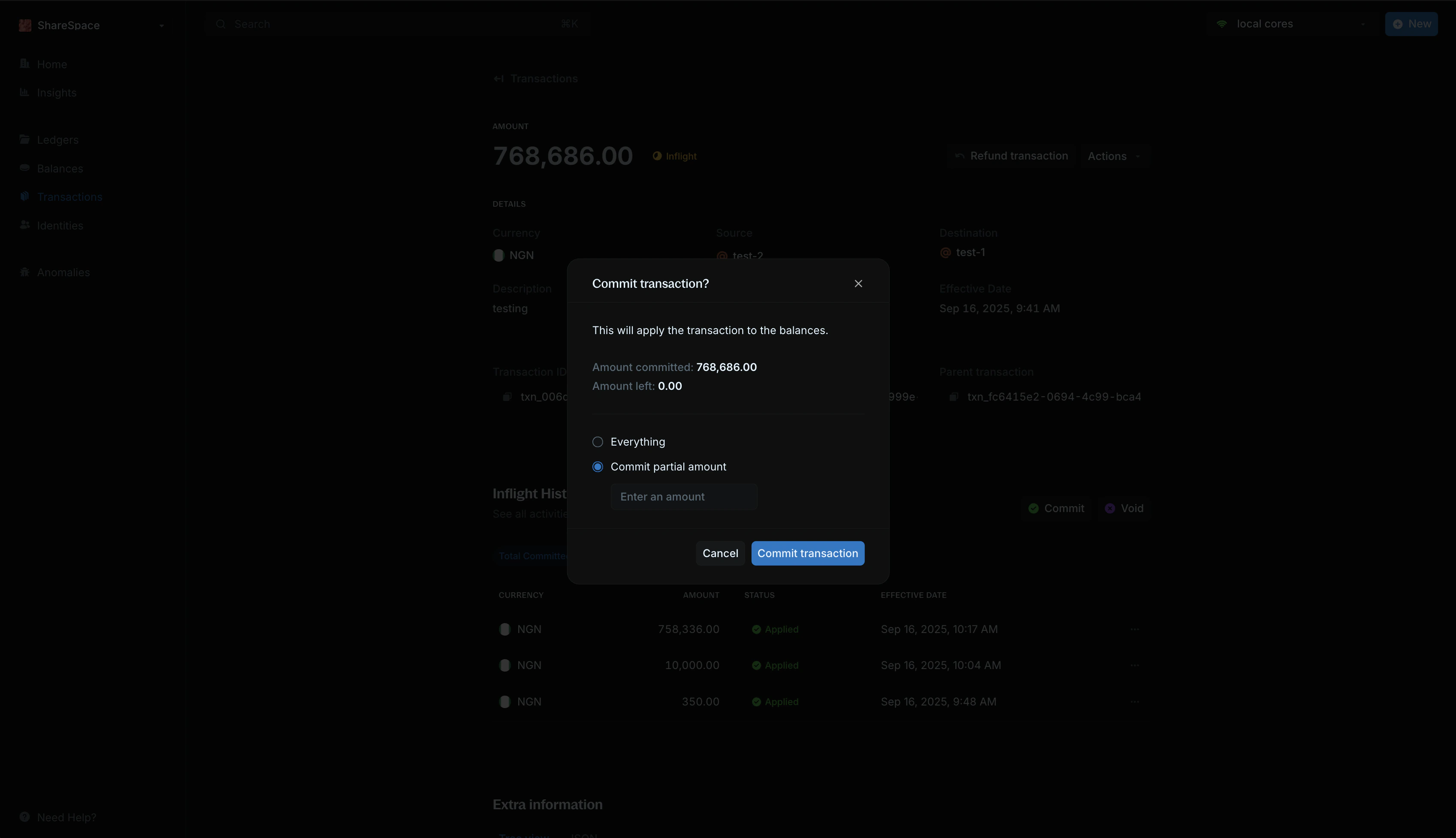
Commit transaction

Commit transaction modal with amount field To commit the full amount:
  1. Select Commit transaction or press C on your keyboard.
  2. Leave amount to commit empty.
  3. Confirm in the modal.
  4. A new linked transaction is created with status APPLIED.
For partial commits:
  1. Enter the amount in Amount to commit.
  2. A new linked transaction is created for that portion.
  3. The remaining amount stays inflight.
  4. For the final commit, leave Amount to commit empty.

Void transaction

Voiding permanently cancels an inflight transaction and releases any remaining held amount. Void transaction confirmation modal
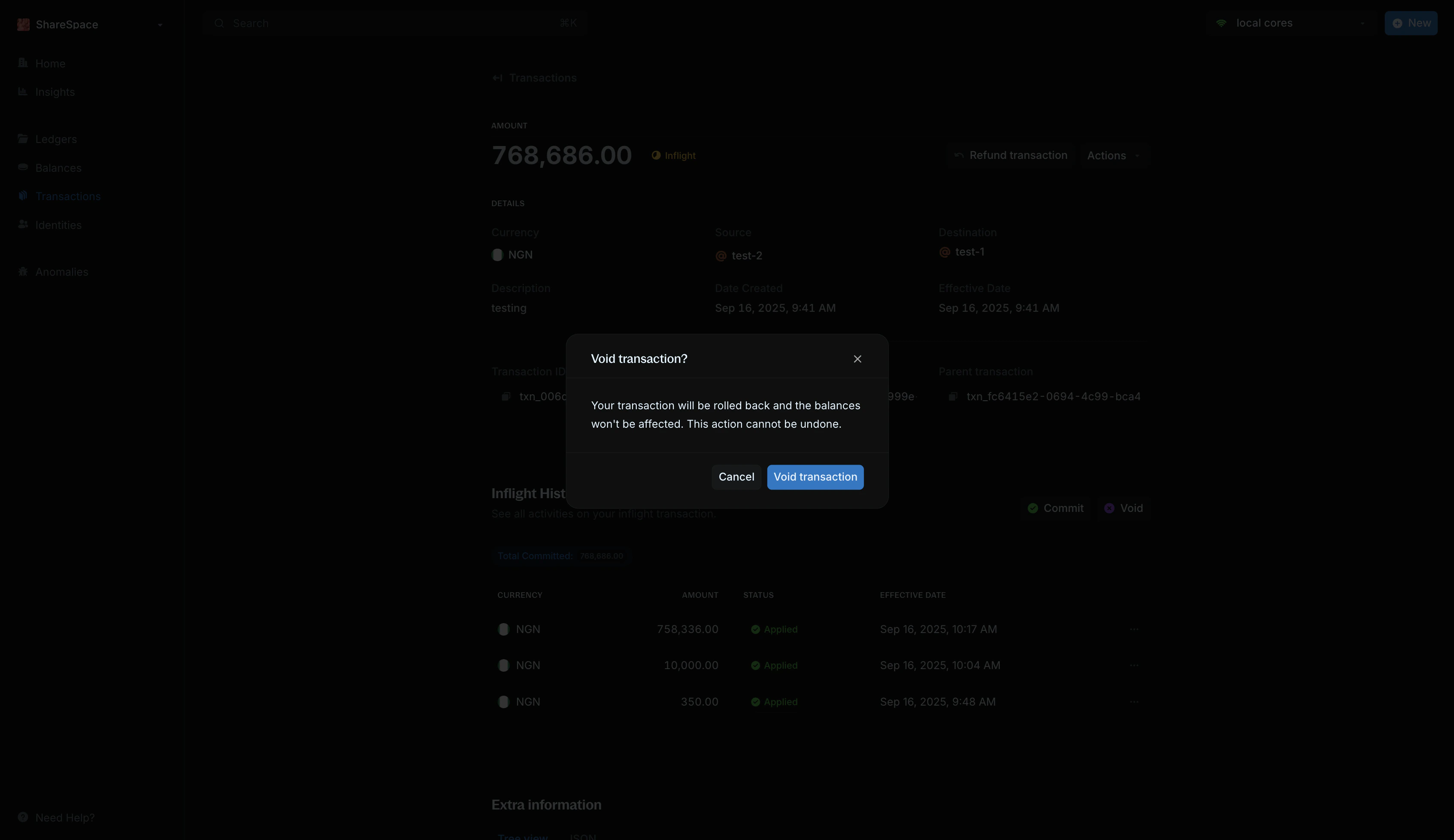
  1. Select Void transaction or press V on your keyboard.
  2. Confirm in the modal.
  3. A new linked transaction is created with status VOID.

Need help?

We are very happy to help you make the most of Blnk, regardless of whether it is your first time or you are switching from another tool. To ask questions or discuss issues, please contact us or join our Discord community.