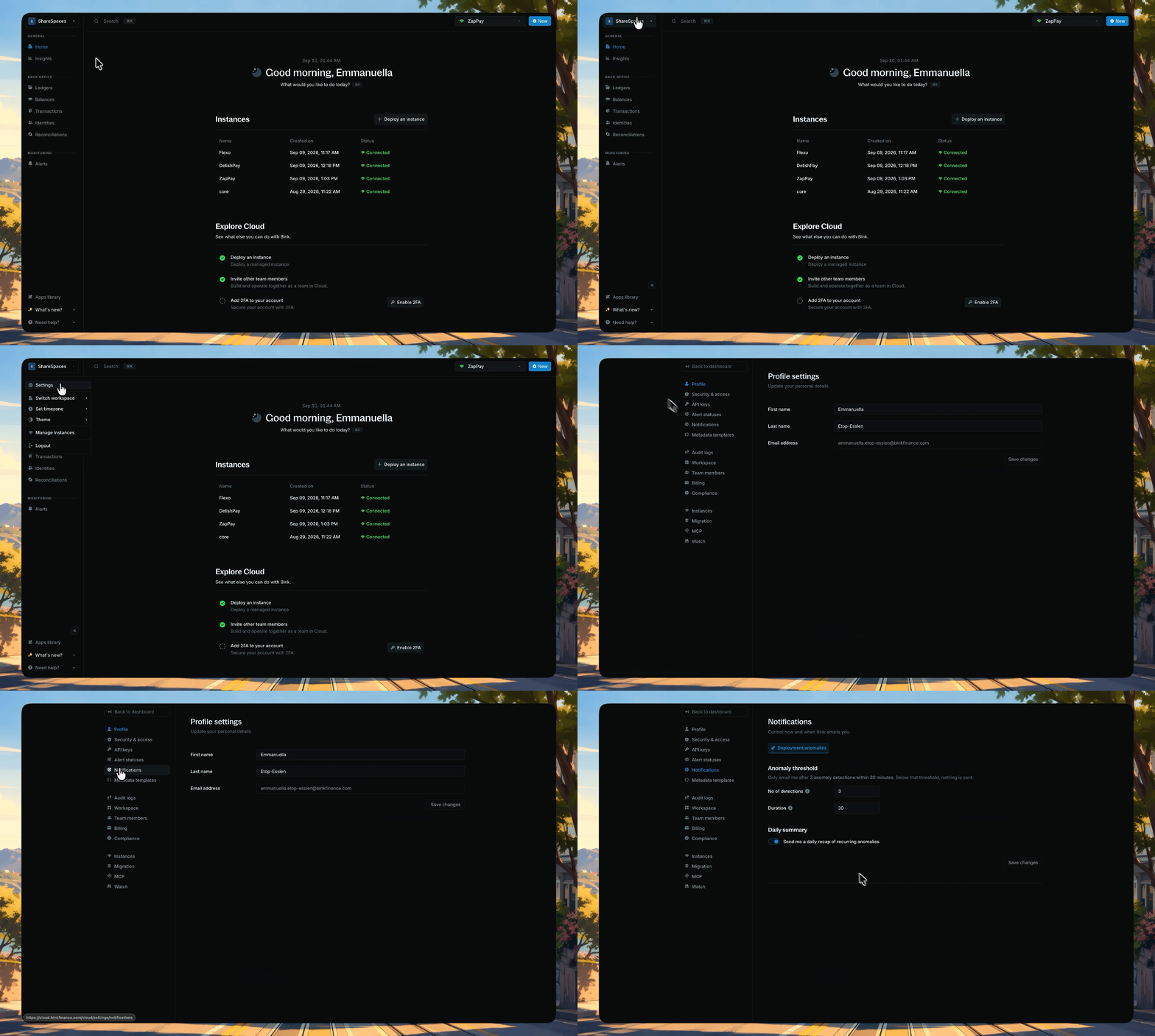
Notification settings control how and when Blnk emails you. Open them from Settings > Notifications. Today the page covers Deployment anomalies. Other email types (login, instance created, weekly ledger summary) are not on this screen. Open Settings, Notifications, and configure deployment anomaly email thresholds

Deployment anomalies

Cloud emails you only after a burst of matching anomaly detections. Below your threshold, nothing is sent. Defaults: 3 detections within 30 minutes.

Daily summary

Turn on Send me a daily recap of recurring anomalies if you want a digest in addition to threshold emails. It is on by default. Click Save changes when you are done.

Need help?

We are very happy to help you make the most of Blnk, regardless of whether it is your first time or you are switching from another tool. To ask questions or discuss issues, please contact us or join our Discord community.