- Internal records: Your ledger.
- External records: Bank statements, card statements, payment processor statements, etc.
Before you start,
You need to do three things first:- Upload your external data: This is the data you want to compare against your ledger. We support CSV and JSON, but the file must follow our required format for reconciliation to work.
- Set your matching rules: This tells Blnk how to match the two sets of records. For example, you can say that any entries with the same description, amount, and date in both files represent the same transaction and should be matched.
- Define your reconciliation strategy: This tells Blnk how transactions are distributed between the two records. For example, one transaction in your ledger could correspond to one transaction in the external data (one-to-one).
External data
Prepare external data for reconciliation.
Matching rules
Rules for matching ledger and external records.
Run a reconciliation
To run a reconciliation: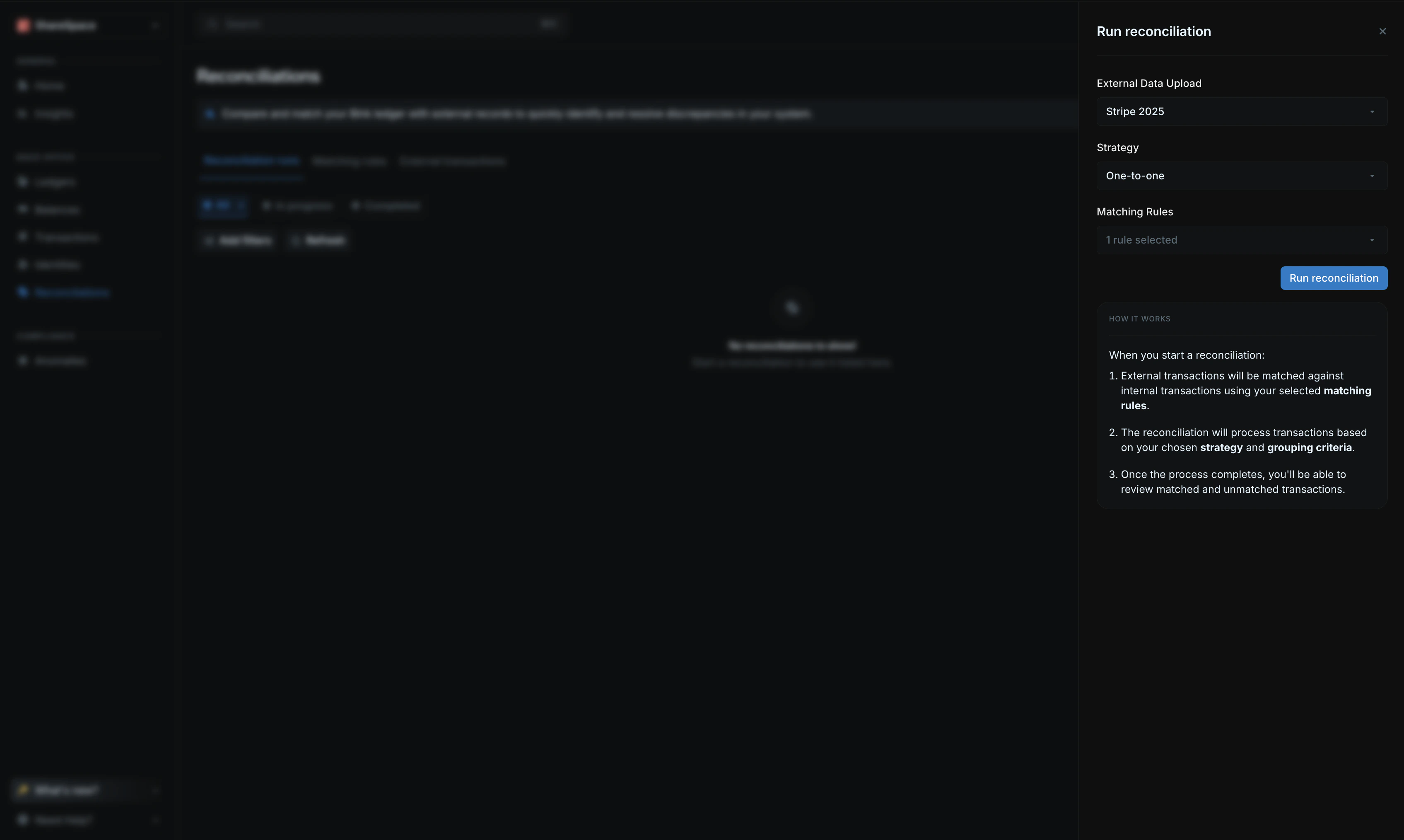
- Go to the
Reconciliationpage from your sidenav. - Click on
Run reconciliationon the top right corner. - From the side panel:
- Choose the external data you want to reconcile.
- Pick the matching rule(s) for this reconciliation run.
- Select your reconciliation strategy.
- If not using one-to-one reconciliation strategy, select the grouping criteria.
- Start the reconciliation by clicking
Run reconciliation.
View reconciliation details
Once a reconciliation is completed, you can view its results from the reconciliation table.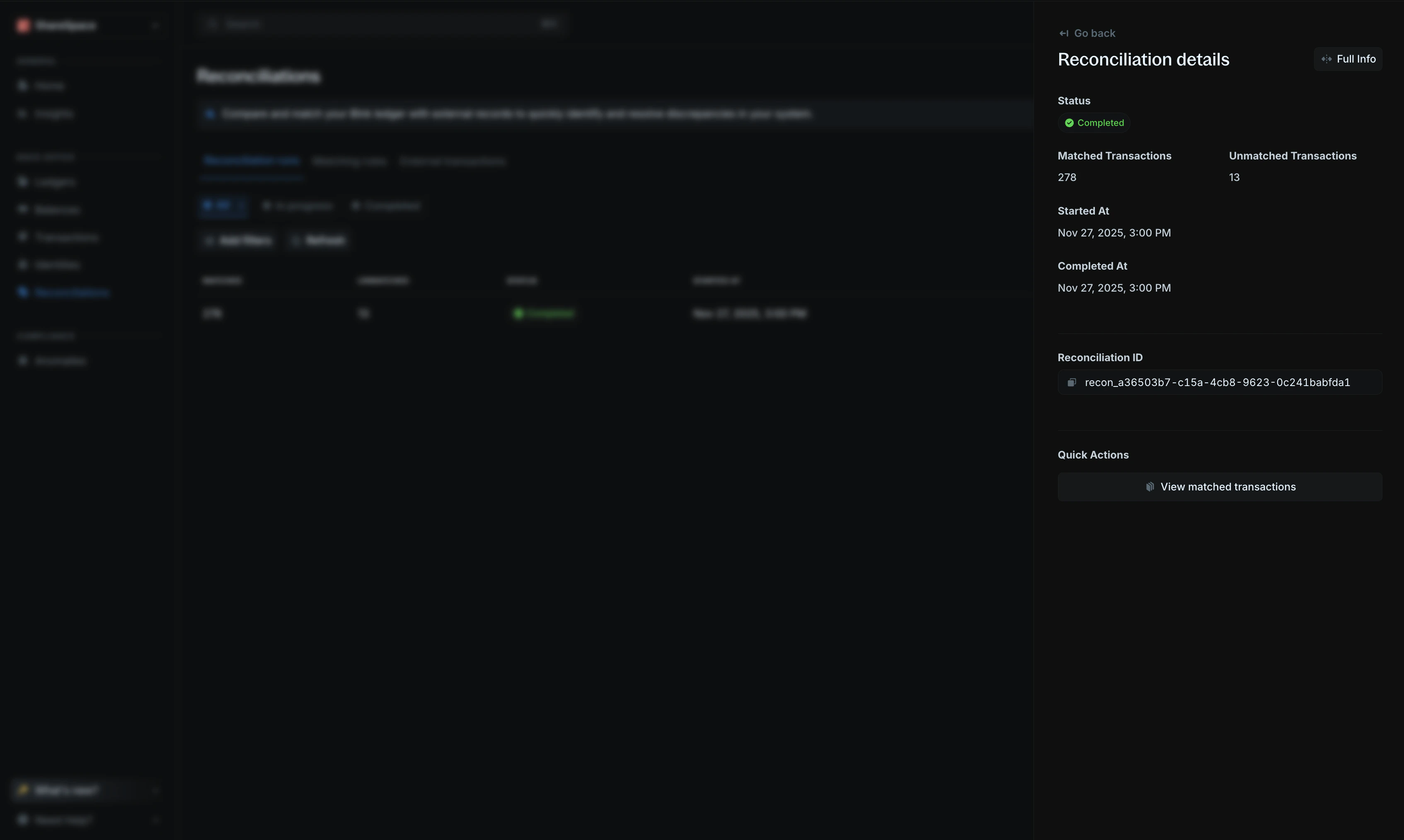
Full info at the top right of the side panel.
Summary section
The summary section gives you a quick overview of the reconciliation run.Matched transactions
This section lists an overview of the external transactions matched to internal transactions. ClickView ledger transactions to see all of the matched transactions and their individual reconciliation details.
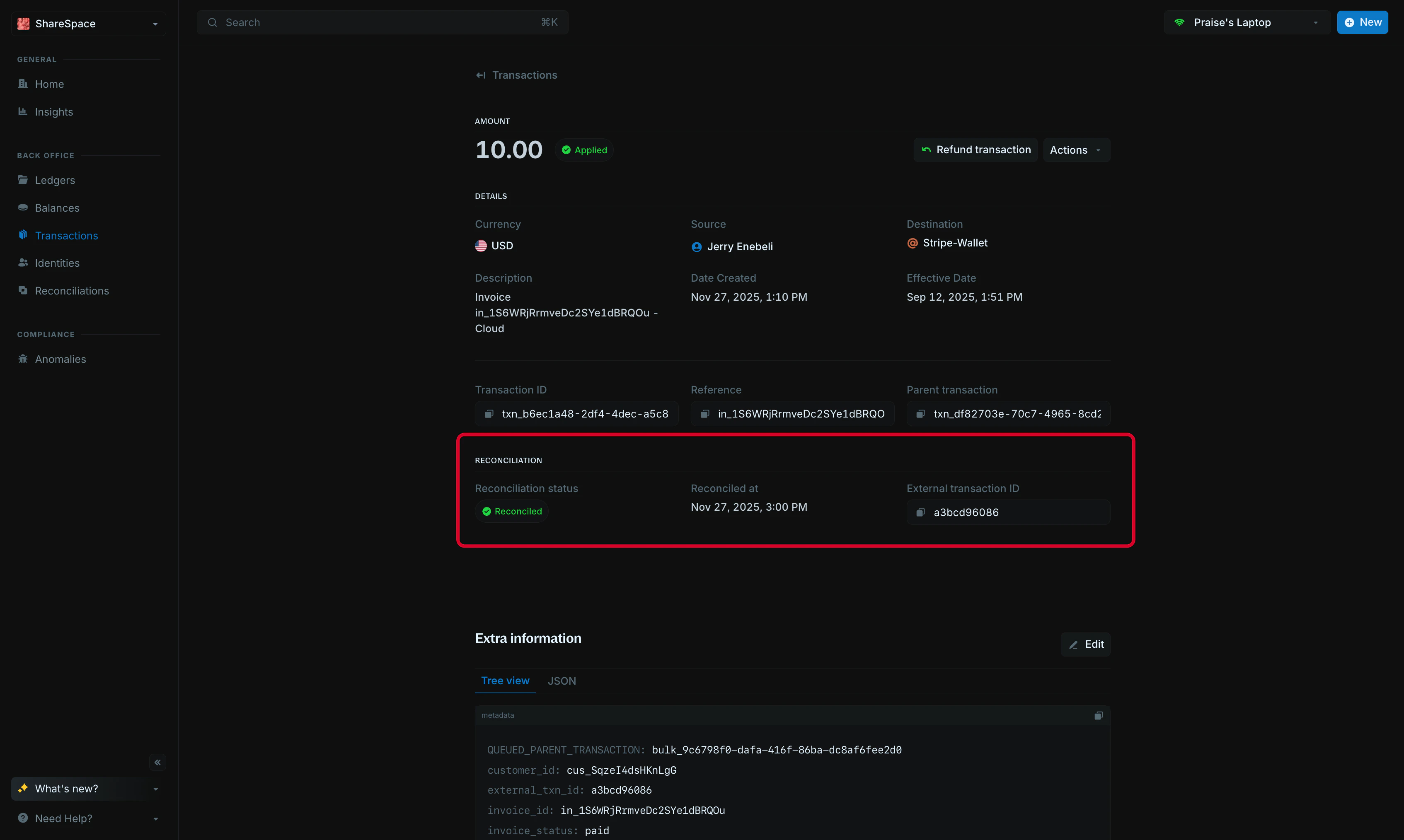
Unmatched transactions
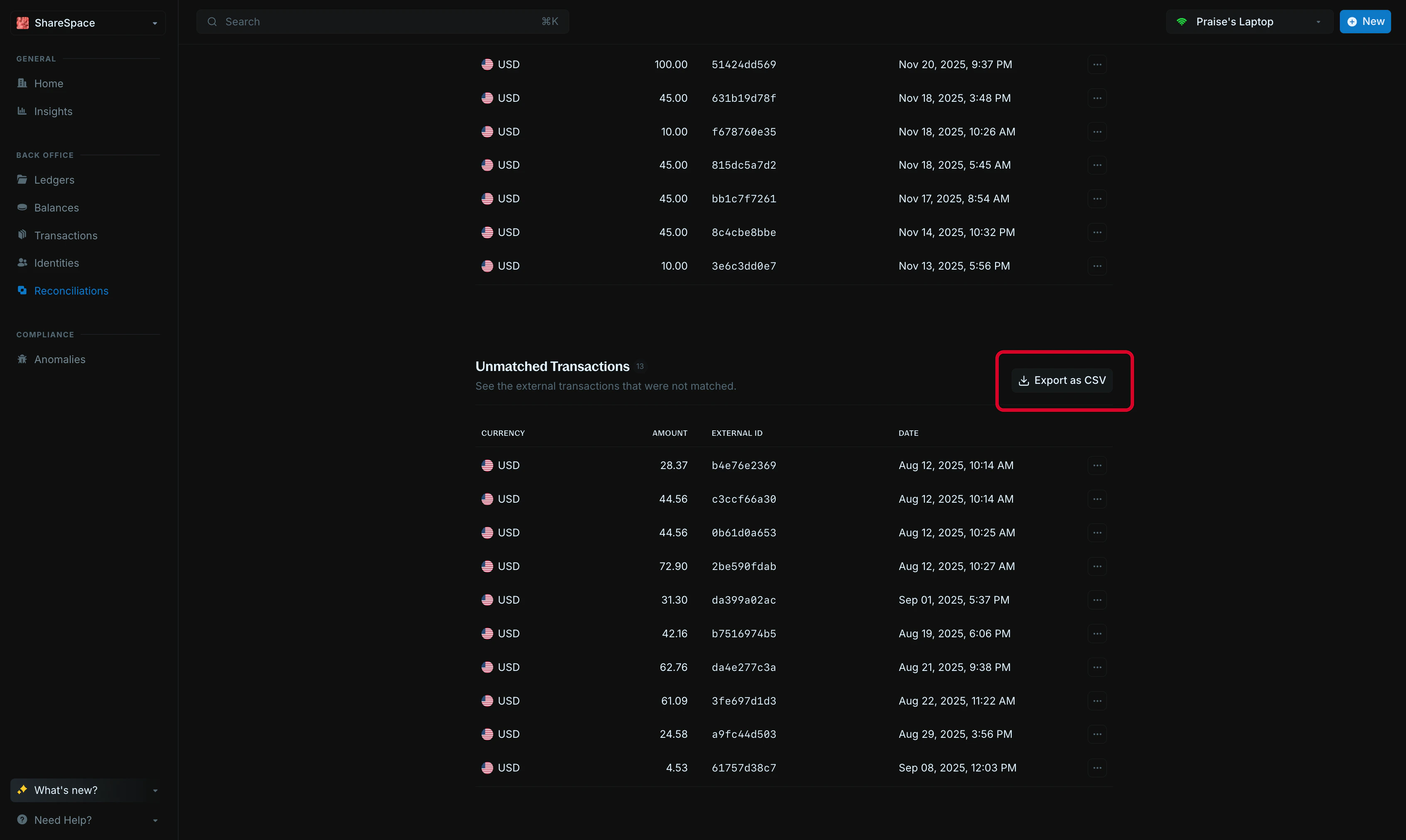
This section lists the external transactions that had no matching internal transaction. ClickExport as CSV to download a CSV file of the full list.