

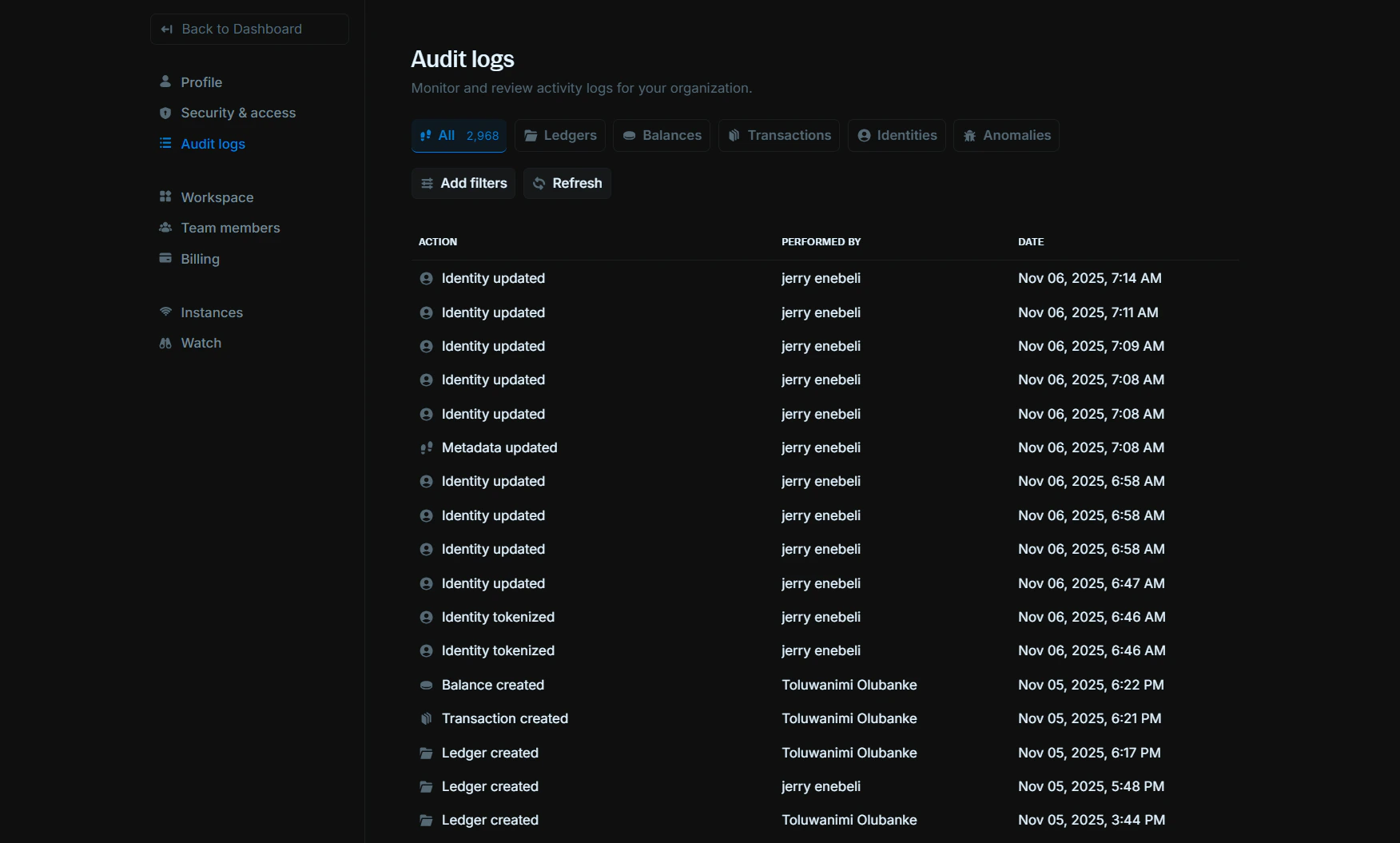
Viewing audit logs
The audit logs table displays all activities in your workspace with the following columns:Action:The type of activity performed (e.g., “Identity updated”, “Balance created”, “Transaction created”)Performed by:The team member who initiated the actionDate:The timestamp when the action occurred
Filtering audit logs
You can filter audit logs by category using the tabs at the top:All:Shows all activities across your workspaceLedgers:Activities related to ledger creation and managementBalances:Activities related to balance operationsTransactions:Activities related to transaction processingIdentities:Activities related to identity managementAnomalies:Activities related to anomaly detection and investigation
Additional actions
Add filters:Apply custom filters to narrow down your search and find specific activitiesRefresh:Update the audit logs table with the latest activity data