

Send an invitation
Only admins can send invitations.1
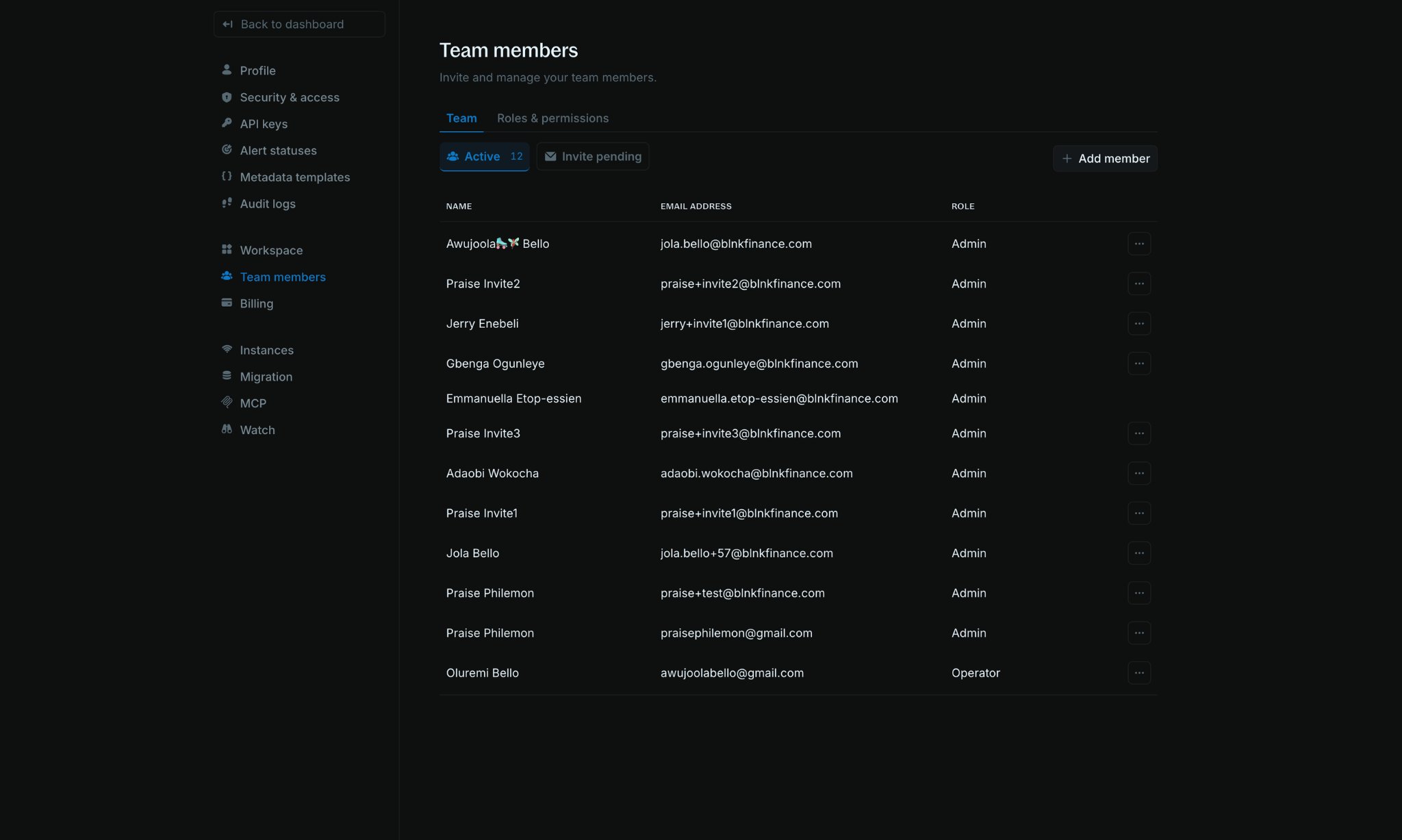
Open Team members
Go to Settings > Team members.
2
Click Add member
Click 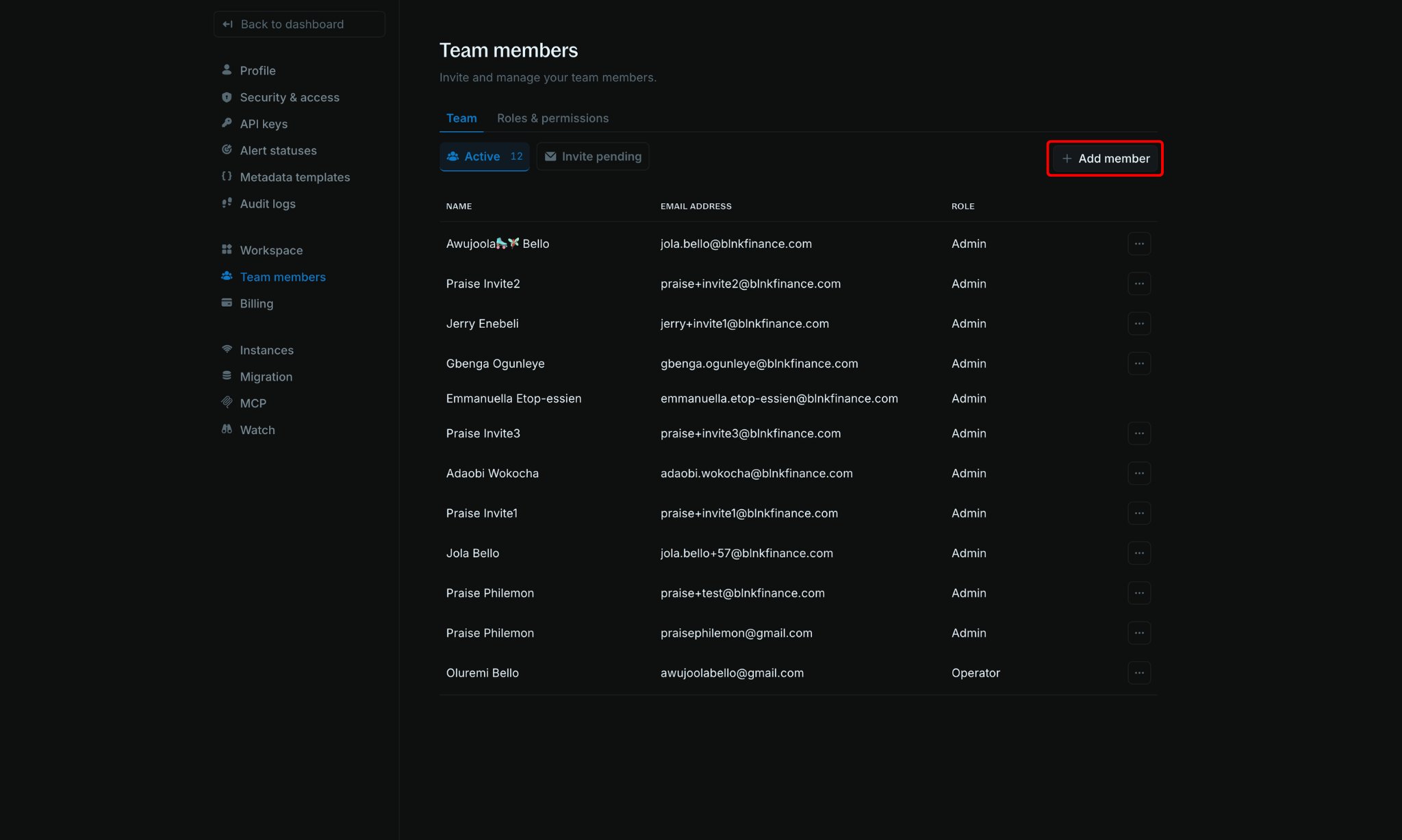
Add member at the top right of the page.3
Enter email and role
In the 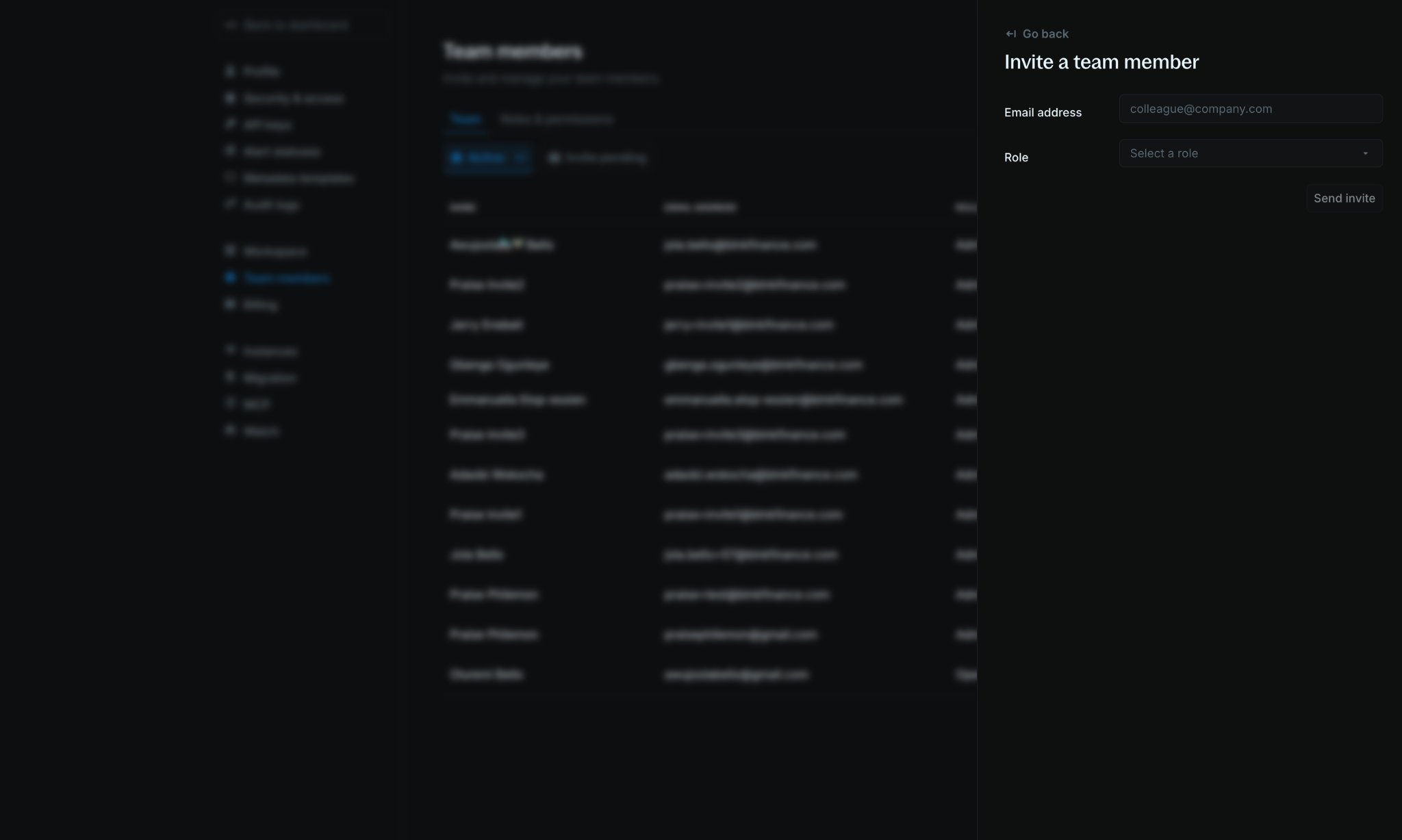
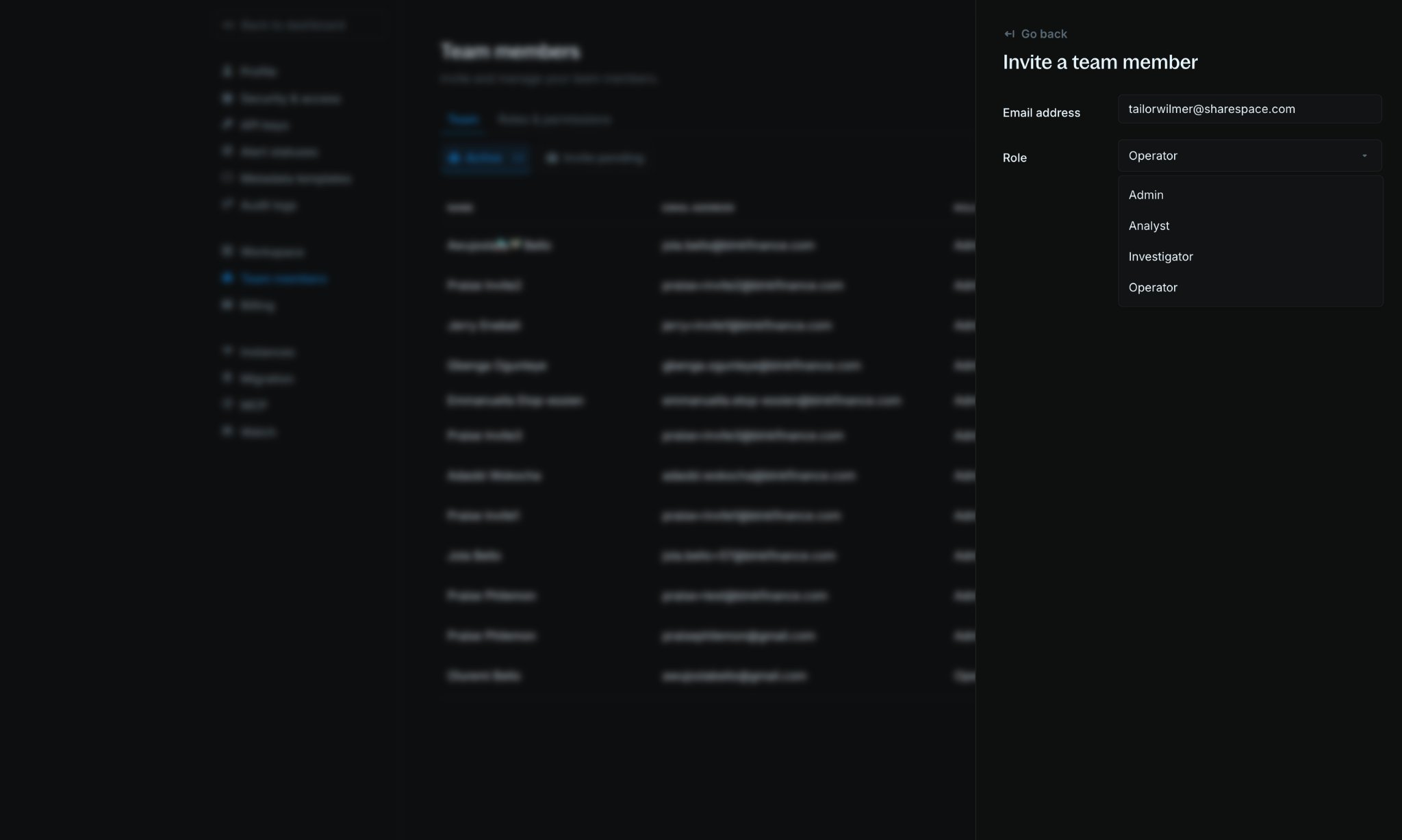
Invite a team member panel, enter your teammate’s Email address and select a Role.Admin, Operator, Investigator, and Analyst. Choose the role that matches what your teammate needs to do.4
Send the invitation
Click 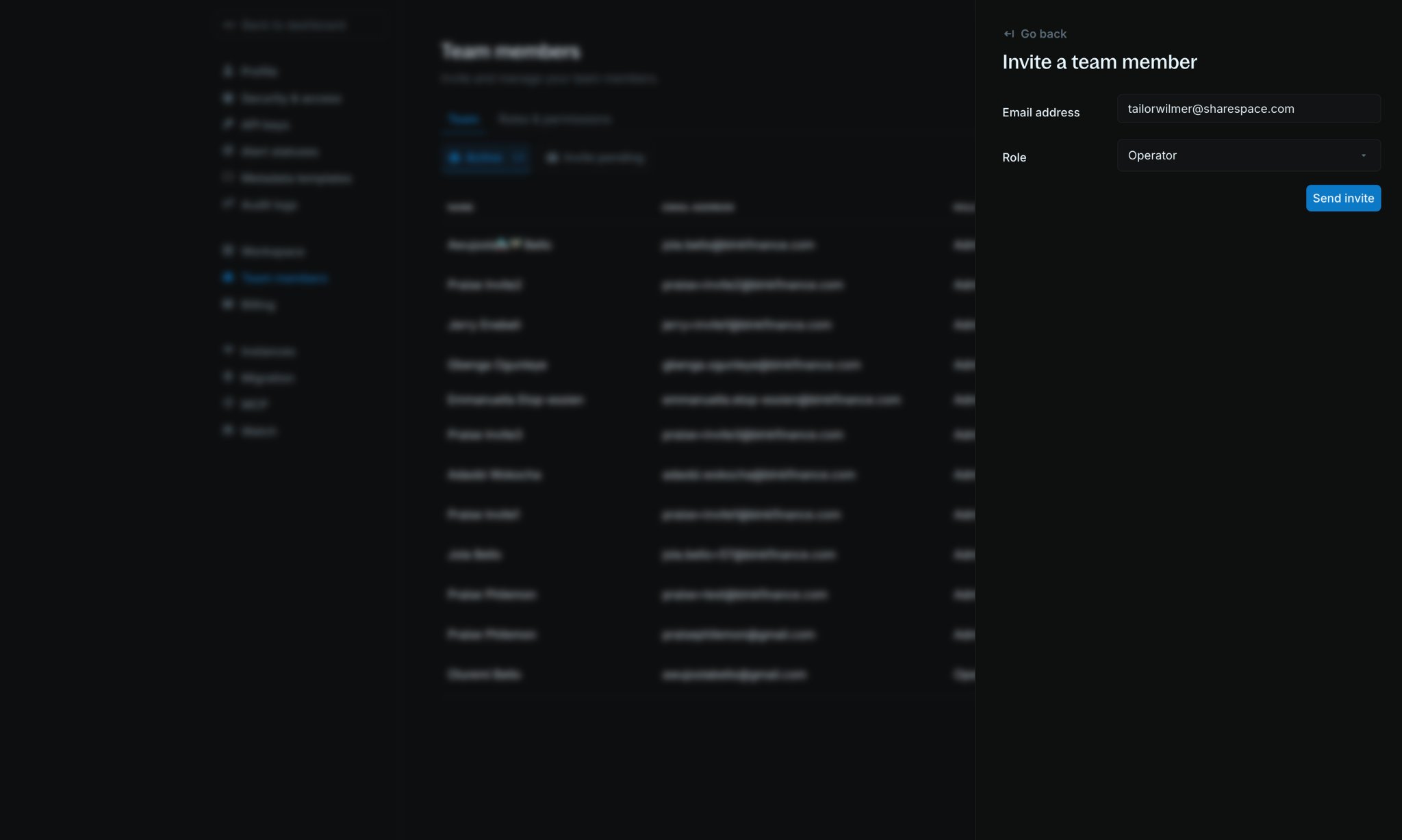
Send invite. Your teammate receives an invite link by email with steps to join your workspace.Track pending invitations
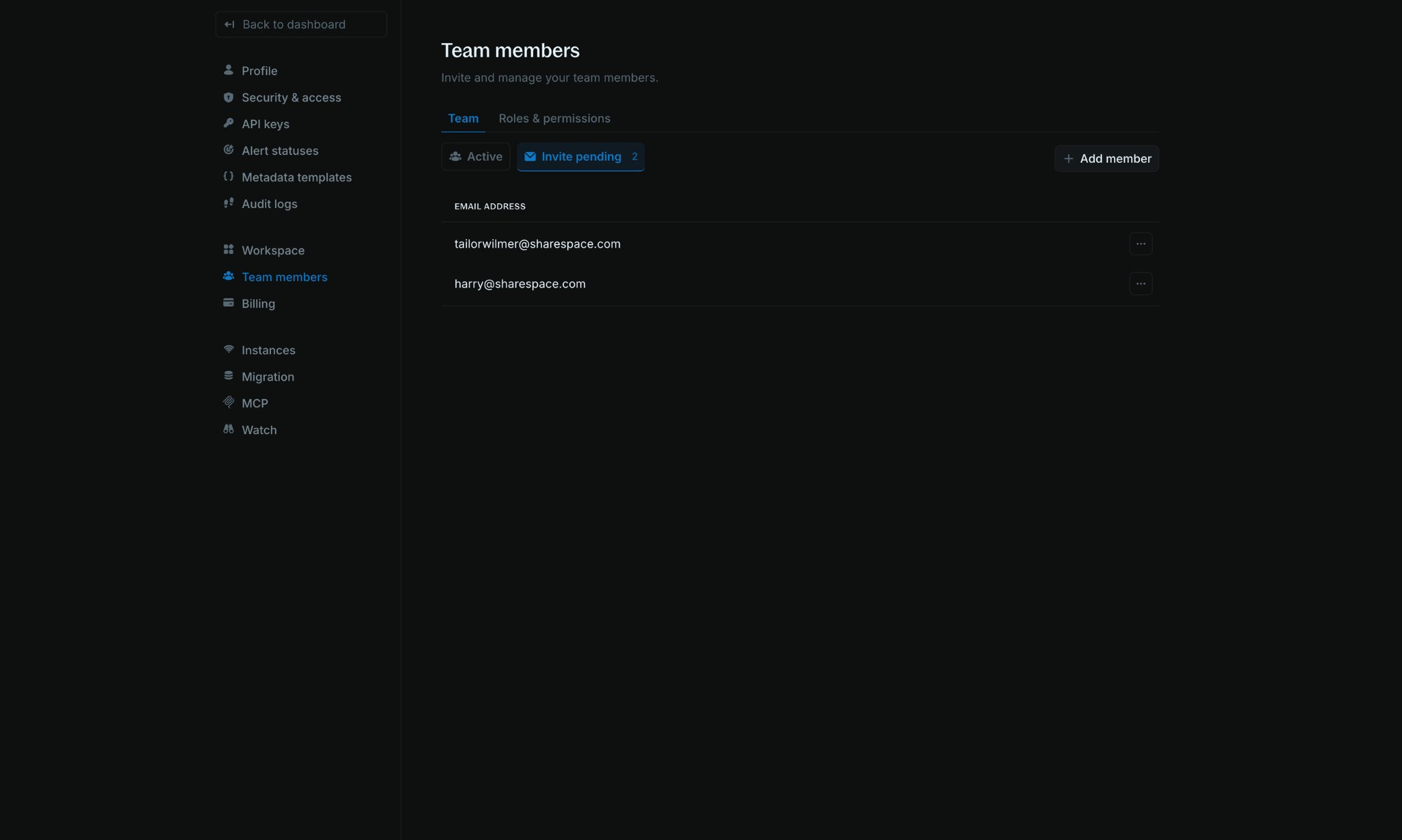
To see teammates who have not accepted yet, open theInvite pending tab on the Team members page.
Roles & permissions
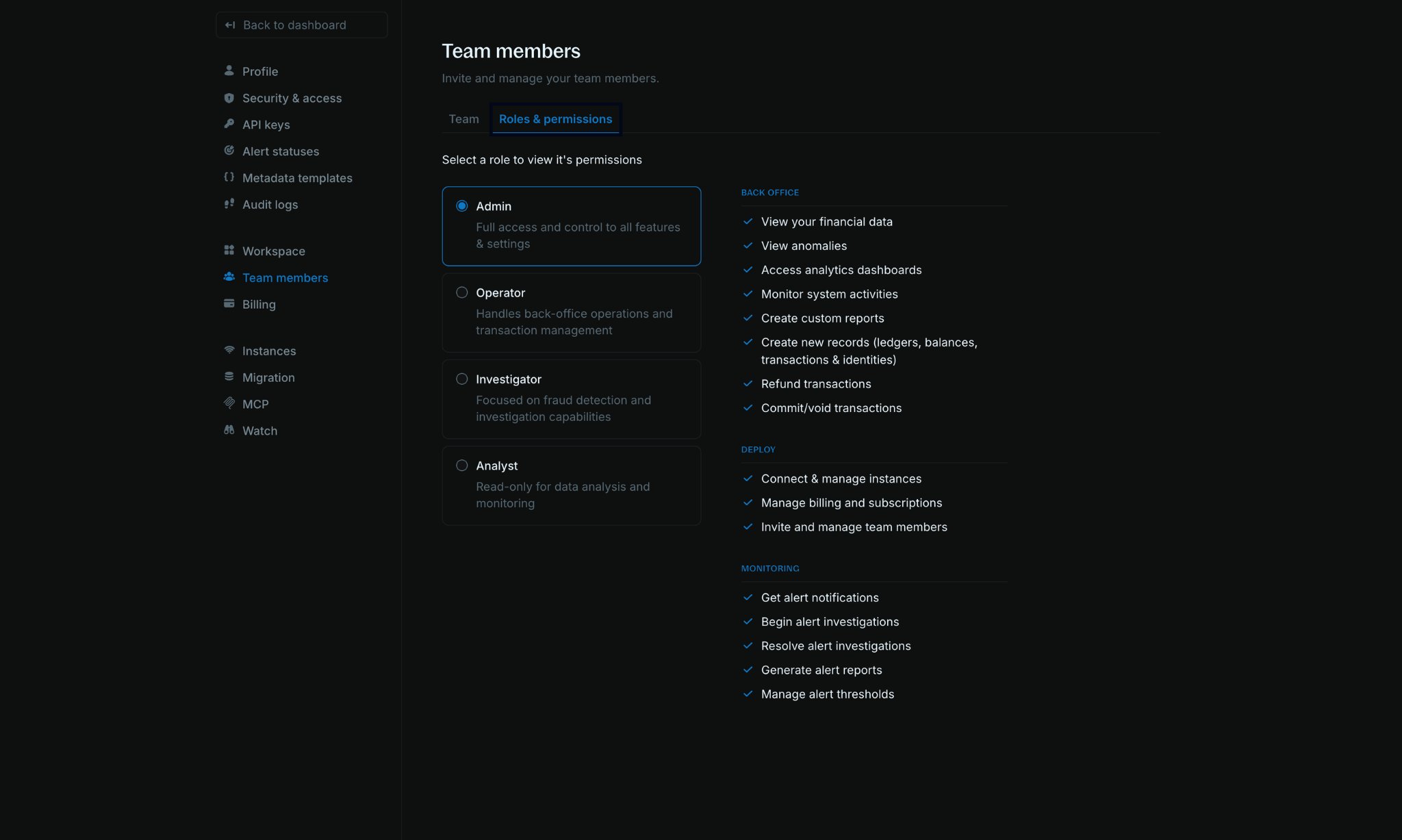
Blnk Cloud has four preset roles. Open theRoles & permissions tab on the Team members page to select a role and review what it can access.
FAQs
I added a teammate, but they can't log into the workspace.
I added a teammate, but they can't log into the workspace.
They may have their email address associated with a different workspace. Contact Support to get this resolved.