

How API keys work
When you make an API call, include your API key in the request headers to verify your identity and authorize the operation on your Cloud workspace. Each API key has:- Name: A user-friendly identifier to help you organize and identify keys
- Key prefix: A partial identifier visible in the API keys list (e.g.,
blnk_fdb796a5...) - Scopes: Permissions that define what the key can access (e.g.,
*for all permissions, or specific scopes likemcp:read, mcp:write) - Expiration: Optional expiration date, or
Neverfor keys that don’t expire
Create an API key
1
Open API keys
Go to Settings > API Keys.
2
Click Create API key
Click 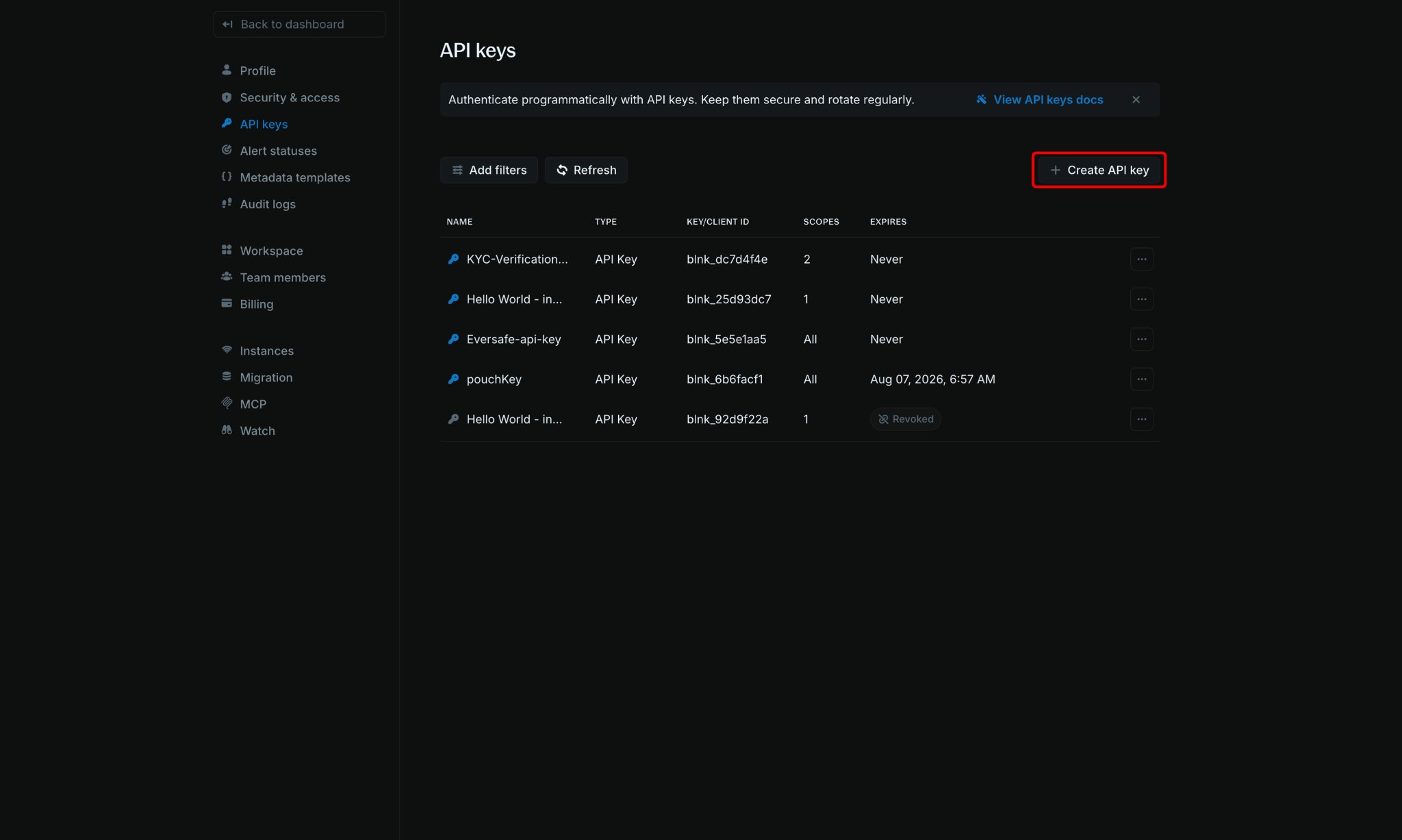
Create API key in the top-right corner of the page.3
Configure your API key
In the 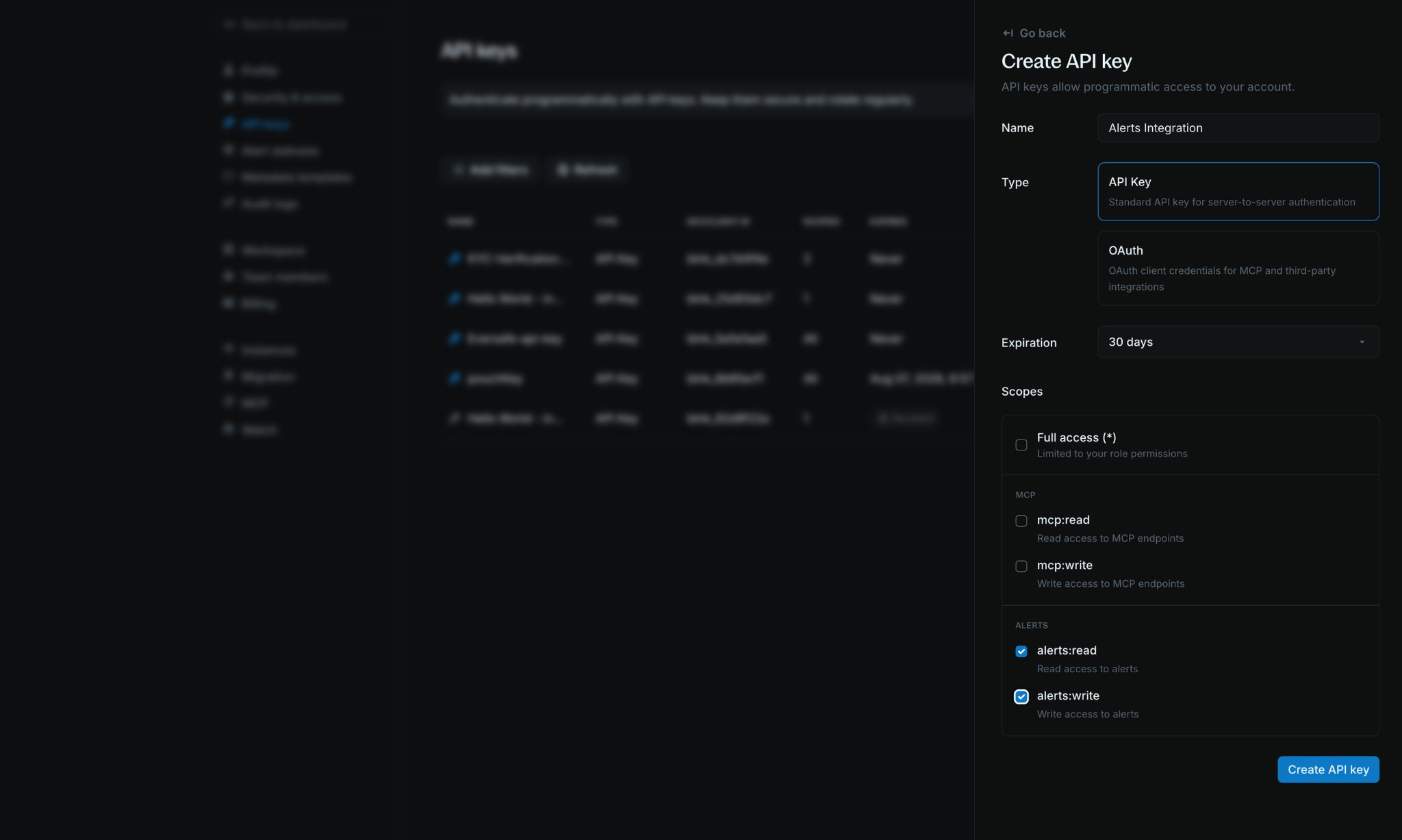
Create API key panel, fill in the required details:- Name: A descriptive name (for example,
Alerts Integration) - Type:
API Keyfor server-to-server auth, orOAuthfor MCP and third-party integrations - Expiration: Choose when the key should expire (for example,
30 days, orNever) - Scopes: Select the permissions this key needs
4
Save and copy your API key
Click 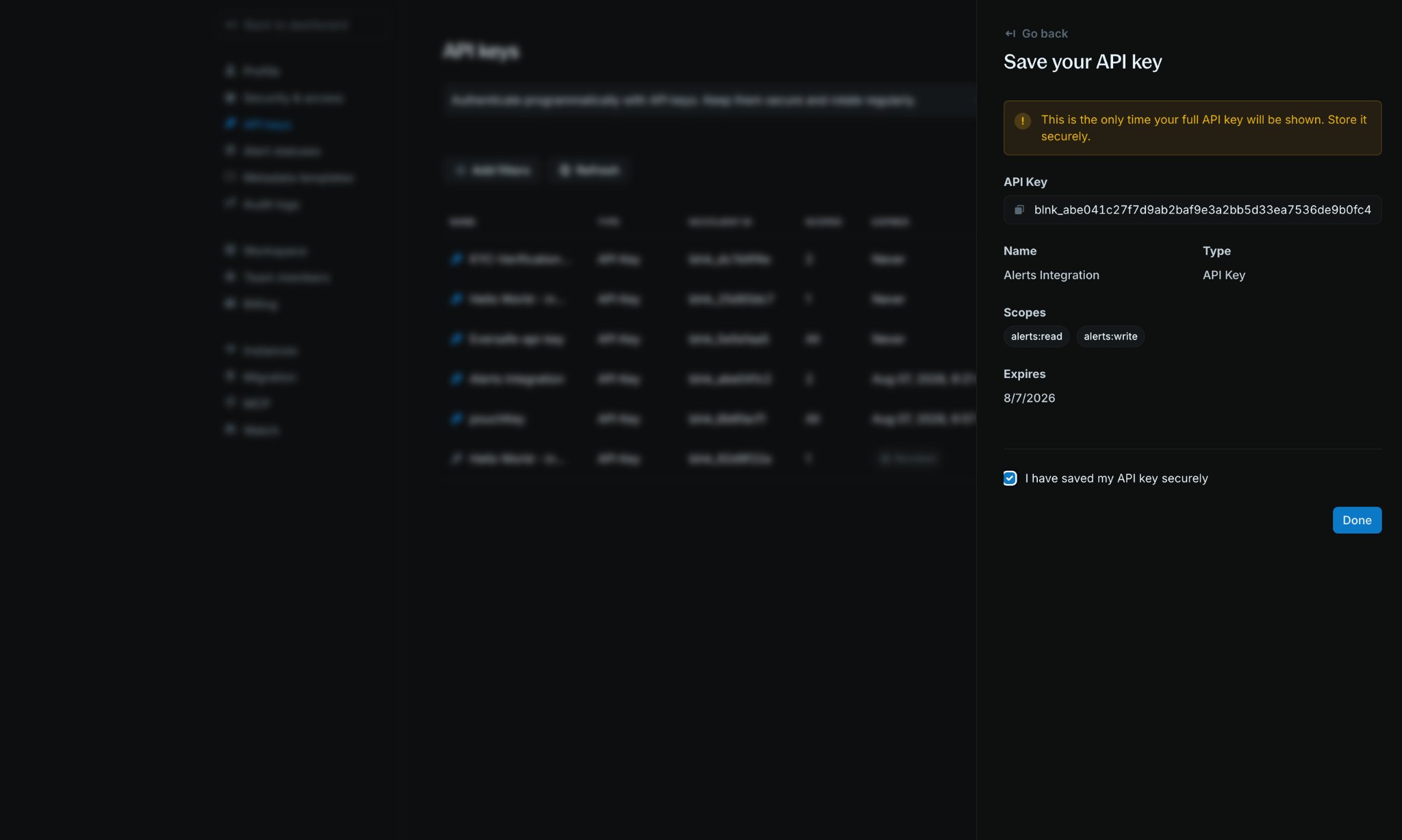
Create API key. The full key is shown only once on the Save your API key screen. Copy it and store it securely before clicking Done.Update expiration
You can change when an API key expires without creating a new key.1
Open API key details
Click an API key name in the API Keys table to open its details panel.
2
Click Update expiration
In Quick actions, click 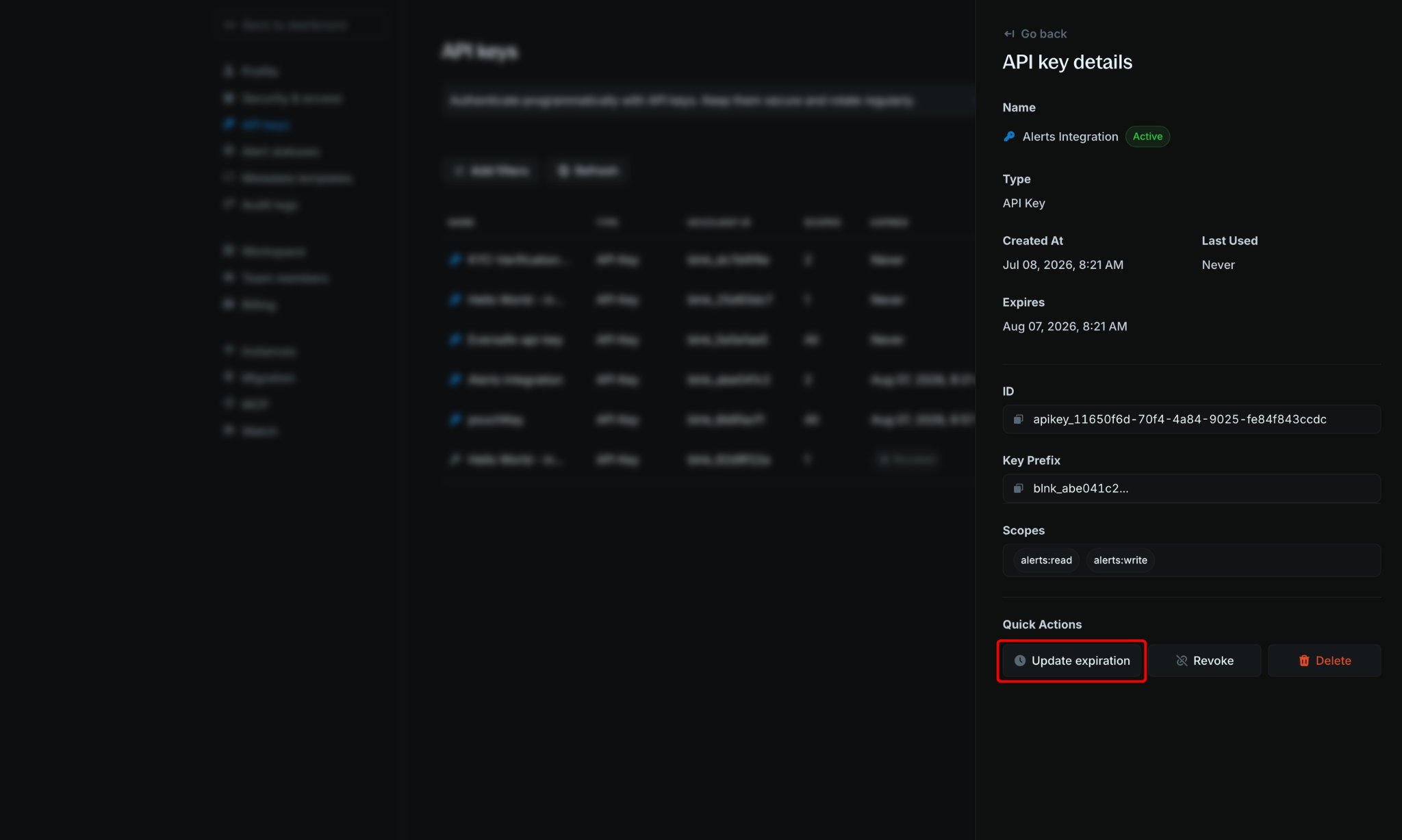
Update expiration.3
Choose a new expiration
Select a new expiration (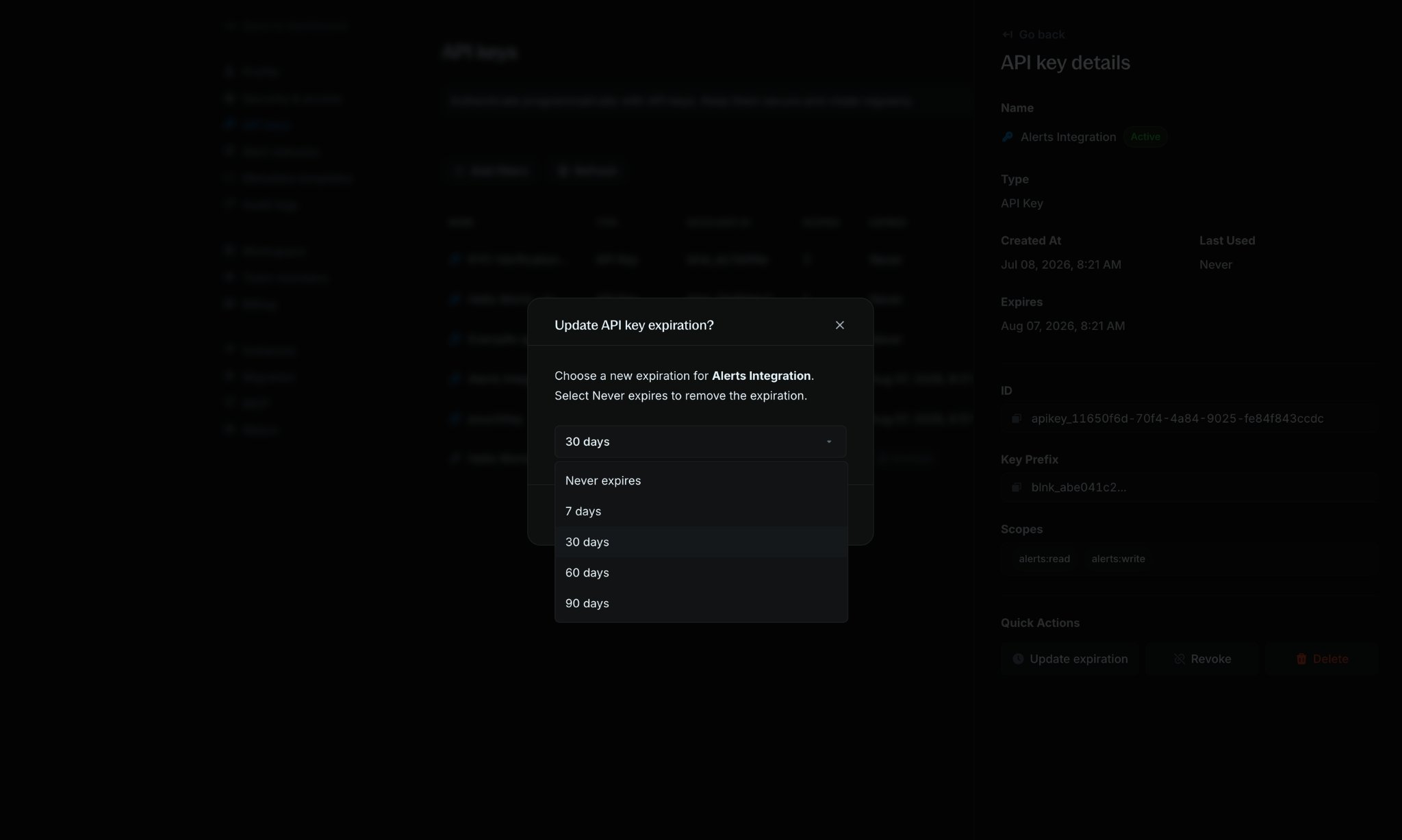
Never expires, 7 days, 30 days, 60 days, or 90 days), then confirm your change.Revoke an API key
If you need to disable an API key without deleting it permanently, you can revoke it. Revoked keys cannot be used for authentication but remain visible in your API keys list for reference.1
Open API key details
Click the API key name in the API Keys table to view its details.
2
Revoke the key
In the API key details panel, click
Revoke.3
Confirm revocation
Confirm that you want to revoke the key. The key’s status will change to Revoked in the API Keys table.