

@Revenue, @Fees, etc.
Balances in the General Ledger are marked with the @ icon indicator in your Transactions and Balances tables.
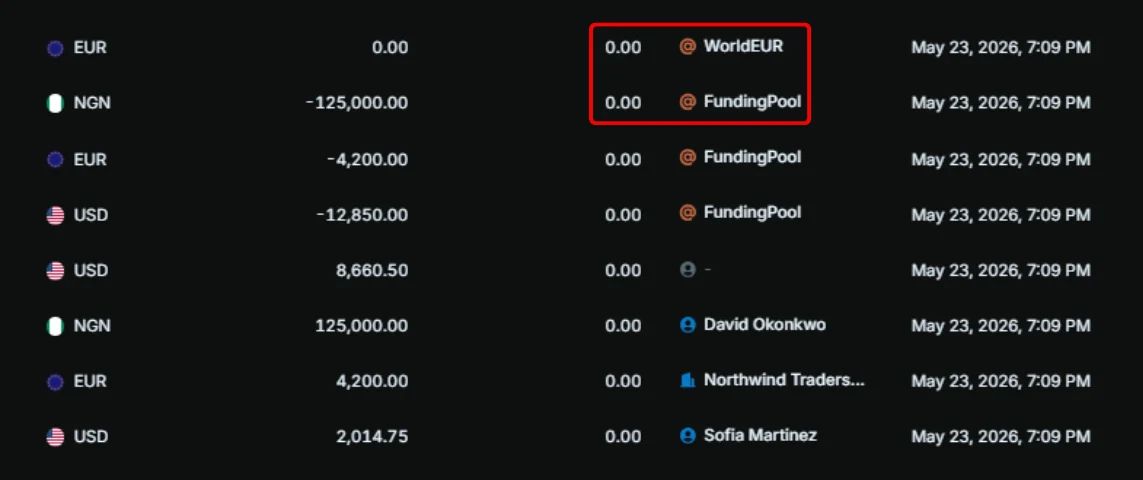
Create general ledger balances
To create a balance in the General Ledger with the@ indicator:
1
Create transaction
Go to 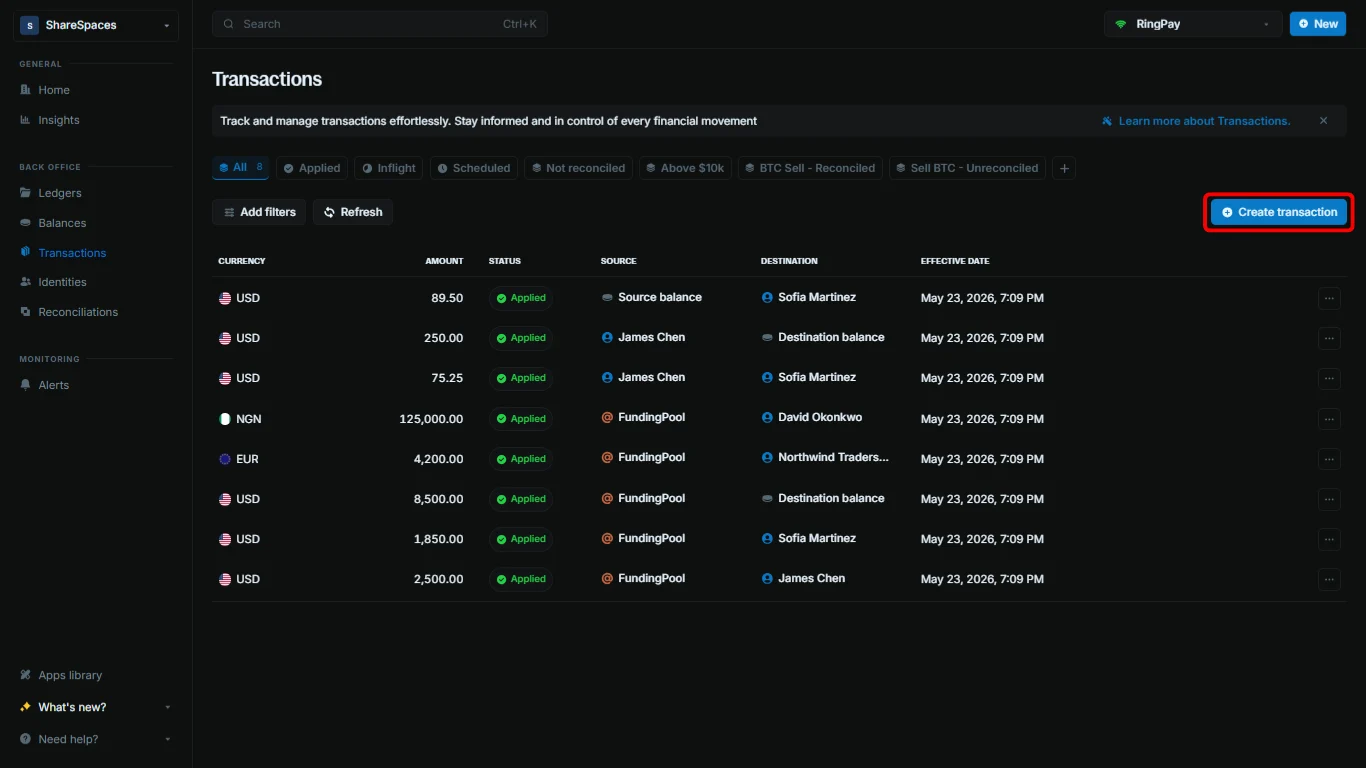
Transactions. Click Create transaction, or press ⌥ + T (Alt + T for Windows).2
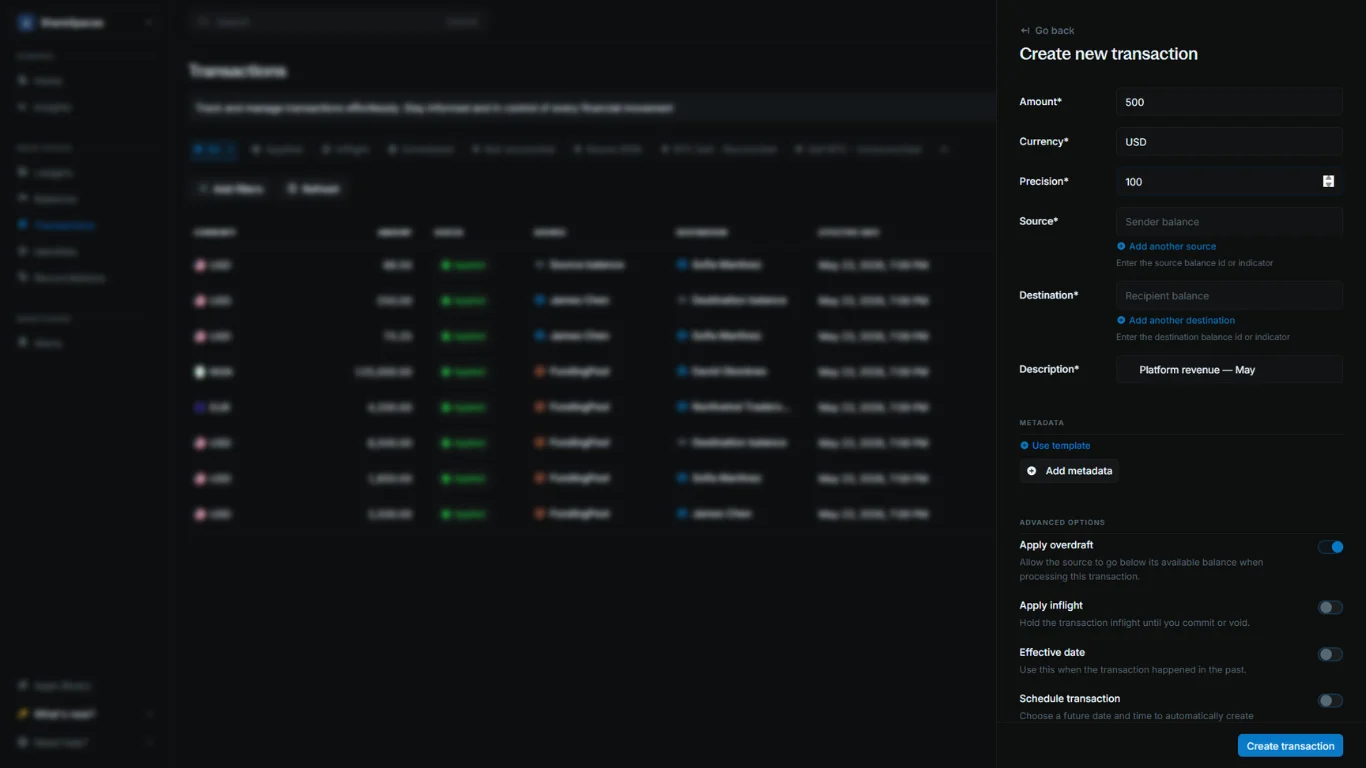
Enter the required details
Amount: The amount of the transaction.Currency: The currency the transaction will use.Precision: The multiplier that converts the amount into the currency’s smallest unit.Description: A short note describing the purpose of the transaction.
3
Enter an indicator
In 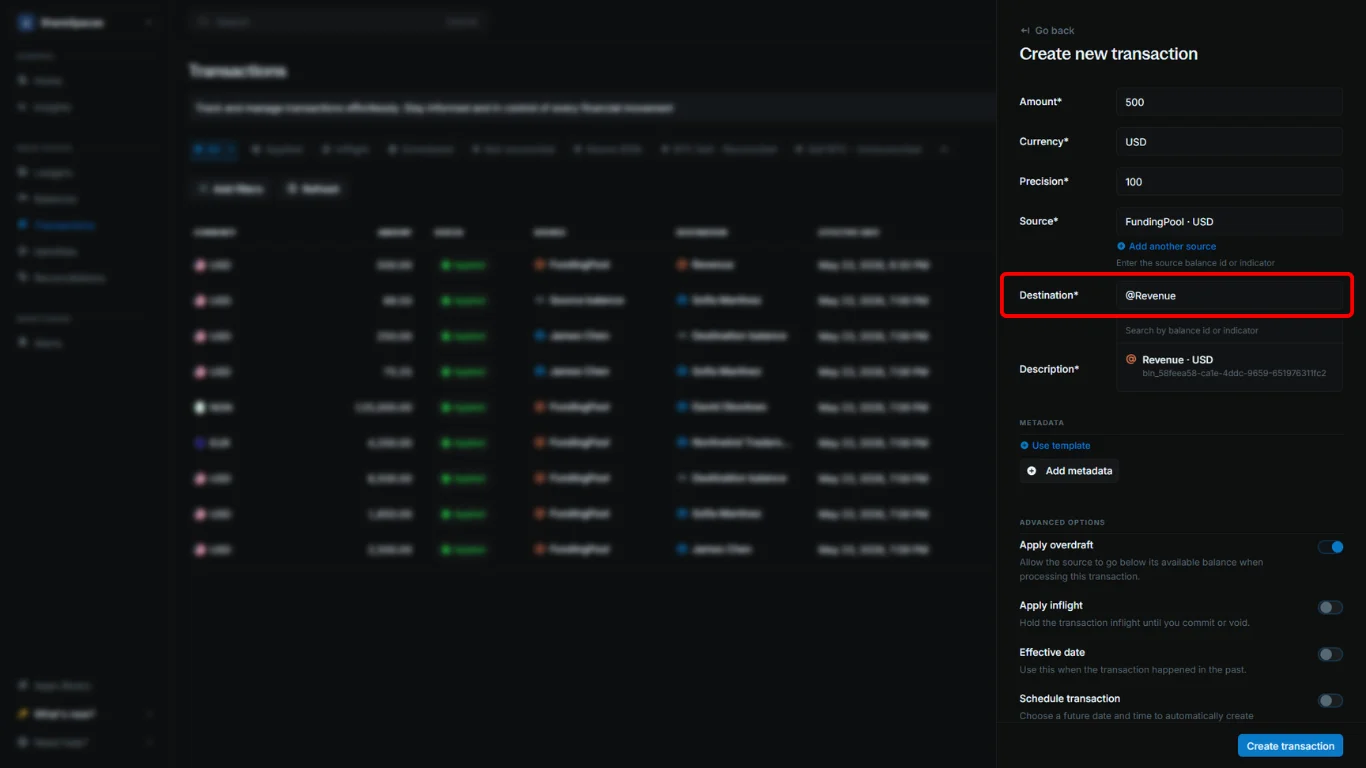
Source or Destination, enter an indicator instead of a balance ID. For example, enter @Revenue in Destination to create a revenue balance.4
Complete
Click 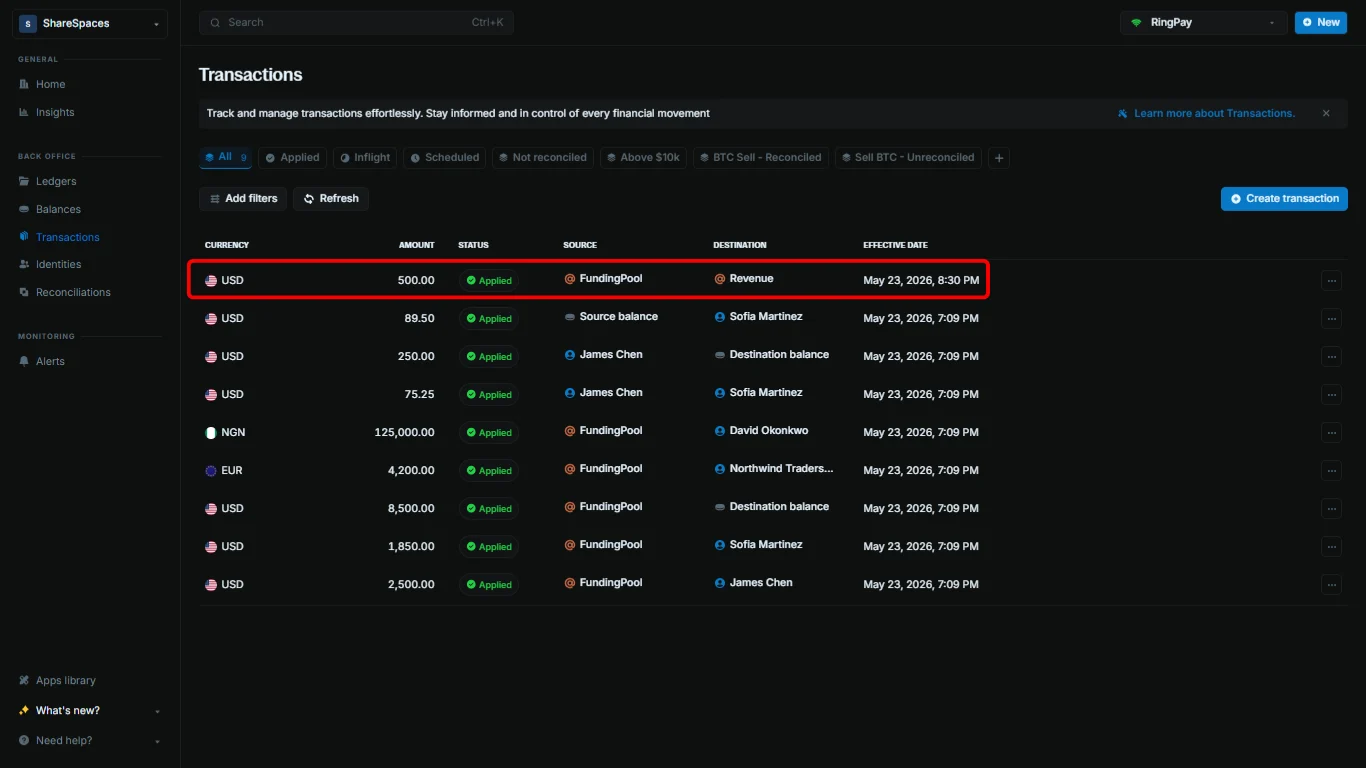
Create transaction to complete.