

AI integrations
MCP server
Connect to the Blnk MCP server to query and manage ledger data from AI tools.
POST
The Blnk MCP server exposes your Core instance through the Model Context Protocol (MCP).
AI tools such as Cursor, Claude Desktop, and ChatGPT connect to this endpoint, authenticate with Blnk Cloud credentials, and call tools to read or write ledger data.
All MCP traffic is routed through Blnk Cloud. AI clients never connect directly to your Core instance. Cloud validates credentials, enforces scopes, and forwards authorized operations to the target instance.
Set up your client
1
Create authentication credentials
Choose either an API key or OAuth credentials. Both need
mcp:read and mcp:write.- API Key
- OAuth Credentials
Create an API key with MCP scopes in Settings > API Keys.
2
Get your MCP endpoint
Go to
Settings > MCP and copy the configuration for your app.- API Key
- OAuth Credentials
3
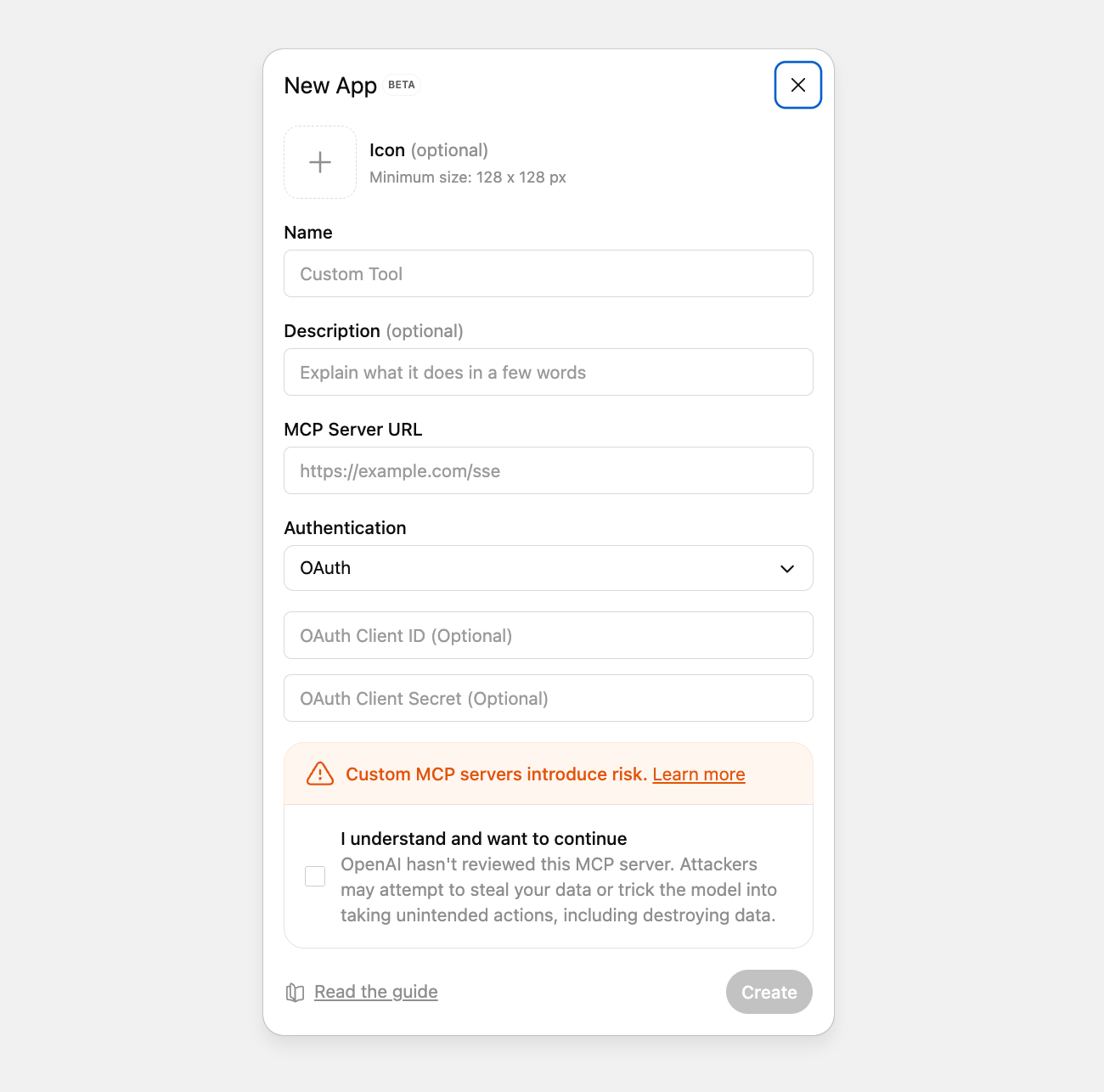
Configure your MCP client
- Cursor
- Claude Desktop
- ChatGPT
- Open Cursor Settings.
- Go to
Features > MCP Servers. - Click
Add Server. - Paste the configuration from the previous step (full JSON for API keys, or the endpoint URL for OAuth).
4
Start chatting with your ledger
You can now query, explore, and update Blnk data from your assistant.
What you can ask
-
Monitor activity
- “Show me all transactions from the last 24 hours”
- “What changed since yesterday?”
-
Check balances
- “What is the current balance for wallet bln_wallet_456?”
- “Show me all negative or low balances”
-
Investigate issues
- “Find failed or voided transactions”
- “Get the transaction with reference order_456”
-
Review large movements
- “Show all USD transactions over $5,000”
- “List unusually large transactions today”
-
Answer operational questions
- “How much money moved today?”
- “What is the total balance across all customer wallets?”
-
Query the lake (archived data)
- “Show the lake schema, then count APPLIED transactions last month”
- “Save a rolling 30-day currency breakdown query and schedule it daily”
-
Operate Core workflows
- “Create a balance monitor that alerts when this wallet goes below 1000”
- “Bulk commit these inflight transactions”
- “Start a reconciliation with this matching rule”
Supported tools
Blnk MCP registers 74 tools: 4 ledgers, 14 balances, 13 transactions, 10 identities, 3 search, 4 filters, 7 reconciliation, 5 hooks, 1 metadata, 2 system, and 11 lake.- Ledgers
- Balances
- Transactions
- Identities
- Search
- Filters
- Reconciliation
- Hooks
- Metadata
- System
- Lake
create_ledger- Create a new ledger for organizing balancesget_ledger- Retrieve ledger details by IDlist_ledgers- List all ledgersupdate_ledger- Update the name of an existing ledger