

Start Here
TypeScript quick start
Install the TypeScript SDK and create your first transaction.
Use the latest TypeScript SDK release, v1.6.0.
This guide walks you through installing the Blnk TypeScript SDK, initializing the client, and creating your first ledger resource.
By the end, you’ll have a working connection to Blnk and be ready to build financial products from your TypeScript or JavaScript application.
Install the SDK
Install the SDK in your project. v1.2.0 and later require Node.js 18 or later.
npm install @blnkfinance/blnk-typescriptCreate a sample script
Create an index.js file as shown below to create your first transaction with the SDK.
const { BlnkInit } = require('@blnkfinance/blnk-typescript');

const blnk = BlnkInit(process.env.BLNK_API_KEY ?? '', {
  baseUrl: process.env.BLNK_BASE_URL ?? 'http://localhost:5001',
});

async function main() {
  const response = await blnk.Transactions.create({
    precise_amount: 100000,
    reference: 'first_txn_001',
    currency: 'USD',
    precision: 100,
    source: '@FundingPool',
    destination: '@MyBalance',
    description: 'My first Blnk transaction',
    allow_overdraft: true,
  });

  if (response.status !== 201 || !response.data) {
    throw new Error(response.message);
  }

  console.log(JSON.stringify(response.data, null, 2));
}

main();
Execute the script
Run the file.
node index.jsYou should get the following response:
{
  "amount": 1000,
  "precision": 100,
  "precise_amount": 100000,
  "transaction_id": "txn_8d2ce2f0-0d75-4a91-9d43-2ad2c2e6b9ad",
  "parent_transaction": "",
  "source": "bln_f344b673-e855-4bda-b769-3e94a02c1941",
  "destination": "bln_d5cbde84-d20a-485b-8ce8-6677d782c3a1",
  "reference": "first_txn_001",
  "currency": "USD",
  "description": "My first Blnk transaction",
  "status": "QUEUED",
  "hash": "0b9c25fb5b00d6c71cb4ca87026bf6dc316e63353d3330deb588bd0b3d74dcc0",
  "allow_overdraft": true,
  "inflight": false,
  "created_at": "2024-11-26T09:33:35.265582042Z",
  "scheduled_for": "0001-01-01T00:00:00Z",
  "inflight_expiry_date": "0001-01-01T00:00:00Z",
  "inflight_commit_date": "0001-01-01T00:00:00Z"
}
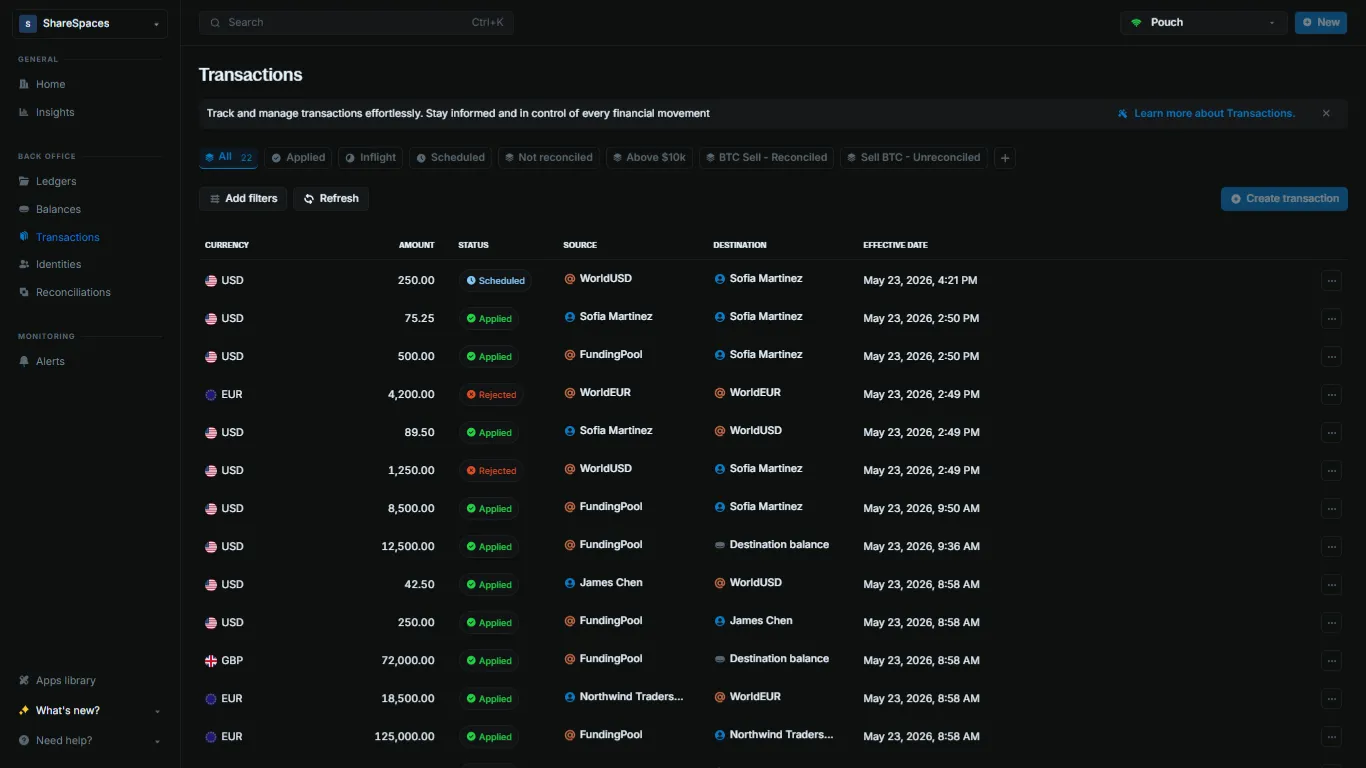
View the transaction
Confirm the transaction landed in your ledger.
- Open Transactions in the sidebar.
- Find your transaction by reference (
first_txn_001) or by thetransaction_idfrom the script output. - Click the row to open the details and verify the amount, status, source, and destination.
Fetch the transaction by ID:
blnk transactions list --id txn_8d2ce2f0-0d75-4a91-9d43-2ad2c2e6b9adReplace the transaction ID with the value printed by your script.