

Transactions
Single transaction
Record one transaction from a source balance to a destination balance.
A single transaction debits one source balance and credits one destination balance by the same amount. Blnk records that movement as one transaction.
Recording a transaction
Using the API
Call the Create transaction endpoint:
curl -X POST "http://YOUR_BLNK_INSTANCE_URL/transactions" \
  -H "X-blnk-key: <api-key>" \
  -H "Content-Type: application/json" \
  -d '{
    "precise_amount": 75000,
    "reference": "ref_001adcfgf",
    "currency": "USD",
    "precision": 100,
    "source": "@FundingPool",
    "destination": "bln_ebcd230f-6265-4d4a-a4ca-45974c47f746",
    "description": "Fund with starting balance amount",
    "allow_overdraft": true
  }'
const response = await blnk.Transactions.create({
precise_amount: 75000,
reference: 'ref_001adcfgf',
currency: 'USD',
precision: 100,
source: '@FundingPool',
destination: 'bln_ebcd230f-6265-4d4a-a4ca-45974c47f746',
description: 'Fund with starting balance amount',
allow_overdraft: true,
});transaction, _, _ := client.Transaction.Create(blnkgo.CreateTransactionRequest{
ParentTransaction: blnkgo.ParentTransaction{
PreciseAmount: big.NewInt(75000),
Reference: "ref_001adcfgf",
Currency: "USD",
Precision: 100,
Source: "@FundingPool",
Destination: "bln_ebcd230f-6265-4d4a-a4ca-45974c47f746",
Description: "Fund with starting balance amount",
},
AllowOverdraft: true,
})response = blnk.transactions.create({
"precise_amount": 75000,
"reference": "ref_001adcfgf",
"currency": "USD",
"precision": 100,
"source": "@FundingPool",
"destination": "bln_ebcd230f-6265-4d4a-a4ca-45974c47f746",
"description": "Fund with starting balance amount",
"allow_overdraft": True,
})ApiResponse<JsonNode> response = blnk.transactions().create(
CreateTransactions.create()
.preciseAmount(75000)
.reference("ref_001adcfgf")
.currency("USD")
.precision(100)
.source("@FundingPool")
.destination("bln_ebcd230f-6265-4d4a-a4ca-45974c47f746")
.description("Fund with starting balance amount")
.allowOverdraft(true));blnk transactions create| Field | Description | Required |
|---|---|---|
precise_amount | Transaction amount in its smallest unit. Send either precise_amount or amount, not both. See Precision. | Yes |
amount | Transaction amount as a float. Blnk multiplies it by precision to store precise_amount. | Yes |
reference | Your unique reference. Blnk uses it to keep the transaction idempotent. | Yes |
currency | Short code for the asset class. | Yes |
precision | How many minor units make one major unit of this currency. See Precision. | No |
source | Balance ID that sends the amount. | Yes |
destination | Balance ID that receives the amount. | Yes |
description | Narration of the transaction. | No |
meta_data | Custom data stored with the transaction. | No |
{
    "id": "txn_6164573b-6cc8-45a4-ad2e-7b4ba6a60f7d",
    "source": "@FundingPool",
    "destination": "bln_ebcd230f-6265-4d4a-a4ca-45974c47f746",
    "reference": "ref_001adcfgf",
    "amount": 750,
    "precision": 100,
    "precise_amount": 75000,
    "currency": "USD",
    "description": "Fund with starting balance amount",
    "status": "QUEUED",
    "created_at": "2024-12-21T01:36:46.997063436Z",
    "meta_data": {
      "sender_name": "John Doe",
      "sender_account": "00000000000"
    }
}| Field | Description |
|---|---|
amount | The transaction amount in major units. |
precise_amount | The amount stored after precision is applied. See Precision. |
reference | The reference from the request. |
currency | Short code for the asset class. |
precision | Precision applied to this transaction. |
source | Balance ID that sends the amount. |
destination | Balance ID that receives the amount. |
description | Narration of the transaction. |
meta_data | Custom data stored with the transaction. |
id | Unique id generated by Blnk. |
status | Current state of the record. See Transaction statuses. |
created_at | When Blnk recorded the transaction. |
On a first transaction, both balances start at 0. Set allow_overdraft to true, as in the request above, so the source can go negative. See Overdrafts and Negative balances.
Using the Dashboard
You can also record a transaction from the dashboard.
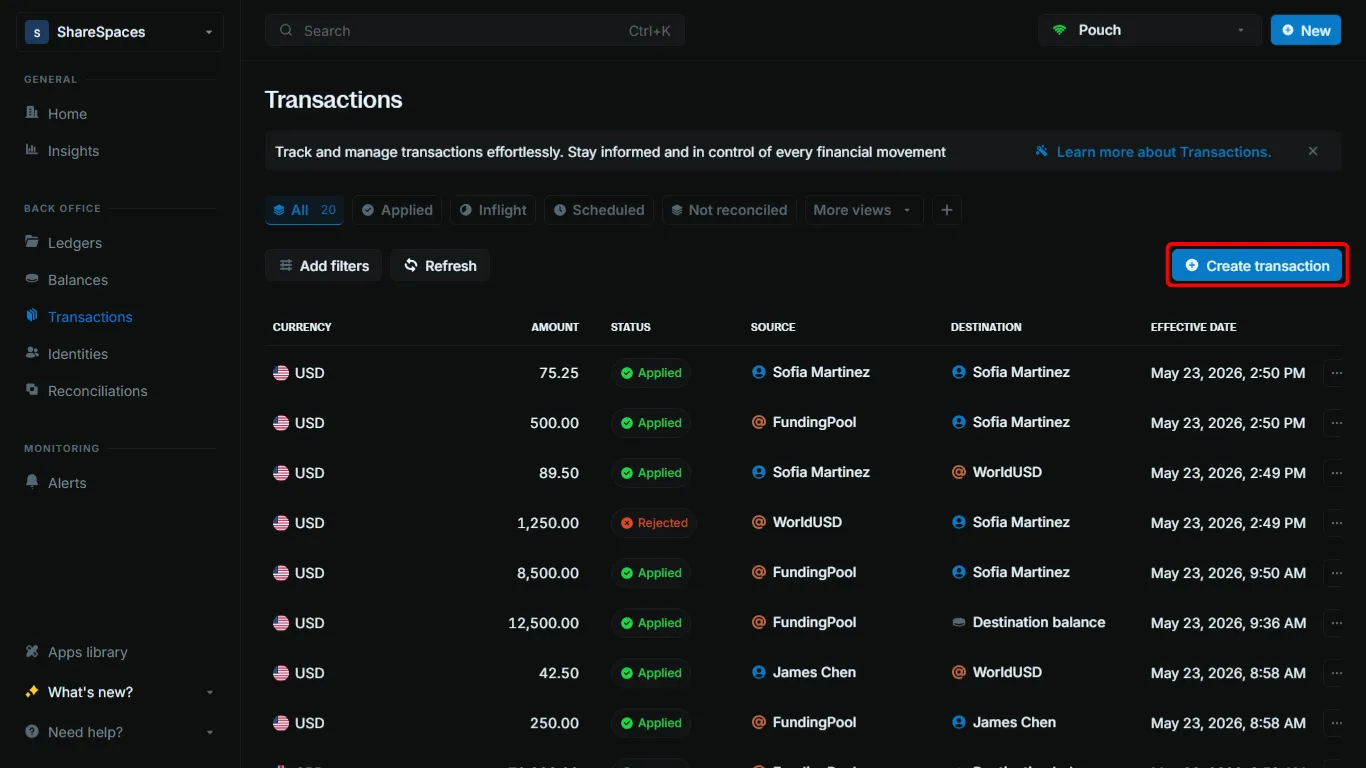
Open Create transaction
On Transactions, click Create transaction in the top right. You can also press ⌥ T (Alt+T on Windows).
Enter the transaction
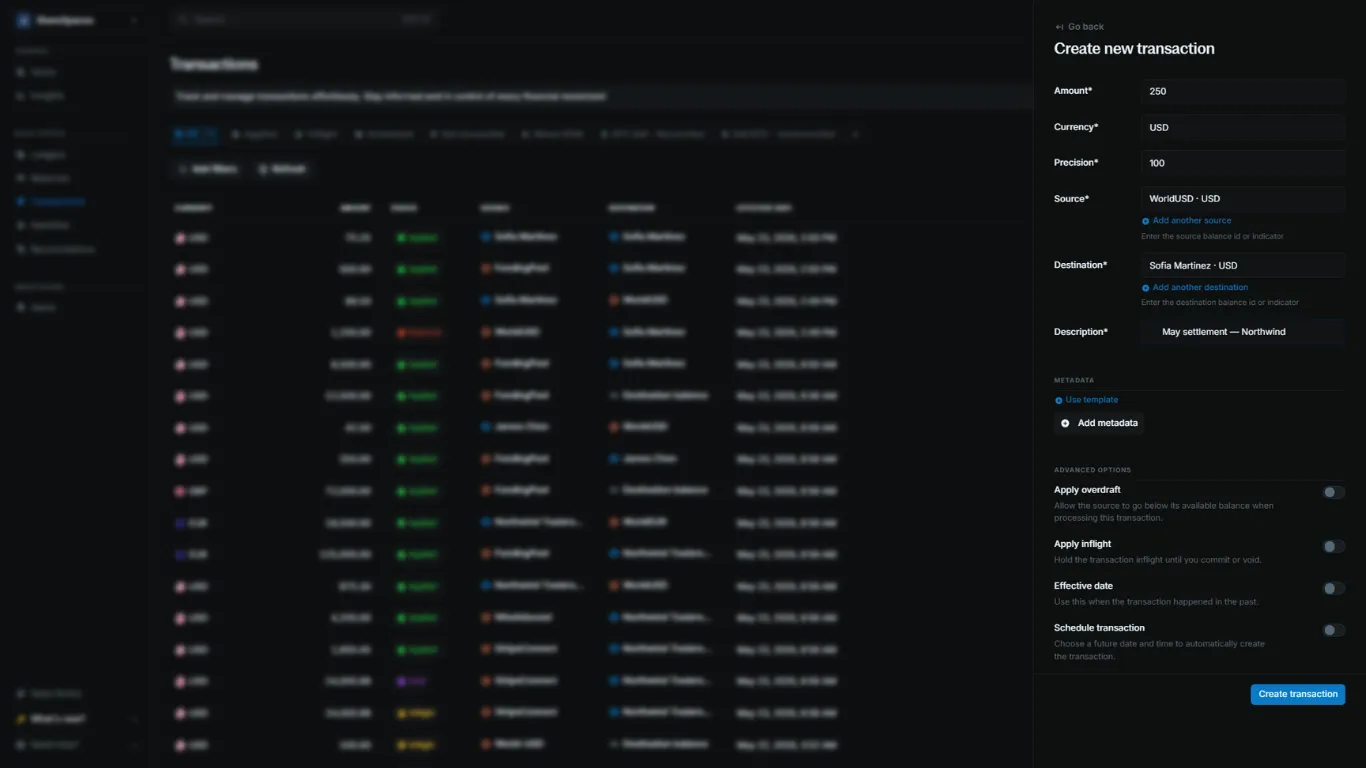
Fill in the form:
- Amount: the amount to move
- Currency: the currency of the transaction
- Precision: how many minor units make one major unit
- Source: the balance to debit
- Destination: the balance to credit
- Description: a short note
Create the transaction
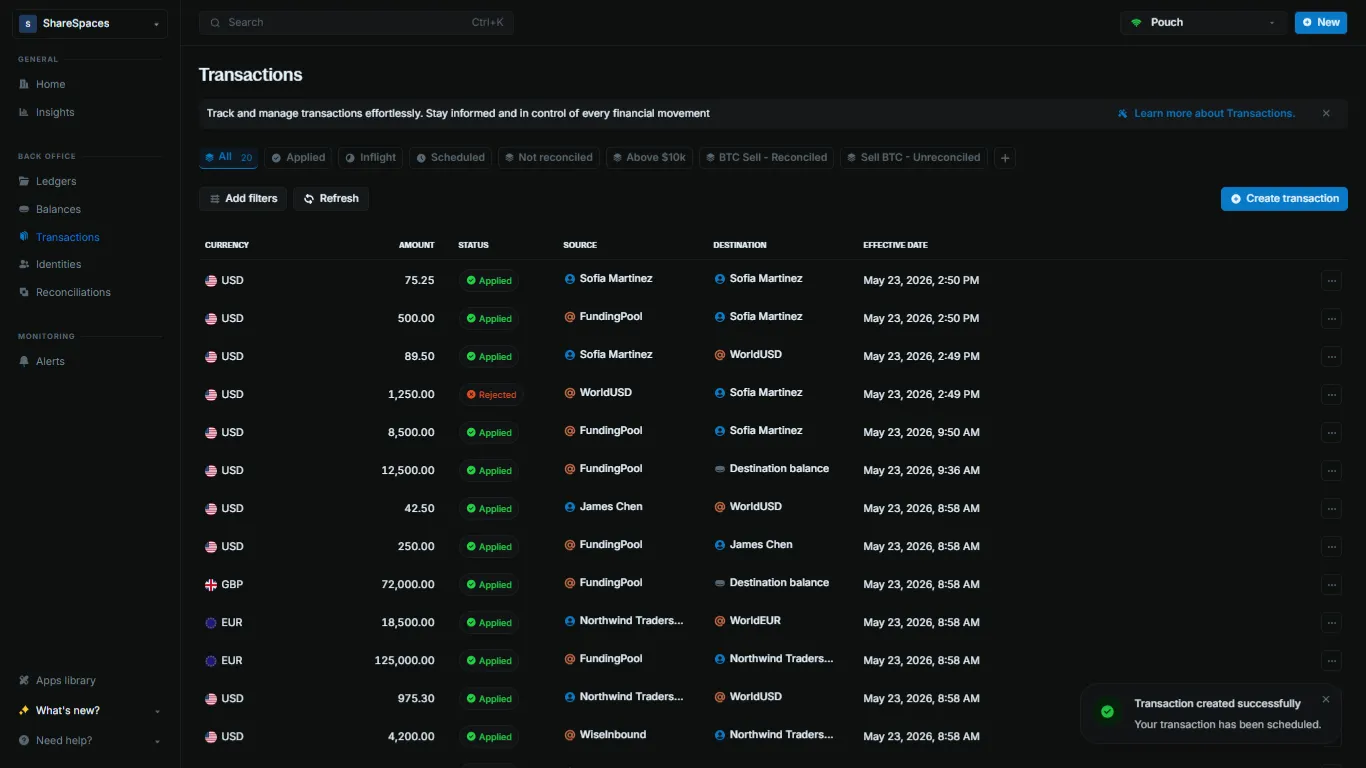
Blnk Cloud generates the reference. Click Create transaction.
View a transaction
The new row shows in the Transactions table. Each row shows the currency, amount, status, source, destination, and effective date.
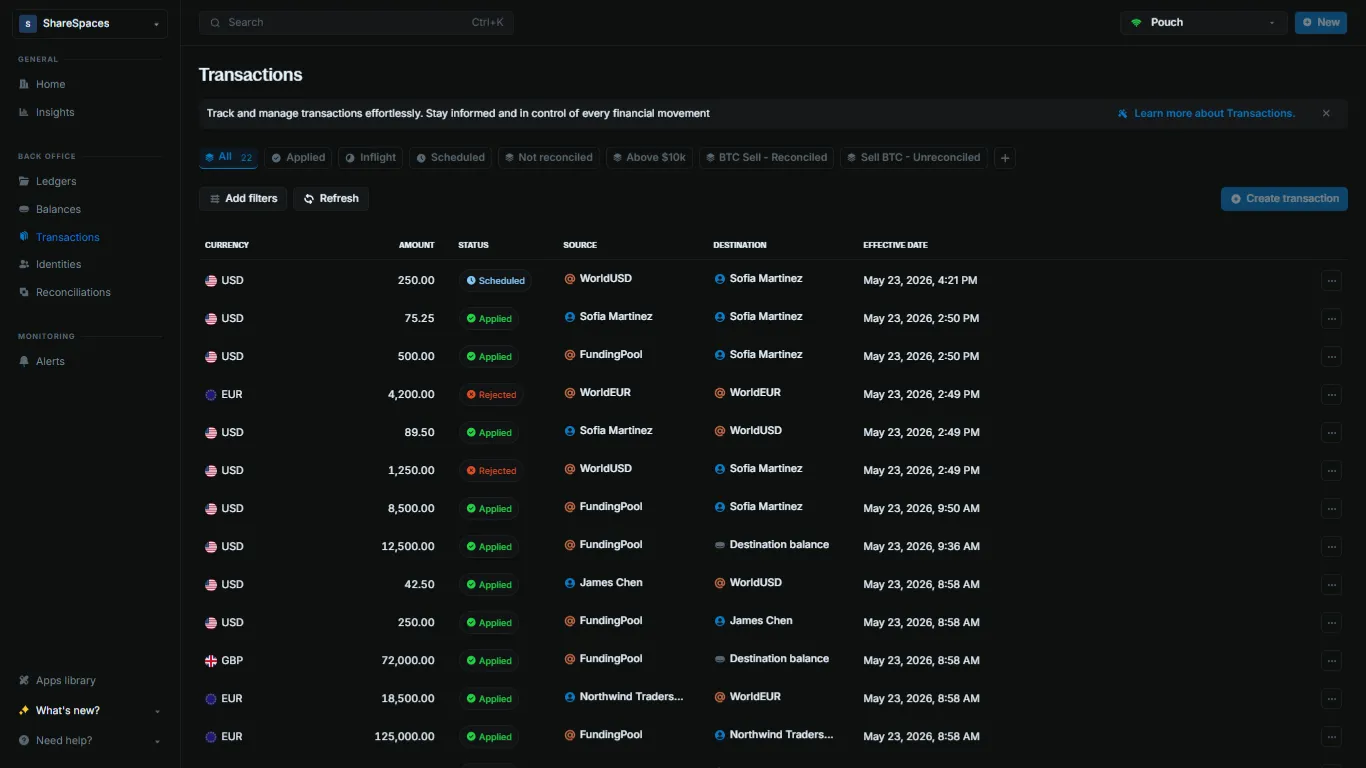
Click a row. The summary shows the amount, currency, status, source, destination, and effective date. Select Full info in the top right, or press E, to open the full record.
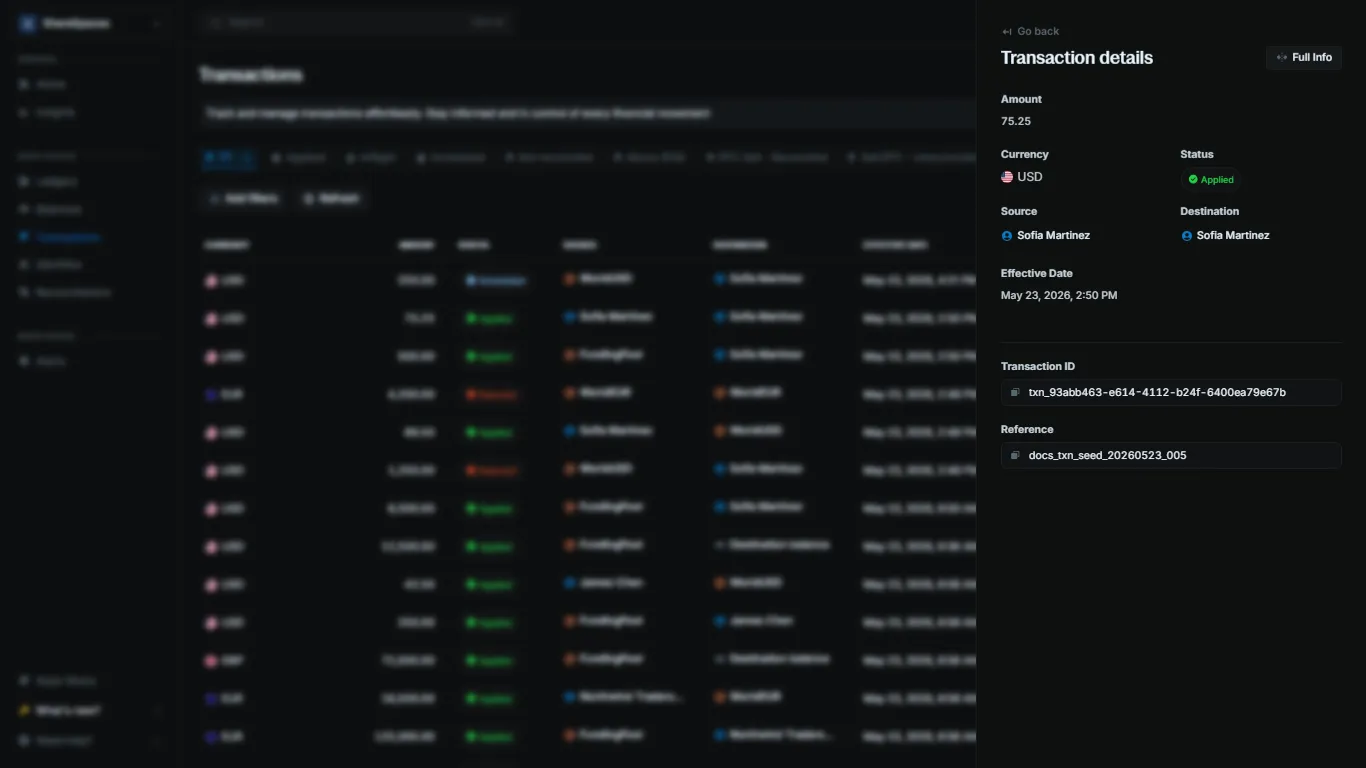
Use Add filters and Refresh on the table to narrow the list and load the latest rows.
Verifying transactions
A QUEUED response means Blnk accepted the transaction. Check later that it applied. With skip_queue set to true, the response is already that result.
Verifying transactions with queue enabled
With the default queue, every transaction starts as QUEUED. Check the status with a webhook or a direct lookup.
- Webhooks: Blnk sends webhook notifications when a transaction changes state.
- Direct API calls: Look up the status with the reference or the transaction ID.
After Blnk processes a QUEUED transaction, it appends _q to your reference. Look up that reference to read the updated status.
curl -X GET "http://YOUR_BLNK_INSTANCE_URL/transactions/reference/{reference}" \
  -H "X-blnk-key: <api-key>"
{
"transaction_id": "txn_6164573b-6cc8-45a4-ad2e-7b4ba6a60f7d",
"reference": "ref_001adcfgf",
"status": "APPLIED"
}Use the Filter API to look up your transaction by reference. If the transaction exists, the response includes its current status.
curl -X POST "http://YOUR_BLNK_INSTANCE_URL/transactions/filter" \
-H "X-blnk-key: <api-key>" \
-H "Content-Type: application/json" \
-d '{
"filters": [
{
"field": "reference",
"operator": "eq",
"value": "<transaction-reference>"
}
]
}'const response = await blnk.Search.filter(
{
filters: [
{
field: 'reference',
operator: 'eq',
value: '<transaction-reference>',
},
],
},
'transactions',
);results, _, _ := client.Transaction.Filter(blnkgo.FilterParams{
Filters: []blnkgo.Filter{
{
Field: "reference",
Operator: blnkgo.OpEqual,
Value: "<transaction-reference>",
},
},
})response = blnk.search.filter(
{
"filters": [
{
"field": "reference",
"operator": "eq",
"value": "<transaction-reference>",
},
],
},
"transactions",
)ApiResponse<JsonNode> response = blnk.search().filter(
FilterParams.create()
.filters(List.of(
FilterCondition.create()
.field("reference")
.operator("eq")
.value("<transaction-reference>")
)),
"transactions");{
"data": [
{
  "transaction_id": "txn_6164573b-6cc8-45a4-ad2e-7b4ba6a60f7d",
  "reference": "ref_001adcfgf",
  "status": "APPLIED"
}
]
}Take the queued transaction ID and filter for children whose parent_transaction is that ID. Blnk treats the queued transaction as the parent of the next state. See Transaction lifecycle.
curl -X POST "http://YOUR_BLNK_INSTANCE_URL/transactions/filter" \
  -H "X-blnk-key: <api-key>" \
  -H "Content-Type: application/json" \
  -d '{
    "filters": [
      {
        "field": "parent_transaction",
        "operator": "eq",
        "value": "<queued-transaction-id>"
      }
    ]
  }'
const response = await blnk.Search.filter(
{
filters: [
{
field: 'parent_transaction',
operator: 'eq',
value: '<queued-transaction-id>',
},
],
},
'transactions',
);results, _, _ := client.Transaction.Filter(blnkgo.FilterParams{
Filters: []blnkgo.Filter{
{
Field: "parent_transaction",
Operator: blnkgo.OpEqual,
Value: "<queued-transaction-id>",
},
},
})response = blnk.search.filter(
{
"filters": [
{
"field": "parent_transaction",
"operator": "eq",
"value": "<queued-transaction-id>",
},
],
},
"transactions",
)ApiResponse<JsonNode> response = blnk.search().filter(
FilterParams.create()
.filters(List.of(
FilterCondition.create()
.field("parent_transaction")
.operator("eq")
.value("<queued-transaction-id>")
)),
"transactions");{
"data": [
{
"transaction_id": "txn_6164573b-6cc8-45a4-ad2e-7b4ba6a60f7d",
"parent_transaction": "txn_6164573b-6cc8-45a4-ad2e-7b4ba6a60f7d",
"status": "APPLIED"
}
]
}Verifying a transaction when the queue is skipped
With skip_queue set to true, Blnk processes the transaction immediately and returns the result. See Skip queue.
curl -X POST "http://YOUR_BLNK_INSTANCE_URL/transactions" \
  -H "X-blnk-key: <api-key>" \
  -H "Content-Type: application/json" \
  -d '{
    "precise_amount": 75000,
    "reference": "ref_001adcfgf",
    "currency": "USD",
    "precision": 100,
    "source": "@FundingPool",
    "destination": "bln_ebcd230f-6265-4d4a-a4ca-45974c47f746",
    "description": "Fund with starting balance amount",
    "allow_overdraft": true,
    "skip_queue": true
  }'
const response = await blnk.Transactions.create({
precise_amount: 75000,
reference: 'ref_001adcfgf',
currency: 'USD',
precision: 100,
source: '@FundingPool',
destination: 'bln_ebcd230f-6265-4d4a-a4ca-45974c47f746',
description: 'Fund with starting balance amount',
allow_overdraft: true,
skip_queue: true,
});transaction, _, _ := client.Transaction.Create(blnkgo.CreateTransactionRequest{
ParentTransaction: blnkgo.ParentTransaction{
PreciseAmount: big.NewInt(75000),
Reference: "ref_001adcfgf",
Currency: "USD",
Precision: 100,
Source: "@FundingPool",
Destination: "bln_ebcd230f-6265-4d4a-a4ca-45974c47f746",
Description: "Fund with starting balance amount",
SkipQueue: true,
},
AllowOverdraft: true,
})response = blnk.transactions.create({
"precise_amount": 75000,
"reference": "ref_001adcfgf",
"currency": "USD",
"precision": 100,
"source": "@FundingPool",
"destination": "bln_ebcd230f-6265-4d4a-a4ca-45974c47f746",
"description": "Fund with starting balance amount",
"allow_overdraft": True,
"skip_queue": True,
})ApiResponse<JsonNode> response = blnk.transactions().create(
CreateTransactions.create()
.preciseAmount(75000)
.reference("ref_001adcfgf")
.currency("USD")
.precision(100)
.source("@FundingPool")
.destination("bln_ebcd230f-6265-4d4a-a4ca-45974c47f746")
.description("Fund with starting balance amount")
.allowOverdraft(true)
.skipQueue(true));{
"id": "txn_6164573b-6cc8-45d4-ad2e-7b4ba6a60f7d",
"source": "@FundingPool",
"destination": "bln_ebcd230f-6265-4d4a-a4ca-45974c47f746",
"reference": "ref_001adcfgf",
"amount": 750,
"precision": 100,
"precise_amount": 75000,
"currency": "USD",
"description": "Fund with starting balance amount",
"status": "APPLIED",
"created_at": "2024-12-21T01:36:46.997063436Z",
"meta_data": {}
}A successful request returns an INFLIGHT or APPLIED transaction. If the source has insufficient funds, see Managing insufficient funds.