Search & metadata
Metadata templates
Define reusable metadata keys and apply them when you create records.
Metadata adds extra context to your records, such as customer type, product line, region, provider, reference IDs, approval status, or internal tags. When teams type those fields by hand, the same key gets written inconsistently, and re-entering it for every record gets slow. A metadata template is a reusable set of keys you define once and import whenever you add or edit metadata.
When to use metadata templates
Use a template when similar records should share the same keys.
- A loan app can reuse loan ID, repayment schedule, risk tier, and loan officer.
- A wallet product can reuse customer segment, wallet type, provider, and region.
- A treasury team can reuse account type, bank partner, settlement cycle, and currency corridor.
Shared keys make the data easier to filter, compare, and review across the workspace.
Create a metadata template
Open Metadata templates
Add the template
Click Create template.
- Name: a clear name, such as
Loan metadata,Customer wallet, orProvider settlement - Description: a short note explaining when the template should be used
- Keys: the metadata keys to add. You can add more than one key.
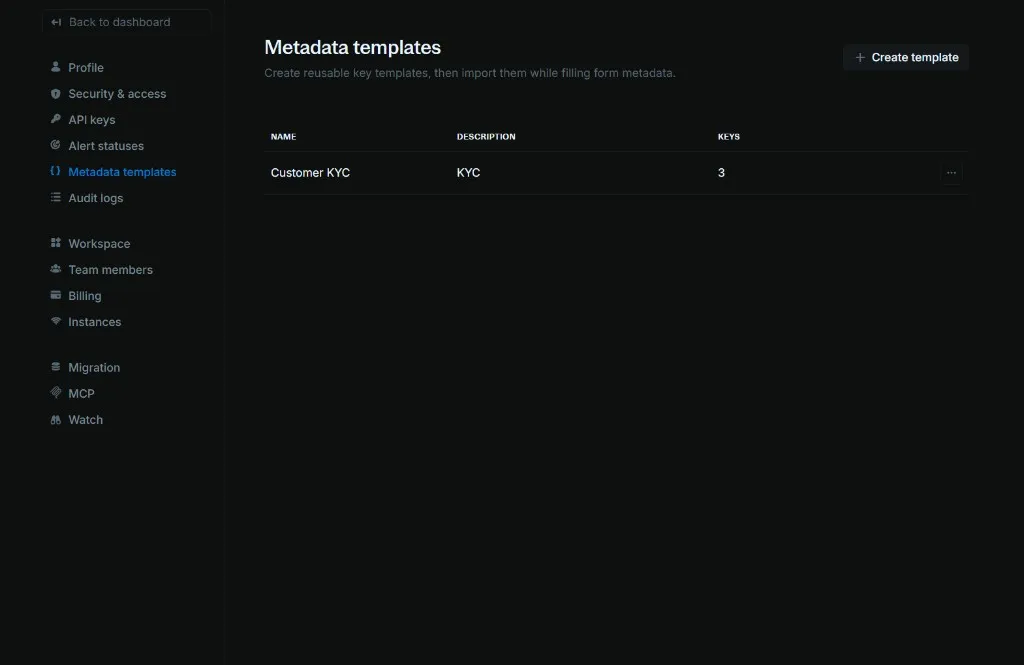
You can edit or delete a template after it is created. Open the Actions menu on the template row and select Edit or Delete.
Use a metadata template
You can use a template on any form that has a metadata section.
Choose a template
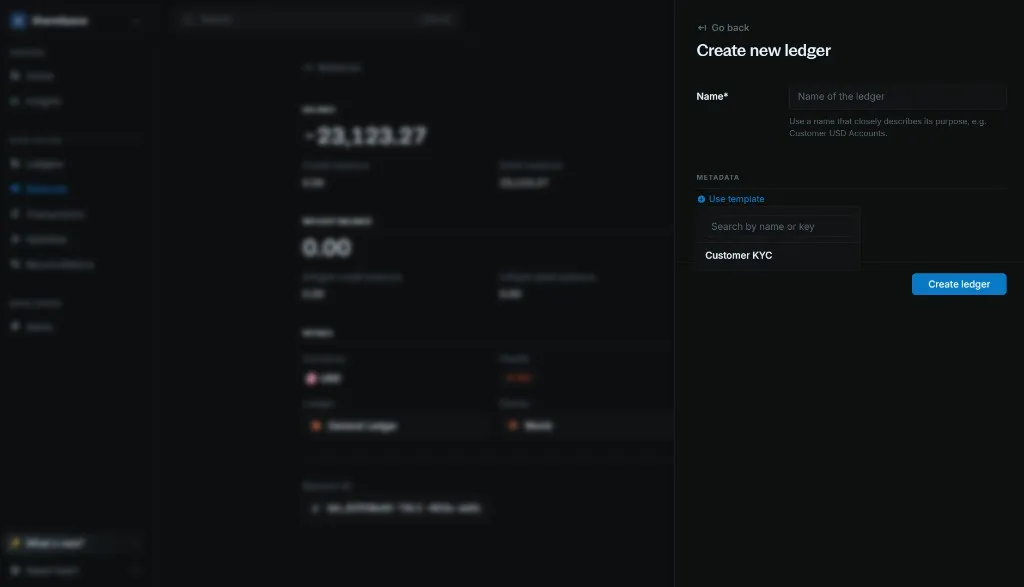
Click Use template, then search by template name or key and select the one you want.
Fill in the values
The template keys are added to the form. Fill in the values for that record.
To add another template, click Use template again. You can also add a key by hand when that record needs something the template does not include.