

Apps
Apps overview
Learn how apps work and why they are important.
Apps help you safely build plugins and connectors that operate on your ledger.
For example, a Stripe app can periodically sync invoices from your Stripe account to your ledger; an import tool can sync transactions from your main Core into Blnk as your shadow ledger; a KYC app can update identity metadata with the verification status as it changes.
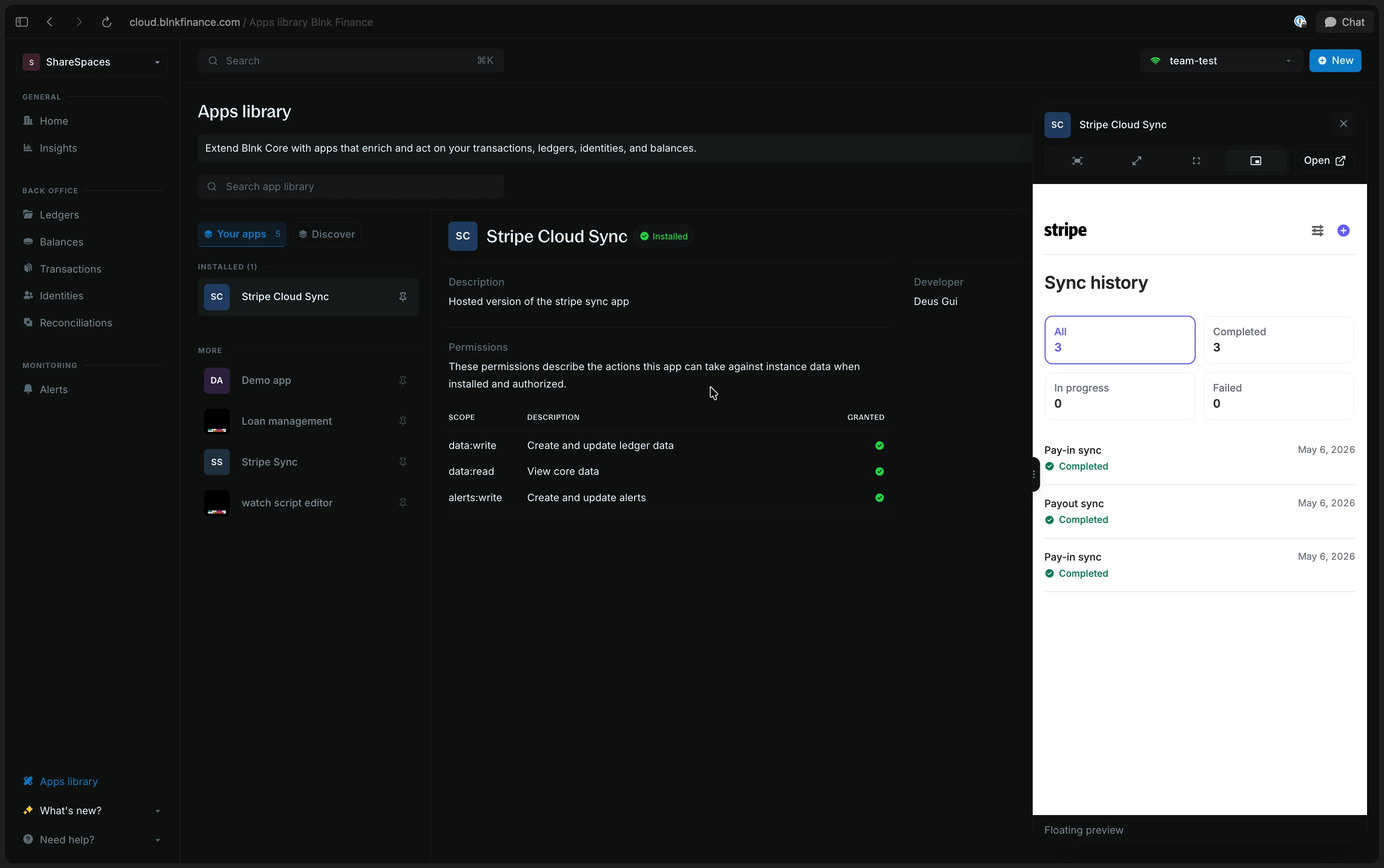
How apps work
Here’s how apps work:
Setting up the app
To use an app, it must be registered and installed. Blnk requires you to set what scopes the app has, and optionally who is allowed to launch and use the app.
Every successful install mints a scoped API key belonging to the app. Then, Blnk uses this key to identify that the app is the source of the operation, confirm it has sufficient permissions, and log it.
Building the app
An app can be headless or UI-based. Either way, it follows the same operational lifecycle.
- Build the app
- Register the app with its callback and optional portal URLs
- Launch the app
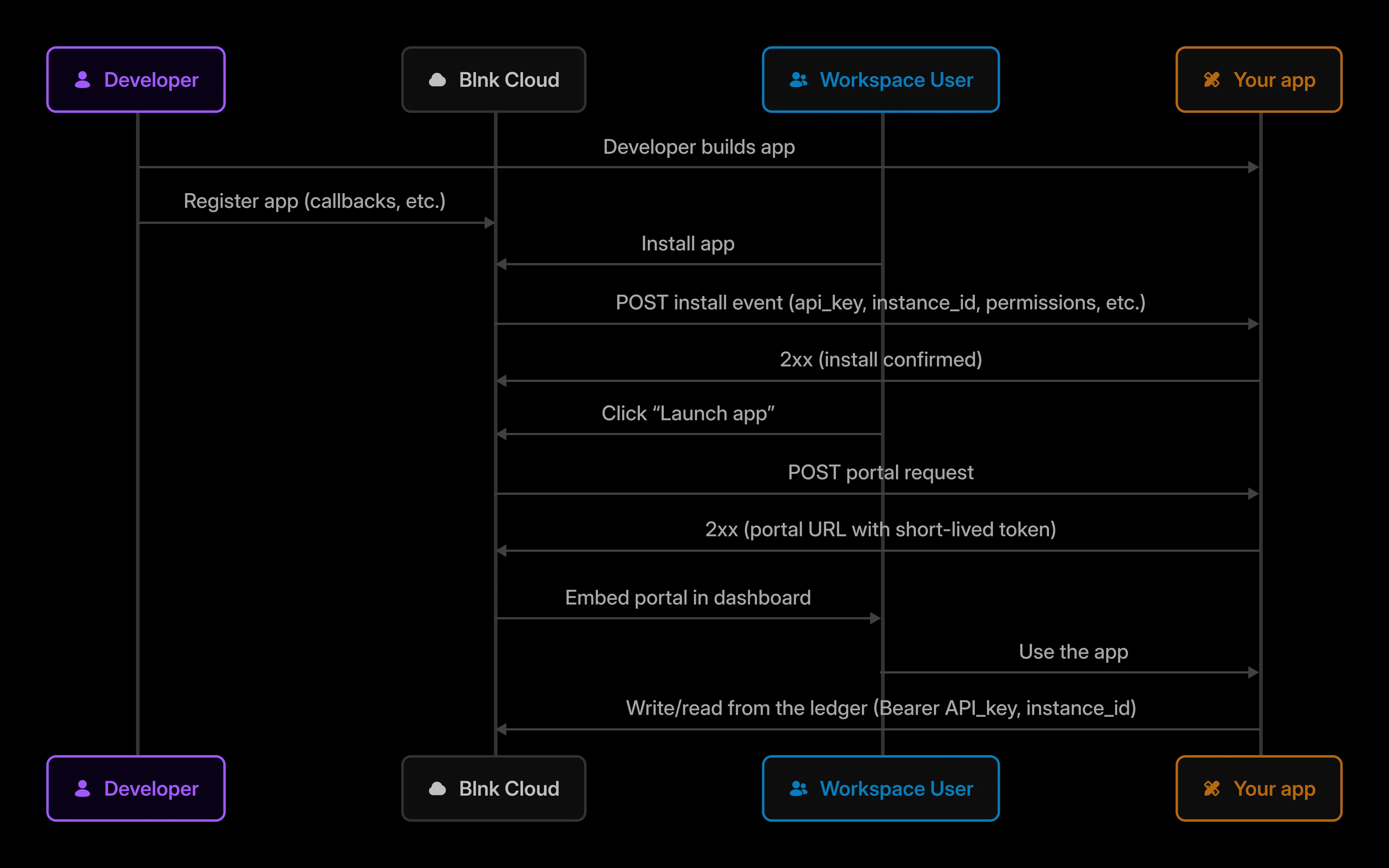
Connecting the app
Apps should use the Proxy API when making calls to the ledger.
This means that apps never directly touch your ledger. Blnk serves as the trust boundary between the app and the ledger.
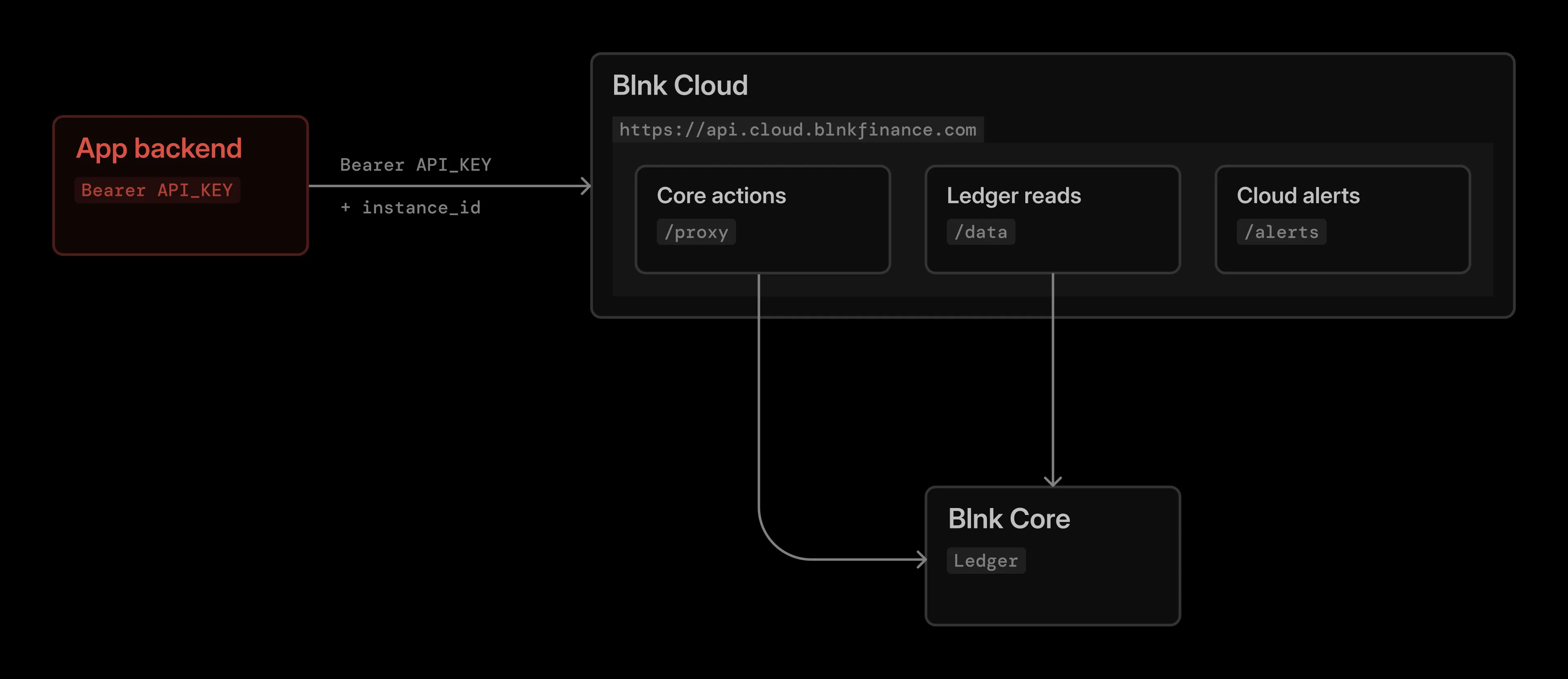
This makes it easy to disable an app or rotate its key without affecting your core implementation or the other connected apps.
Audit logs
When an app reads or writes to the ledger, Blnk stores an audit log for that operation belonging to the app. Blnk records the app as acting_app.
For example, if a Stripe Sync app created a transaction, the audit log would look something like this:
{
  "data": [
    {
      "audit_log_id": "audit_845e6b1e-0463-4ce8-b858-2b3a398beff9",
      "action": "Transaction Created",
      "performed_by_id": "user_01K4EX0BRXHNNGCRVT2TPNK07W",
      "performed_by": "Alex Example",
      "api_key_id": "apikey_6e6feddd-930b-4e38-8ba1-1a3eee659bb3",
      "instance_id": "instance_073f7ffe-9dfd-42ce-aa50-d1dca1788adc",
      "transaction_id": "txn_c5d9e2a1-7b4f-4a3c-9e8d-1f6a2b4c8d30",
      "app_id": "app_9a1c4e70-2b8d-4f61-8c3a-7e5d2b1f0a94",
      "installed_app_id": "instapp_3d5e8f2a-1c94-4b7e-9a2c-6f481d0e3b17",
      "app_name": "Stripe Sync",
      "acting_app": {
        "app_id": "app_9a1c4e70-2b8d-4f61-8c3a-7e5d2b1f0a94",
        "name": "Stripe Sync",
        "logo_url": "https://cdn.example.com/stripe.png",
        "slug": "stripe-sync",
        "installed_app_id": "instapp_3d5e8f2a-1c94-4b7e-9a2c-6f481d0e3b17"
      },
      "created_at": "2026-09-10T21:56:12.112739Z"
    }
  ]
}
App operations such as install, launch, and uninstall are also logged.
See also: Audit logs.
Scopes
The scopes you set at install are checked on every call the app makes through the Proxy API. Blnk forwards the call only when the key includes the scope for that action.
Creating a transaction or updating identity metadata needs data:write. A call that only reads the ledger stays on data:read.
| Scope | What the app can do |
|---|---|
data:read | Read ledger data, such as ledgers, balances, identities, and transactions. |
data:write | Write ledger data, such as committing a transaction or updating an identity. |
alerts:read | Read alerts. |
alerts:write | Create, update, and delete alerts. |