

Start Here
Python quick start
Install the Python SDK and create your first transaction.
Use the latest Python SDK release, v1.6.0.
This guide walks you through installing the Blnk Python SDK, initializing the client, and creating your first transaction.
By the end, you’ll have a working connection to Blnk and be ready to build financial products from your Python application.
Install the SDK
Install the SDK in your project. Requires Python 3.10 or later.
pip install blnk-pythonFor local development from source:
pip install .Create a sample script
Create a main.py file as shown below to create your first transaction with the SDK.
from blnk_sdk import BlnkClientOptions, blnk_init

api_key = os.environ.get("BLNK_API_KEY", "")
base_url = os.environ.get(
    "BLNK_BASE_URL",
    "http://localhost:5001",
)

blnk = blnk_init(
    api_key,
    BlnkClientOptions(base_url=base_url),
)

response = blnk.transactions.create(
    {
        "precise_amount": 100000,
        "reference": "first_txn_001",
        "currency": "USD",
        "precision": 100,
        "source": "@FundingPool",
        "destination": "@MyBalance",
        "description": "My first Blnk transaction",
        "allow_overdraft": True,
    }
)

if response.status != 201 or not response.data:
    raise RuntimeError(response.message)

print(json.dumps(response.data, indent=2))
Execute the script
Run the file.
python main.pyYou should get a response similar to:
{
  "amount": 1000,
  "precision": 100,
  "precise_amount": 100000,
  "transaction_id": "txn_8d2ce2f0-0d75-4a91-9d43-2ad2c2e6b9ad",
  "parent_transaction": "",
  "source": "bln_f344b673-e855-4bda-b769-3e94a02c1941",
  "destination": "bln_d5cbde84-d20a-485b-8ce8-6677d782c3a1",
  "reference": "first_txn_001",
  "currency": "USD",
  "description": "My first Blnk transaction",
  "status": "QUEUED",
  "hash": "0b9c25fb5b00d6c71cb4ca87026bf6dc316e63353d3330deb588bd0b3d74dcc0",
  "allow_overdraft": true,
  "inflight": false,
  "created_at": "2024-11-26T09:33:35.265582042Z",
  "scheduled_for": "0001-01-01T00:00:00Z",
  "inflight_expiry_date": "0001-01-01T00:00:00Z",
  "inflight_commit_date": "0001-01-01T00:00:00Z"
}
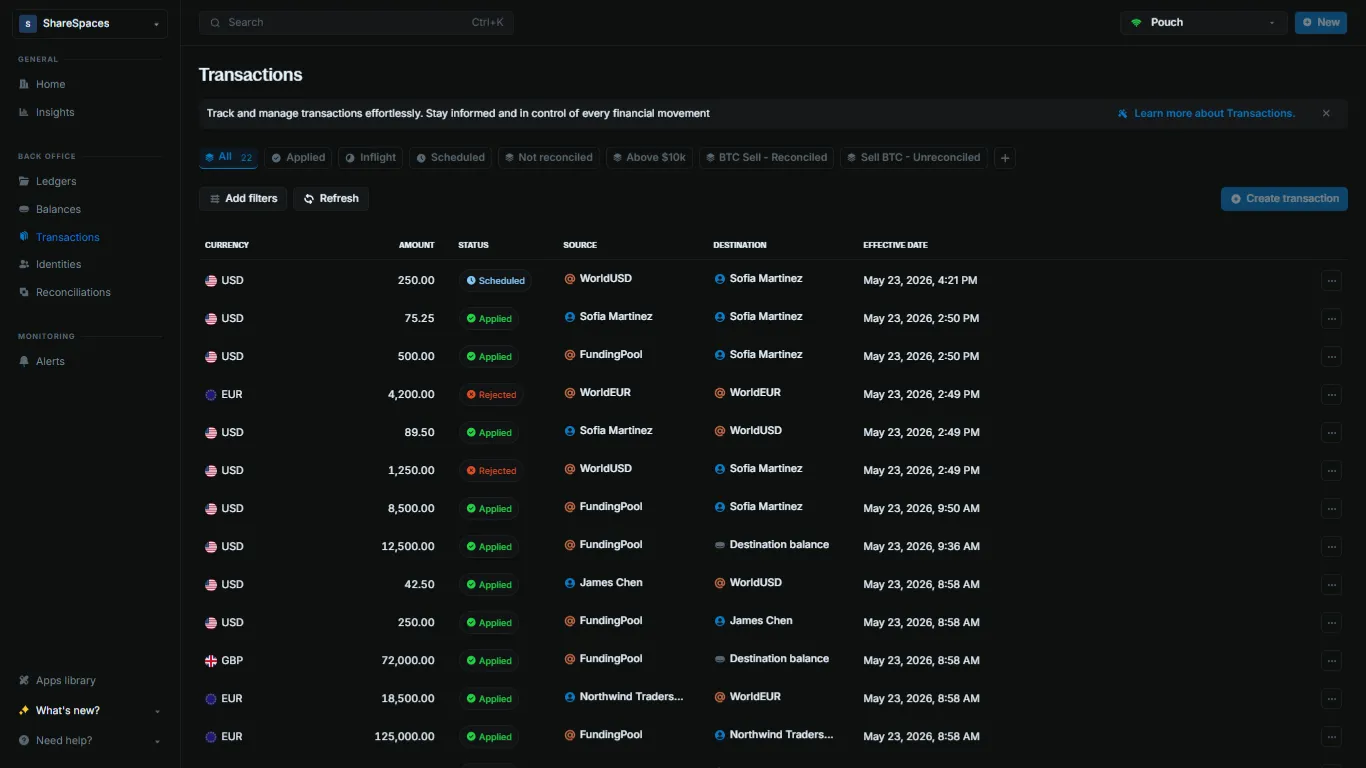
View the transaction
Confirm the transaction landed in your ledger.
- Open Transactions in the sidebar.
- Find your transaction by reference (
first_txn_001) or by thetransaction_idfrom the script output. - Click the row to open the details and verify the amount, status, source, and destination.
Fetch the transaction by ID:
blnk transactions list --id txn_8d2ce2f0-0d75-4a91-9d43-2ad2c2e6b9adReplace the transaction ID with the value printed by your script.