

Data Lake
Queries
Run, save, and schedule queries against your data lake.

Run SQL with Create new query, then save and schedule the reports you want to keep.
In Insights, the Queries tab holds that work: Saved, Scheduled, and History.
A query is one read-only DuckDB SELECT or WITH. Start from a template, or paste your own statement.
What you can query
The lake has four tables: transactions, balances, ledgers, and identity. Open Schema for the columns and how they join.
A payment can be on the ledger before it shows up here. Keep that delay in mind for recent activity.
| Question | Where to get it |
|---|---|
| Money that moved over a period | Create new query or Insights |
| Wallets, ledgers, and identities in that history | Create new query or Insights |
| Amount in a wallet right now | Get balance |
| Amount in a wallet at a past time | Historical balances |
Date range
The date range is the period of history the query is for. Set it to the days the report needs, and the lake opens only those days.
On transactions, that period is when money moved through a status. A September range is September’s payments.
On balances, ledgers, and identity, that period is when the record was created. A September range is wallets, ledgers, and identities created in September.
start_date and end_date are the first and last day of that period on Create new query.
A saved query sets its date range with range_mode. There are two types:
| Type | What it stores |
|---|---|
fixed | start_date and end_date. Every run opens those same days. |
rolling | rolling_days. Each run opens that many days, ending when the query runs. |
See Create saved query.
Choose that period in the toolbar. The query is about those days, and no others.
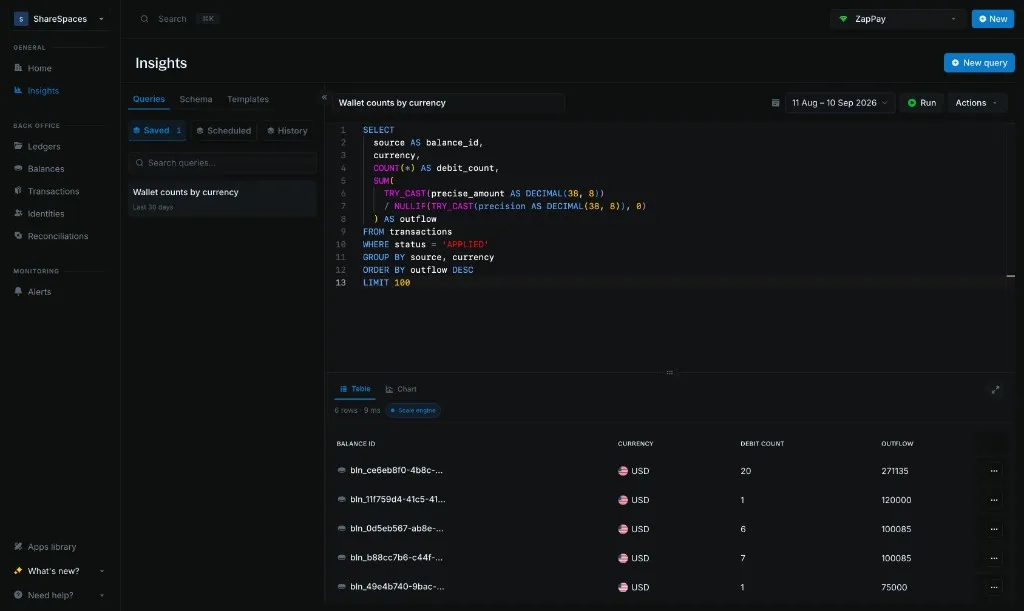
Accepted SQL queries
Insights accepts one read-only SELECT or WITH against the data lake. The dialect is DuckDB SQL.
DuckDB functions such as TRY_CAST, DATE_TRUNC, ANY_VALUE, and BOOL_AND are available.
PostgreSQL-only or MySQL-only syntax is not guaranteed to run. Any other statement is rejected.
| Allowed | Rejected |
|---|---|
One SELECT or WITH | INSERT, UPDATE, DELETE, DDL, COPY, ATTACH, or multiple statements |
transactions, balances, ledgers, identity | Any other table |
| Named columns | SELECT * |
Open Schema for tables and how they connect.
Start a query
Send instance_id, start_date, end_date, and one read-only sql.
curl -X POST 'https://api.cloud.blnkfinance.com/data/lake/query' \
  -H 'X-blnk-key: CLOUD_API_KEY' \
  -H 'Content-Type: application/json' \
  -d '{
    "instance_id": "YOUR_INSTANCE_ID",
    "start_date": "2026-08-01",
    "end_date": "2026-08-31",
    "sql": "SELECT currency, COUNT(*) AS txn_count FROM transactions GROUP BY currency LIMIT 1000"
  }'
Field details are on Create new query.
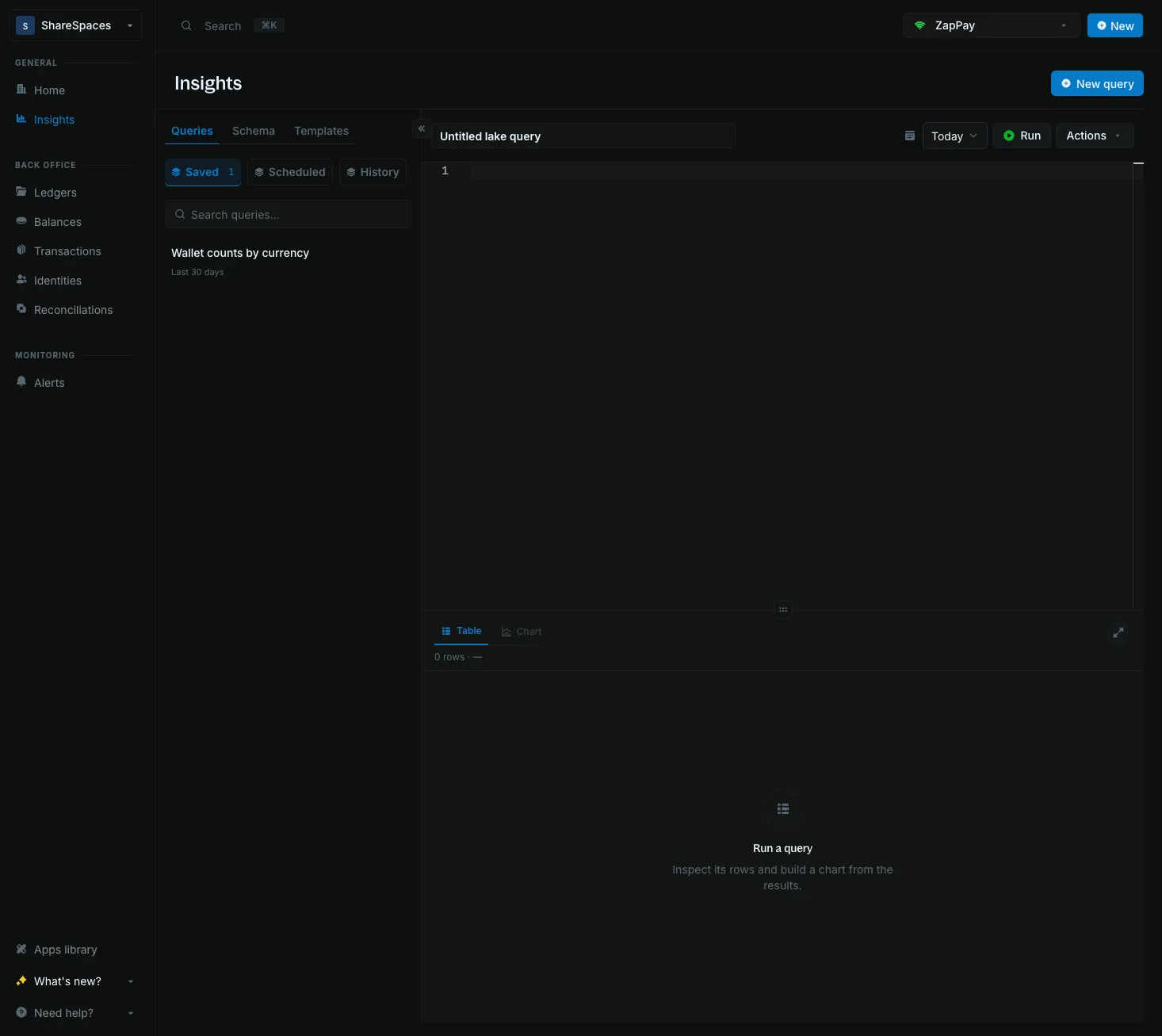
Click New query to open a blank editor. Set the toolbar date range, paste a SELECT or WITH, and click Run.
Save a query
Saving stores the SQL. It does not run the query.
Send instance_id, name, sql, and a range_mode of fixed or rolling.
curl -X POST 'https://api.cloud.blnkfinance.com/data/lake/queries' \
  -H 'X-blnk-key: CLOUD_API_KEY' \
  -H 'Content-Type: application/json' \
  -d '{
    "instance_id": "YOUR_INSTANCE_ID",
    "name": "Applied volume by currency",
    "sql": "SELECT currency, COUNT(*) AS txn_count FROM transactions GROUP BY currency LIMIT 1000",
    "range_mode": "fixed",
    "start_date": "2026-08-01",
    "end_date": "2026-08-31"
  }'
Run it later with saved_query_id on Create new query. See Create saved query.
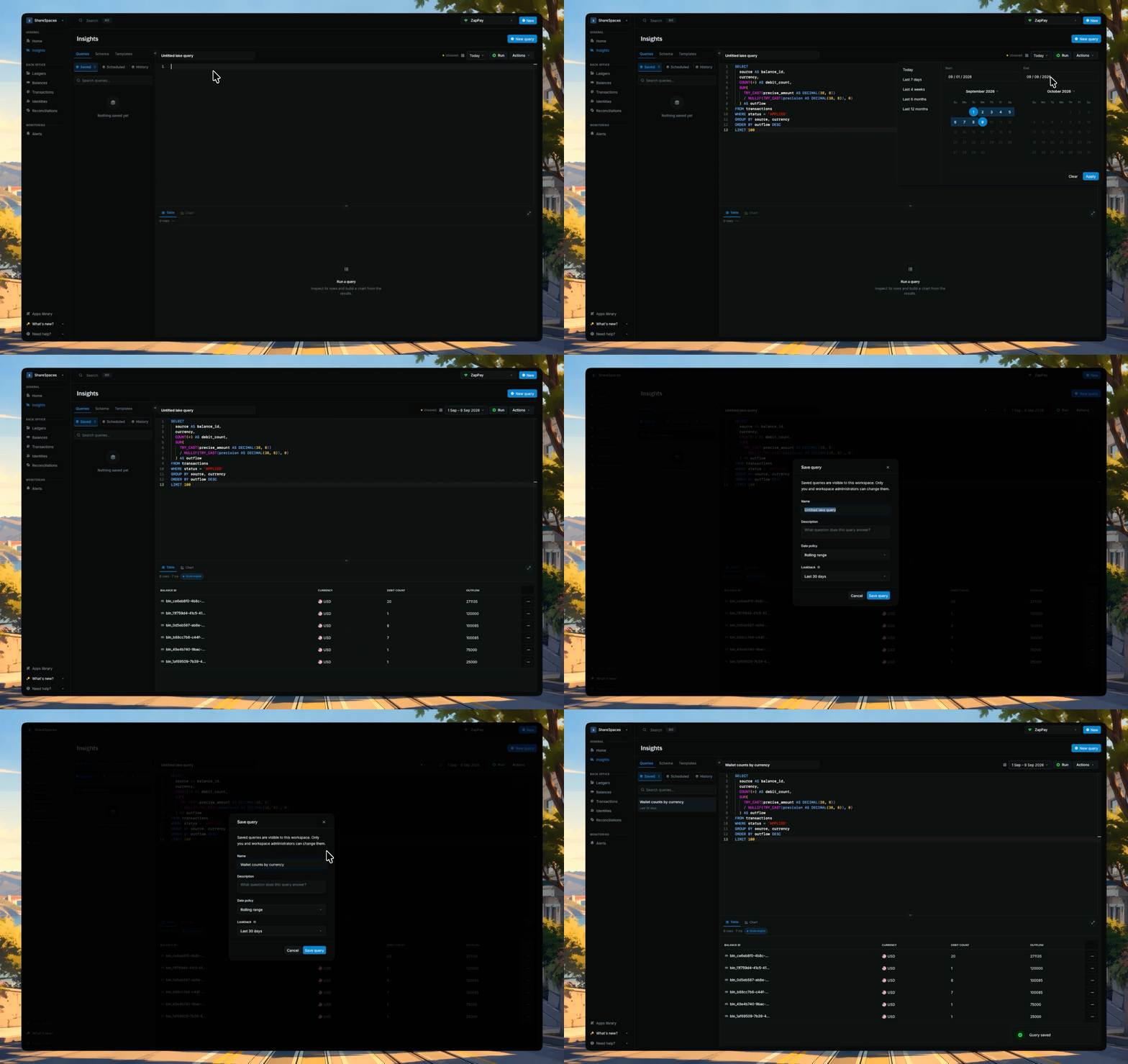
Click Save after a run you want to keep. Until you save, the draft is named Untitled lake query.
Saved queries live on this instance. Open one from Saved to put that SQL back in the editor.
Schedule a query
A schedule runs the last saved SQL and keeps a result preview. It does not send notifications.
- Editor changes do not run until you save again.
- If a run returns empty, check the date range first.
Send cron_expression and timezone for the saved query.
curl -X PUT 'https://api.cloud.blnkfinance.com/data/lake/queries/{query_id}/schedule' \
  -H 'X-blnk-key: CLOUD_API_KEY' \
  -H 'Content-Type: application/json' \
  -d '{
    "cron_expression": "0 9 * * *",
    "timezone": "America/New_York",
    "enabled": true
  }'
0 9 * * * is every day at 09:00 in that timezone. See Schedule saved query.

Schedule query appears in Actions once the query is saved with no unsaved edits.
Open the schedule
Open Actions, then Schedule query.
Set the schedule
- Preset: Hourly, Daily at 09:00, Weekly on Monday, or Monthly on the 1st.
- Cron expression: fills from the preset. Leave it unless you need a custom schedule.
- Timezone: the timezone for the schedule
Click Save schedule.
Reopen a past run
List query runs returns recent runs for one instance.
Get query run returns one run, including the SQL snapshot and a result preview.
curl -X GET 'https://api.cloud.blnkfinance.com/data/lake/query-runs?instance_id=YOUR_INSTANCE_ID&limit=20' \
-H 'X-blnk-key: CLOUD_API_KEY'Use History to reopen SQL you already ran, including queries you never saved.
Saved is the query you chose to keep. History stores each execution.
Troubleshooting
My totals do not match the dashboard
Check whether the query sums precise_amount as-is, or divides by precision first. See Precision.
Also check whether it mixed currencies. For a live balance, use the Ledger API.
Transaction counts look inflated after a join
Check whether balances, ledgers, or identity were collapsed to one row per ID before the join. See How they connect.
Open inflight holds look wrong
Check that start_date and end_date, or the toolbar, cover the hold and its commit or void.
You can also use the Open inflight holds template.
Query returns no rows
Check start_date and end_date, or the toolbar. The range has to include the days you expect.
Query fails with a type error
A column may be typed differently across days. Wrap dates and amounts in TRY_CAST.
Query rejected: statement not allowed
Check that the statement is one SELECT or WITH. See Accepted SQL queries.
Query is slow or times out
Check the date range and how many currencies you are scanning.
Also check whether you selected * and whether the query has a LIMIT. Keep it under 5000.
Best practices
- Live data retrieval should use the Ledger API. The data lake is best for historical insights over a period.
- Each status is its own row. Filter
status, and useparent_transactionfor a commit or void. - The date range follows
created_at. See Date range. - Widen the range when a hold and its commit or void fall on different days.
- Wrap dates and amounts in
TRY_CASTso one mismatched row does not fail the query.