Identities
Identities overview
Create an identity for a customer and connect it to their balances.
An identity is a customer on your ledger, either an individual or an organization. Create one, then link it to a balance so the transactions on that balance belong to the same customer.
Create an identity
Blnk stores two identity types, individual and organization. Fields that are specific to your application go in meta_data.
Using the API
Call Create identity:
curl -X POST "http://localhost:5001/identities" \
  -H "X-blnk-key: <api-key>" \
  -H "Content-Type: application/json" \
  -d '{
    "identity_type": "individual",
    "first_name": "Alice",
    "last_name": "Smith",
    "other_names": "Marie",
    "gender": "female",
    "dob": "1985-05-15T00:00:00Z",
    "email_address": "[email protected]",
    "phone_number": "+1234567890",
    "nationality": "Canadian",
    "category": "customer",
    "street": "789 Elm St",
    "country": "Canada",
    "state": "Ontario",
    "post_code": "M4B 1B3",
    "city": "Toronto",
    "meta_data": {
      "customer_id": "CUST123456",
      "membership_level": "Gold"
    }
  }'
const response = await blnk.Identity.create({
identity_type: 'individual',
first_name: 'Alice',
last_name: 'Smith',
other_names: 'Marie',
gender: 'female',
dob: new Date('1985-05-15'),
email_address: '[email protected]',
phone_number: '+1234567890',
nationality: 'Canadian',
category: 'customer',
street: '789 Elm St',
country: 'Canada',
state: 'Ontario',
post_code: 'M4B 1B3',
city: 'Toronto',
meta_data: {
customer_id: 'CUST123456',
membership_level: 'Gold',
},
});dob, _ := time.Parse(time.RFC3339, "1985-05-15T00:00:00Z")
identity, _, _ := client.Identity.Create(blnkgo.Identity{
IdentityType: blnkgo.Individual,
FirstName: "Alice",
LastName: "Smith",
OtherNames: "Marie",
Gender: "female",
DOB: &dob,
EmailAddress: "[email protected]",
PhoneNumber: "+1234567890",
Nationality: "Canadian",
Category: "customer",
Street: "789 Elm St",
Country: "Canada",
State: "Ontario",
PostCode: "M4B 1B3",
City: "Toronto",
MetaData: blnkgo.MetaData{
"customer_id": "CUST123456",
"membership_level": "Gold",
},
})response = blnk.identity.create({
"identity_type": "individual",
"first_name": "Alice",
"last_name": "Smith",
"other_names": "Marie",
"gender": "female",
"dob": "1985-05-15T00:00:00Z",
"email_address": "[email protected]",
"phone_number": "+1234567890",
"nationality": "Canadian",
"category": "customer",
"street": "789 Elm St",
"country": "Canada",
"state": "Ontario",
"post_code": "M4B 1B3",
"city": "Toronto",
"meta_data": {
"customer_id": "CUST123456",
"membership_level": "Gold",
},
})ApiResponse<JsonNode> response = blnk.identity().create(
IdentityData.create()
.identityType("individual")
.firstName("Alice")
.lastName("Smith")
.otherNames("Marie")
.gender("female")
.dob("1985-05-15T00:00:00Z")
.emailAddress("[email protected]")
.phoneNumber("+1234567890")
.nationality("Canadian")
.category("customer")
.street("789 Elm St")
.country("Canada")
.state("Ontario")
.postCode("M4B 1B3")
.city("Toronto")
.metaData(Map.of(
"customer_id", "CUST123456",
"membership_level", "Gold"
)));| Field | Description | Required |
|---|---|---|
identity_type | individual or organization. | No |
organization_name | Name of the organization. | No |
first_name | First name of the individual. | No |
last_name | Last name of the individual. | No |
other_names | Other names linked to the individual. | No |
gender | Gender of the individual. | No |
dob | Date of birth, as an ISO 8601 timestamp. | No |
email_address | Email address. | No |
phone_number | Contact number. | No |
nationality | Nationality of the individual. | No |
category | A label for this customer, such as customer or vip. | No |
street | Street address. | No |
country | Country. | No |
state | State or region. | No |
post_code | Postal code. | No |
city | City. | No |
meta_data | Custom metadata. | No |
identity_id | Your own id. Leave it out and Blnk generates one. | No |
{
  "identity_id": "idt_11111111-1111-4111-8111-111111111111",
  "identity_type": "individual",
  "organization_name": "",
  "first_name": "Alice",
  "last_name": "Smith",
  "other_names": "Marie",
  "gender": "female",
  "dob": "1985-05-15T00:00:00Z",
  "email_address": "[email protected]",
  "phone_number": "+1234567890",
  "nationality": "Canadian",
  "category": "customer",
  "street": "789 Elm St",
  "country": "Canada",
  "state": "Ontario",
  "post_code": "M4B 1B3",
  "city": "Toronto",
  "created_at": "2024-11-26T08:36:36.238244338Z",
  "meta_data": {
    "customer_id": "CUST123456",
    "membership_level": "Gold"
  }
}| Field | Description |
|---|---|
identity_id | Id of the new identity. Use it with Get identity. |
identity_type | individual or organization. |
created_at | When Blnk created the identity. |
meta_data | Custom metadata stored with the identity. |
The other fields are the profile and address values you sent. A field you omit comes back empty.
Using the Dashboard
You can also create an identity from the dashboard.
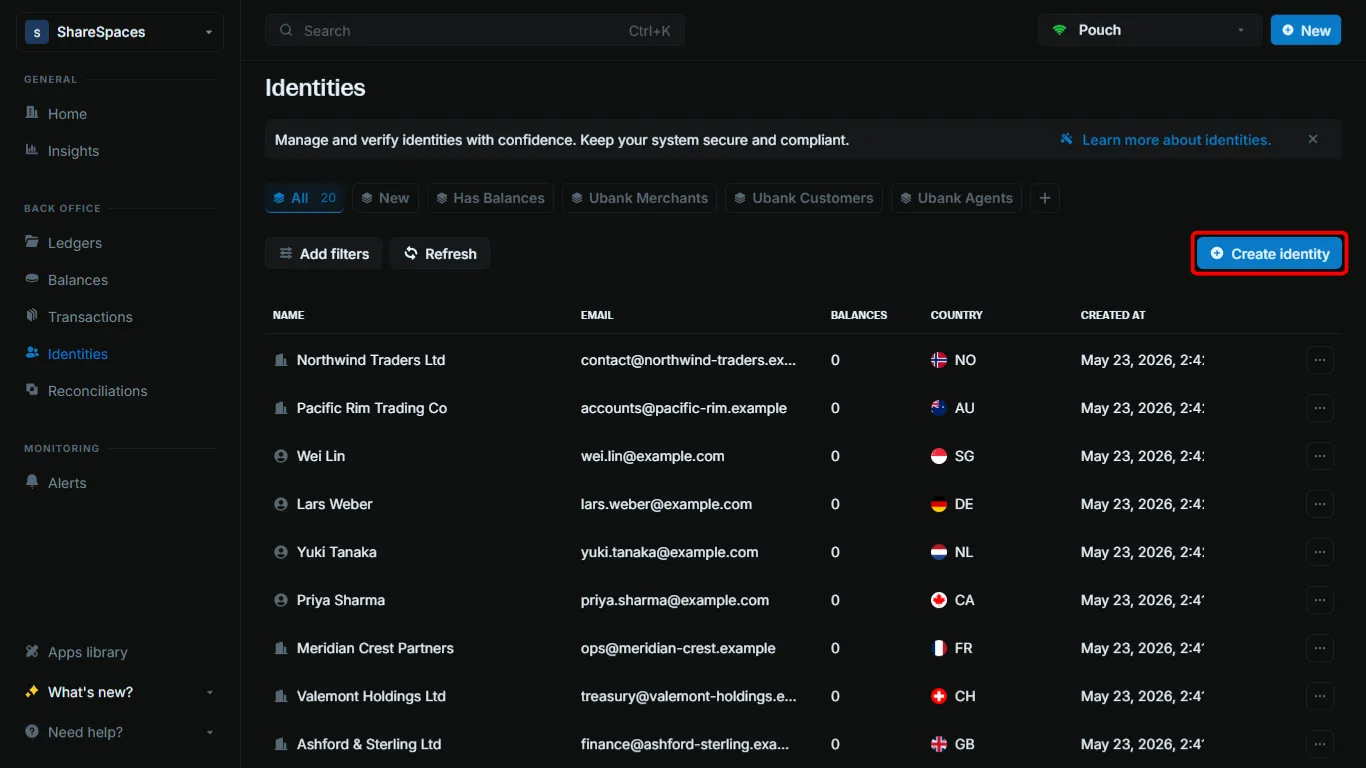
Open Create identity
On Identities, click Create identity in the top right. You can also press ⌥ I (Alt+I on Windows).
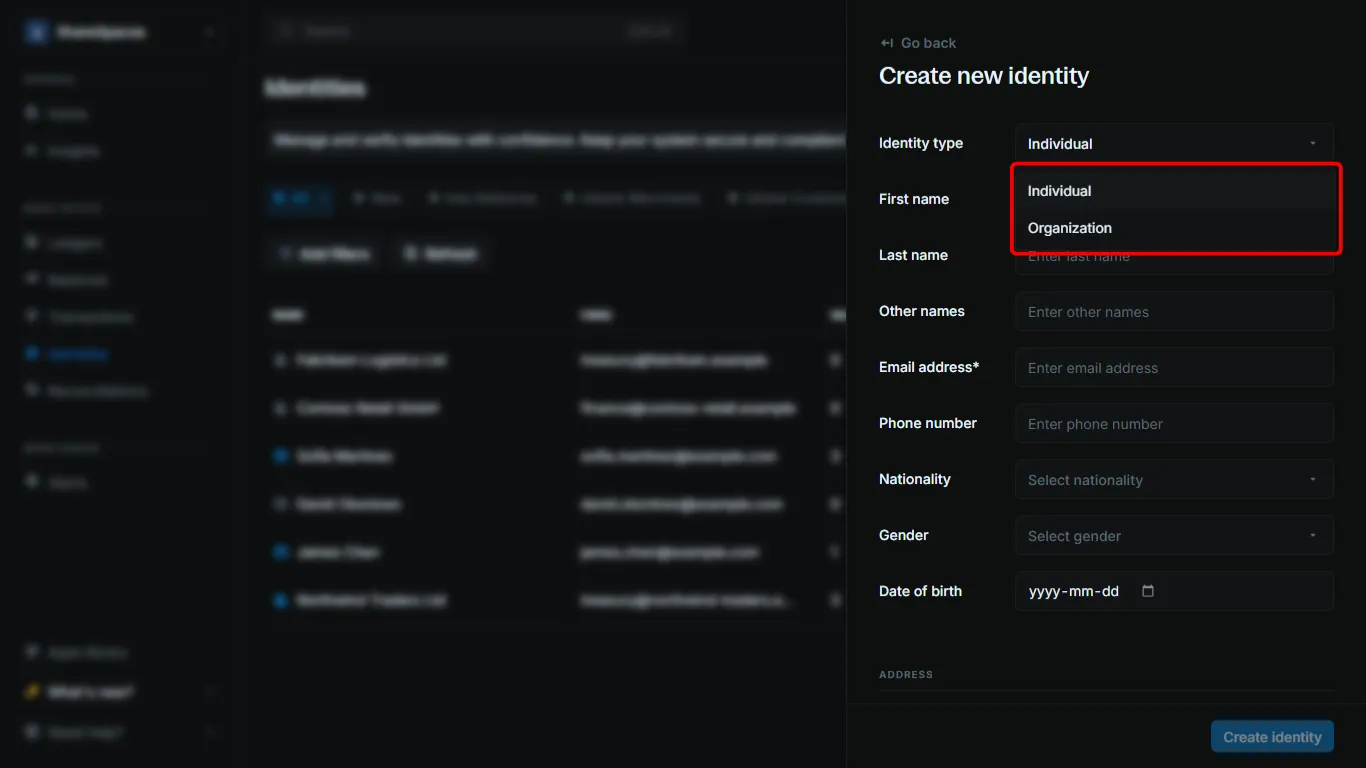
Choose the identity type
Select Individual for a person or Organization for a business.
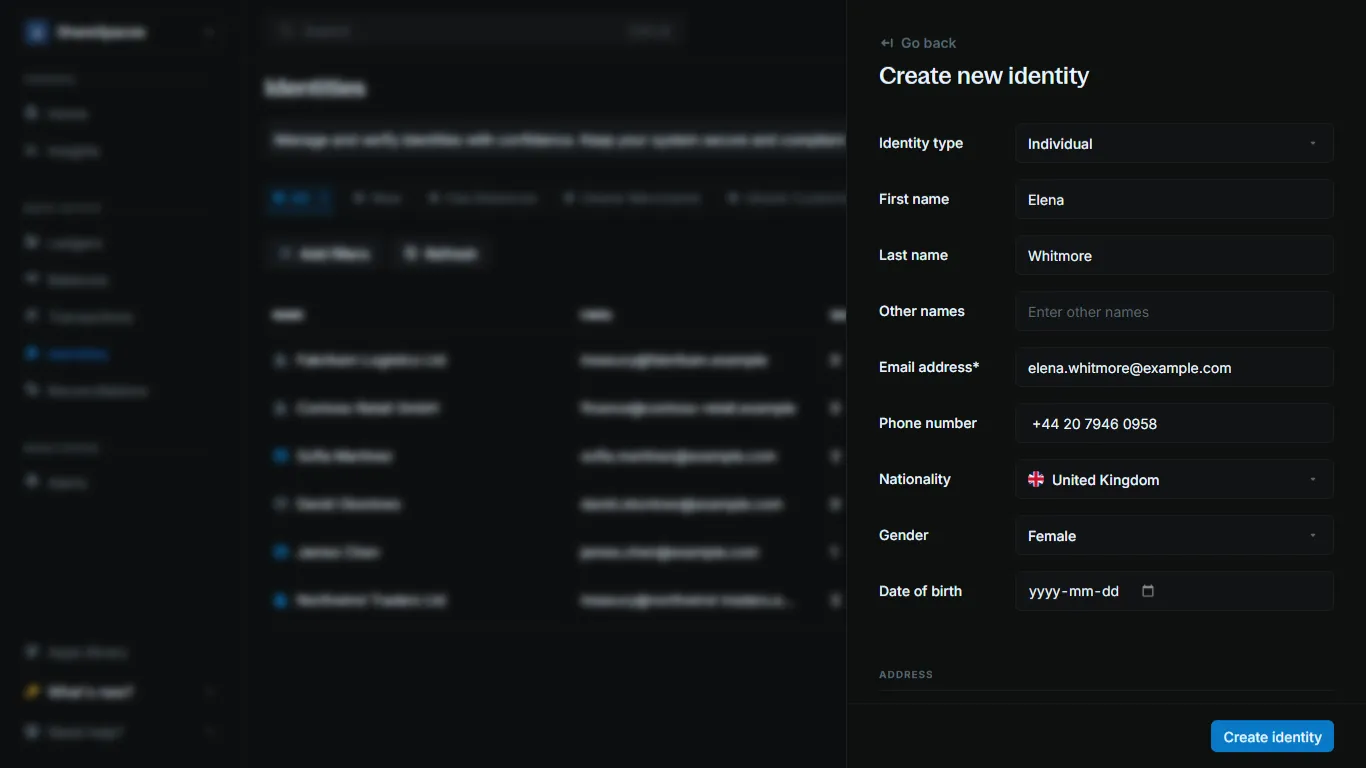
Enter the profile
Fill in the fields the form asks for:
- Individual: first name, last name, and email address
- Organization: organization name and email address
The other profile and address fields are optional.
Add metadata
This step is optional. Scroll to Metadata.
- Click Add metadata to add a key and value for this identity.
- Click Use template to import keys from a metadata template.
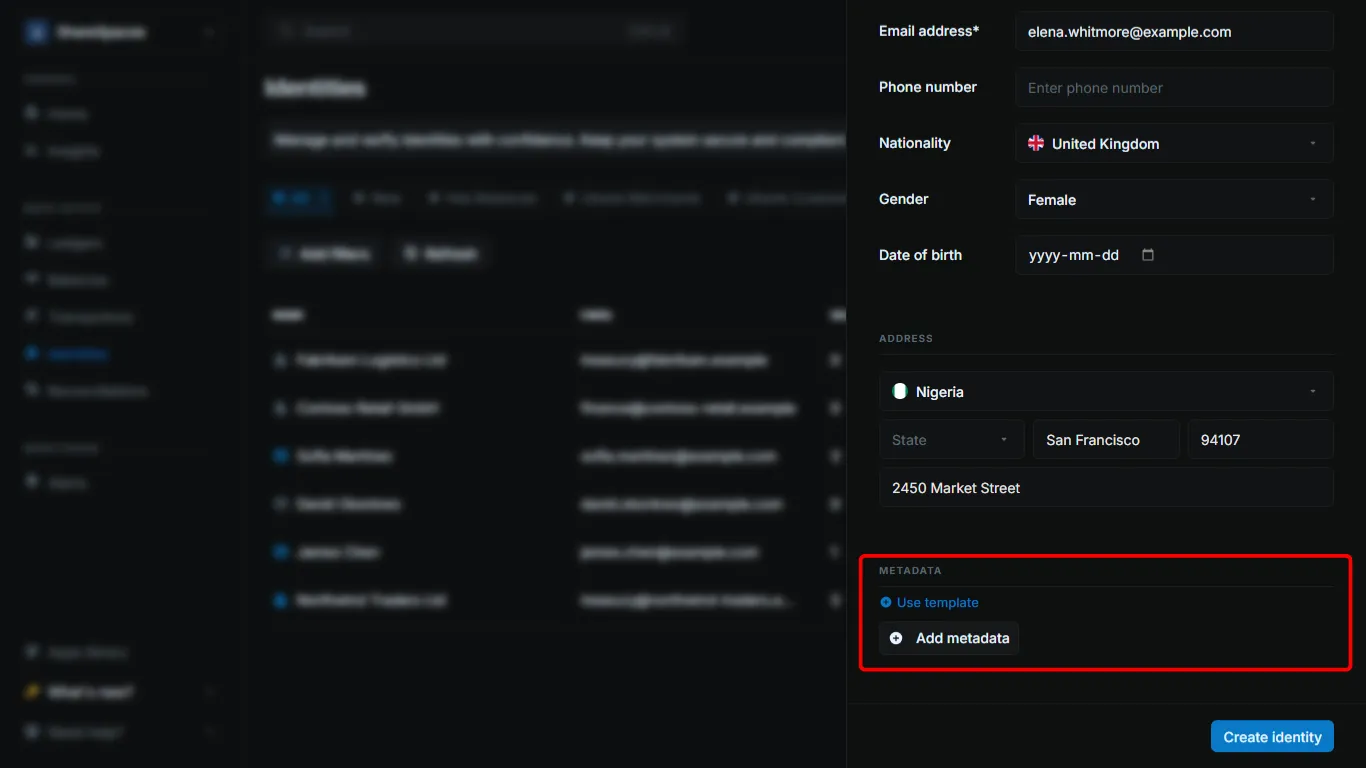
Create the identity
Click Create identity.
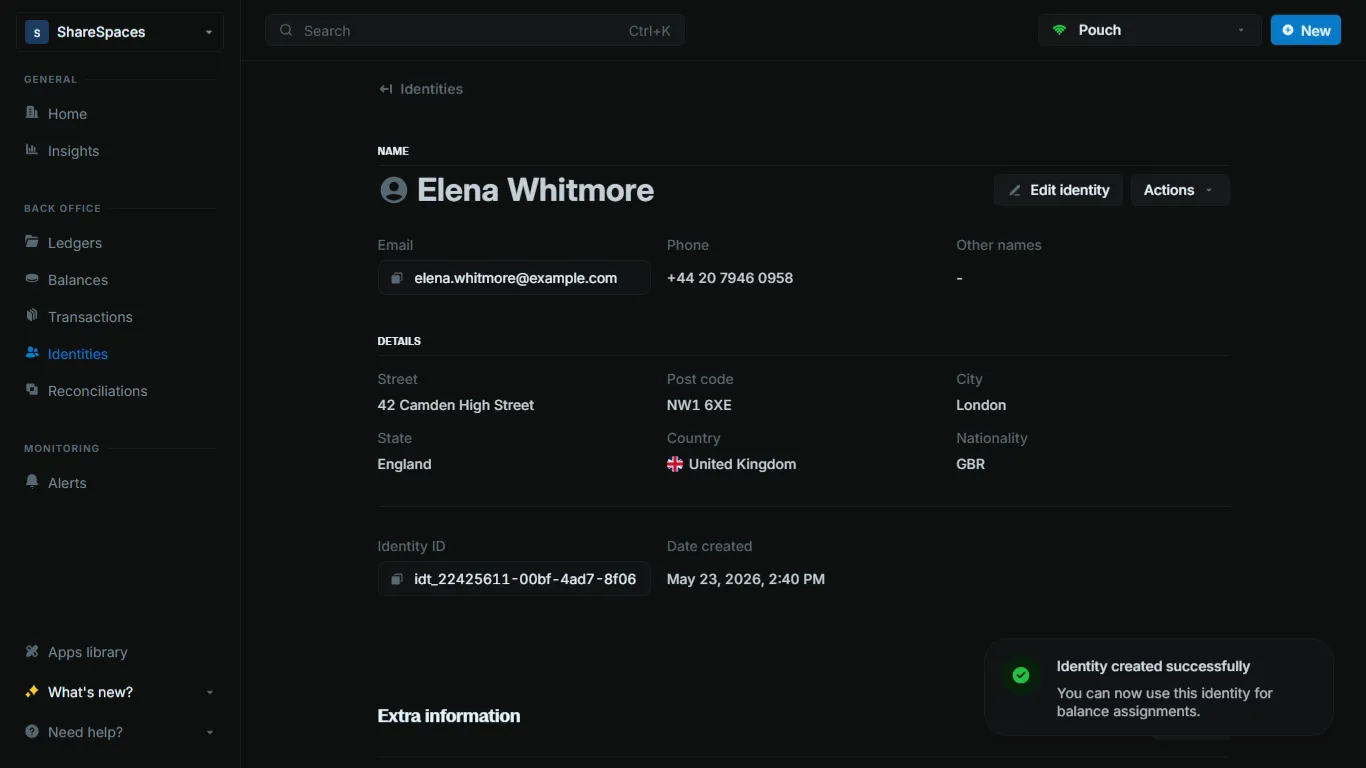
The new identity appears in the Identities table. Open it to see the full profile.
Update an identity
Using the API
Call Edit identity with the identity_id.
Send only the fields you want to change. Blnk skips an empty string, so the stored value stays. When you send meta_data, Blnk merges those keys into the stored object and keeps tokenized_fields.
curl -X PUT "http://localhost:5001/identities/{identity_id}" \
  -H "X-blnk-key: <api-key>" \
  -H "Content-Type: application/json" \
  -d '{
    "email_address": "[email protected]",
    "phone_number": "+1234567890"
  }'
const response = await blnk.Identity.update('{identity_id}', {
email_address: '[email protected]',
phone_number: '+1234567890',
});identity, _, _ := client.Identity.Update(
"idt_8cc22560-5ace-4989-8953-fcbad7947d48",
&blnkgo.Identity{
EmailAddress: "[email protected]",
PhoneNumber: "+1234567890",
},
)response = blnk.identity.update("{identity_id}", {
"email_address": "[email protected]",
"phone_number": "+1234567890",
})ApiResponse<JsonNode> response = blnk.identity().update(
"{identity_id}",
IdentityData.create()
.emailAddress("[email protected]")
.phoneNumber("+1234567890"));{
"message": "Identity updated successfully"
}| Field | Description |
|---|---|
message | Confirms the identity was updated. |
Using the Dashboard
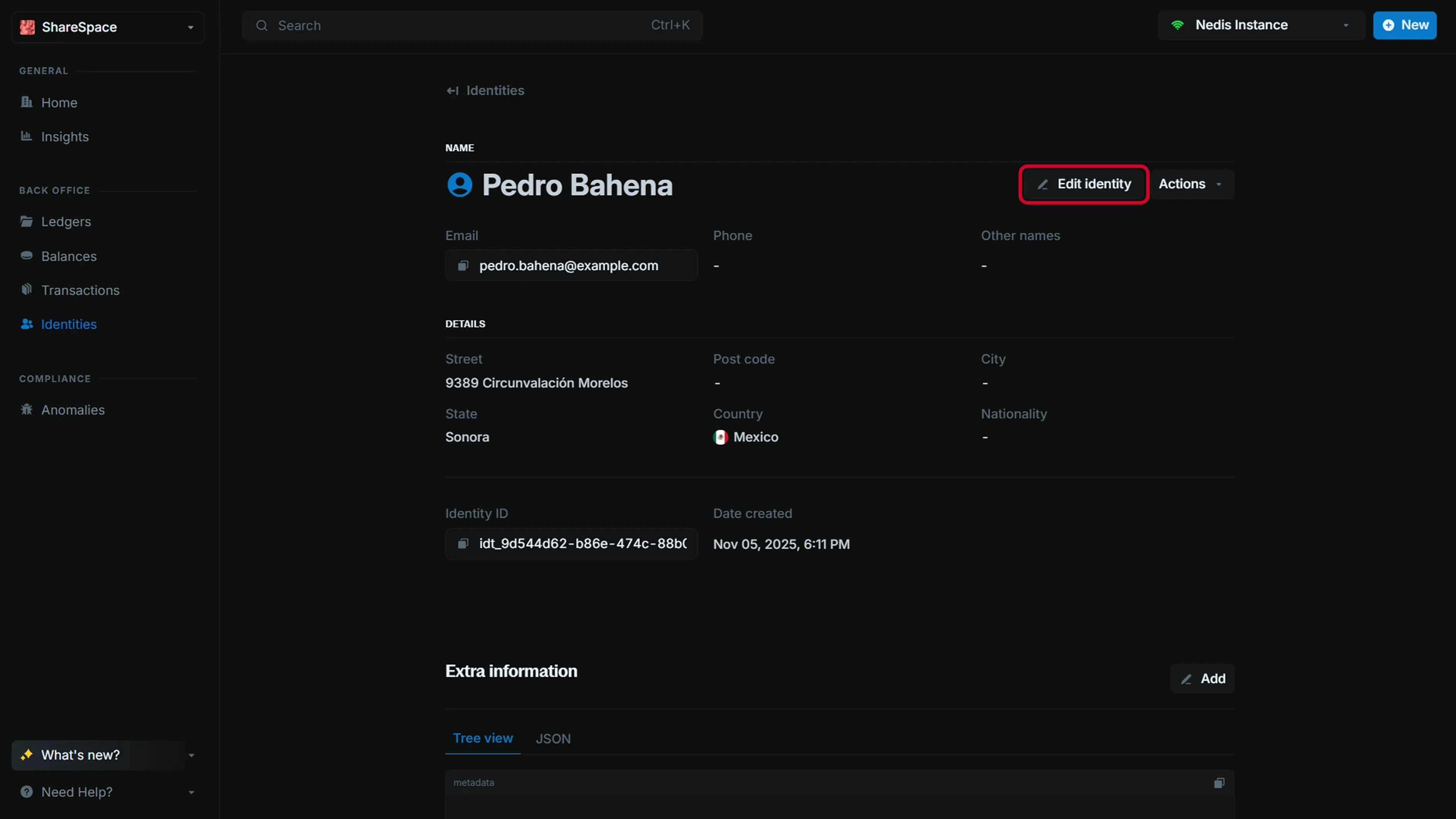
Open the identity and click Edit identity in the top right. Update the profile, contact, or address fields, then save.