

Start here
Blnk Cloud
Deploy a managed instance on Blnk Cloud.
Deploy a managed instance on Blnk Cloud. Blnk hosts the ledger for you, while you connect your application to it with the Core URL and secret key.
Deployment tiers
Blnk Cloud offers two tiers: Sandbox and Production.
- Sandbox: shared infrastructure for low-risk workloads and small traffic.
- Production: dedicated infrastructure for larger workloads that need an uptime SLA, backups, and high availability.
| Sandbox | Production | |
|---|---|---|
| Best for | Low-risk workloads and small traffic | Larger workloads that need an uptime SLA, backups, and high availability |
| Infrastructure | Shared | Dedicated |
| Included records | 100,000 | 200,000 |
| Additional records | $0.00135 per record | $0.00175 per record |
| Throughput | Up to 5,000 transactions a minute | Up to 100,000 transactions a minute |
| Uptime | No SLA | 99.9% |
| Backups and high availability | Not included | Included |
| 24/7 deployment support | Not included | Included |
| SQL-based data lake | Not included | Included |
Deploy an instance
Sign up
Create a workspace at cloud.blnkfinance.com.
Open the deploy form
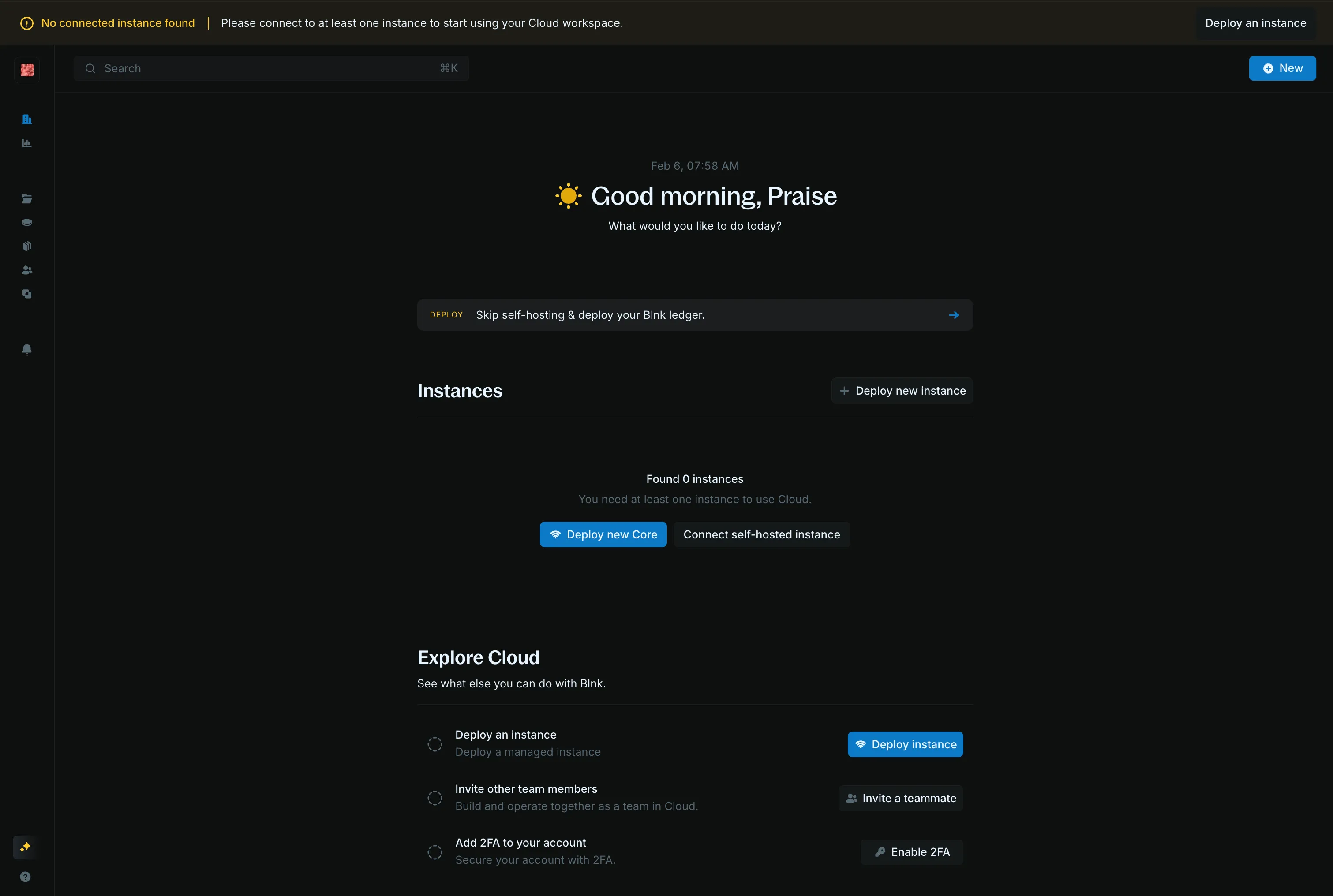
On the homepage, click Deploy new Core. The same form opens from Deploy an instance in the header.
Deploy the instance
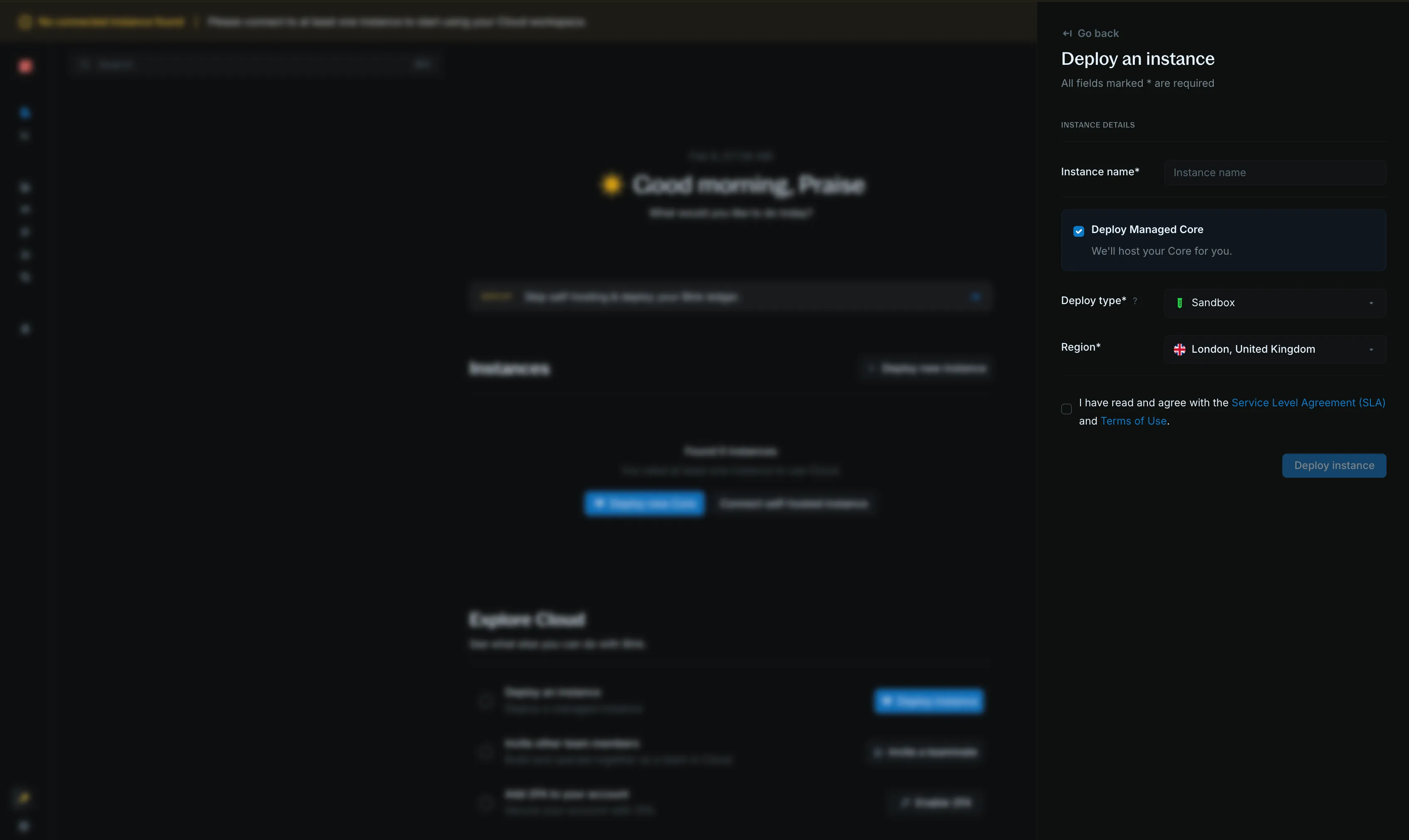
- Instance name: a name you will recognize, such as
blnk-sandbox - Deploy Managed Core: selected, so Blnk hosts Core
- Deploy type:
SandboxorProduction - Region: the region closest to your application
- New York City, United States
- London, United Kingdom
- Amsterdam, the Netherlands
- Singapore
- Frankfurt, Germany
- Toronto, Canada
Accept the Service Level Agreement, then click Deploy instance.
Wait until it is connected
Sandbox usually finishes in 1–3 minutes, and Production can take 10–30 minutes.
When the status is Connected, open the instance and copy the Core URL and secret key.
Use that URL for Core API requests, and send the secret key as X-blnk-key.
FAQs
What support does the Production tier include?
Production includes 24/7 deployment support: guided migration and deployment, and a 30-minute response on a SEV-1 incident.
How is Pro Support different from deployment support?
Deployment support covers the hosted instance, from the first deploy through a SEV-1 incident.
Pro Support is a separate plan: Blnk engineers work with your team on ledger design, integration, and production issues, on a private Slack channel.
Can I stay on Sandbox?
Yes. Sandbox is for low-risk workloads, and you can keep it. Move to Production when you need dedicated infrastructure, a 99.9% uptime SLA, backups, or deployment support.
Do extra records force a move to Production?
No. Extra records are billed on the tier you already chose.
Choose Production for the dedicated infrastructure and the uptime SLA, not because the record count grew.