

Available in version 0.6.0 and later.
inflight: true, Blnk tracks pending amounts in separate inflight balance fields while your settled balances stay unchanged.
Use inflight when you need authorization, verification, or external confirmation before applying a transfer.
Blnk, by default, includes inflight debit amounts (money reserved to be deducted from the source balance) when checking available funds on the source balance (balance - inflight_debit_balance). See Managing insufficient funds.
Use cases
Useful applications forinflight include:
- KYC limits: Hold deposits inflight until the user’s KYC tier is updated.
- Escrow: Show users an amount being held without making it spendable.
- Card payouts: Hold funds until the payment processor authorizes the charge.
- External payouts: Hold funds while a provider processes the payout; commit or void based on the outcome.
Create an inflight transaction
1
Create an inflight transaction request
Set With the default queue enabled, Blnk first records the transaction as
inflight: true on a standard Create transaction request:201 Created
QUEUED, then moves it to INFLIGHT when the worker processes it. See Transaction lifecycle.2
Track inflight balances
Blnk tracks pending inflight amounts with three fields on each balance. For the full list of balance parameters, see Balance parameters.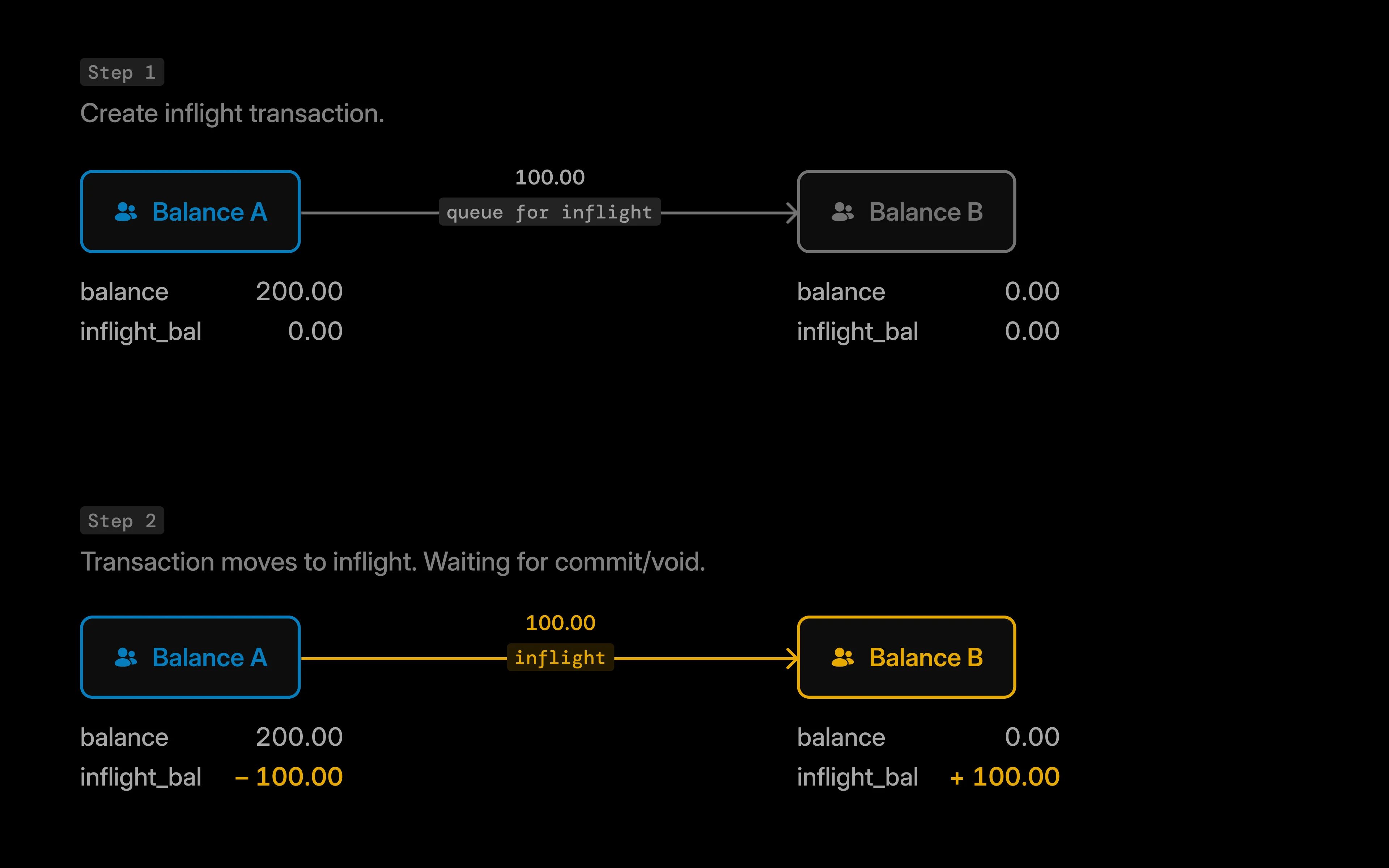
balance_A to balance_B:In this scenario:
balance_Ashows a negative inflight balance (-100) because funds are pending outflow.balance_Bshows a positive inflight balance (100) because funds are pending inflow.
Commit & void inflight
Commit, void, or verify your inflight transaction.
Error handling
Structured errors are available from Blnk Core 0.15.0 and later.
400 when the request body fails validation before Blnk records an inflight transaction.
400 Bad Request
When the source balance has insufficient funds, the result depends on whether you used the queue. See Managing insufficient funds.
Commit and void errors are covered in Commit & void inflight - Error handling. See API error codes for the full catalogue.