

Installing Docs MCP and Skills
1
Connect the Docs MCP
Connect the Docs MCP in your LLM tool so the agent looks up live docs instead of guessing:
MCP endpoint
2
Add Skills
From your project (or any directory where you use the LLM), run:The CLI detects tools such as Cursor and Claude Code, and installs the skills for you. Confirm when prompted if you want them on more than one tool.
Install Blnk skills
3
Confirm they loaded
To use the skill, start with
/blnk and ask any question. That is the root entry point; it routes to the other Blnk skills for architecture, money movement, and implementation.Try it: build a simple wallet
Open a chat in your project and run through these steps.1
Share this sample spec
Paste: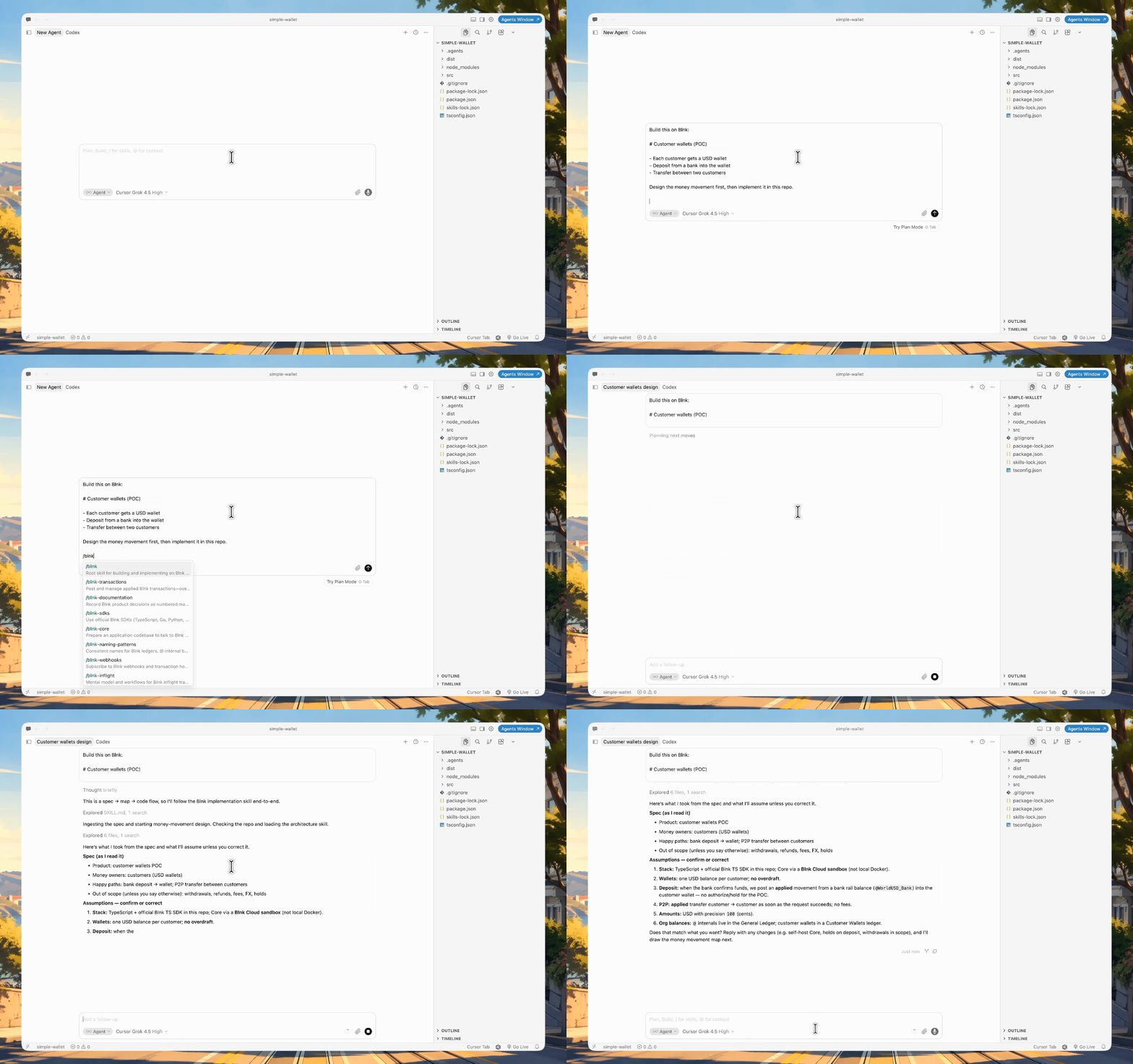
Sample wallet spec
2
Let the agent create the map
The agent designs the money movement map, posts maps-tool JSON in chat, and saves it under 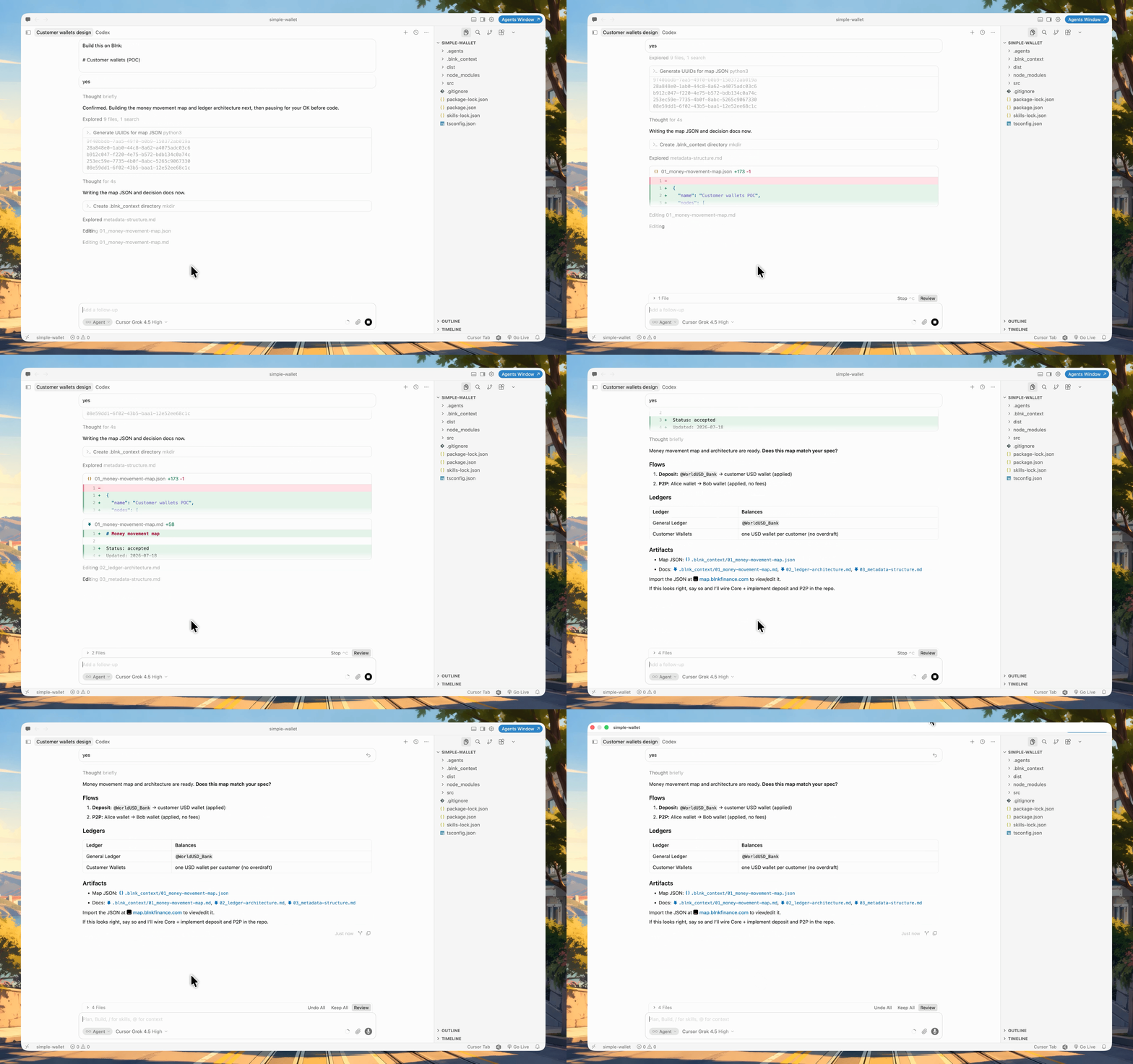
.blnk_context/.3
Review the map
To view it: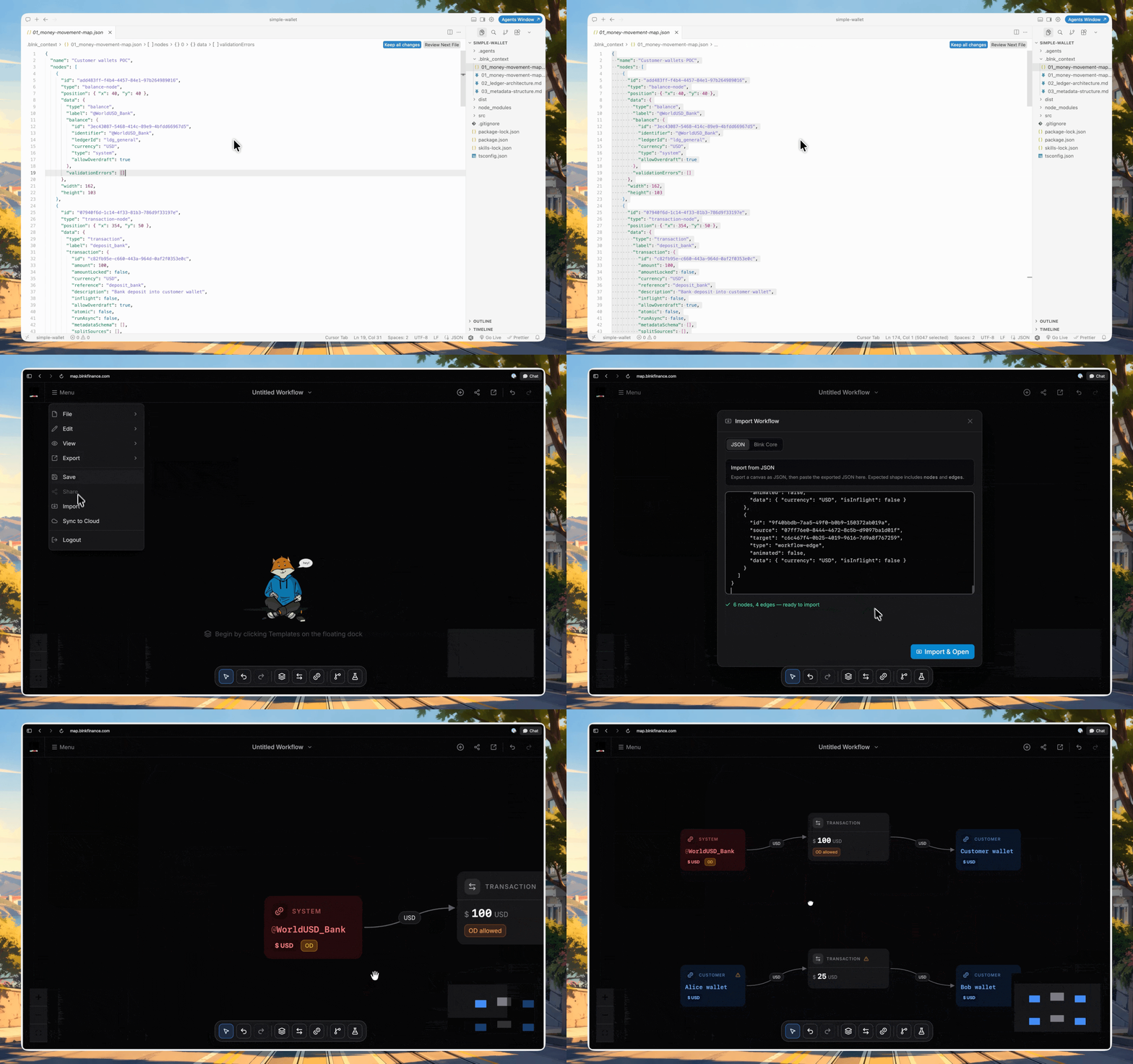
- Open map.blnkfinance.com.
- Click Menu → Import.
- Paste the JSON and load it.
4
Ask it to implement
If all looks good, ask the agent to implement it the map: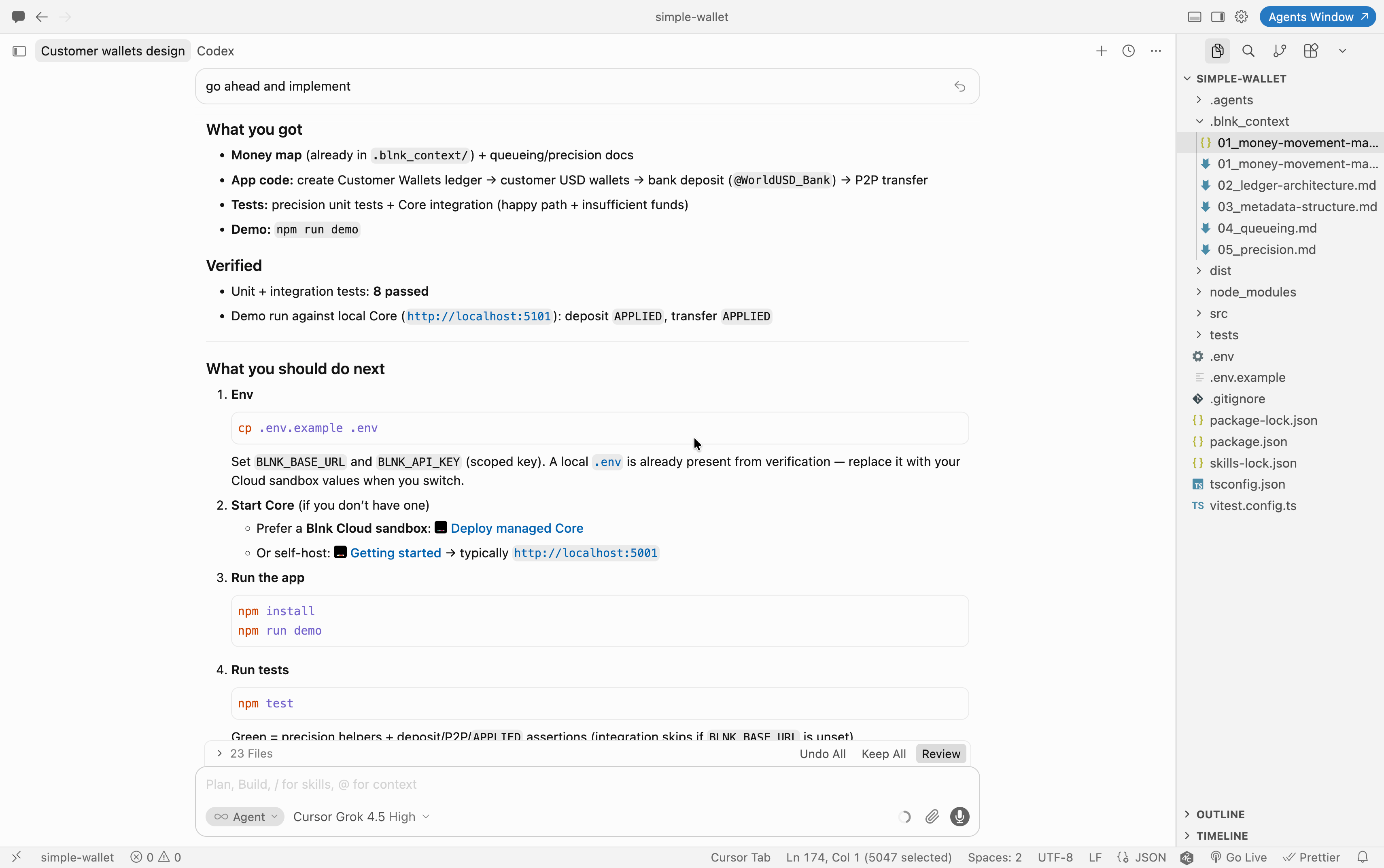
5
Start the app
Once done, you can start your app and should have a running wallet flow against Blnk.