

Apps
Launching Your App
Return a portal URL so Blnk Cloud can open your app in the dashboard.
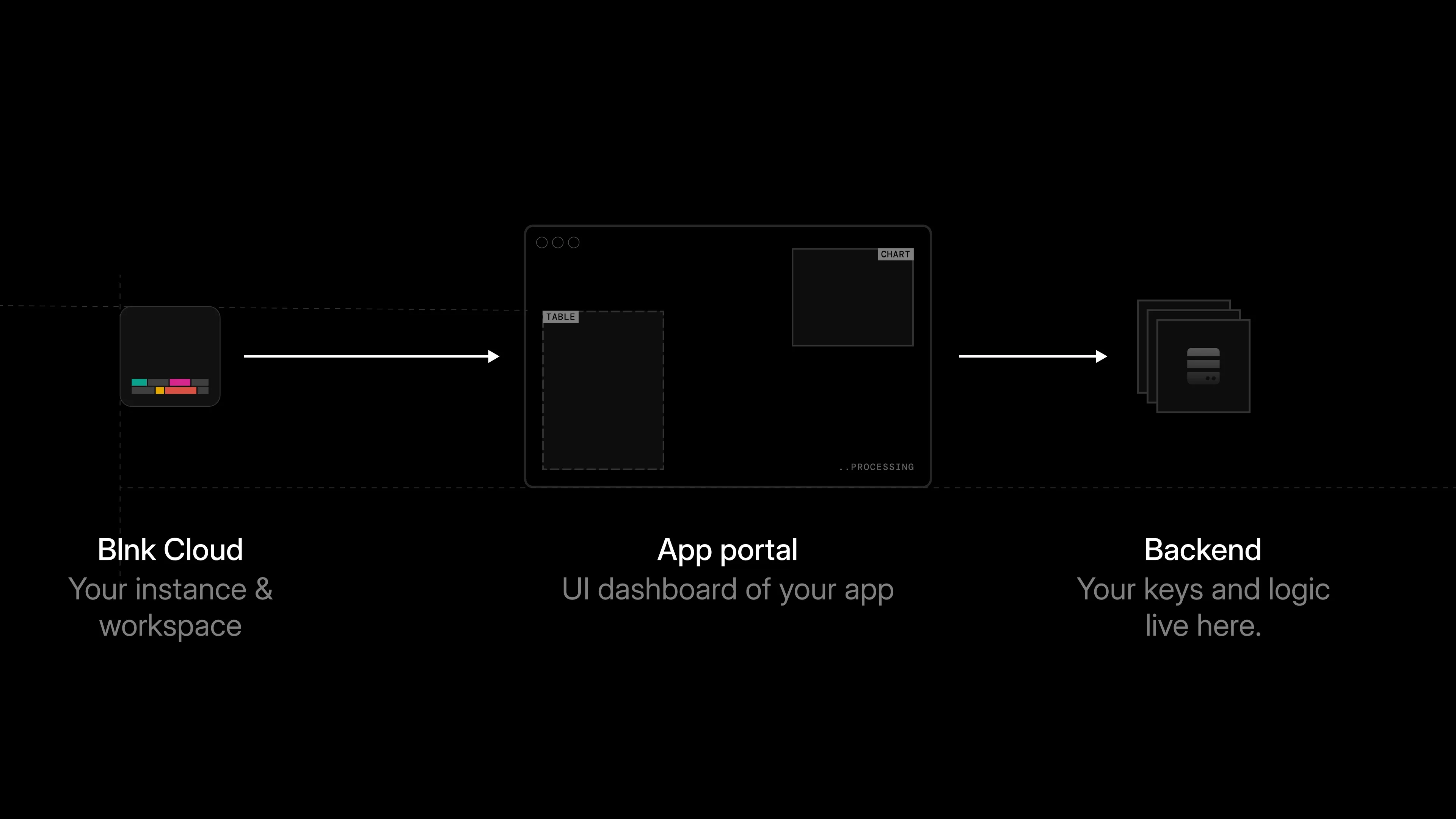
After the app is installed, launch it from the Cloud dashboard. The launch starts in Blnk Cloud. When a user clicks Launch app:
- If the app requires it, the user confirms with their account password and 2FA code, using the same rules as install.
- Blnk sends a
POSTrequest to your portal generator URL. - Your app checks that the install exists and is active.
- Your app creates a short-lived portal session.
- Your app returns a
portal_url. - Blnk opens that URL inside the dashboard.
Handling the portal request
Cloud sends a payload like this to your portal_generator_url:
{
  "installed_app_id": "instapp_...",
  "app_id": "app_...",
  "instance_id": "inst_..."
}| Field | Description |
|---|---|
installed_app_id | The ID for this specific app installation. Use it to find the install record. |
app_id | The ID of the app being launched. |
instance_id | The Cloud instance the app should work with. |
Before returning a portal URL, confirm that the install exists and is active, and that the instance_id in the request matches the install record.
async function validateInstallForPortal(
  installed_app_id: string,
  app_id: string,
  instance_id: string,
): Promise<boolean> {
  const install = await db.getInstall(installed_app_id);
  const ok =
    install != null &&
    install.status === "active" &&
    install.app_id === app_id &&
    install.instance_id === instance_id;

  if (!ok) {
    return false;
  }

  return true;
}
Create a portal session
Create a portal session once the request is validated. The session records which installation opened the portal, which Cloud instance it was launched from, and when it expires.
import { randomBytes } from "node:crypto";

const PORTAL_BASE = "https://app.yourcompany.com";
const TTL_SECONDS = 900; // 900 seconds = 15 minutes

async function createPortalSession(
  installed_app_id: string,
  instance_id: string,
): Promise<string> {
  const ttlSeconds = TTL_SECONDS;
  const expiry_time_ms = Date.now() + (ttlSeconds * 1000);
  const token = randomBytes(32).toString("base64url");
  await db.savePortalSession({
    token,
    installed_app_id,
    instance_id,
    expiry_time_ms,
  });
  const portalUrl = new URL(PORTAL_BASE);

  portalUrl.searchParams.set("token", token);

  return portalUrl.toString();
}
async function verifyPortalSession(token: string) {
const session = await db.getPortalSession(token);
if (!session) {
return { ok: false as const, status: 401 };
}
if (session.expiry_time_ms < Date.now()) {
return { ok: false as const, status: 410 };
}
return { ok: true as const, session };
}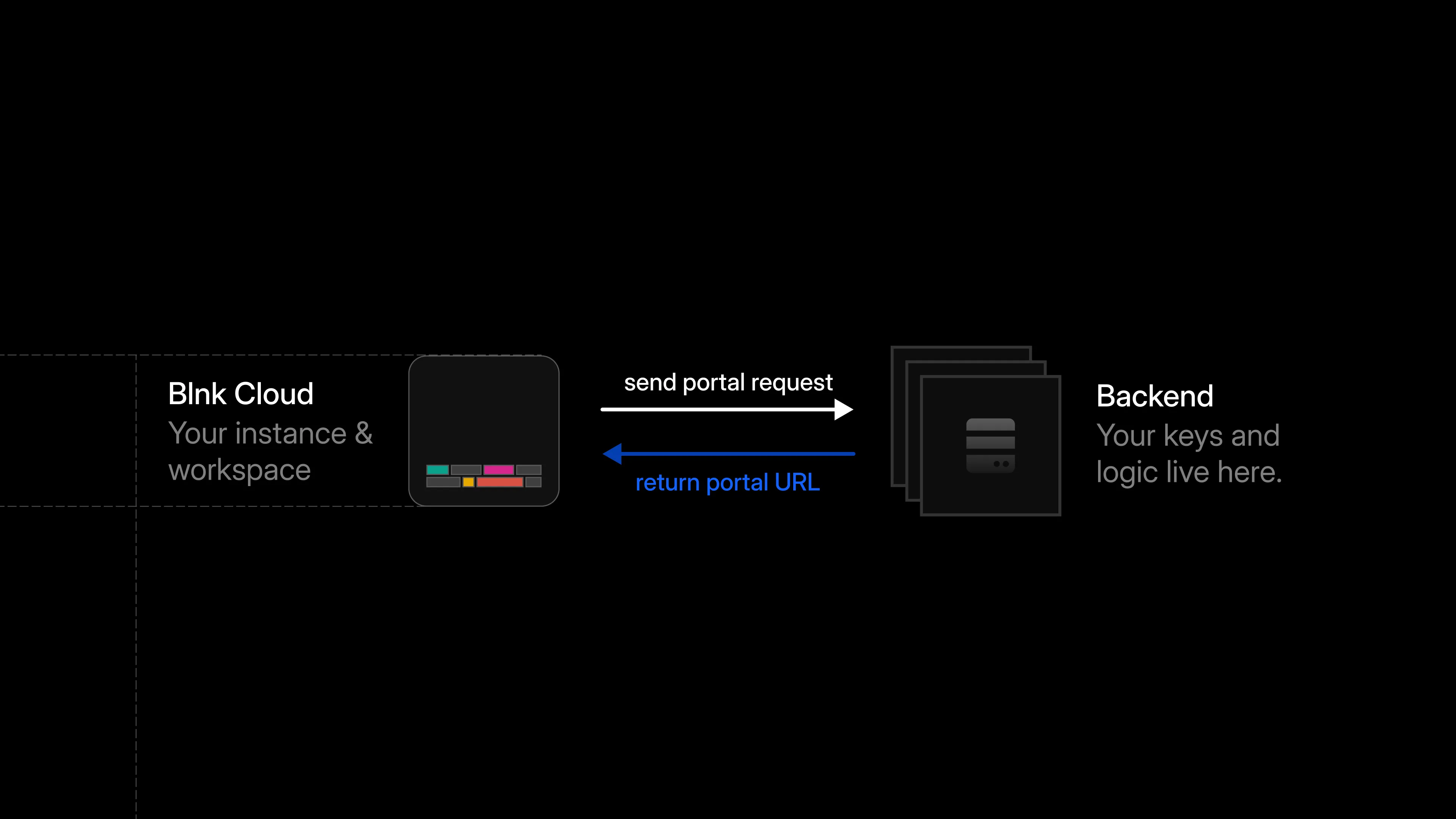
After creating the session, return a portal_url to Cloud:
{
  "portal_url": "https://app.yourcompany.com/?token=short-lived"
}
Cloud uses this URL to open the app inside the dashboard. The portal URL should point only at the app interface. It should not include API keys, provider secrets, or other sensitive data.
Load the app inside Cloud
When Cloud opens the portal_url, it loads the app inside the dashboard.
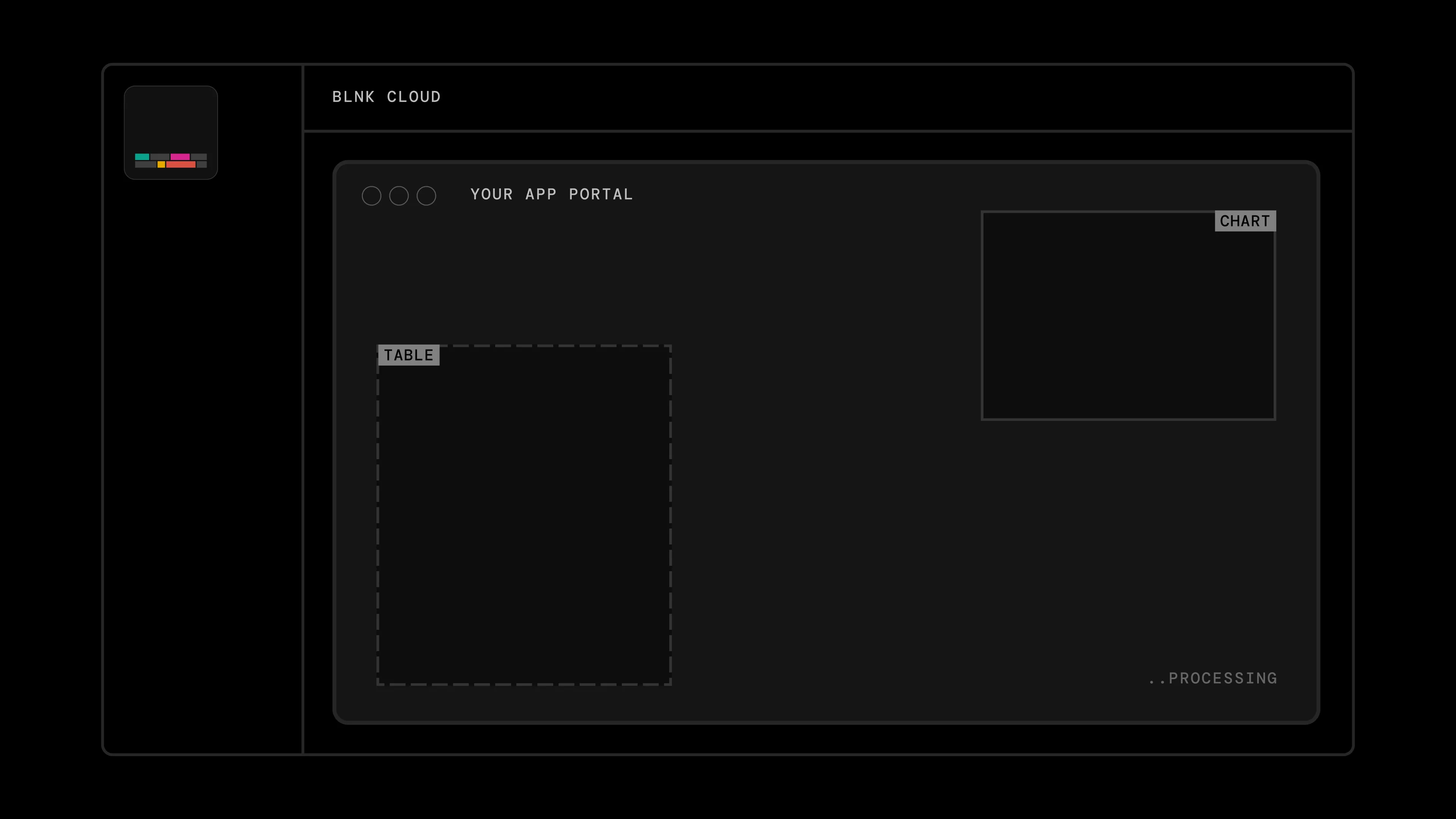
Portal pages must allow Blnk to embed them. Set the Content-Security-Policy header described in Best practices.
Blnk sends a fresh portal request for every launch, so return a fresh portal_url each time. Keep Cloud API keys on the backend, and do not expose them in the browser.
Test the launch flow
Install and launch
Install the app in Cloud, then click Launch app from the app details page. If the app requires re-authentication, confirm with your password and 2FA code.
Confirm the portal session
Confirm that portal_generator_url receives the launch request, that the app creates a portal session, and that it returns a valid portal_url. The app should open inside the Cloud dashboard, and an expired session should no longer open the portal.
Once this works, users can open the app from Blnk Cloud and work through the Stripe Sync workflow inside the dashboard.
Troubleshooting
| Issue | What to do |
|---|---|
| Password or 2FA is incorrect at launch | Check the password or 2FA code and try again. You may see Authentication failed. |
| Portal does not open | Confirm portal_generator_url is reachable and returns a valid portal_url within about 10 seconds. |
| App opens but the session expires quickly | Launch the app again from Cloud to get a fresh portal session. |