

Start here
Enterprise OAuth
Create an OAuth client and exchange the authorization code for an Enterprise API access token.
OAuth clients authenticate MCP and third-party apps against a Cloud or Enterprise workspace. Manage them in Settings > API Keys.
Each client has a name, a client id, a client secret shown once, scopes such as mcp:read or *, and an expiration. Expiration can be a date or Never.
Create the client, exchange the authorization code for an access token, and send that token as X-blnk-key. Refresh the token when it expires, or sign in again after the refresh token ends.
Create an OAuth client
Open API keys
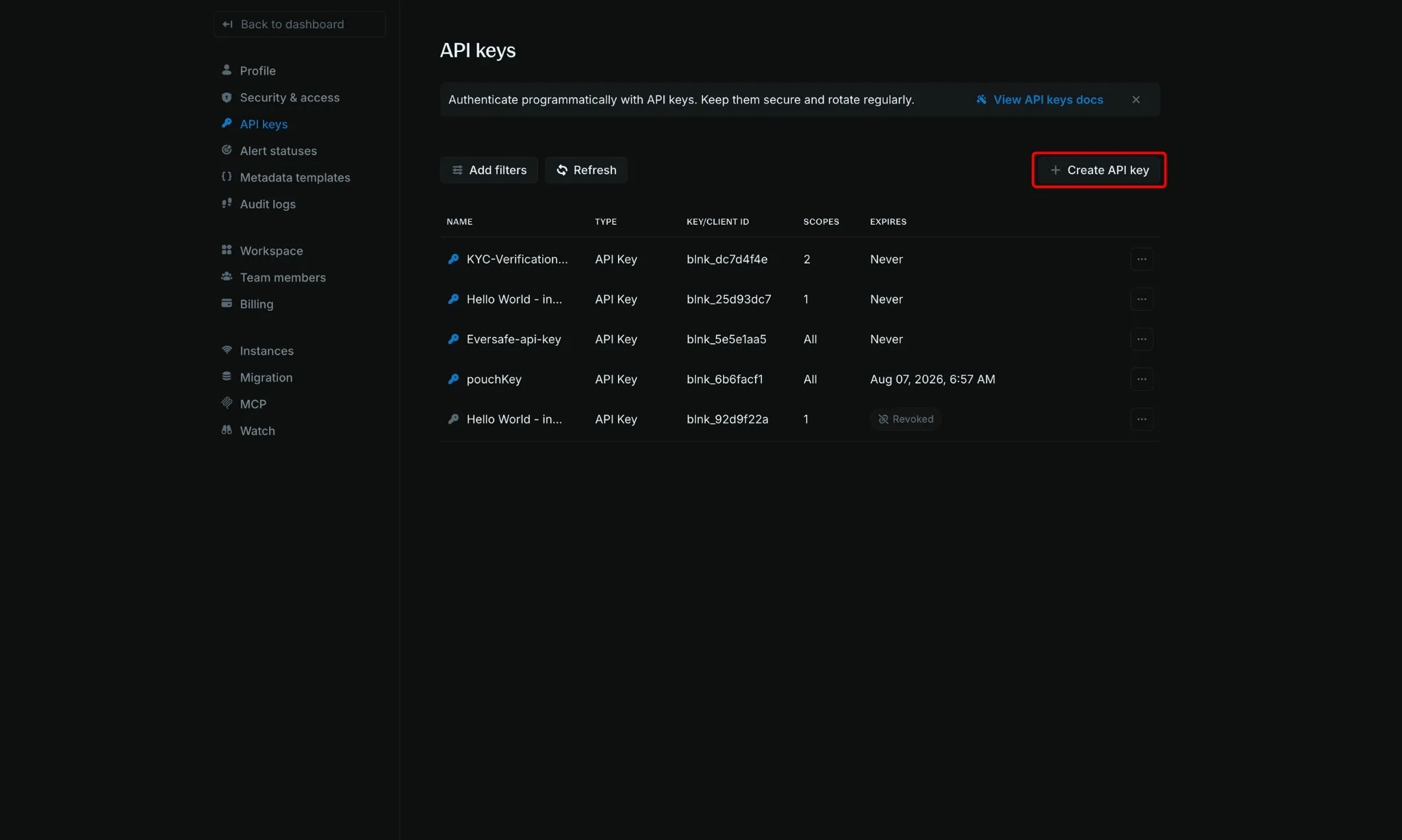
Go to Settings > API Keys. Click Create API key.
Set the client
- Name: A name for the client, such as the MCP integration.
- Type: OAuth.
- Scopes:
*for every permission, or a smaller set such asmcp:read,proxy:write, ordata:read. - Expires: A date, or Never.
Copy the credentials
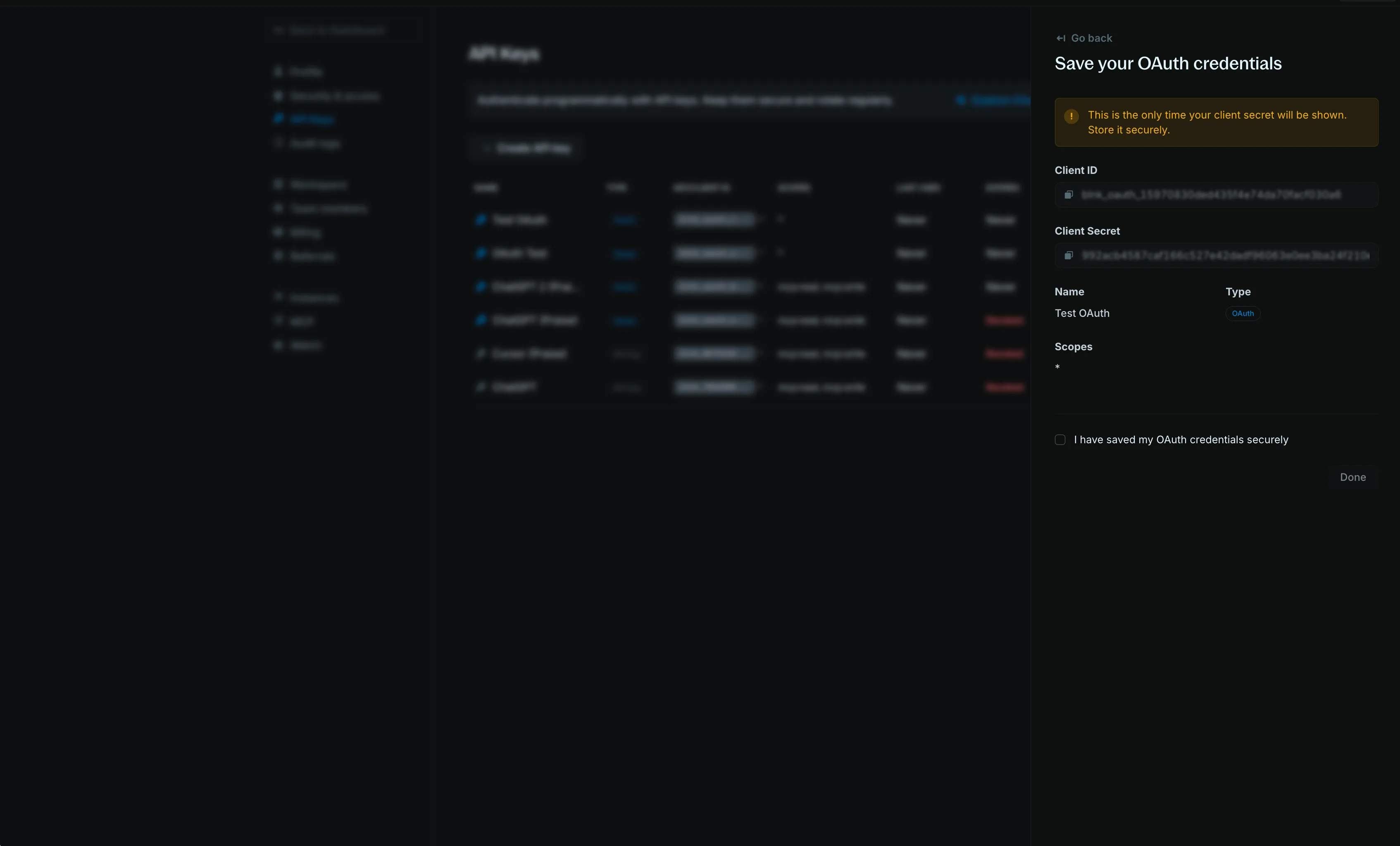
The client id and client secret are shown once. Copy both before you leave the screen.
Get an access token
Third-party apps use the access token with the proxy and Create new query.
Send the user to authorize
Redirect the browser to the authorize URL so the user can sign in:
https://api.cloud.blnkfinance.com/oauth/authorize?response_type=code&client_id=YOUR_CLIENT_ID&redirect_uri=https://your-app.com/oauth/callbackYOUR_CLIENT_ID is the OAuth client id. redirect_uri is your callback URL and must match the value you send when you exchange the code.
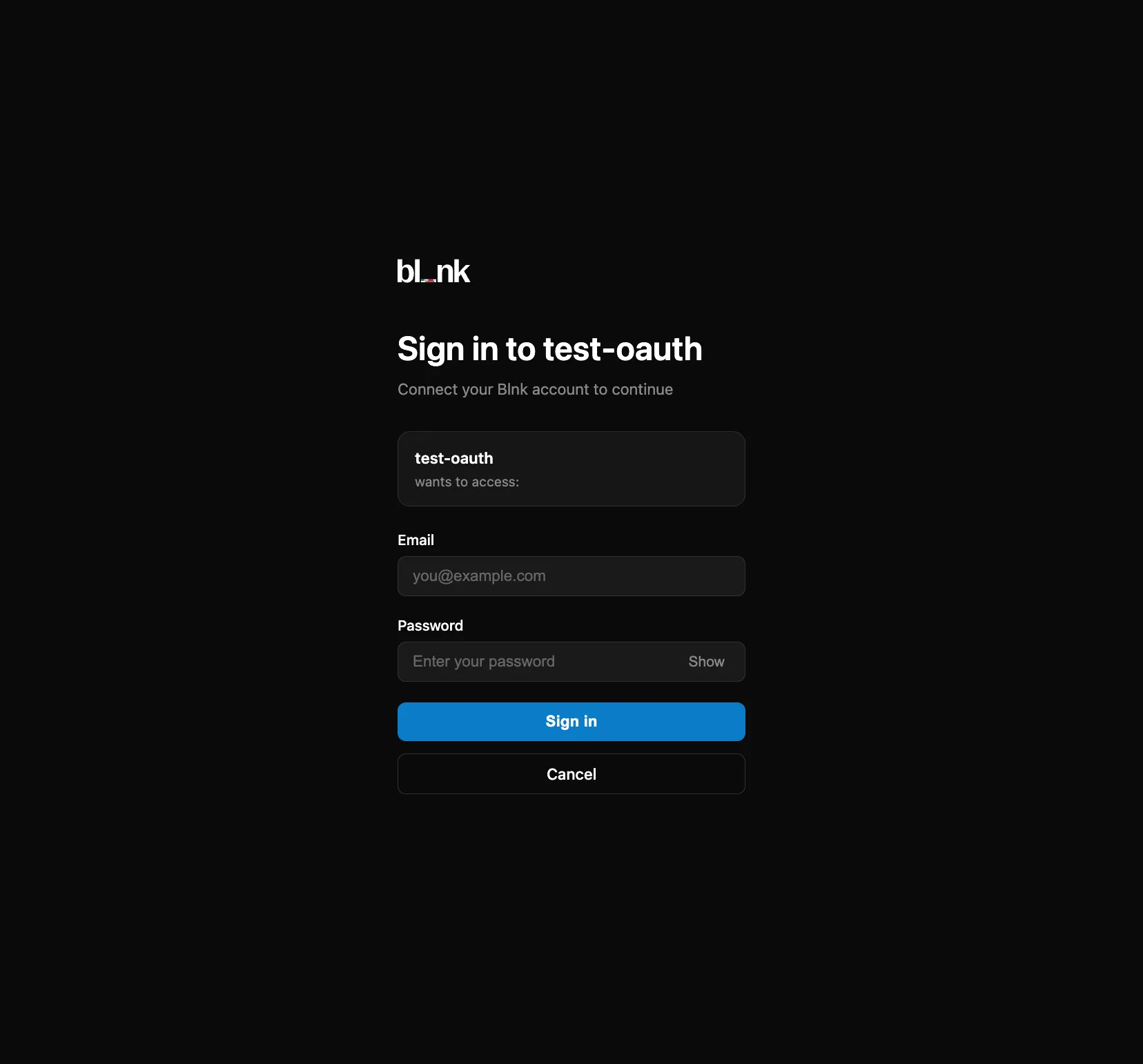
After sign-in, Blnk redirects to your app with a code:
https://your-app.com/oauth/callback?code=THE_AUTH_CODEExchange the code
The access token lasts 1 hour.
curl -X POST "https://api.cloud.blnkfinance.com/oauth/token" \
  -H "Content-Type: application/x-www-form-urlencoded" \
  -u "YOUR_CLIENT_ID:YOUR_CLIENT_SECRET" \
  -d "grant_type=authorization_code" \
  -d "code=THE_CODE_FROM_REDIRECT" \
  -d "redirect_uri=https://your-app.com/oauth/callback"
{
"access_token": "blnk_at_...",
"token_type": "Bearer",
"expires_in": 3600,
"refresh_token": "blnk_rt_...",
"scope": "data:read data:write proxy:write"
}Refresh the token
The refresh token lasts 30 days. After that, the user signs in again.
curl -X POST "https://api.cloud.blnkfinance.com/oauth/token" \
  -H "Content-Type: application/x-www-form-urlencoded" \
  -u "YOUR_CLIENT_ID:YOUR_CLIENT_SECRET" \
  -d "grant_type=refresh_token" \
  -d "refresh_token=blnk_rt_YOUR_REFRESH_TOKEN_HERE"
Use the access token
Send the access token in X-blnk-key on Cloud API requests.
curl -X POST "https://api.cloud.blnkfinance.com/proxy/ledgers?instance_id=YOUR_INSTANCE_ID" \
  -H "X-blnk-key: OAUTH_ACCESS_TOKEN" \
  -H "Content-Type: application/json" \
  -d '{
    "name": "My Integration Ledger"
  }'
Revoke an OAuth client
Revoke a client to stop it immediately. A revoked client stays in the list and cannot authenticate.
Open the client
Click the client name in the API Keys table.
Revoke it
In the details panel, click Revoke key.
Confirm
Confirm the revocation. The status in the table changes to Revoked.