

- Name: A user-friendly identifier to help you organize and identify clients
- Client ID: A public identifier for your OAuth client
- Client Secret: A secret credential used for authentication (shown only once at creation)
- Scopes: Permissions that define what the client can access (e.g.,
*for all permissions, or specific scopes likemcp:read,proxy:write, ordata:read) - Expiration: Optional expiration date, or Never for clients that don’t expire
- Create an OAuth client
- Get an access token
- Use the access token with Cloud APIs; refresh once it expires or reauthenticate OAuth
Create an OAuth client
1
Navigate to API Keys
Go to Settings > API Keys in your Blnk Cloud dashboard. Click Create API Key in the top-right corner of the API Keys page.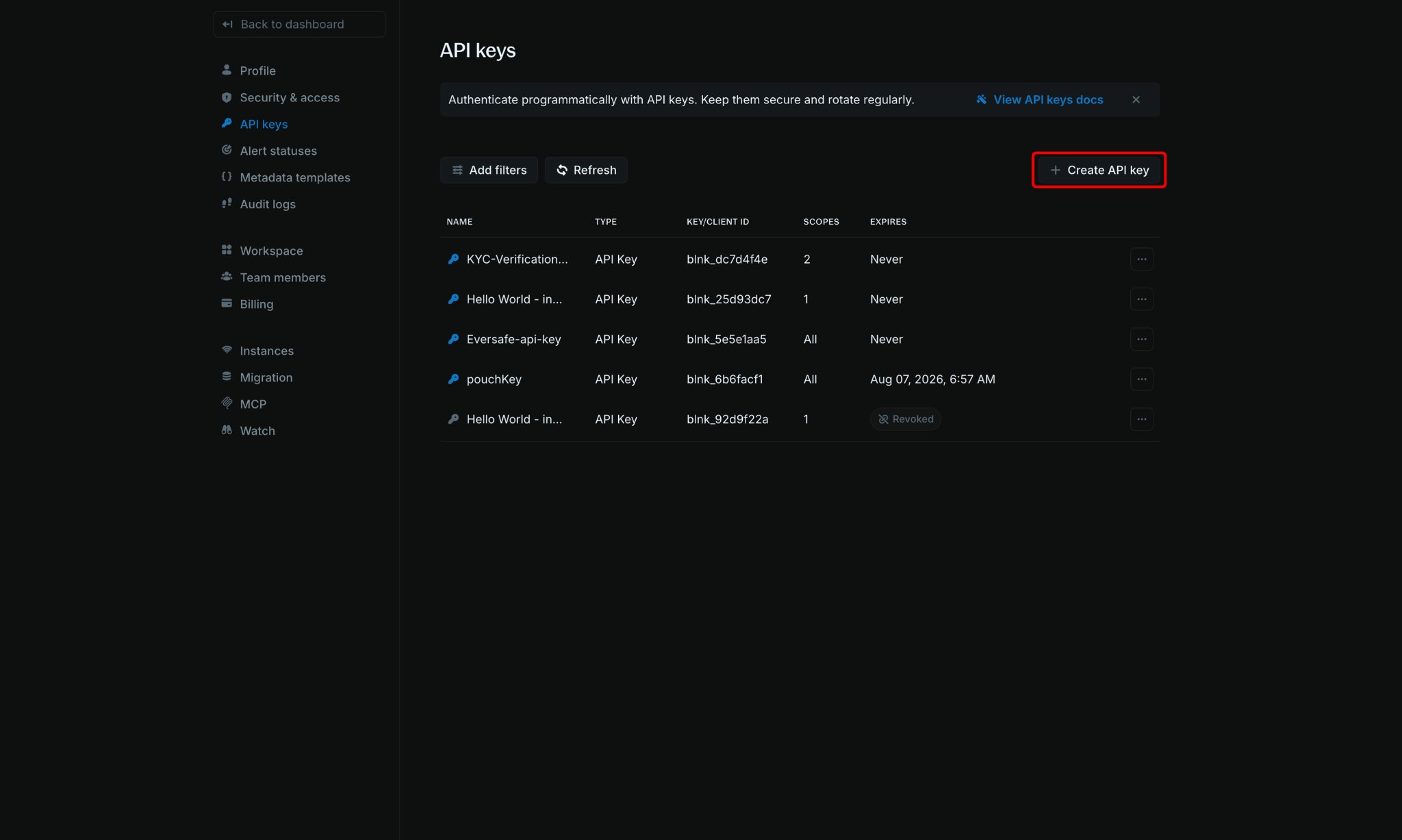
2
Configure your OAuth client
Fill in the required information:
- Name: Enter a descriptive name for your OAuth client (e.g., “Production OAuth Client”, “MCP Integration”)
- Type: Select OAuth (instead of API Key)
- Scopes: Select the permissions for this client:
*for all permissions- Specific scopes like
mcp:read,proxy:write, ordata:readfor limited access
- Expires: Choose when the client should expire:
- Select a specific date
- Choose Never for clients that don’t expire
3
Save your OAuth credentials
After creating the client, your Client ID and Client Secret will be displayed only once. Copy both immediately and store them securely.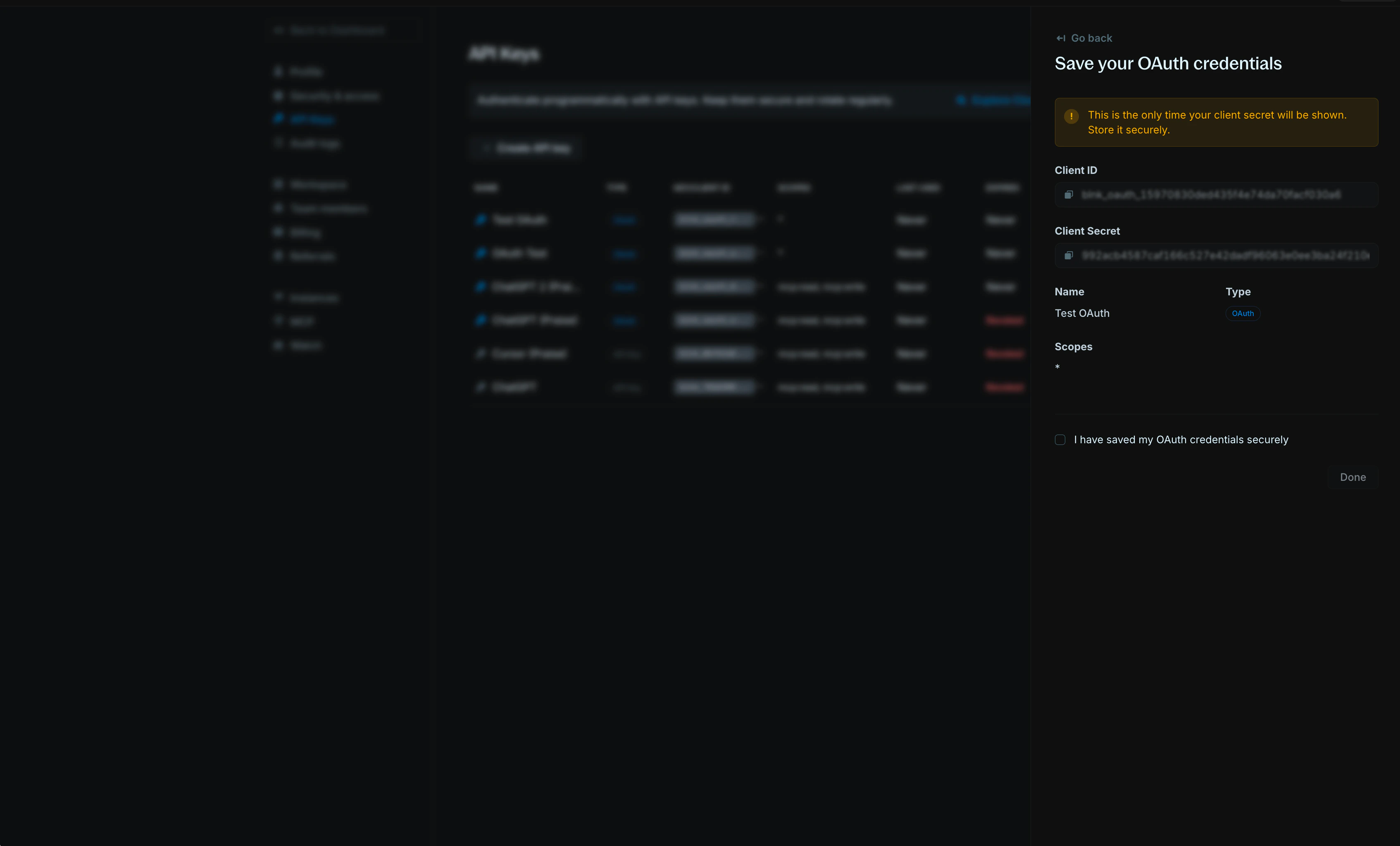
Get an access token
For third-party integrations, you’ll need an access token to interact with the user’s Cloud workspace via the Cloud Proxy and Create new query.1
Get callback code
Redirect the user’s browser to the Blnk authorization URL to log in:Replace: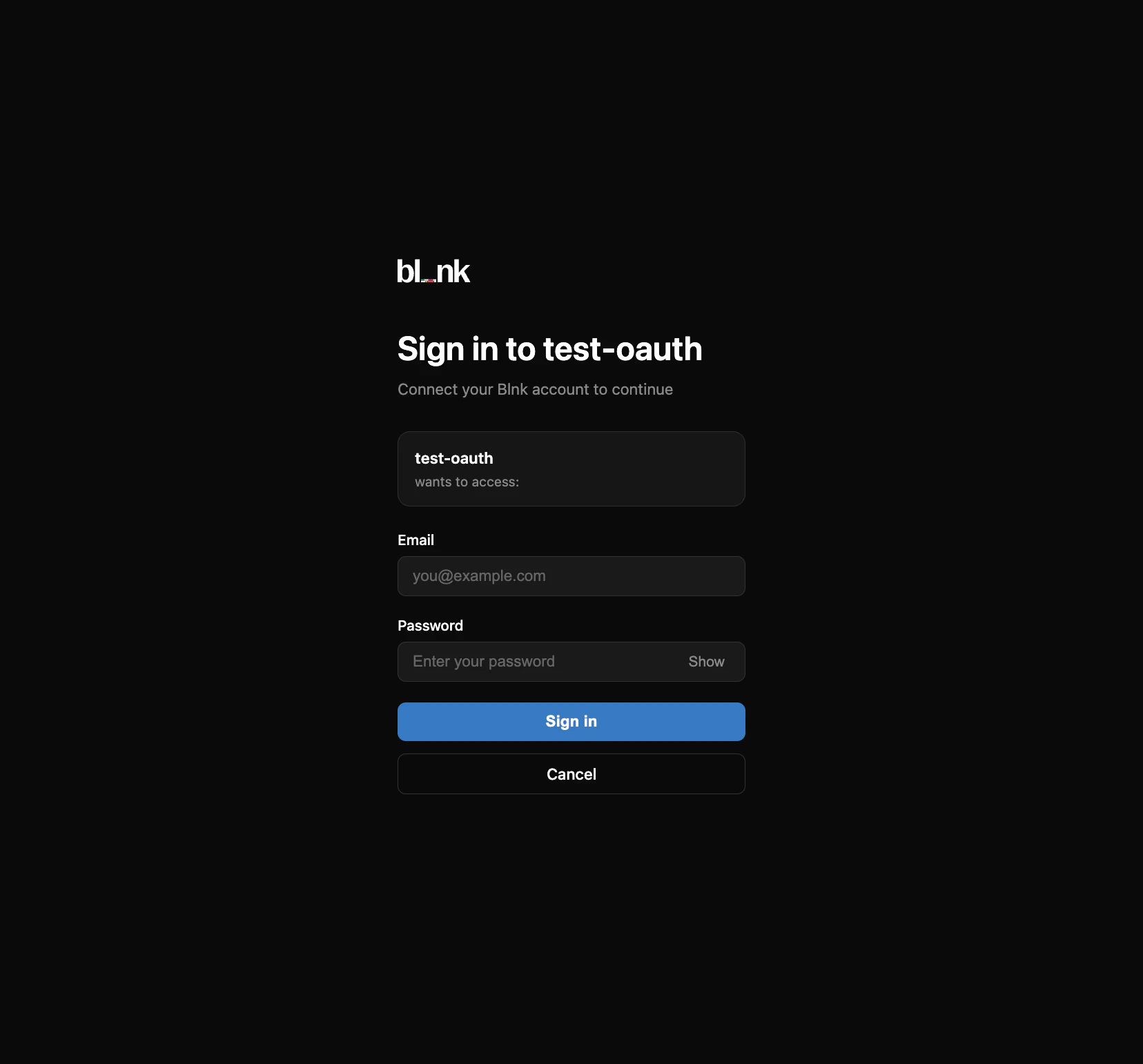
Authorization URL
YOUR_CLIENT_ID: Your OAuth client ID.redirect_uri: Your app’s callback URL (for example,https://your-app.com/oauth/callback). This must match exactly when you exchange the code.
Redirect back
2
Exchange the code for an access token
Call the token endpoint with the authorization code and your OAuth client credentials. This access token is valid for 1 hour.
cURL
200 OK
3
Refresh an expired access token
When the access token expires, use its refresh token to get a new one. The refresh token is valid for 30 days. After 30 days, you’ll need to get a new refresh token by reauthenticating OAuth.
cURL
Use the access token with Cloud APIs
Include your access token in theX-blnk-key header for Cloud API requests:
Example request
Revoke an OAuth client
If you need to disable an OAuth client without deleting it permanently, you can revoke it. Revoked clients cannot be used for authentication but remain visible in your API Keys list for reference.1
Open OAuth client details
Click on the OAuth client name in the API Keys table to view its details.
2
Revoke the client
In the client details panel, click Revoke Key.
3
Confirm revocation
Confirm that you want to revoke the client. The client’s status will change to “Revoked” in the API Keys table.
Next steps
Proxy API documentation
Create ledger records via Cloud APIs.
Data lake API documentation
Historical SQL over an instance lake.