> ## Documentation Index
> Fetch the complete documentation index at: https://docs.blnkfinance.com/llms.txt
> Use this file to discover all available pages before exploring further.
# Building an Online Card Payment System
> Learn how to implement online card payments with authorization and settlement phases using inflight transactions.
export const CtaCallout = props => {
const {title, buttonLabel, href, trackingEvent, buttonTarget, rel = "noopener noreferrer", children} = props;
const handleCtaClick = () => {
if (typeof window === "undefined" || !trackingEvent) {
return;
}
try {
window.dispatchEvent(new CustomEvent("blnk:docs-cta", {
detail: {
name: trackingEvent,
href
}
}));
} catch {}
try {
window.posthog?.capture?.(trackingEvent, {
href
});
} catch {}
const gaPayload = {
cta_href: href
};
try {
window.gtag?.("event", trackingEvent, gaPayload);
} catch {}
try {
window.dataLayer = window.dataLayer || [];
window.dataLayer.push({
event: trackingEvent,
...gaPayload
});
} catch {}
};
const isExternal = typeof href === "string" && (/^https?:\/\//i).test(href);
const target = buttonTarget ?? (isExternal ? "_blank" : undefined);
const linkRel = isExternal ? rel : undefined;
return ;
};
In this tutorial, you’ll learn how to model online card payments using Blnk.
We cover the full flow a card issuer needs to handle: creating an authorization hold, tracking the pending transaction, settling it when the processor clears it, and voiding it when it’s cancelled.
By the end, you'll know the exact ledger steps needed to support basic card payments.
***
## How online card payments work
When a customer makes a purchase with a card, the following happens:
1. **Authorization:** When your customer tries to pay, the card network asks your system if the customer has enough balance. If yes, you reserve that amount and create an inflight transaction. The money is not taken yet, only held.
2. **Settlement:** A few hours or days later, the payment processor sends the final confirmation.
* If the transaction is approved, you deduct the money from the customer’s balance and commit the transaction in your ledger.
* If it is declined or reversed, you release the reserved amount by voiding the transaction.
***
## Prerequisites
Before starting, ensure you have:
1. A running Blnk Core instance (e.g. at `http://localhost:5001`).
2. [An API key](/advanced/secure-blnk) for Blnk (replace `YOUR_API_KEY` in the code examples). Required for authenticated requests.
3. Optionally, you can connect your Blnk Core to your [Blnk Cloud](https://cloud.blnkfinance.com/?utm_source=blnk_docs\&utm_medium=documentation\&utm_campaign=tutorials%2Fdigital-banking%2Fcards) workspace to view your ledger data.
Okay, let's dive in!
***
## 1: Create card account
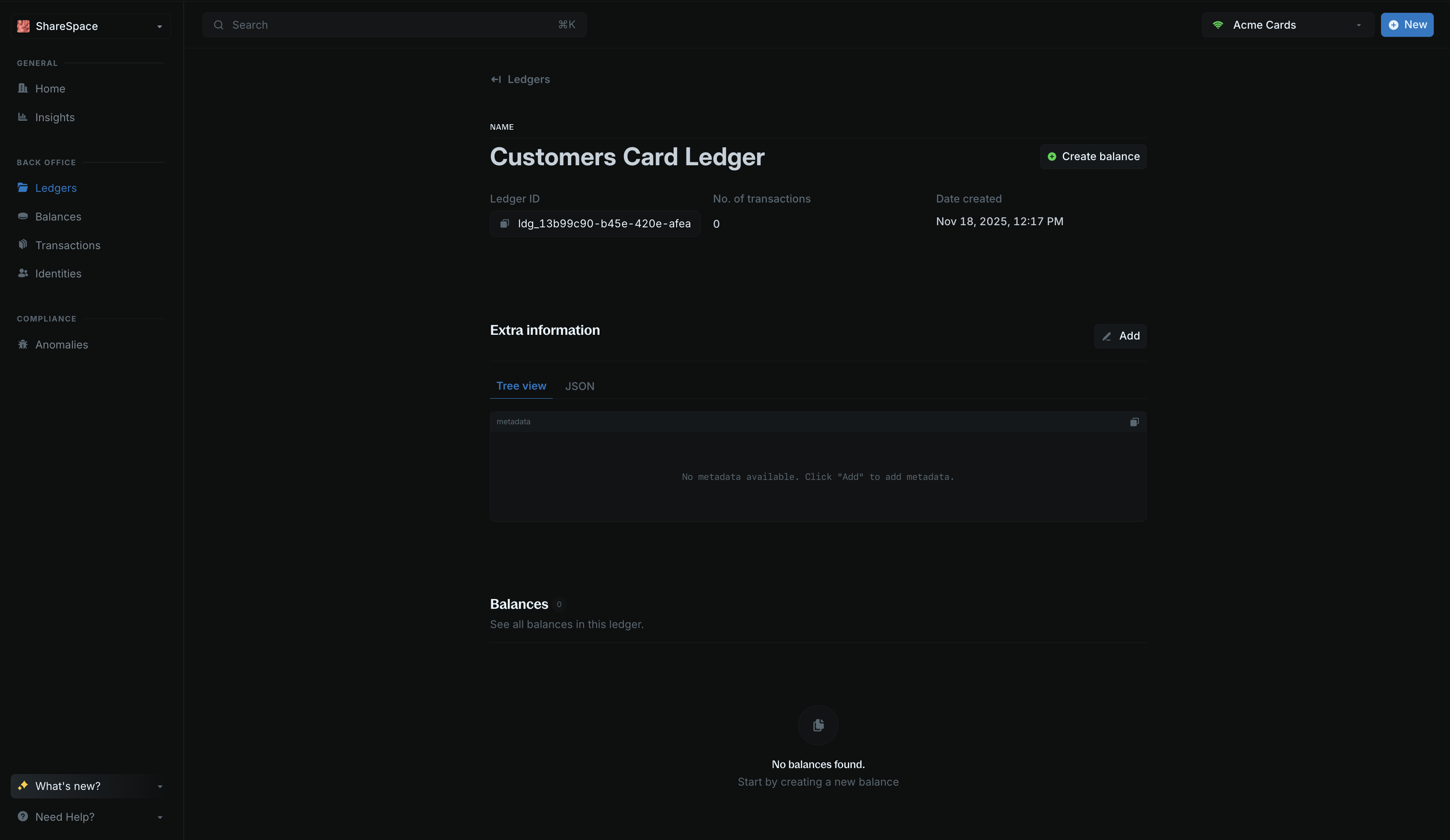
Each card account will be represented with [a ledger](/ledgers/introduction.mdx). The card balance will be created under this ledger.
[Create a ledger](/reference/create-ledger) for the card account. This groups all of the balances for that customer in one place:
```bash cURL wrap theme={"system"}
curl -X POST "http://localhost:5001/ledgers" \
-H "X-Blnk-Key: " \
-H "Content-Type: application/json" \
-d '{
"name": "Customers Card Ledger"
}'
```
```typescript TypeScript wrap theme={"system"}
const response = await blnk.Ledgers.create({
name: 'Customers Card Ledger',
});
```
```go Go wrap theme={"system"}
ledger, resp, err := client.Ledger.Create(blnkgo.CreateLedgerRequest{
Name: "Customers Card Ledger",
})
```
```bash Blnk CLI wrap theme={"system"}
blnk ledgers create
```
Save the `ledger_id` from the response. You'll need it to create balances for the card account.
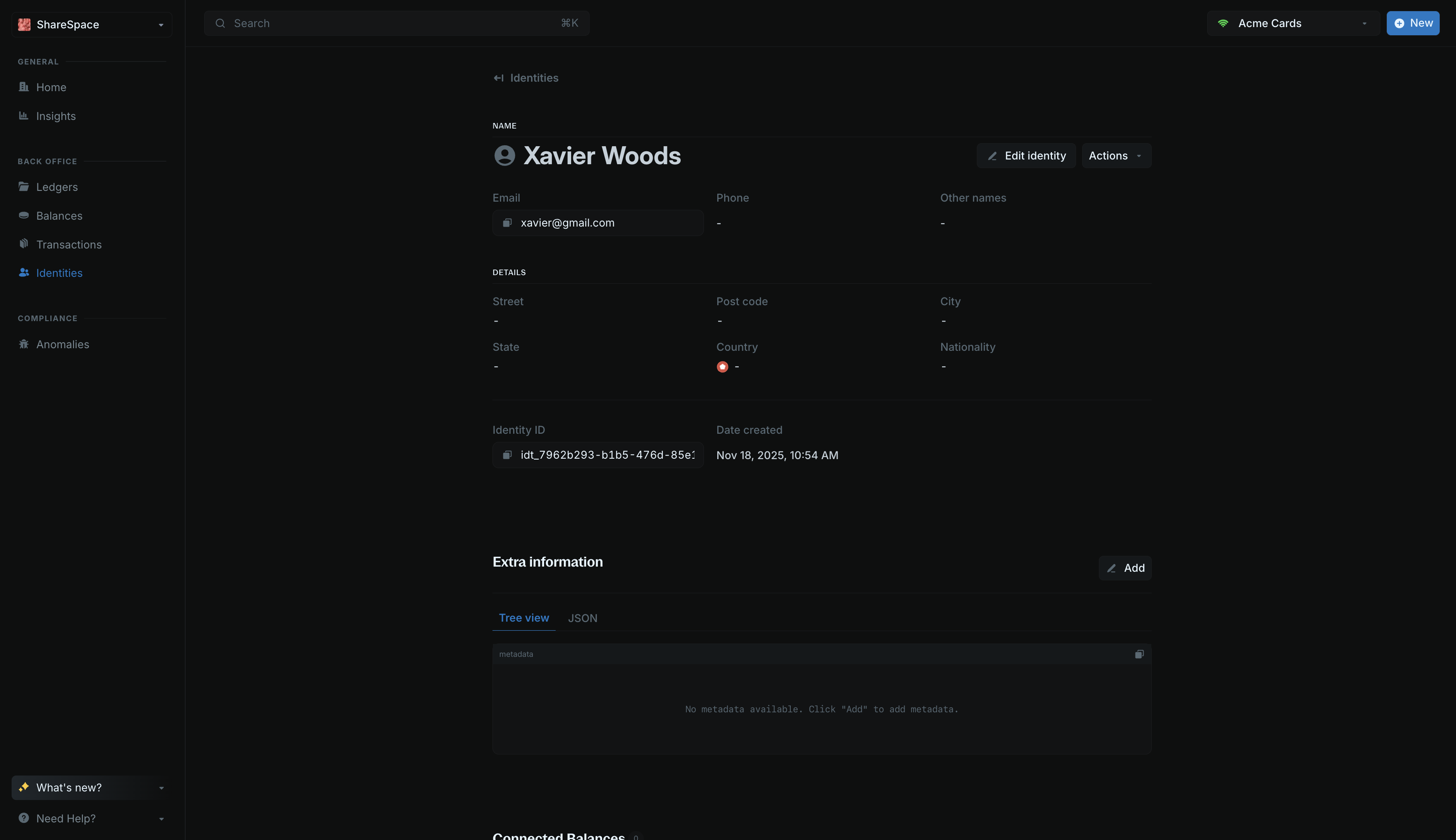
 [Create a customer identity](/reference/create-identity) to link all balances to the same customer identity:
```bash cURL wrap theme={"system"}
curl -X POST "http://localhost:5001/identities" \
-H "X-Blnk-Key: " \
-H "Content-Type: application/json" \
-d '{
"first_name": "Xavier",
"last_name": "Woods"
}'
```
```typescript TypeScript wrap theme={"system"}
const response = await blnk.Identity.create({
first_name: 'Xavier',
last_name: 'Woods',
});
```
```go Go wrap theme={"system"}
identity, resp, err := client.Identity.Create(blnkgo.Identity{
FirstName: "Xavier",
LastName: "Woods",
})
```
```bash Blnk CLI wrap theme={"system"}
blnk identities create
```
Save the `identity_id` from the response. You'll use this ID to link all balances to this customer.
[Create a customer identity](/reference/create-identity) to link all balances to the same customer identity:
```bash cURL wrap theme={"system"}
curl -X POST "http://localhost:5001/identities" \
-H "X-Blnk-Key: " \
-H "Content-Type: application/json" \
-d '{
"first_name": "Xavier",
"last_name": "Woods"
}'
```
```typescript TypeScript wrap theme={"system"}
const response = await blnk.Identity.create({
first_name: 'Xavier',
last_name: 'Woods',
});
```
```go Go wrap theme={"system"}
identity, resp, err := client.Identity.Create(blnkgo.Identity{
FirstName: "Xavier",
LastName: "Woods",
})
```
```bash Blnk CLI wrap theme={"system"}
blnk identities create
```
Save the `identity_id` from the response. You'll use this ID to link all balances to this customer.
 [Create a balance](/reference/create-balance) for the card account. This balance will track all card transactions:
```bash cURL wrap expandable theme={"system"}
curl -X POST "http://localhost:5001/balances" \
-H "X-Blnk-Key: " \
-H "Content-Type: application/json" \
-d '{
"ledger_id": "",
"identity_id": "",
"currency": "USD",
"meta_data": {
"last_4_digits": "1234",
"card_scheme": "visa",
"type": "virtual",
"card-id": "card-id-1234"
}
}'
```
```typescript TypeScript wrap theme={"system"}
const response = await blnk.LedgerBalances.create({
ledger_id: '',
identity_id: '',
currency: 'USD',
meta_data: {
last_4_digits: '1234',
card_scheme: 'visa',
type: 'virtual',
'card-id': 'card-id-1234',
},
});
```
```go Go wrap theme={"system"}
balance, resp, err := client.LedgerBalance.Create(blnkgo.CreateLedgerBalanceRequest{
LedgerID: "",
IdentityID: "",
Currency: "USD",
MetaData: map[string]interface{}{
"last_4_digits": "1234",
"card_scheme": "visa",
"type": "virtual",
"card-id": "card-id-1234",
},
})
```
```bash Blnk CLI wrap theme={"system"}
blnk balances create
```
[Create a balance](/reference/create-balance) for the card account. This balance will track all card transactions:
```bash cURL wrap expandable theme={"system"}
curl -X POST "http://localhost:5001/balances" \
-H "X-Blnk-Key: " \
-H "Content-Type: application/json" \
-d '{
"ledger_id": "",
"identity_id": "",
"currency": "USD",
"meta_data": {
"last_4_digits": "1234",
"card_scheme": "visa",
"type": "virtual",
"card-id": "card-id-1234"
}
}'
```
```typescript TypeScript wrap theme={"system"}
const response = await blnk.LedgerBalances.create({
ledger_id: '',
identity_id: '',
currency: 'USD',
meta_data: {
last_4_digits: '1234',
card_scheme: 'visa',
type: 'virtual',
'card-id': 'card-id-1234',
},
});
```
```go Go wrap theme={"system"}
balance, resp, err := client.LedgerBalance.Create(blnkgo.CreateLedgerBalanceRequest{
LedgerID: "",
IdentityID: "",
Currency: "USD",
MetaData: map[string]interface{}{
"last_4_digits": "1234",
"card_scheme": "visa",
"type": "virtual",
"card-id": "card-id-1234",
},
})
```
```bash Blnk CLI wrap theme={"system"}
blnk balances create
```
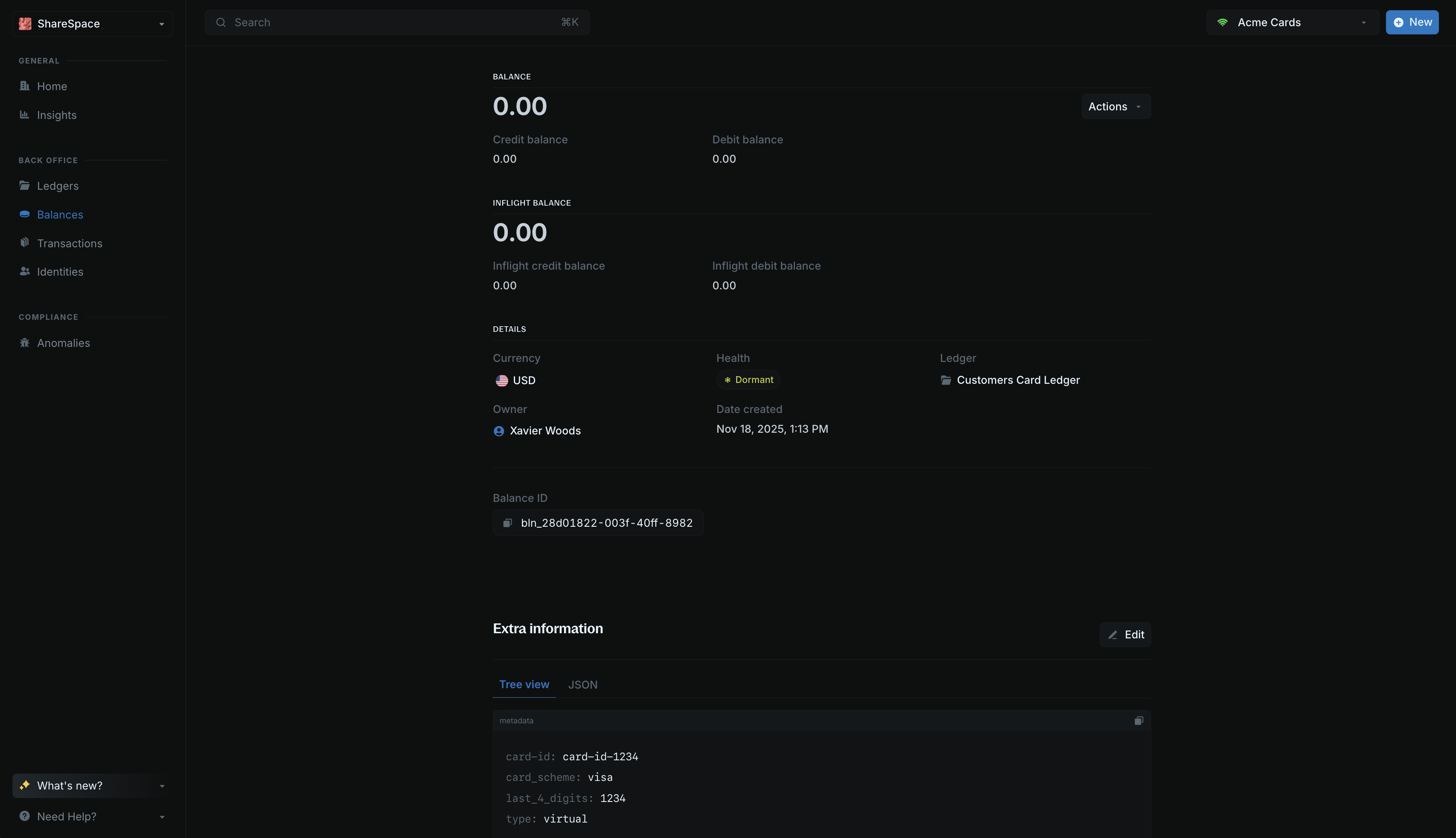 Save the `balance_id` from the response. You'll need it for creating transactions throughout this tutorial.
***
## 2: Authorization
Authorizing a card transaction means telling the processor that the customer has enough funds to cover the transaction, and they can proceed with the transaction.
You can model this in Blnk with [inflight transactions](/transactions/inflight/creating-inflight).
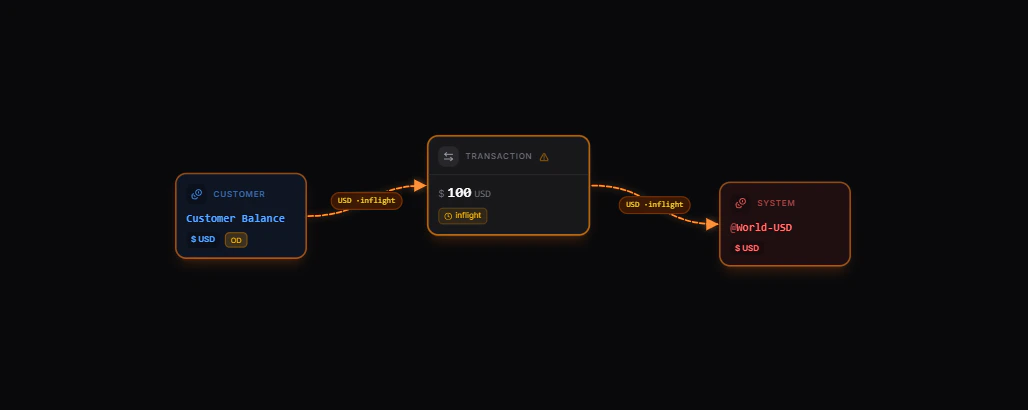
When a card transaction is authorized, money moves from the customer's card balance to `@World-USD` (representing the external merchant):
Save the `balance_id` from the response. You'll need it for creating transactions throughout this tutorial.
***
## 2: Authorization
Authorizing a card transaction means telling the processor that the customer has enough funds to cover the transaction, and they can proceed with the transaction.
You can model this in Blnk with [inflight transactions](/transactions/inflight/creating-inflight).
When a card transaction is authorized, money moves from the customer's card balance to `@World-USD` (representing the external merchant):
 [Explore the map yourself here](https://map.blnkfinance.xyz/FwsQD41GqU)
The transaction is created with `inflight: true`, which means it's pending until the payment processor clears it.
Create an inflight transaction to authorize the payment. Setting `inflight = true` puts the transaction in a pending state until it's settled or voided.
```bash cURL wrap theme={"system"}
curl -X POST "http://localhost:5001/transactions" \
-H "X-Blnk-Key: " \
-H "Content-Type: application/json" \
-d '{
"precise_amount": 200000,
"precision": 100,
"currency": "USD",
"reference": "",
"source": "",
"destination": "@World-USD",
"description": "Card transaction",
"inflight": true
}'
```
```typescript TypeScript wrap theme={"system"}
const response = await blnk.Transactions.create({
precise_amount: 200000,
precision: 100,
currency: 'USD',
reference: '',
source: '',
destination: '@World-USD',
description: 'Card transaction',
inflight: true,
});
```
```go Go wrap theme={"system"}
transaction, resp, err := client.Transaction.Create(blnkgo.CreateTransactionRequest{
ParentTransaction: blnkgo.ParentTransaction{
PreciseAmount: 200000,
Precision: 100,
Currency: "USD",
Reference: "",
Source: "",
Destination: "@World-USD",
Description: "Card transaction",
},
Inflight: true,
})
```
```bash Blnk CLI wrap theme={"system"}
blnk transactions create
```
`@World-USD` is an [internal balance](/balances/internal-balances) that represents money leaving and coming into your system (like payments to merchants or payments from customers). Internal balances use the `@` prefix and don't require a balance ID.
Your transaction will be recorded successfully and it will be in `INFLIGHT` status (pending a commit or void action).
[Explore the map yourself here](https://map.blnkfinance.xyz/FwsQD41GqU)
The transaction is created with `inflight: true`, which means it's pending until the payment processor clears it.
Create an inflight transaction to authorize the payment. Setting `inflight = true` puts the transaction in a pending state until it's settled or voided.
```bash cURL wrap theme={"system"}
curl -X POST "http://localhost:5001/transactions" \
-H "X-Blnk-Key: " \
-H "Content-Type: application/json" \
-d '{
"precise_amount": 200000,
"precision": 100,
"currency": "USD",
"reference": "",
"source": "",
"destination": "@World-USD",
"description": "Card transaction",
"inflight": true
}'
```
```typescript TypeScript wrap theme={"system"}
const response = await blnk.Transactions.create({
precise_amount: 200000,
precision: 100,
currency: 'USD',
reference: '',
source: '',
destination: '@World-USD',
description: 'Card transaction',
inflight: true,
});
```
```go Go wrap theme={"system"}
transaction, resp, err := client.Transaction.Create(blnkgo.CreateTransactionRequest{
ParentTransaction: blnkgo.ParentTransaction{
PreciseAmount: 200000,
Precision: 100,
Currency: "USD",
Reference: "",
Source: "",
Destination: "@World-USD",
Description: "Card transaction",
},
Inflight: true,
})
```
```bash Blnk CLI wrap theme={"system"}
blnk transactions create
```
`@World-USD` is an [internal balance](/balances/internal-balances) that represents money leaving and coming into your system (like payments to merchants or payments from customers). Internal balances use the `@` prefix and don't require a balance ID.
Your transaction will be recorded successfully and it will be in `INFLIGHT` status (pending a commit or void action).
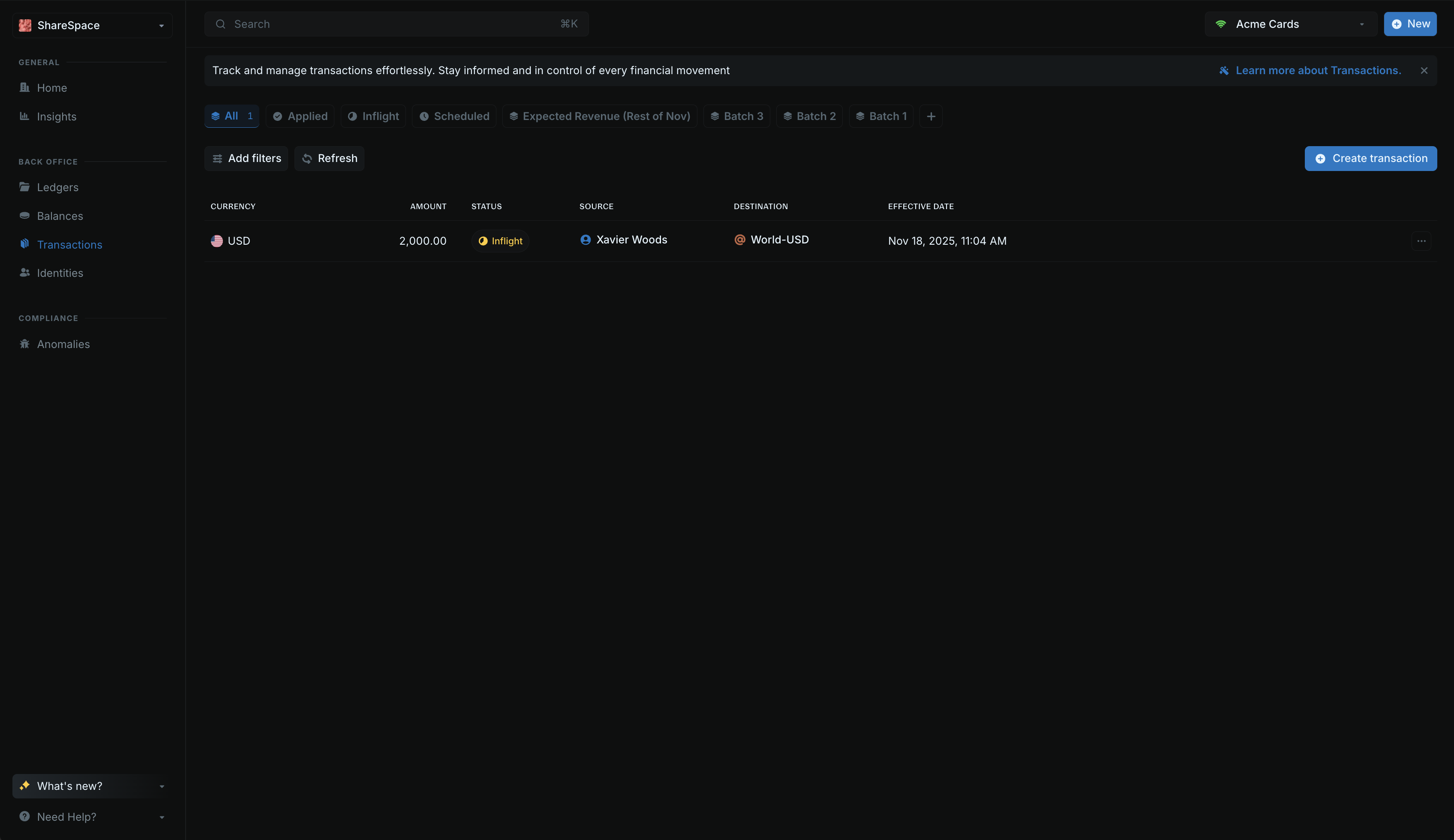 When a transaction is inflight, the amount is reserved and cannot be used for anything else until it’s settled or voided.
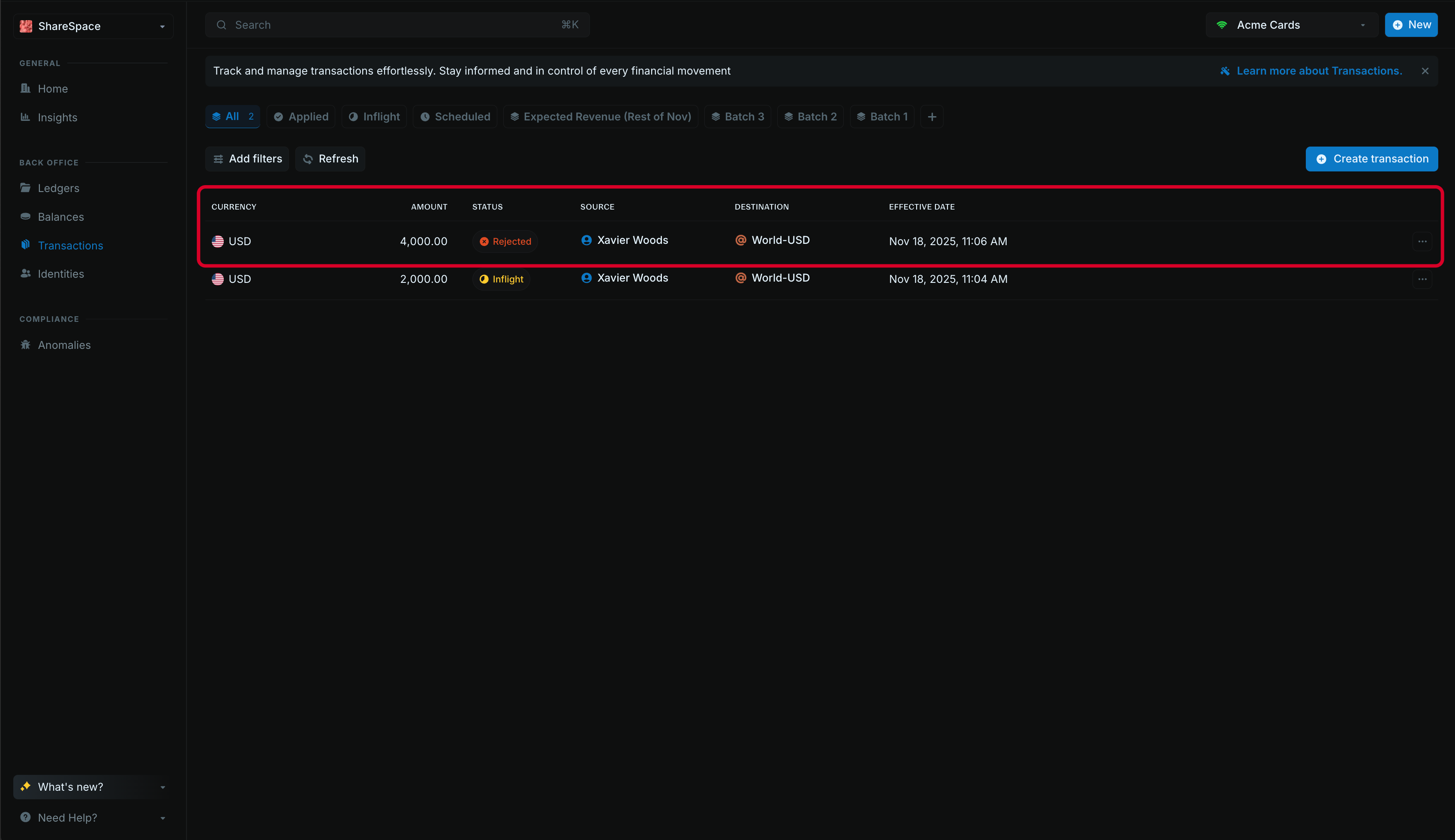
Blnk handles this automatically. Every inflight transaction reduces the customer’s available balance. If the available balance isn’t enough to cover a new transaction, the new one is rejected.
For example:
* Customer balance: \$5,000
* One inflight transaction: \$2,000
* Available balance: \$3,000
Any new transaction above \$3,000 will fail. This ensures you never spend money that has already been reserved for pending card payments.
When a transaction is inflight, the amount is reserved and cannot be used for anything else until it’s settled or voided.
Blnk handles this automatically. Every inflight transaction reduces the customer’s available balance. If the available balance isn’t enough to cover a new transaction, the new one is rejected.
For example:
* Customer balance: \$5,000
* One inflight transaction: \$2,000
* Available balance: \$3,000
Any new transaction above \$3,000 will fail. This ensures you never spend money that has already been reserved for pending card payments.
 ***
## 3: Settlement
Once a transaction is settled by the payment processor, it means the money has finally been transferred to the recipient. Now, you can commit the inflight transaction.
This [moves the transaction](/transactions/transaction-lifecycle) from `INFLIGHT` (pending) to `APPLIED` (completed).
If it was rejected or cancelled, you can void the transaction instead.
When you commit the inflight transaction, it finalizes the money movement that was authorized:
***
## 3: Settlement
Once a transaction is settled by the payment processor, it means the money has finally been transferred to the recipient. Now, you can commit the inflight transaction.
This [moves the transaction](/transactions/transaction-lifecycle) from `INFLIGHT` (pending) to `APPLIED` (completed).
If it was rejected or cancelled, you can void the transaction instead.
When you commit the inflight transaction, it finalizes the money movement that was authorized:
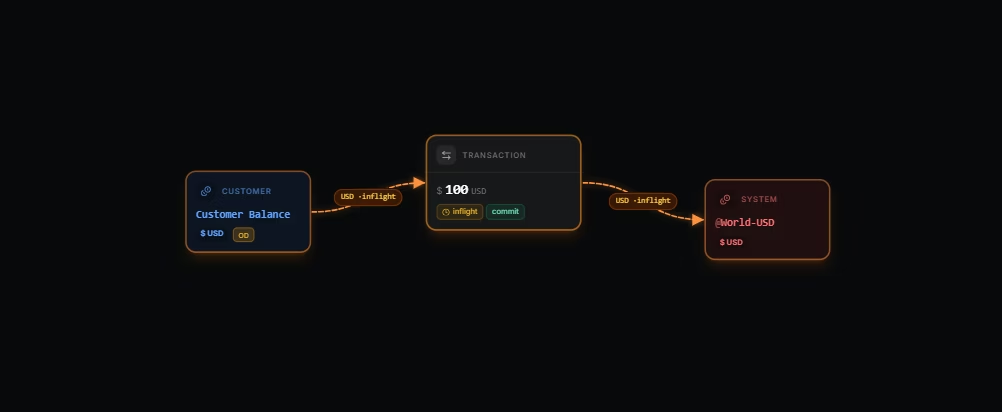 The transaction status changes from `INFLIGHT` to `APPLIED`, completing the transfer.
Commit the inflight transaction from the authorization step once clearing is received. This turns the transaction from `INFLIGHT` (pending) to `APPLIED` (completed):
```bash cURL wrap theme={"system"}
curl -X PUT "http://localhost:5001/transactions/inflight/" \
-H "X-Blnk-Key: " \
-H "Content-Type: application/json" \
-d '{
"status": "commit"
}'
```
```typescript TypeScript wrap theme={"system"}
const response = await blnk.Transactions.updateStatus('', {
status: 'commit',
});
```
```go Go wrap theme={"system"}
txn, resp, err := client.Transaction.Update("", blnkgo.UpdateStatus{
Status: blnkgo.InflightStatusCommit,
})
```
```bash Blnk CLI wrap theme={"system"}
blnk transactions update --commit
```
If a transaction is rejected or cancelled, you can void it instead of committing it:
```bash cURL wrap theme={"system"}
curl -X PUT "http://localhost:5001/transactions/inflight/" \
-H "X-Blnk-Key: " \
-H "Content-Type: application/json" \
-d '{
"status": "void"
}'
```
```typescript TypeScript wrap theme={"system"}
const response = await blnk.Transactions.updateStatus('', {
status: 'void',
});
```
```go Go wrap theme={"system"}
txn, resp, err := client.Transaction.Update("", blnkgo.UpdateStatus{
Status: blnkgo.InflightStatusVoid,
})
```
```bash Blnk CLI wrap theme={"system"}
blnk transactions update --void
```
***
## Conclusion
You now have a fully functional card payment system built with Blnk Finance. This system can:
* Create and manage card accounts with a ledger and card balance
* Authorize card transactions using inflight transactions to reserve funds
* Commit or void inflight transactions when they're settled or rejected
***
Get dedicated support for architecture reviews, integration planning, ledger workflows, and production deployment.
The transaction status changes from `INFLIGHT` to `APPLIED`, completing the transfer.
Commit the inflight transaction from the authorization step once clearing is received. This turns the transaction from `INFLIGHT` (pending) to `APPLIED` (completed):
```bash cURL wrap theme={"system"}
curl -X PUT "http://localhost:5001/transactions/inflight/" \
-H "X-Blnk-Key: " \
-H "Content-Type: application/json" \
-d '{
"status": "commit"
}'
```
```typescript TypeScript wrap theme={"system"}
const response = await blnk.Transactions.updateStatus('', {
status: 'commit',
});
```
```go Go wrap theme={"system"}
txn, resp, err := client.Transaction.Update("", blnkgo.UpdateStatus{
Status: blnkgo.InflightStatusCommit,
})
```
```bash Blnk CLI wrap theme={"system"}
blnk transactions update --commit
```
If a transaction is rejected or cancelled, you can void it instead of committing it:
```bash cURL wrap theme={"system"}
curl -X PUT "http://localhost:5001/transactions/inflight/" \
-H "X-Blnk-Key: " \
-H "Content-Type: application/json" \
-d '{
"status": "void"
}'
```
```typescript TypeScript wrap theme={"system"}
const response = await blnk.Transactions.updateStatus('', {
status: 'void',
});
```
```go Go wrap theme={"system"}
txn, resp, err := client.Transaction.Update("", blnkgo.UpdateStatus{
Status: blnkgo.InflightStatusVoid,
})
```
```bash Blnk CLI wrap theme={"system"}
blnk transactions update --void
```
***
## Conclusion
You now have a fully functional card payment system built with Blnk Finance. This system can:
* Create and manage card accounts with a ledger and card balance
* Authorize card transactions using inflight transactions to reserve funds
* Commit or void inflight transactions when they're settled or rejected
***
Get dedicated support for architecture reviews, integration planning, ledger workflows, and production deployment.