> ## Documentation Index
> Fetch the complete documentation index at: https://docs.blnkfinance.com/llms.txt
> Use this file to discover all available pages before exploring further.
# Inflight Transactions
> Manage inflight transactions by committing or voiding them.
export const CtaCallout = props => {
const {title, buttonLabel, href, trackingEvent, buttonTarget, rel = "noopener noreferrer", children} = props;
const handleCtaClick = () => {
if (typeof window === "undefined" || !trackingEvent) {
return;
}
try {
window.dispatchEvent(new CustomEvent("blnk:docs-cta", {
detail: {
name: trackingEvent,
href
}
}));
} catch {}
try {
window.posthog?.capture?.(trackingEvent, {
href
});
} catch {}
const gaPayload = {
cta_href: href
};
try {
window.gtag?.("event", trackingEvent, gaPayload);
} catch {}
try {
window.dataLayer = window.dataLayer || [];
window.dataLayer.push({
event: trackingEvent,
...gaPayload
});
} catch {}
};
const isExternal = typeof href === "string" && (/^https?:\/\//i).test(href);
const target = buttonTarget ?? (isExternal ? "_blank" : undefined);
const linkRel = isExternal ? rel : undefined;
return ;
};
A transaction stays inflight until it is acted upon or expired. You can complete it with `Commit` or cancel it with `Void`.
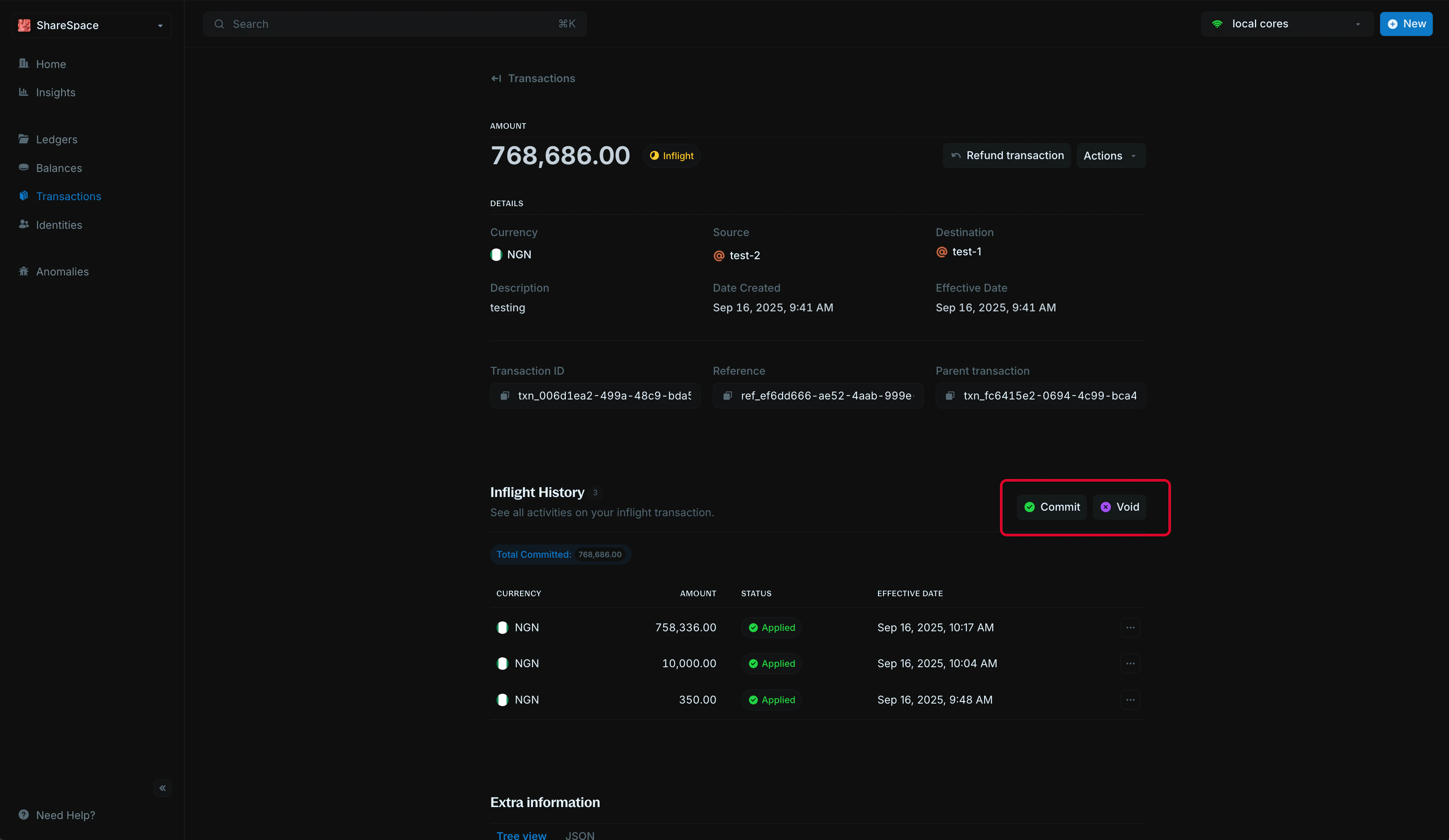 ## Commit transaction
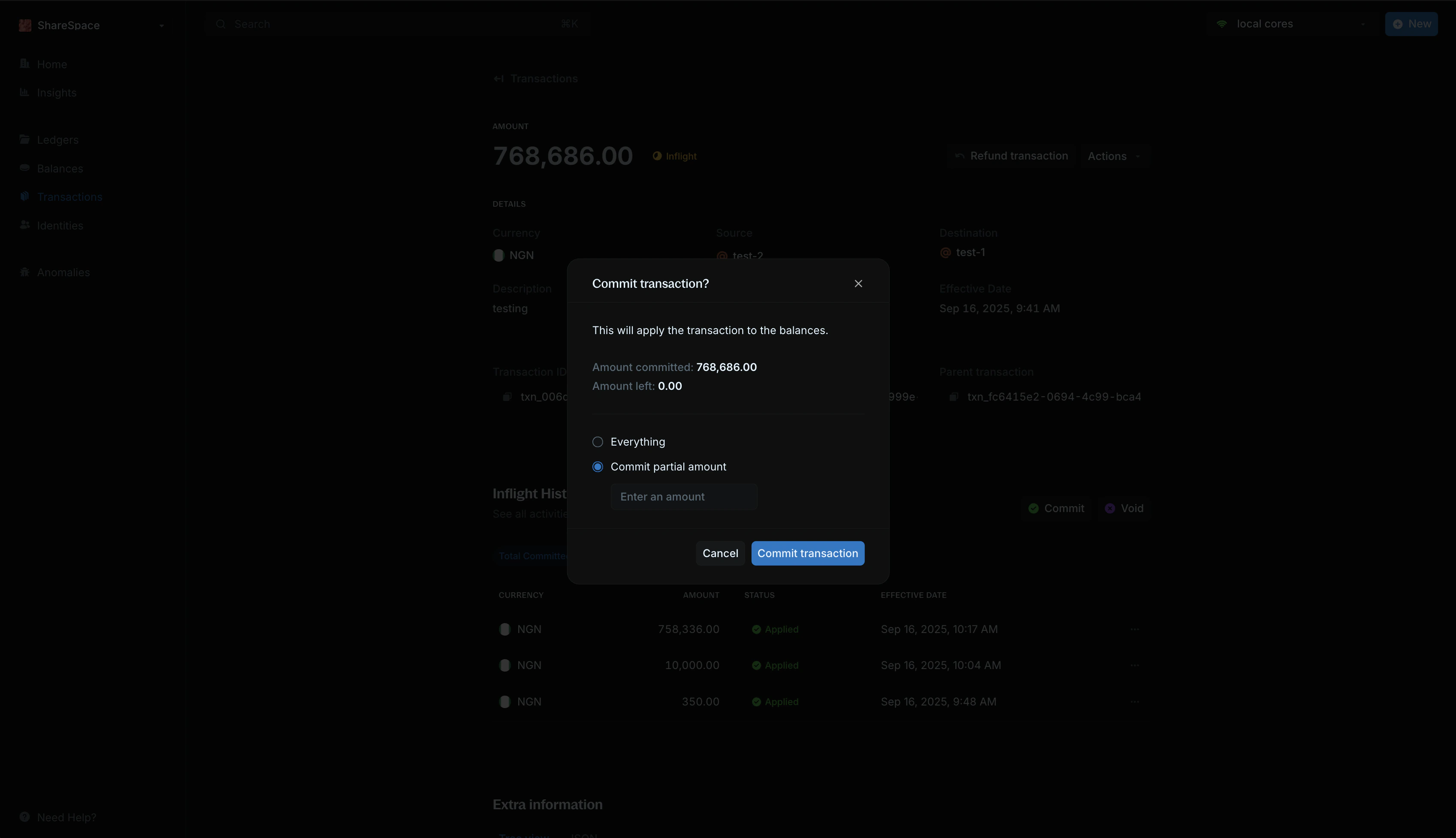 To commit the full amount:
1. Select `Commit transaction` or press `C` on your keyboard.
2. Leave amount to commit empty.
3. Confirm in the modal.
4. A new linked transaction is created with status `APPLIED`.
For partial commits:
1. Enter the amount in `Amount to commit`.
2. A new linked transaction is created for that portion.
3. The remaining amount stays inflight.
4. For the final commit, leave `Amount to commit` empty.
## Void transaction
Voiding permanently cancels an inflight transaction and releases any remaining held amount.
To commit the full amount:
1. Select `Commit transaction` or press `C` on your keyboard.
2. Leave amount to commit empty.
3. Confirm in the modal.
4. A new linked transaction is created with status `APPLIED`.
For partial commits:
1. Enter the amount in `Amount to commit`.
2. A new linked transaction is created for that portion.
3. The remaining amount stays inflight.
4. For the final commit, leave `Amount to commit` empty.
## Void transaction
Voiding permanently cancels an inflight transaction and releases any remaining held amount.
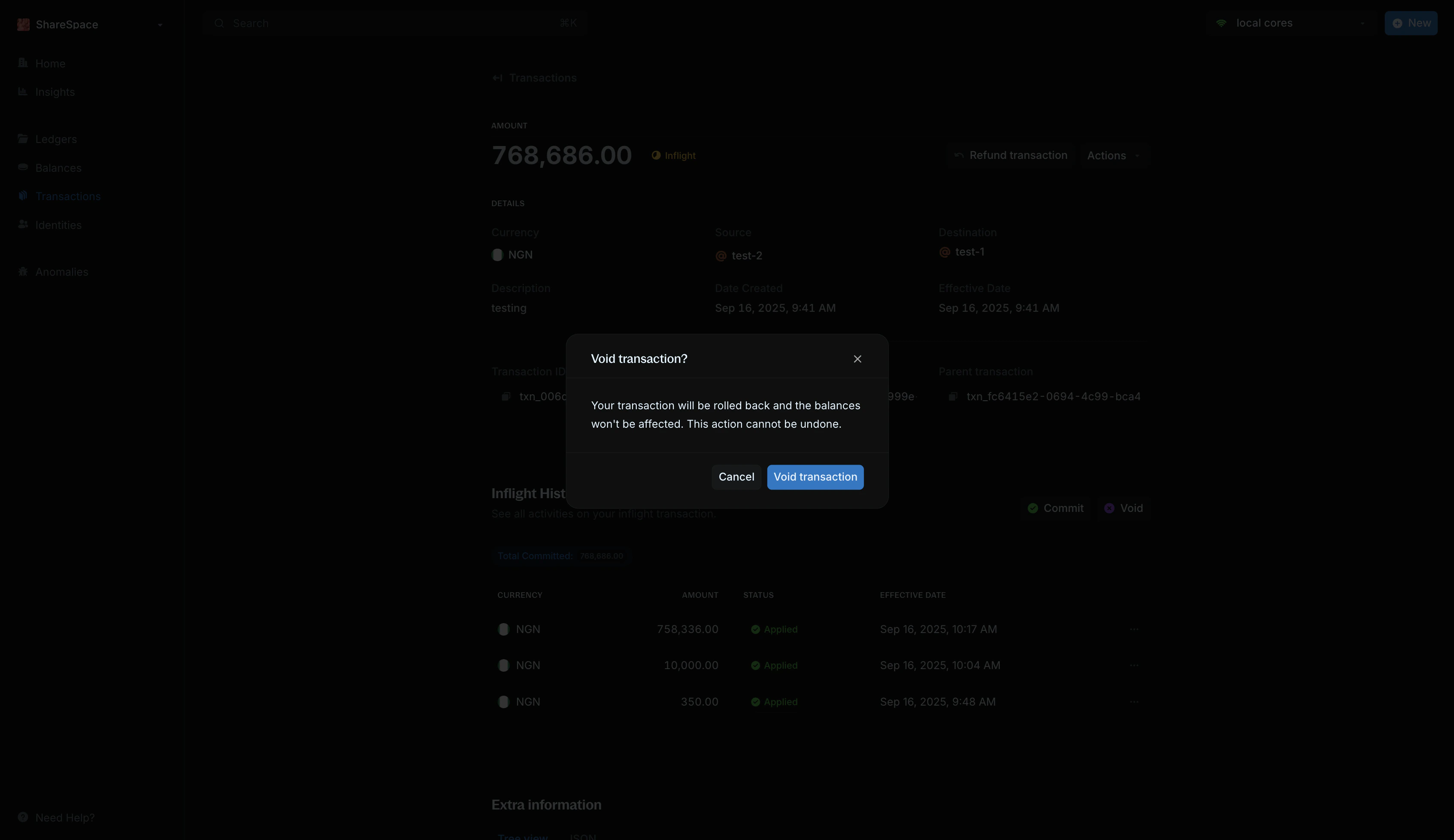 1. Select `Void transaction` or press `V` on your keyboard.
2. Confirm in the modal.
3. A new linked transaction is created with status `VOID`.
***
## Need help?
We are very happy to help you make the most of Blnk, regardless of whether it is your first time or you are switching from another tool.
To ask questions or discuss issues, please [contact us](mailto:support@blnkfinance.com) or [join our Discord community](https://discord.gg/7WNv94zPpx).
Get dedicated support for architecture reviews, integration planning, ledger workflows, and production deployment.
1. Select `Void transaction` or press `V` on your keyboard.
2. Confirm in the modal.
3. A new linked transaction is created with status `VOID`.
***
## Need help?
We are very happy to help you make the most of Blnk, regardless of whether it is your first time or you are switching from another tool.
To ask questions or discuss issues, please [contact us](mailto:support@blnkfinance.com) or [join our Discord community](https://discord.gg/7WNv94zPpx).
Get dedicated support for architecture reviews, integration planning, ledger workflows, and production deployment.