> ## Documentation Index
> Fetch the complete documentation index at: https://docs.blnkfinance.com/llms.txt
> Use this file to discover all available pages before exploring further.
# Team Members
> Learn how to invite and manage your team.
export const CtaCallout = props => {
const {title, buttonLabel, href, trackingEvent, buttonTarget, rel = "noopener noreferrer", children} = props;
const handleCtaClick = () => {
if (typeof window === "undefined" || !trackingEvent) {
return;
}
try {
window.dispatchEvent(new CustomEvent("blnk:docs-cta", {
detail: {
name: trackingEvent,
href
}
}));
} catch {}
try {
window.posthog?.capture?.(trackingEvent, {
href
});
} catch {}
const gaPayload = {
cta_href: href
};
try {
window.gtag?.("event", trackingEvent, gaPayload);
} catch {}
try {
window.dataLayer = window.dataLayer || [];
window.dataLayer.push({
event: trackingEvent,
...gaPayload
});
} catch {}
};
const isExternal = typeof href === "string" && (/^https?:\/\//i).test(href);
const target = buttonTarget ?? (isExternal ? "_blank" : undefined);
const linkRel = isExternal ? rel : undefined;
return ;
};
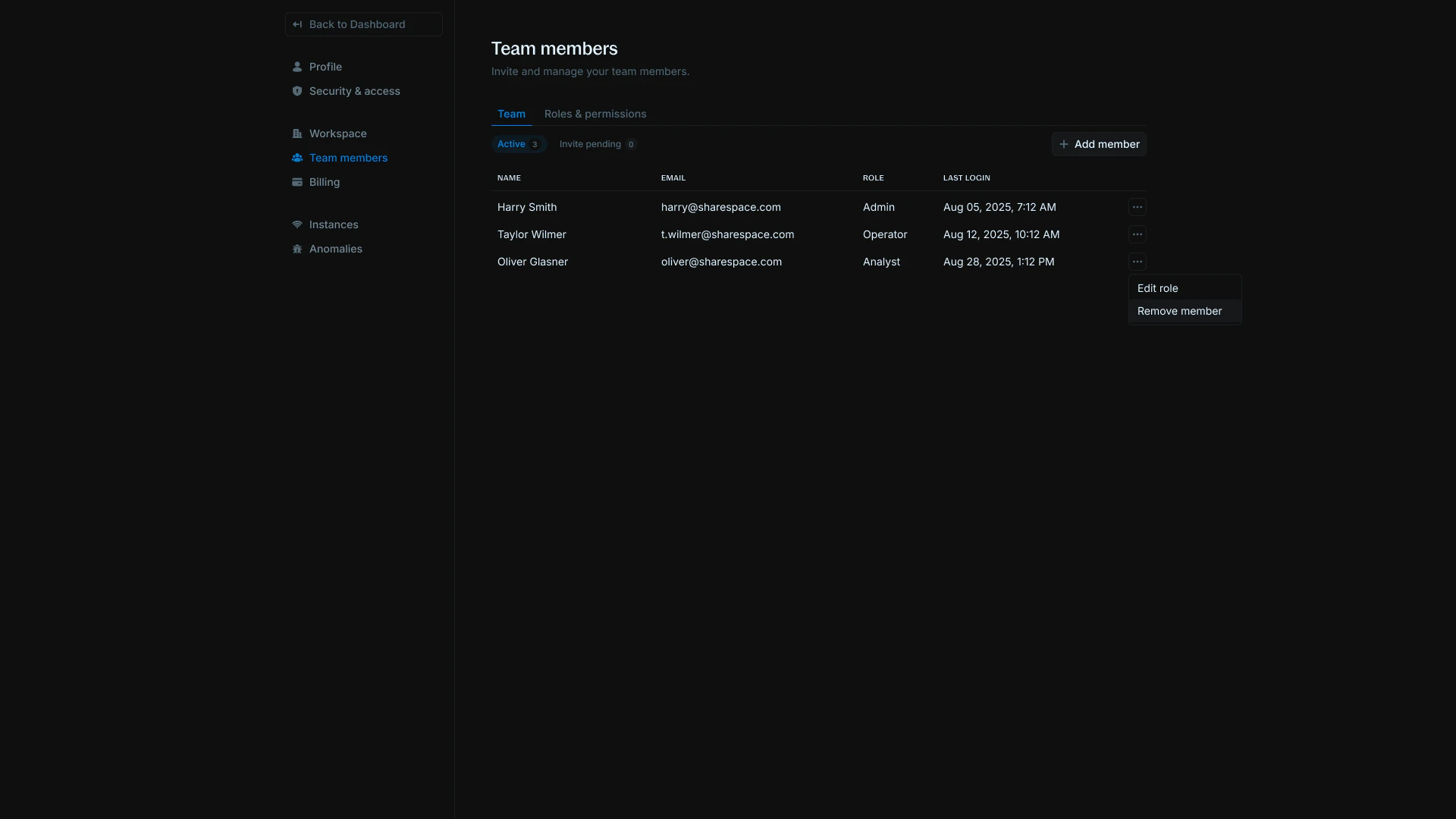
You can invite unlimited teammates to join your workspace and collaborate on your data.
 ## Send an invitation
Only admins can send invitations. To send an invitation:
## Send an invitation
Only admins can send invitations. To send an invitation:
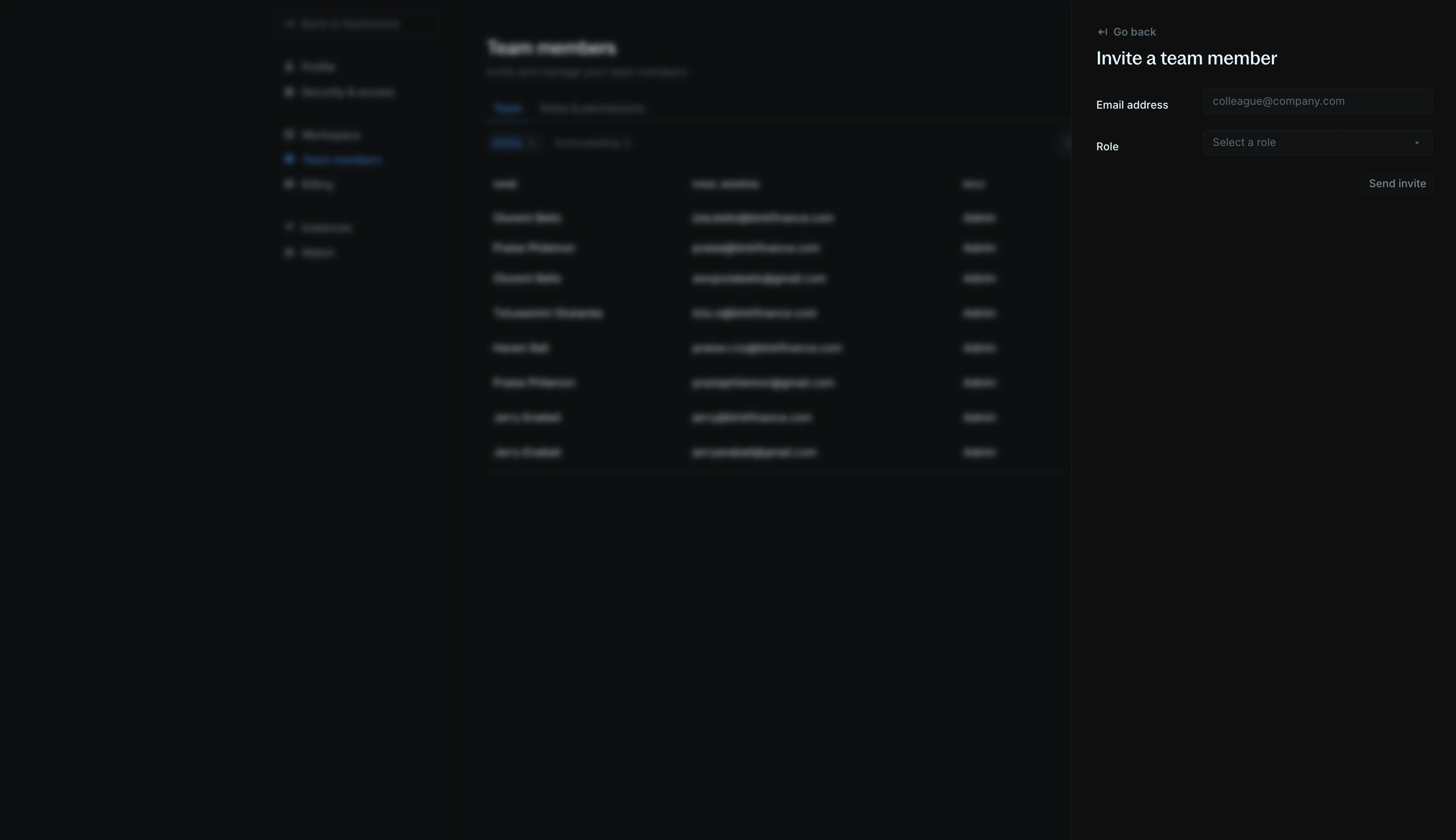 1. Go to [Settings > Team members](https://cloud.blnkfinance.com/cloud/settings/team).
2. Click the `Add member` button.
3. Enter your teammate's email address and role in the workspace.
4. Click `Send invite.` Your teammates will receive an invite link via email along with steps to join your workspace.
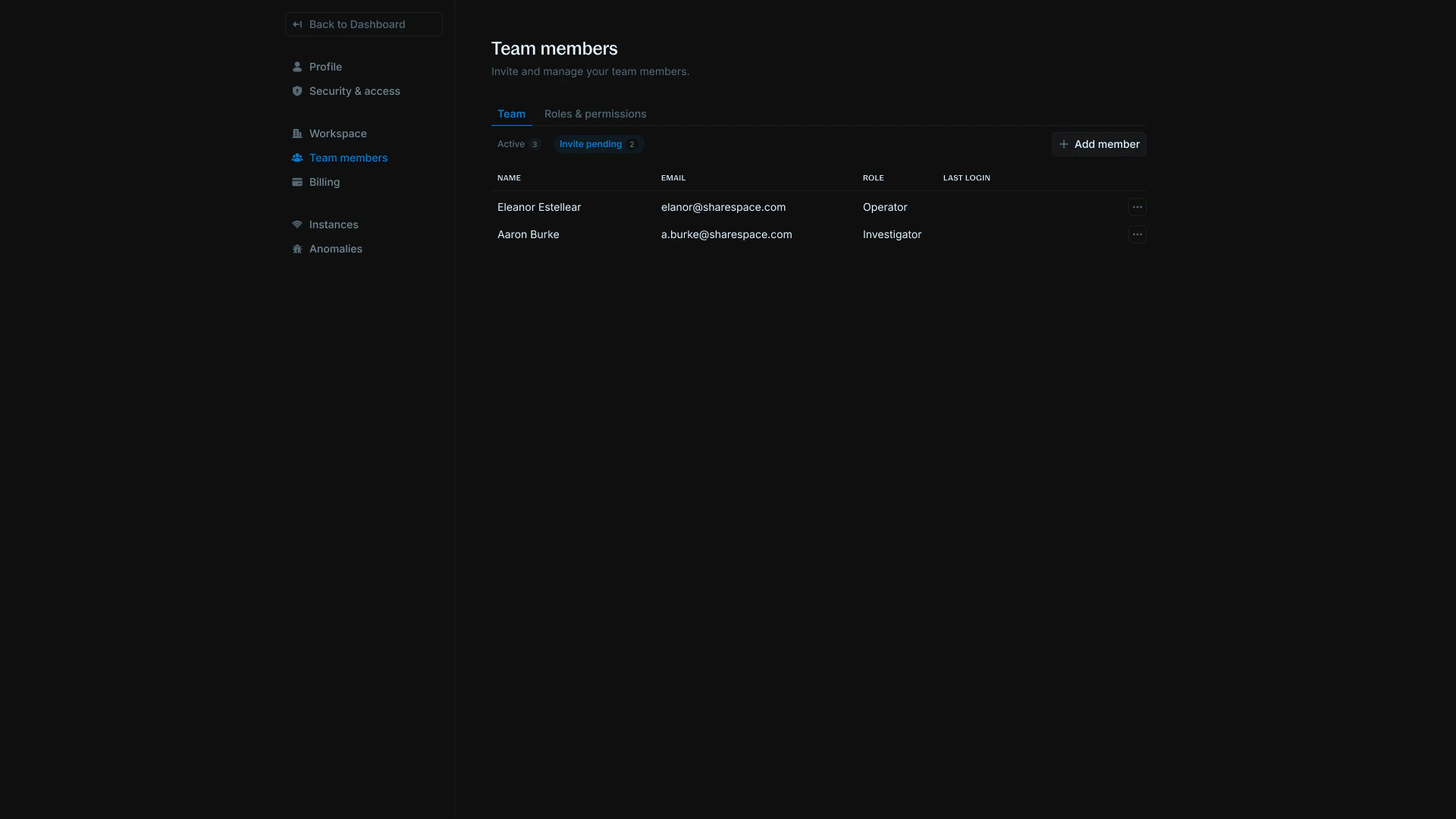
To see a list of teammates who haven't accepted your invitation, navigate to the `Invitation pending` tab.
1. Go to [Settings > Team members](https://cloud.blnkfinance.com/cloud/settings/team).
2. Click the `Add member` button.
3. Enter your teammate's email address and role in the workspace.
4. Click `Send invite.` Your teammates will receive an invite link via email along with steps to join your workspace.
To see a list of teammates who haven't accepted your invitation, navigate to the `Invitation pending` tab.
 ***
## Roles & permissions
There are 4 preset roles in Blnk Cloud - admins, operators, investigators, and analysts.
***
## Roles & permissions
There are 4 preset roles in Blnk Cloud - admins, operators, investigators, and analysts.
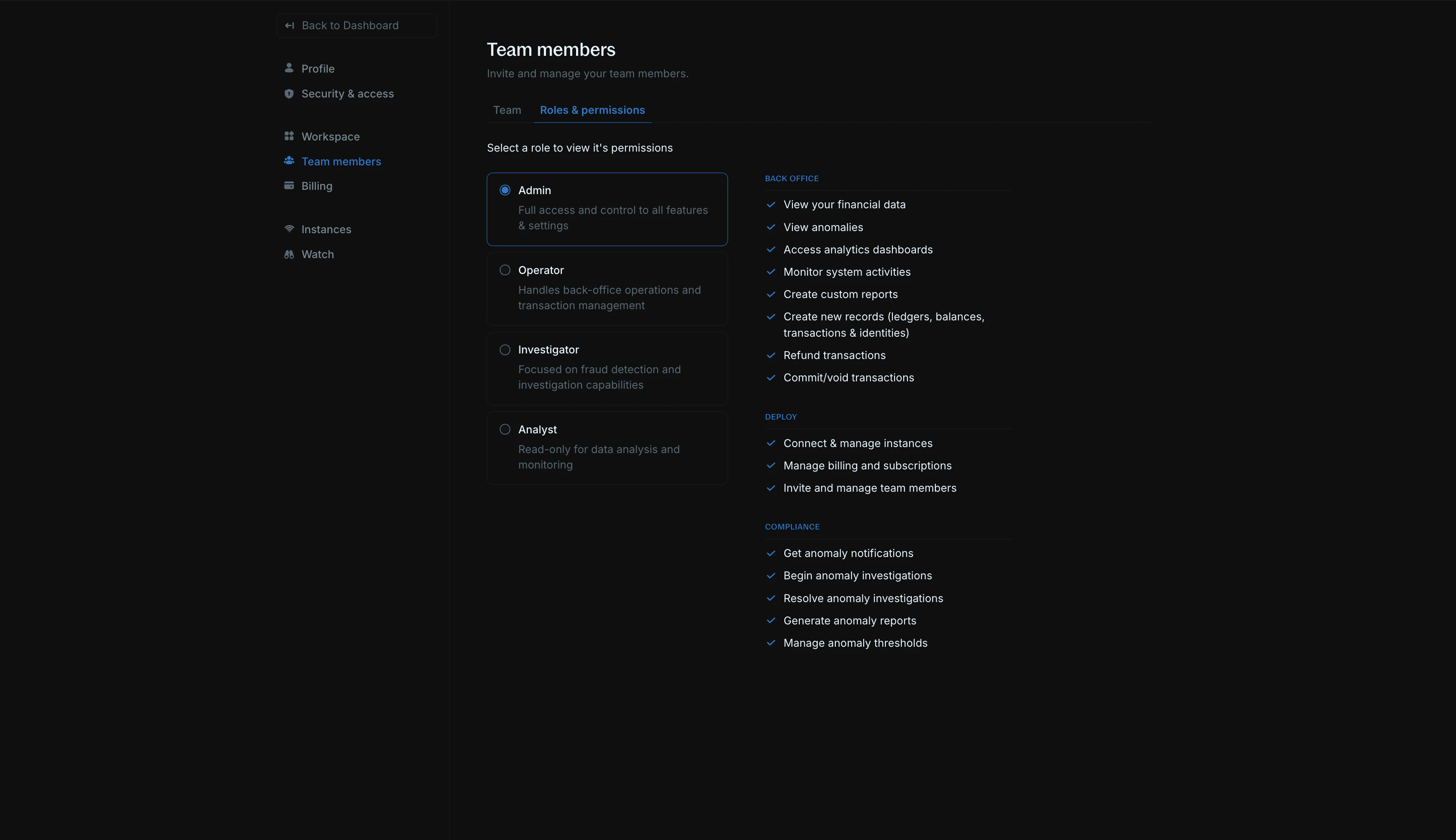 Admins will be able to:
* View your data & dashboard
* Create new records (ledgers, balances, transactions, and identities)
* Refund transactions
* Commit/void transactions
* View and manage alerts
* Create custom insights
* Monitor system activities
* Connect & manage instances
* Manage billing and subscriptions
* Invite & manage team members
* Get alert notifications
* Generate reports
Operators will be able to:
* View your data & dashboard
* Create new records (ledgers, balances, transactions, and identities)
* Refund transactions
* Commit/void transactions
* View anomalies
Investigators will be able to:
* View your data & dashboard
* Create and update alerts
* Get alert notifications
" View alert details
Analysts will be able to:
* View your data & dashboard
* View alert details
***
## FAQs
They may have their email address associated with a different workspace. Contact [Support](mailto:support@blnkfinance.com) to get this resolved.
***
## Need help?
We are very happy to help you make the most of Blnk, regardless of whether it is your first time or you are switching from another tool.
To ask questions or discuss issues, please [contact us](mailto:support@blnkfinance.com) or [join our Discord community](https://discord.gg/7WNv94zPpx).
Get dedicated support for architecture reviews, integration planning, ledger workflows, and production deployment.
Admins will be able to:
* View your data & dashboard
* Create new records (ledgers, balances, transactions, and identities)
* Refund transactions
* Commit/void transactions
* View and manage alerts
* Create custom insights
* Monitor system activities
* Connect & manage instances
* Manage billing and subscriptions
* Invite & manage team members
* Get alert notifications
* Generate reports
Operators will be able to:
* View your data & dashboard
* Create new records (ledgers, balances, transactions, and identities)
* Refund transactions
* Commit/void transactions
* View anomalies
Investigators will be able to:
* View your data & dashboard
* Create and update alerts
* Get alert notifications
" View alert details
Analysts will be able to:
* View your data & dashboard
* View alert details
***
## FAQs
They may have their email address associated with a different workspace. Contact [Support](mailto:support@blnkfinance.com) to get this resolved.
***
## Need help?
We are very happy to help you make the most of Blnk, regardless of whether it is your first time or you are switching from another tool.
To ask questions or discuss issues, please [contact us](mailto:support@blnkfinance.com) or [join our Discord community](https://discord.gg/7WNv94zPpx).
Get dedicated support for architecture reviews, integration planning, ledger workflows, and production deployment.