> ## Documentation Index
> Fetch the complete documentation index at: https://docs.blnkfinance.com/llms.txt
> Use this file to discover all available pages before exploring further.
# Billing
> We offer a variety of plans to suit your needs.
export const CtaCallout = props => {
const {title, buttonLabel, href, trackingEvent, buttonTarget, rel = "noopener noreferrer", children} = props;
const handleCtaClick = () => {
if (typeof window === "undefined" || !trackingEvent) {
return;
}
try {
window.dispatchEvent(new CustomEvent("blnk:docs-cta", {
detail: {
name: trackingEvent,
href
}
}));
} catch {}
try {
window.posthog?.capture?.(trackingEvent, {
href
});
} catch {}
const gaPayload = {
cta_href: href
};
try {
window.gtag?.("event", trackingEvent, gaPayload);
} catch {}
try {
window.dataLayer = window.dataLayer || [];
window.dataLayer.push({
event: trackingEvent,
...gaPayload
});
} catch {}
};
const isExternal = typeof href === "string" && (/^https?:\/\//i).test(href);
const target = buttonTarget ?? (isExternal ? "_blank" : undefined);
const linkRel = isExternal ? rel : undefined;
return ;
};
See our [Pricing page](https://blnkfinance.com/pricing) for full plan comparison and to start a subscription.
## How plans work
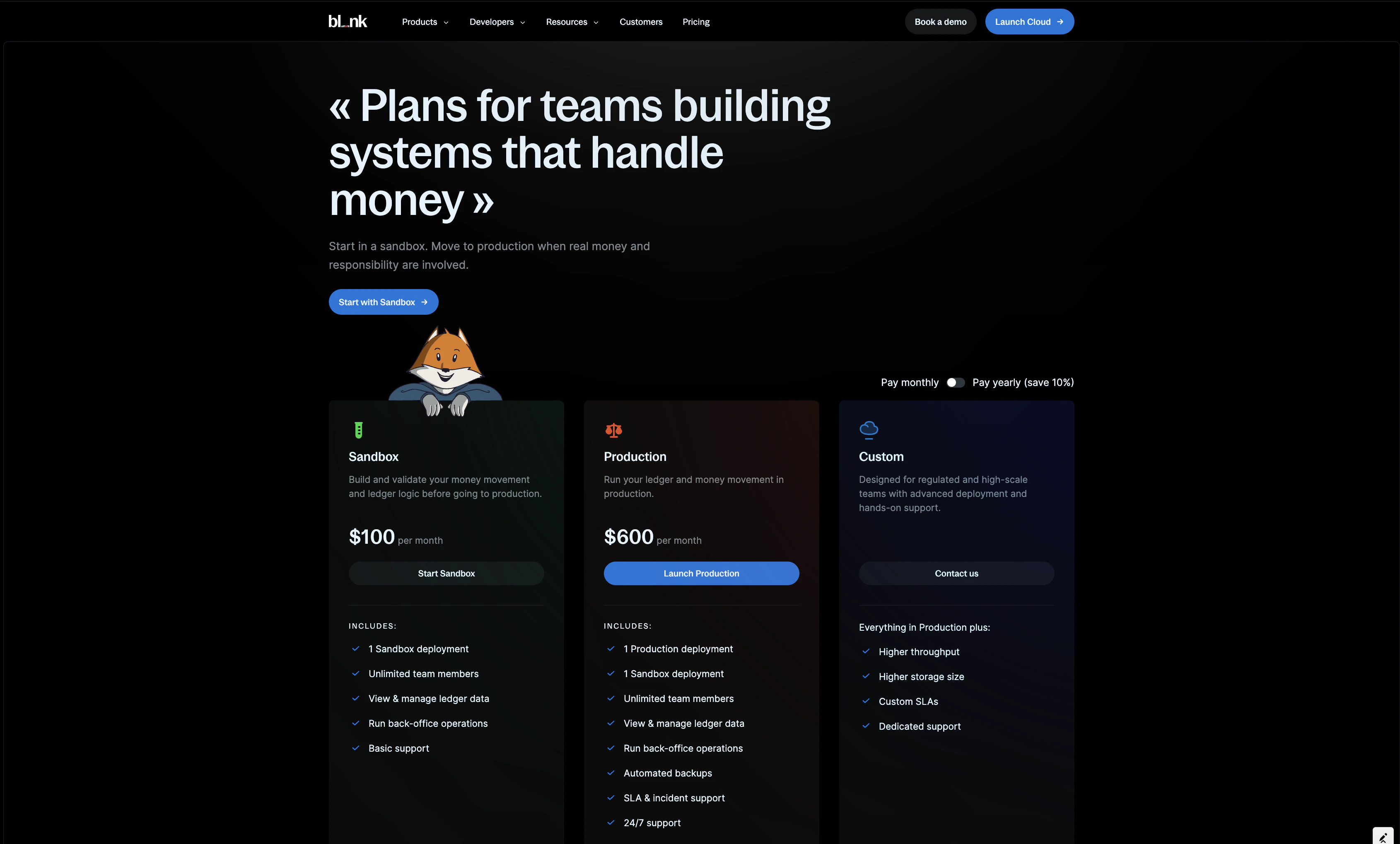 Refer to our [pricing page](https://blnkfinance.com/pricing) to learn more about our plans and view pricing comparison.
***
## Billing
We offer two billing options: monthly and yearly (yearly saves 10%).
Customers are billed in advance based on their plan and billing frequency. Additional usage is calculated at month-end and billed together with the next month's base fee.
***
## Manage your billing
To manage your billing, go to [Settings > Billing](https://cloud.blnkfinance.com/cloud/settings/billing) to access your billing information and make changes.
From the billing settings page, you can:
### View your active subscriptions
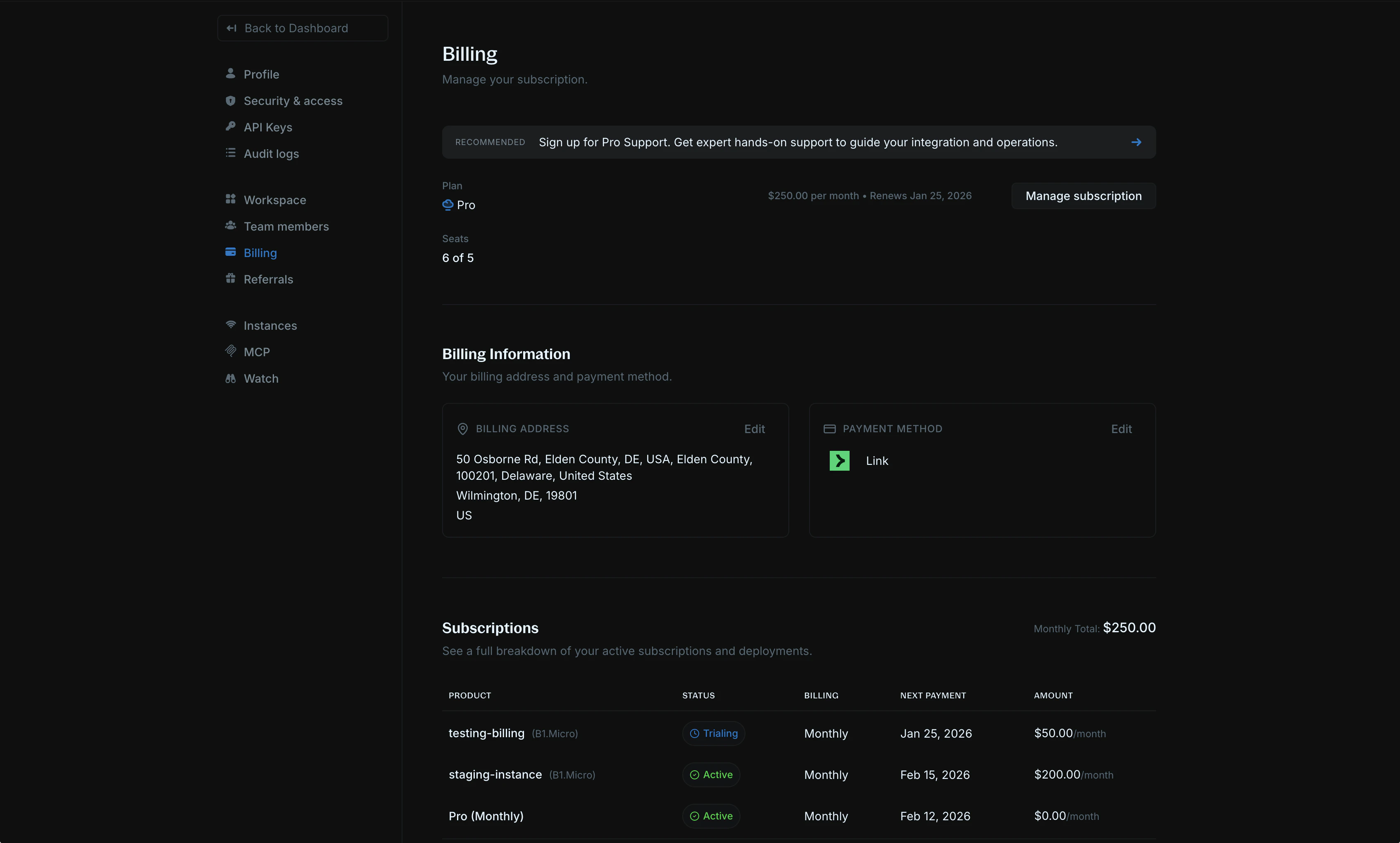
See a full breakdown of your active subscriptions and deployments, including product details, status, billing frequency, next payment date, and monthly amounts.
Refer to our [pricing page](https://blnkfinance.com/pricing) to learn more about our plans and view pricing comparison.
***
## Billing
We offer two billing options: monthly and yearly (yearly saves 10%).
Customers are billed in advance based on their plan and billing frequency. Additional usage is calculated at month-end and billed together with the next month's base fee.
***
## Manage your billing
To manage your billing, go to [Settings > Billing](https://cloud.blnkfinance.com/cloud/settings/billing) to access your billing information and make changes.
From the billing settings page, you can:
### View your active subscriptions
See a full breakdown of your active subscriptions and deployments, including product details, status, billing frequency, next payment date, and monthly amounts.
 ### View your invoices
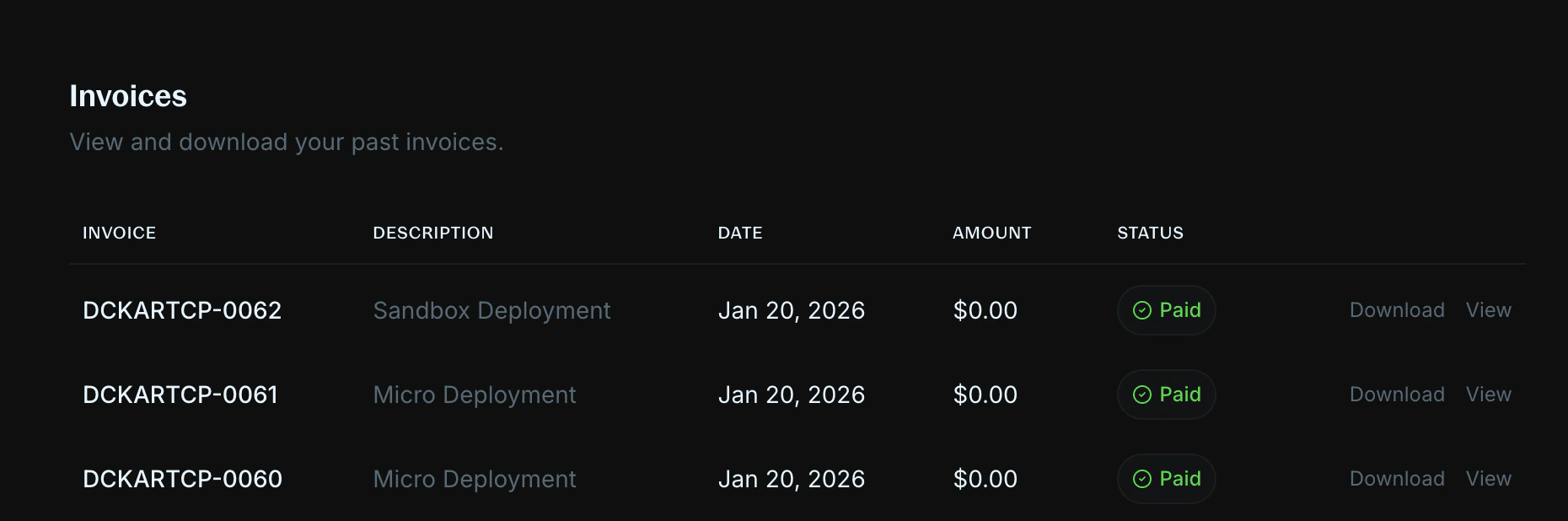
View and download your past invoices. Each invoice shows the invoice number, description, date, amount, and payment status.
### View your invoices
View and download your past invoices. Each invoice shows the invoice number, description, date, amount, and payment status.
 ### Manage payment details
To update your billing address or payment method, click `Edit` on either the billing address or payment method card to update your information.
You can also click on `Manage subscription` to update other subscription details.
***
## Change or cancel your subscription
Admins can change or cancel their subscription from the Billing page. Subscription updates will take effect immediately.
If you're upgrading, we charge the prorated amount of your new plan for your billing period. If you're downgrading, we charge nothing.
We do not offer refunds for cancellations mid-subscription. When you cancel, your subscription will remain active until the end of your billing period.
***
## FAQs
We will initiate a refund for the duplicate charge. This may take up to 5 - 7 business days to process depending on your bank.
***
## Need help?
We are very happy to help you make the most of Blnk, regardless of whether it is your first time or you are switching from another tool.
To ask questions or discuss issues, please [contact us](mailto:support@blnkfinance.com) or [join our Discord community](https://discord.gg/7WNv94zPpx).
Get dedicated support for architecture reviews, integration planning, ledger workflows, and production deployment.
### Manage payment details
To update your billing address or payment method, click `Edit` on either the billing address or payment method card to update your information.
You can also click on `Manage subscription` to update other subscription details.
***
## Change or cancel your subscription
Admins can change or cancel their subscription from the Billing page. Subscription updates will take effect immediately.
If you're upgrading, we charge the prorated amount of your new plan for your billing period. If you're downgrading, we charge nothing.
We do not offer refunds for cancellations mid-subscription. When you cancel, your subscription will remain active until the end of your billing period.
***
## FAQs
We will initiate a refund for the duplicate charge. This may take up to 5 - 7 business days to process depending on your bank.
***
## Need help?
We are very happy to help you make the most of Blnk, regardless of whether it is your first time or you are switching from another tool.
To ask questions or discuss issues, please [contact us](mailto:support@blnkfinance.com) or [join our Discord community](https://discord.gg/7WNv94zPpx).
Get dedicated support for architecture reviews, integration planning, ledger workflows, and production deployment.