> ## Documentation Index
> Fetch the complete documentation index at: https://docs.blnkfinance.com/llms.txt
> Use this file to discover all available pages before exploring further.
# Overview
> Learn what ledgers are and how they work.
export const CtaCallout = props => {
const {title, buttonLabel, href, trackingEvent, buttonTarget, rel = "noopener noreferrer", children} = props;
const handleCtaClick = () => {
if (typeof window === "undefined" || !trackingEvent) {
return;
}
try {
window.dispatchEvent(new CustomEvent("blnk:docs-cta", {
detail: {
name: trackingEvent,
href
}
}));
} catch {}
try {
window.posthog?.capture?.(trackingEvent, {
href
});
} catch {}
const gaPayload = {
cta_href: href
};
try {
window.gtag?.("event", trackingEvent, gaPayload);
} catch {}
try {
window.dataLayer = window.dataLayer || [];
window.dataLayer.push({
event: trackingEvent,
...gaPayload
});
} catch {}
};
const isExternal = typeof href === "string" && (/^https?:\/\//i).test(href);
const target = buttonTarget ?? (isExternal ? "_blank" : undefined);
const linkRel = isExternal ? rel : undefined;
return ;
};
The Blnk system uses [ledgers](/ledgers/introduction) to group similar balances together, serving as the starting point for creating and managing balances in your workspace.
By default, Blnk creates a [General Ledger](/cloud/ledgers/general-ledger) for you. This is best for grouping balances that belong to your organization, e.g., `@Revenue`, `@Fees`, etc.
Consider grouping balances by:
* Use case, e.g., Wallets Ledger, Savings Ledger, etc.
* Product type, e.g., Credit Cards Ledger, Debit Cards Ledger, etc.
* Location, e.g., USA Customers Ledger, Japan Customers Ledger, etc.
* Currency, e.g., USD Ledger, EUR Ledger, etc.
* or other relevant criteria that make sense for your business.
***
## Create ledgers
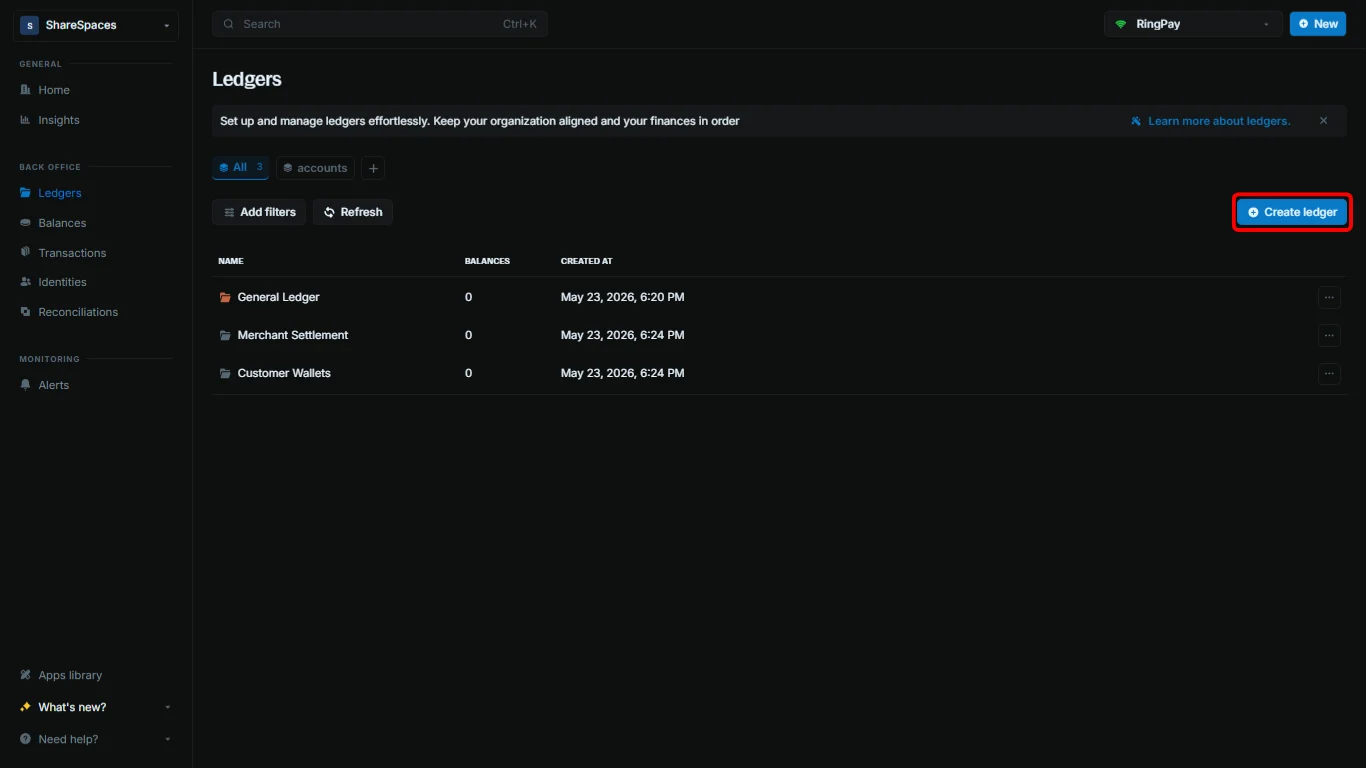
To create a new ledger:
Click `Create ledger` in the top-right corner of the `Ledgers` table.
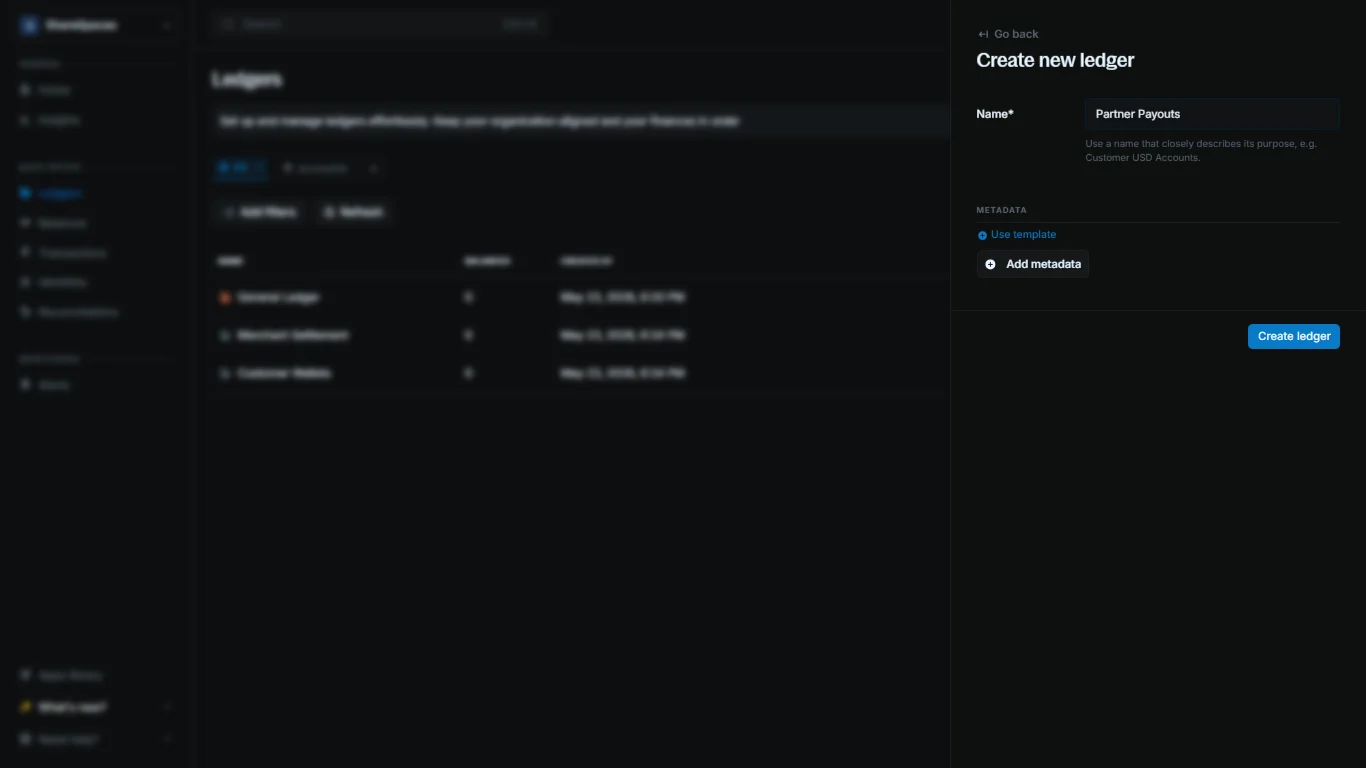
 Provide a name for your ledger. Optionally add metadata.
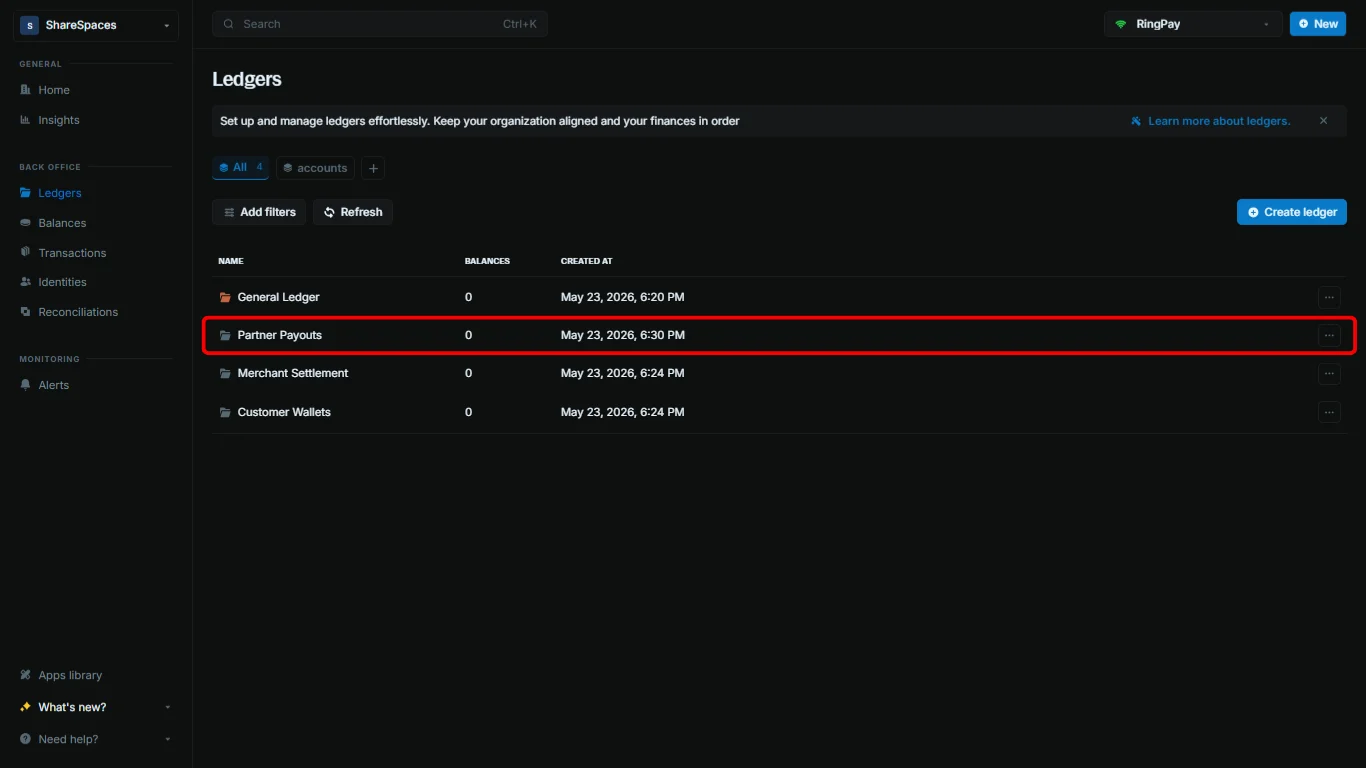
 Click `Create ledger` to complete. Your new ledger appears in the `Ledgers` table.
 ***
## Working with ledgers
### View ledger details
Click a ledger to see its summary details, including the number of balances and transactions.
***
## Working with ledgers
### View ledger details
Click a ledger to see its summary details, including the number of balances and transactions.
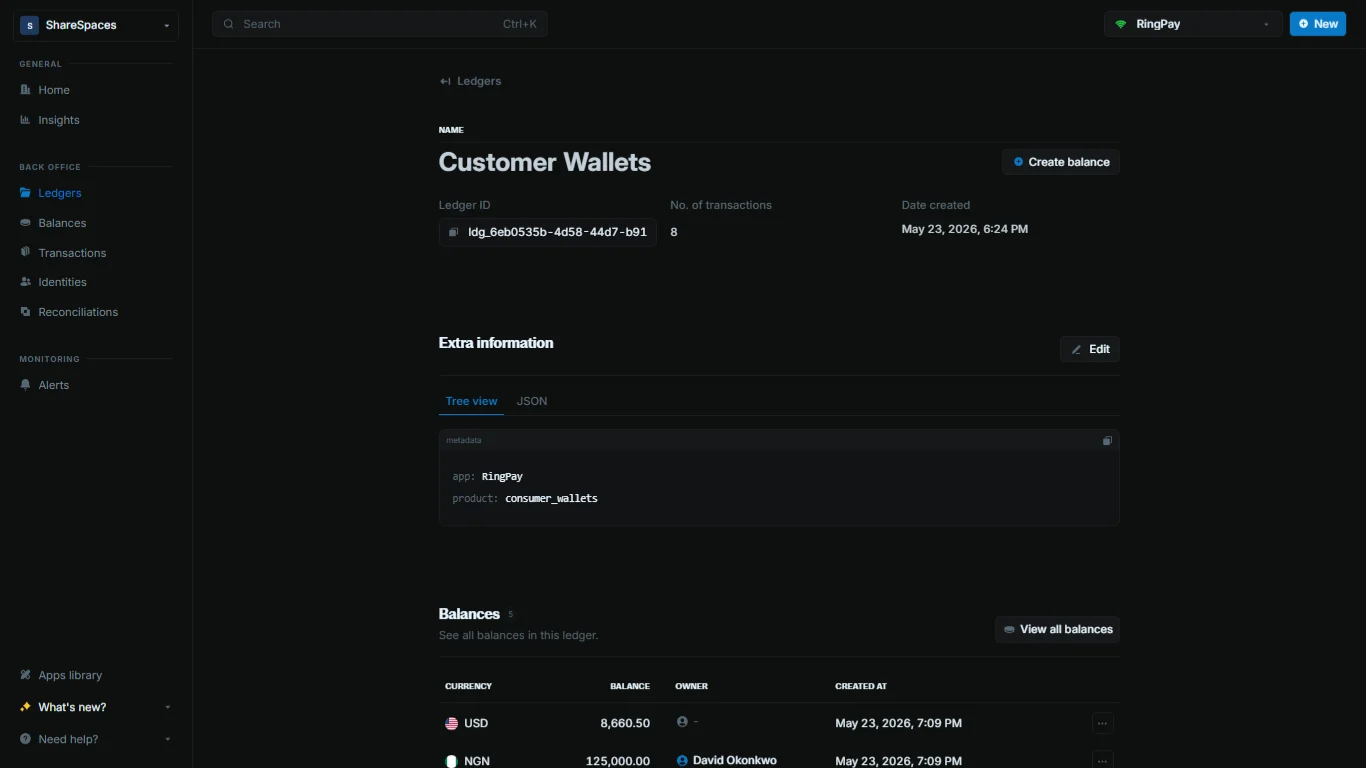 Balances, transactions, and ledger metadata.
***
## Need help?
We are very happy to help you make the most of Blnk, regardless of whether it is your first time or you are switching from another tool.
To ask questions or discuss issues, please [contact us](mailto:support@blnkfinance.com) or [join our Discord community](https://discord.gg/7WNv94zPpx).
Get dedicated support for architecture reviews, integration planning, ledger workflows, and production deployment.
Balances, transactions, and ledger metadata.
***
## Need help?
We are very happy to help you make the most of Blnk, regardless of whether it is your first time or you are switching from another tool.
To ask questions or discuss issues, please [contact us](mailto:support@blnkfinance.com) or [join our Discord community](https://discord.gg/7WNv94zPpx).
Get dedicated support for architecture reviews, integration planning, ledger workflows, and production deployment.