> ## Documentation Index
> Fetch the complete documentation index at: https://docs.blnkfinance.com/llms.txt
> Use this file to discover all available pages before exploring further.
# Security & Access
> Learn how to manage your account's security and access.
export const CtaCallout = props => {
const {title, buttonLabel, href, trackingEvent, buttonTarget, rel = "noopener noreferrer", children} = props;
const handleCtaClick = () => {
if (typeof window === "undefined" || !trackingEvent) {
return;
}
try {
window.dispatchEvent(new CustomEvent("blnk:docs-cta", {
detail: {
name: trackingEvent,
href
}
}));
} catch {}
try {
window.posthog?.capture?.(trackingEvent, {
href
});
} catch {}
const gaPayload = {
cta_href: href
};
try {
window.gtag?.("event", trackingEvent, gaPayload);
} catch {}
try {
window.dataLayer = window.dataLayer || [];
window.dataLayer.push({
event: trackingEvent,
...gaPayload
});
} catch {}
};
const isExternal = typeof href === "string" && (/^https?:\/\//i).test(href);
const target = buttonTarget ?? (isExternal ? "_blank" : undefined);
const linkRel = isExternal ? rel : undefined;
return ;
};
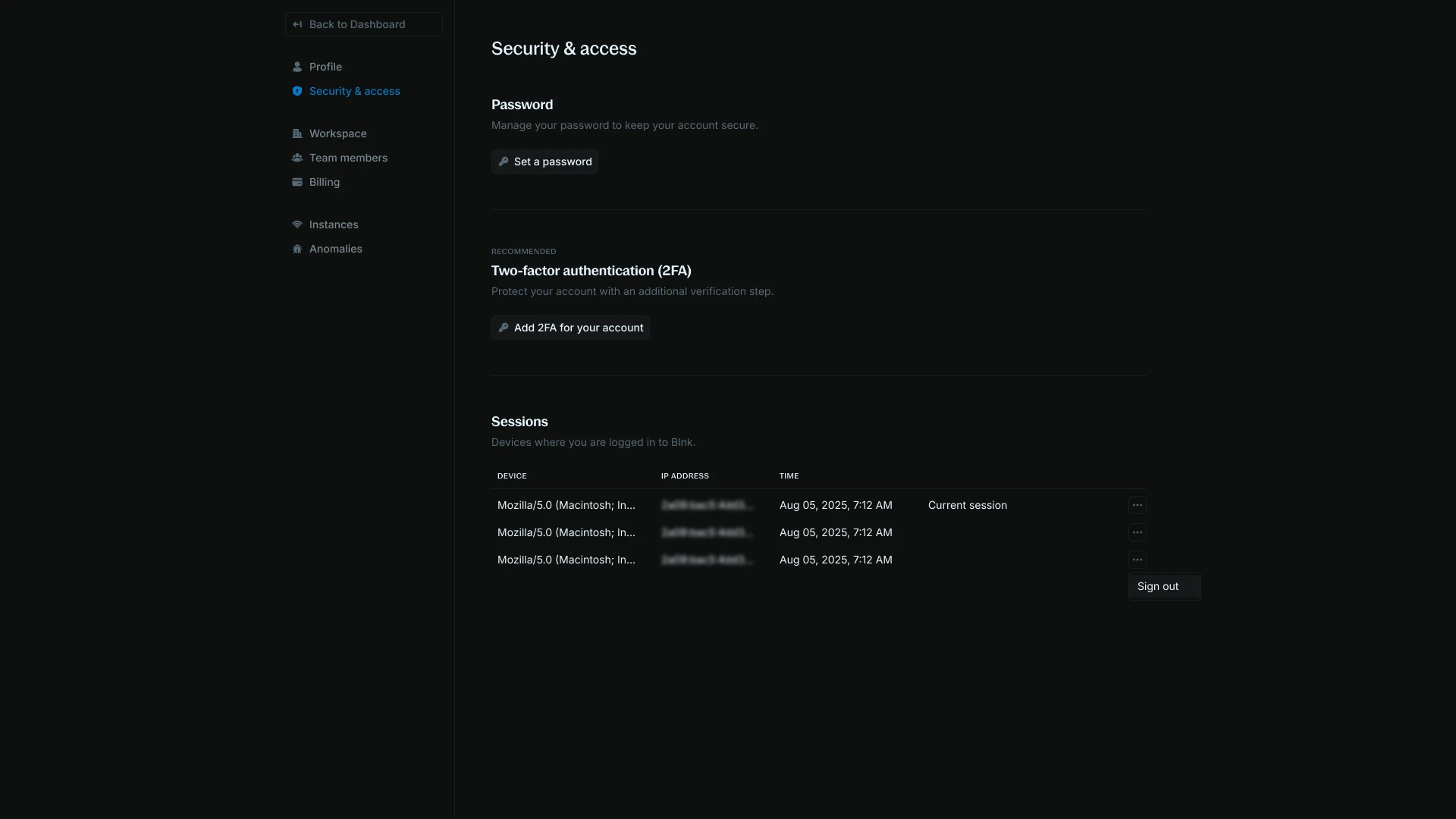
The Security & Access settings allow you to manage your passwords, session and advanced security options.
You can find it in [Settings > Security & Access](https://cloud.blnkfinance.com/cloud/settings/security).
 ***
## Sessions
Sessions keep a timesheet of the last time you signed in from a unique device or browser. This helps track and manage your account access across different locations.
You can log out by clicking on the `Log out` option for each session. This gives you granular control over which devices remain authenticated.
Additional security features include:
* Active sessions show device type, location, and timestamp.
* Login attempts trigger email notifications.
***
## Set password
If you signed up with Google, you can decide to also set a password for your account in case you do not have access to your Google account.
***
## Sessions
Sessions keep a timesheet of the last time you signed in from a unique device or browser. This helps track and manage your account access across different locations.
You can log out by clicking on the `Log out` option for each session. This gives you granular control over which devices remain authenticated.
Additional security features include:
* Active sessions show device type, location, and timestamp.
* Login attempts trigger email notifications.
***
## Set password
If you signed up with Google, you can decide to also set a password for your account in case you do not have access to your Google account.
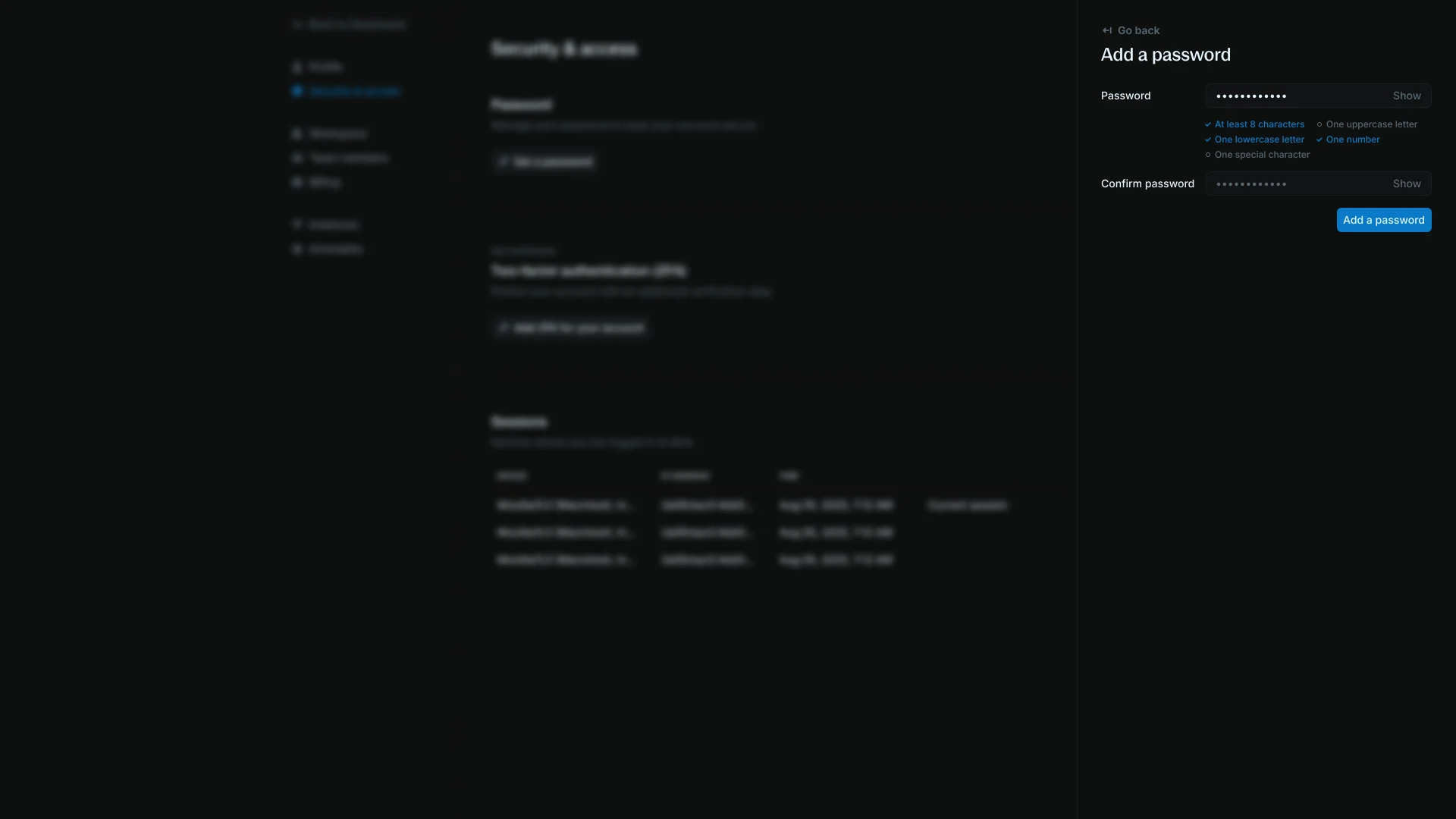 Click `Set Password` in the password section and follow the instructions to set a password for your account.
***
## Change password
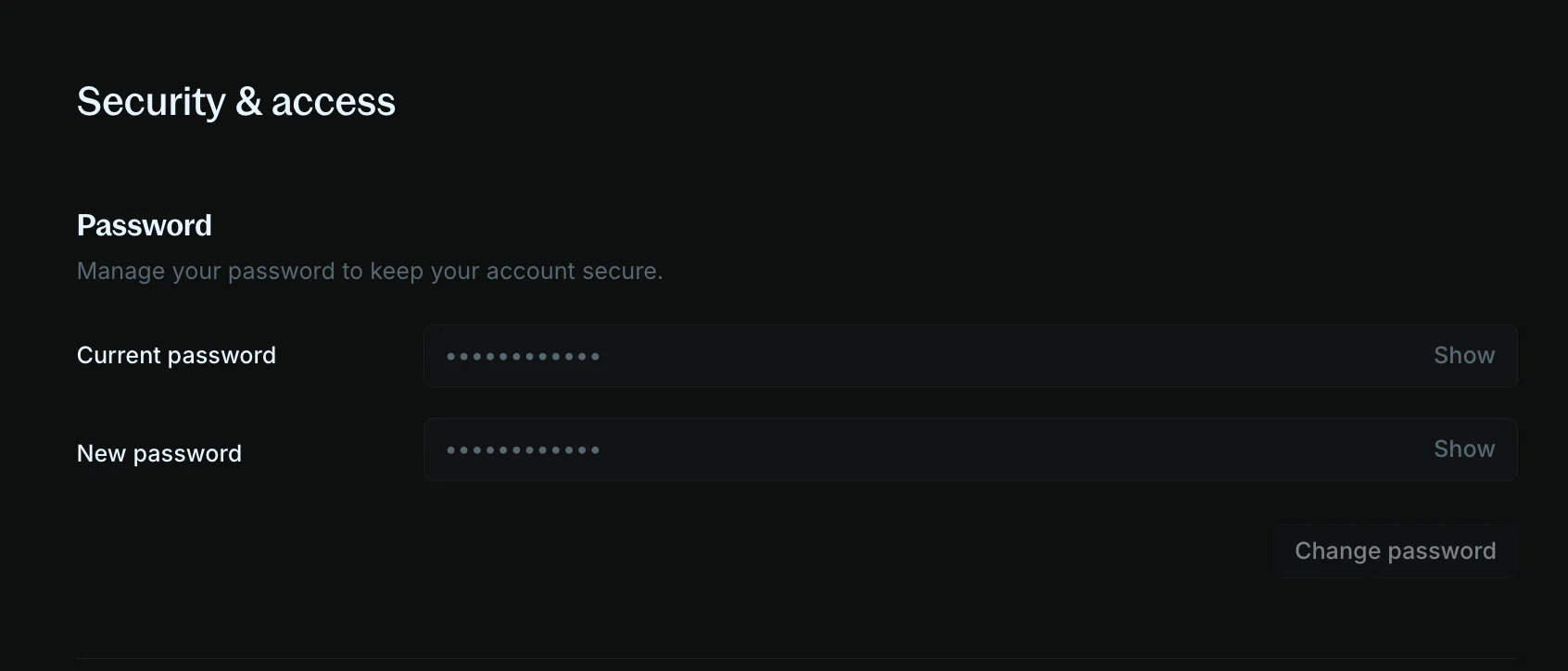
To change your password, provide your current password and input your new password. Then, click on `Change Password` to save your new password.
Click `Set Password` in the password section and follow the instructions to set a password for your account.
***
## Change password
To change your password, provide your current password and input your new password. Then, click on `Change Password` to save your new password.
 ***
## Forgot password
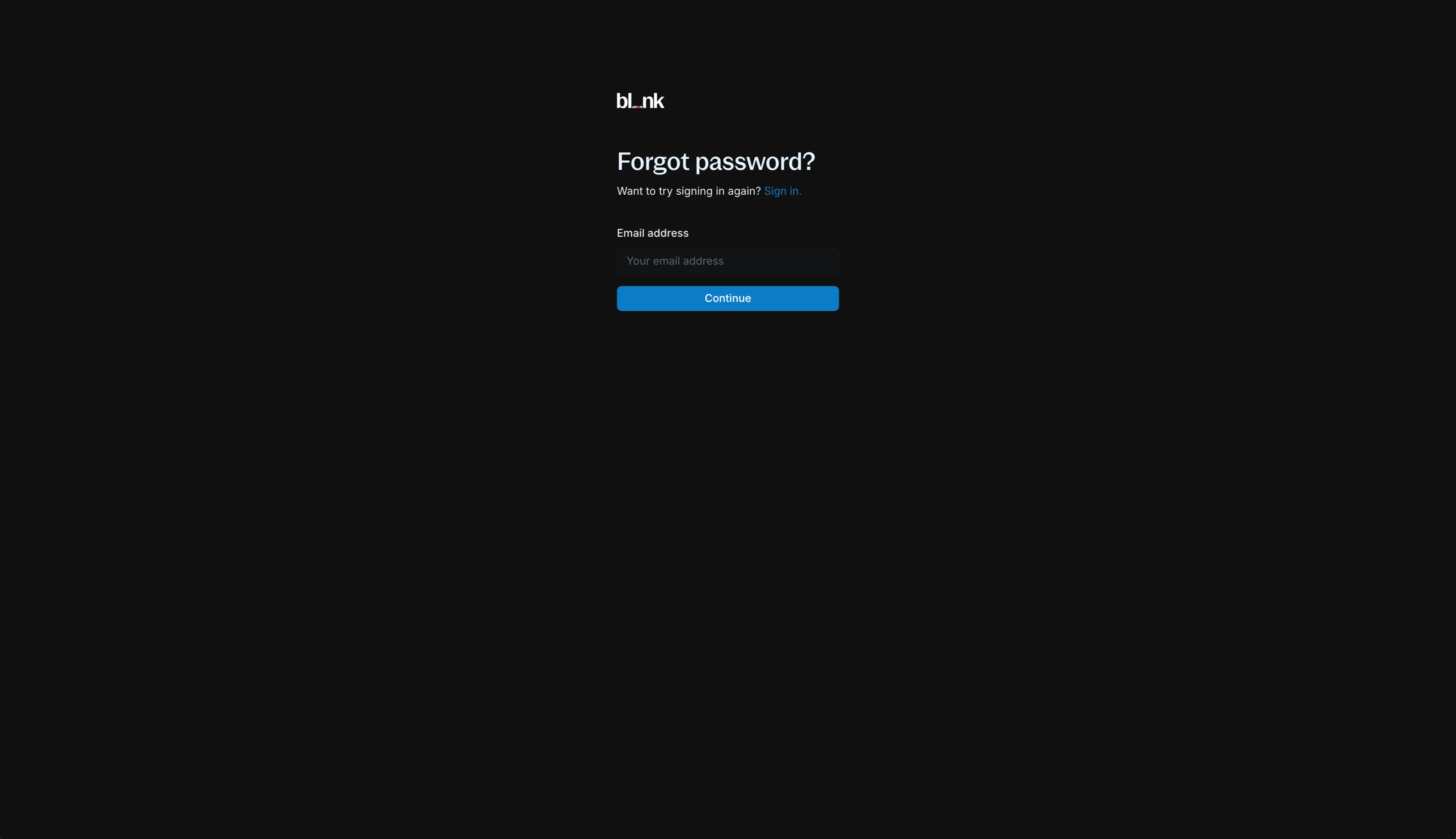
To reset a forgotten password, log out if you are not already logged out.
On the sign-in page, click `Forgot Password?` and follow the instructions to reset your password.
***
## Forgot password
To reset a forgotten password, log out if you are not already logged out.
On the sign-in page, click `Forgot Password?` and follow the instructions to reset your password.
 ***
## Two-factor authentication
To add an extra layer of protection to your account, you can enable two-factor authentication.
***
## Two-factor authentication
To add an extra layer of protection to your account, you can enable two-factor authentication.
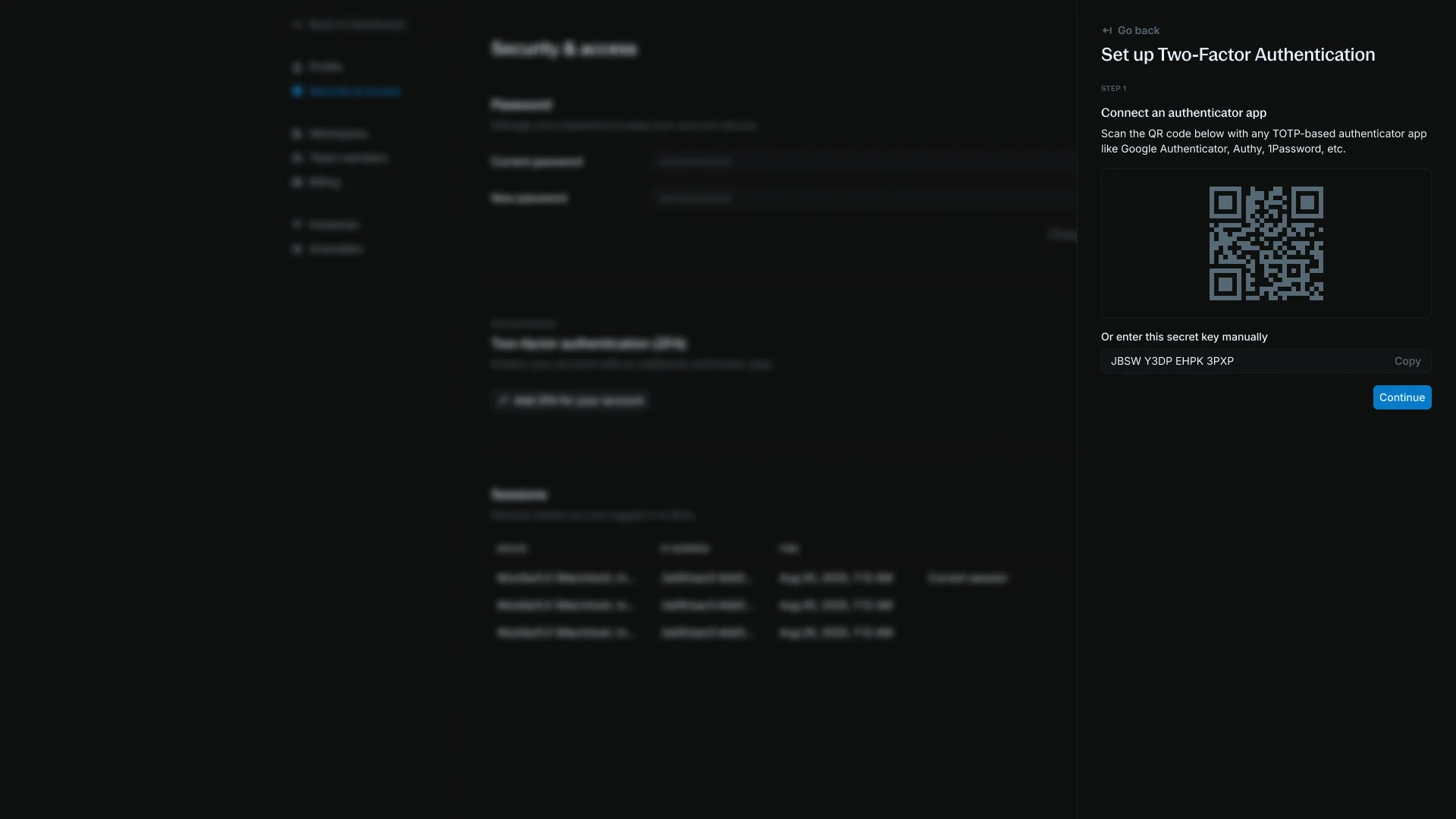 To get started, toggle it on, and follow the instructions to set it up using any of our supported authenticator apps (Authy, Google Authenticator, etc.).
***
## Need help?
We are very happy to help you make the most of Blnk, regardless of whether it is your first time or you are switching from another tool.
To ask questions or discuss issues, please [contact us](mailto:support@blnkfinance.com) or [join our Discord community](https://discord.gg/7WNv94zPpx).
Sign up and manage your ledger with our back-office dashboard. You can invite teammates to collaborate and manage your ledger operations directly from the dashboard.
To get started, toggle it on, and follow the instructions to set it up using any of our supported authenticator apps (Authy, Google Authenticator, etc.).
***
## Need help?
We are very happy to help you make the most of Blnk, regardless of whether it is your first time or you are switching from another tool.
To ask questions or discuss issues, please [contact us](mailto:support@blnkfinance.com) or [join our Discord community](https://discord.gg/7WNv94zPpx).
Sign up and manage your ledger with our back-office dashboard. You can invite teammates to collaborate and manage your ledger operations directly from the dashboard.