> ## Documentation Index
> Fetch the complete documentation index at: https://docs.blnkfinance.com/llms.txt
> Use this file to discover all available pages before exploring further.
# Blnk Cloud
> Latest features, releases, and improvements to Blnk Cloud.
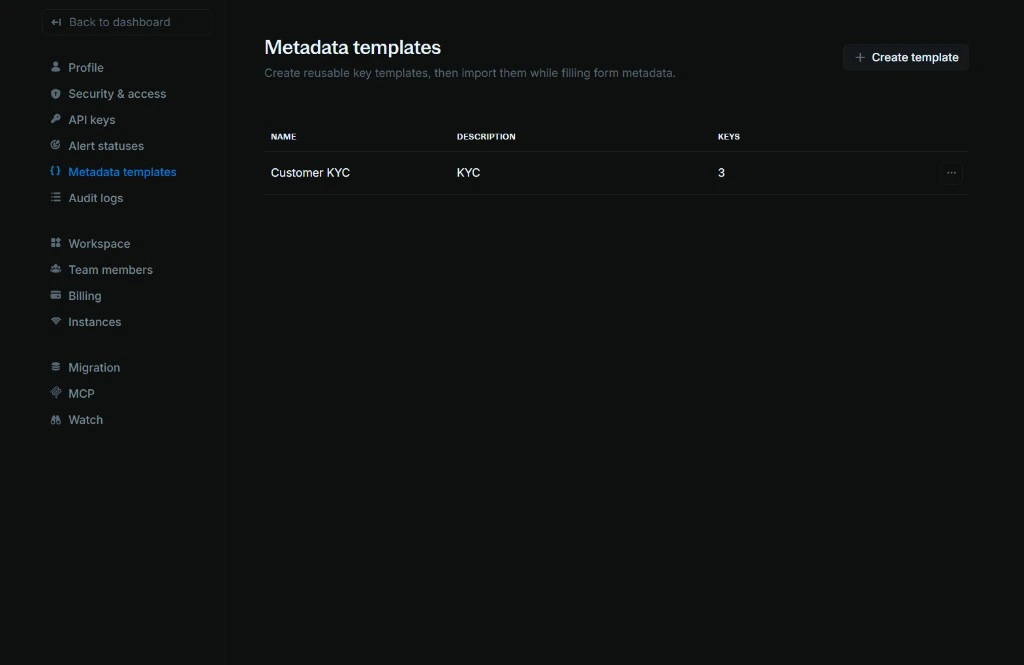
## Metadata templates
Create reusable sets of metadata keys and import them when creating or editing ledgers, balances, transactions, or identities.
 ## Multiple workspaces
You can now switch between workspaces or create a new one. Click the workspace menu on the sidebar to select an existing workspace or **Add workspace** to set up a new organization profile.
## Multiple workspaces
You can now switch between workspaces or create a new one. Click the workspace menu on the sidebar to select an existing workspace or **Add workspace** to set up a new organization profile.
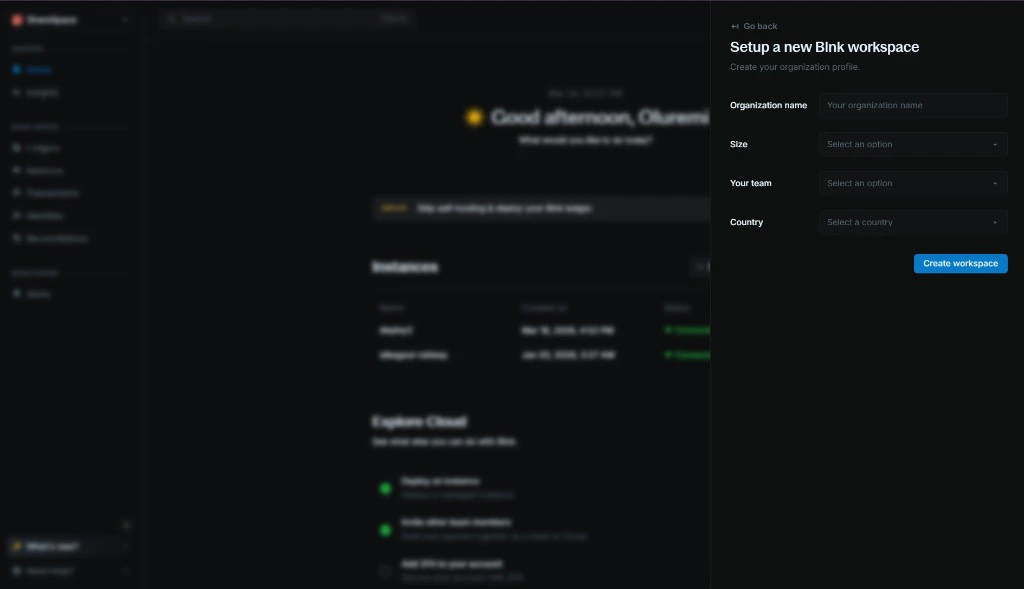 When creating a new workspace, enter your organization name, size, team, and country, then click **Create workspace** to get started.
## Transaction filters
**Has child transaction** filter added to transaction filters so you can quickly find transactions that have child transactions.
## Metadata filters
**Key does not exist** option added to metadata filters so you can filter for records where a metadata key is missing.
## UI improvements
Hover over truncated text in tables and views to see the full content in a tooltip.
## Timezones
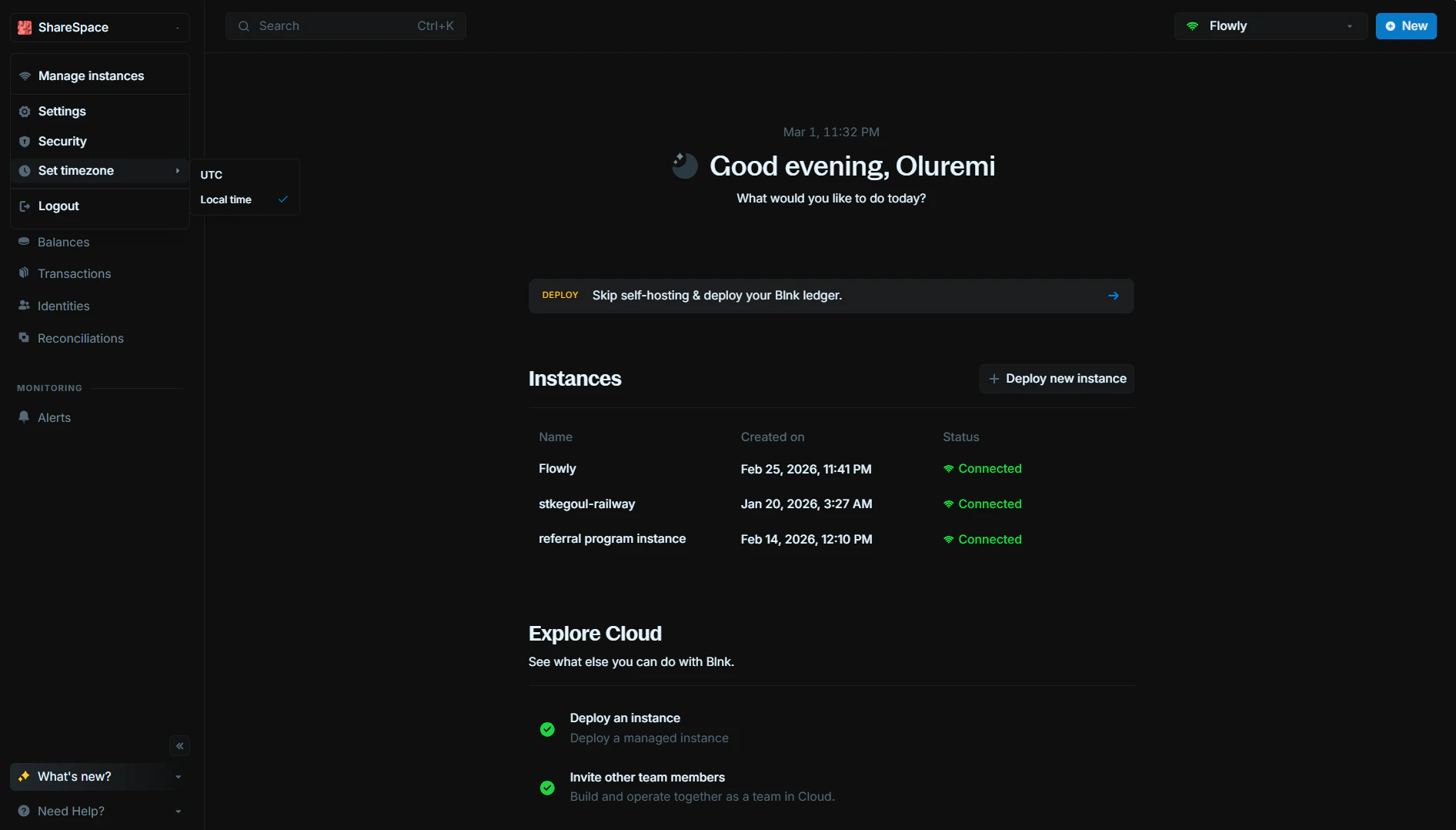
You can now choose to see dates and times in **UTC** or your **local time** across your data. When you switch timezone, all relevant views and date filters use your chosen timezone-including ledgers, reconciliations, and other data tables. Open the dropdown on the left sidebar (the same menu where you access Settings), choose **Set timezone**, and pick UTC or Local time; it applies everywhere.
When creating a new workspace, enter your organization name, size, team, and country, then click **Create workspace** to get started.
## Transaction filters
**Has child transaction** filter added to transaction filters so you can quickly find transactions that have child transactions.
## Metadata filters
**Key does not exist** option added to metadata filters so you can filter for records where a metadata key is missing.
## UI improvements
Hover over truncated text in tables and views to see the full content in a tooltip.
## Timezones
You can now choose to see dates and times in **UTC** or your **local time** across your data. When you switch timezone, all relevant views and date filters use your chosen timezone-including ledgers, reconciliations, and other data tables. Open the dropdown on the left sidebar (the same menu where you access Settings), choose **Set timezone**, and pick UTC or Local time; it applies everywhere.
 ## New Features
* **MCP (Model Context Protocol)**: Interact with your Blnk Core and Cloud workspace from AI assistants like Cursor, Claude Desktop, and ChatGPT. Get your MCP endpoint from **Settings > MCP** and add it to your tool. Learn more in our [MCP guide](/cloud/integrations/mcp).
* **API Keys**: You can now create and manage API keys for your workspace. Use API keys to authenticate programmatic access to Blnk Cloud and integrate with your applications and workflows. Learn more in our [API Keys guide](/cloud/auth/api-keys).
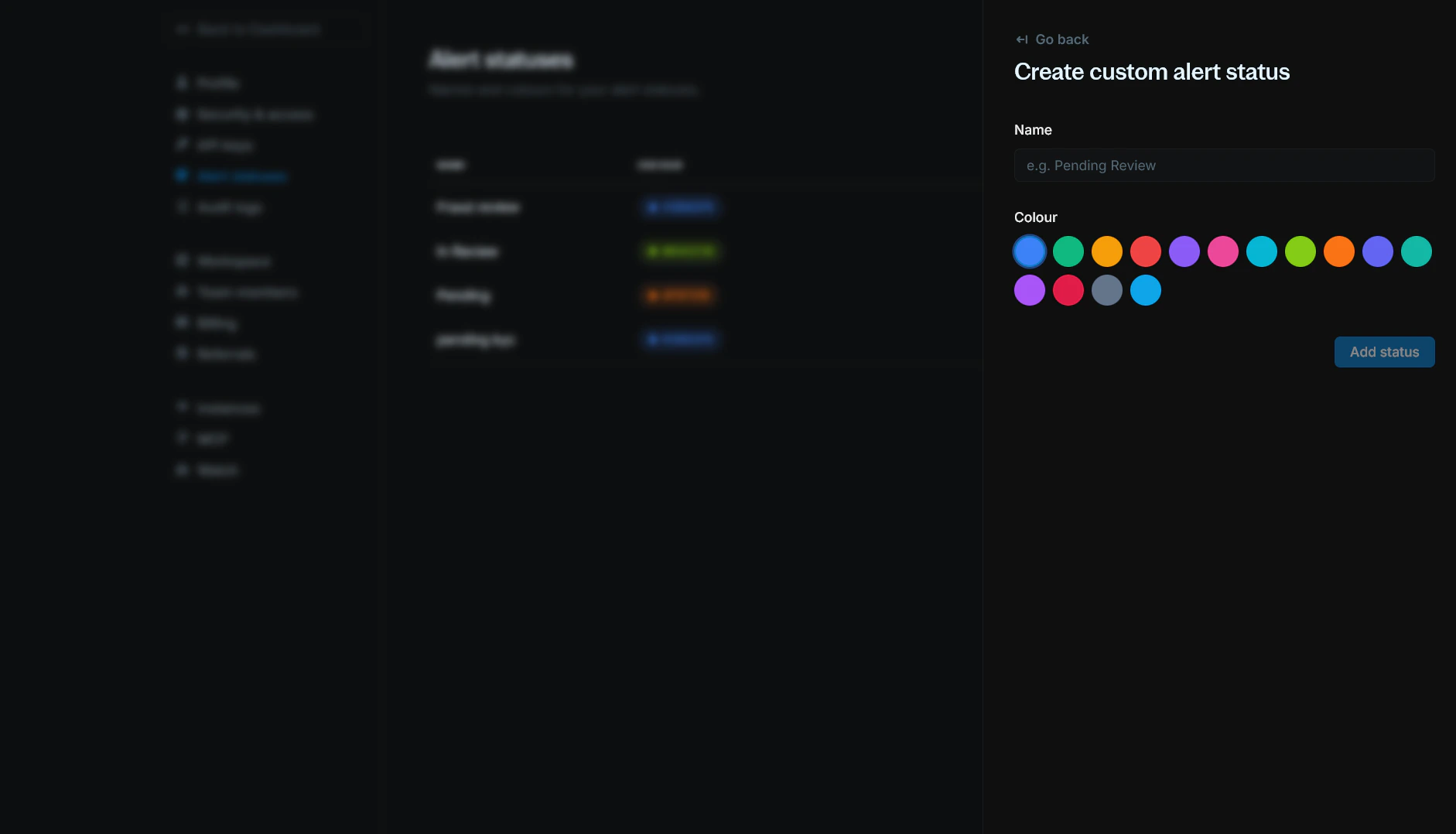
* **Alert statuses**: Create and manage custom alert statuses with names and colours for your organization. Add statuses from **Settings > Alert statuses**, then use them when updating alerts.
## New Features
* **MCP (Model Context Protocol)**: Interact with your Blnk Core and Cloud workspace from AI assistants like Cursor, Claude Desktop, and ChatGPT. Get your MCP endpoint from **Settings > MCP** and add it to your tool. Learn more in our [MCP guide](/cloud/integrations/mcp).
* **API Keys**: You can now create and manage API keys for your workspace. Use API keys to authenticate programmatic access to Blnk Cloud and integrate with your applications and workflows. Learn more in our [API Keys guide](/cloud/auth/api-keys).
* **Alert statuses**: Create and manage custom alert statuses with names and colours for your organization. Add statuses from **Settings > Alert statuses**, then use them when updating alerts.
 Learn more in our [Alert statuses guide](/cloud/alerts/alert-statuses).
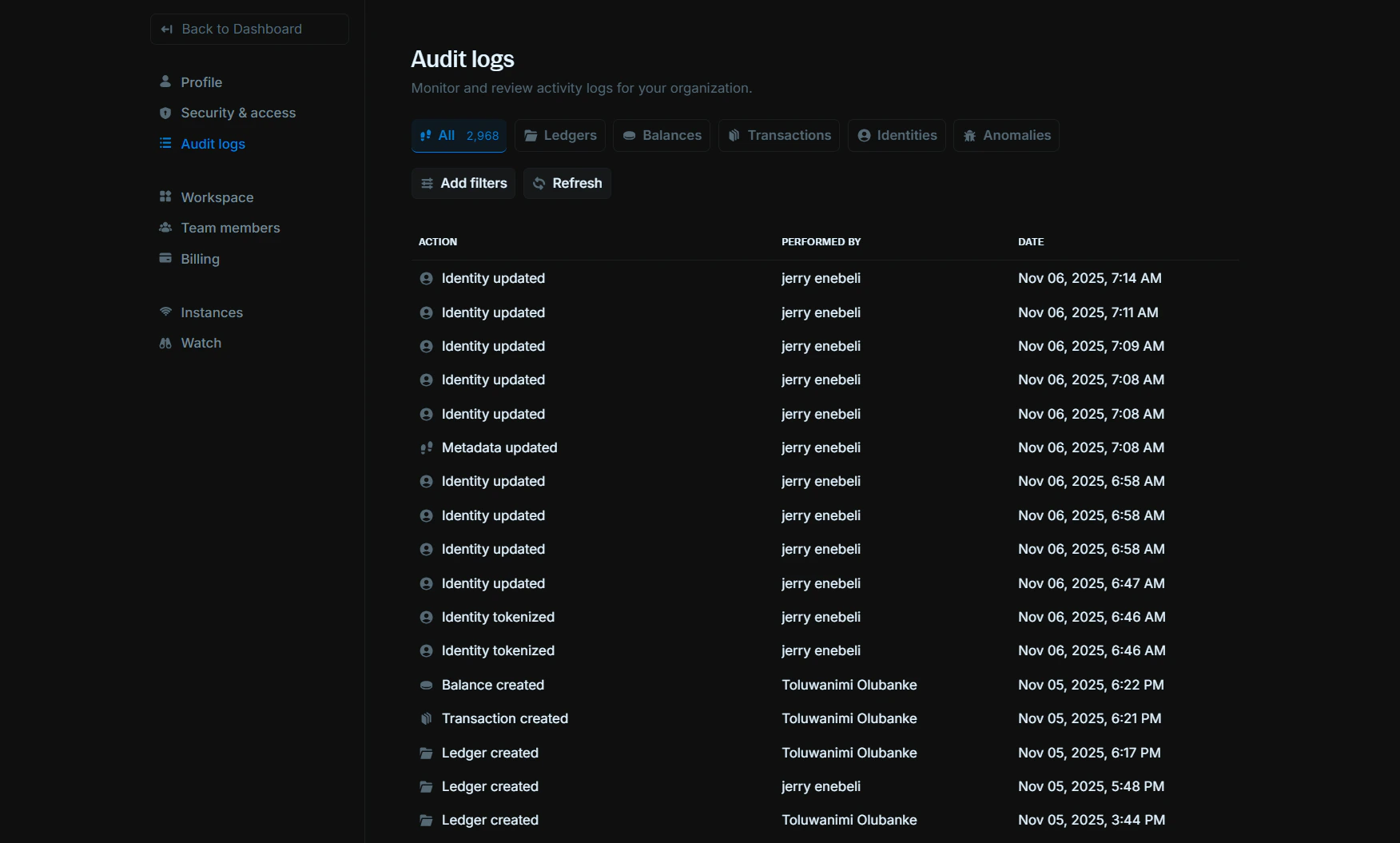
## Audit Logs
With Audit Logs, you can now monitor all activities happening in your Cloud workspace from one place. It tells you what was done, who did it, and when it happened.
You can also filter your logs by category or use custom filters to find specific activities.
Learn more in our [Alert statuses guide](/cloud/alerts/alert-statuses).
## Audit Logs
With Audit Logs, you can now monitor all activities happening in your Cloud workspace from one place. It tells you what was done, who did it, and when it happened.
You can also filter your logs by category or use custom filters to find specific activities.
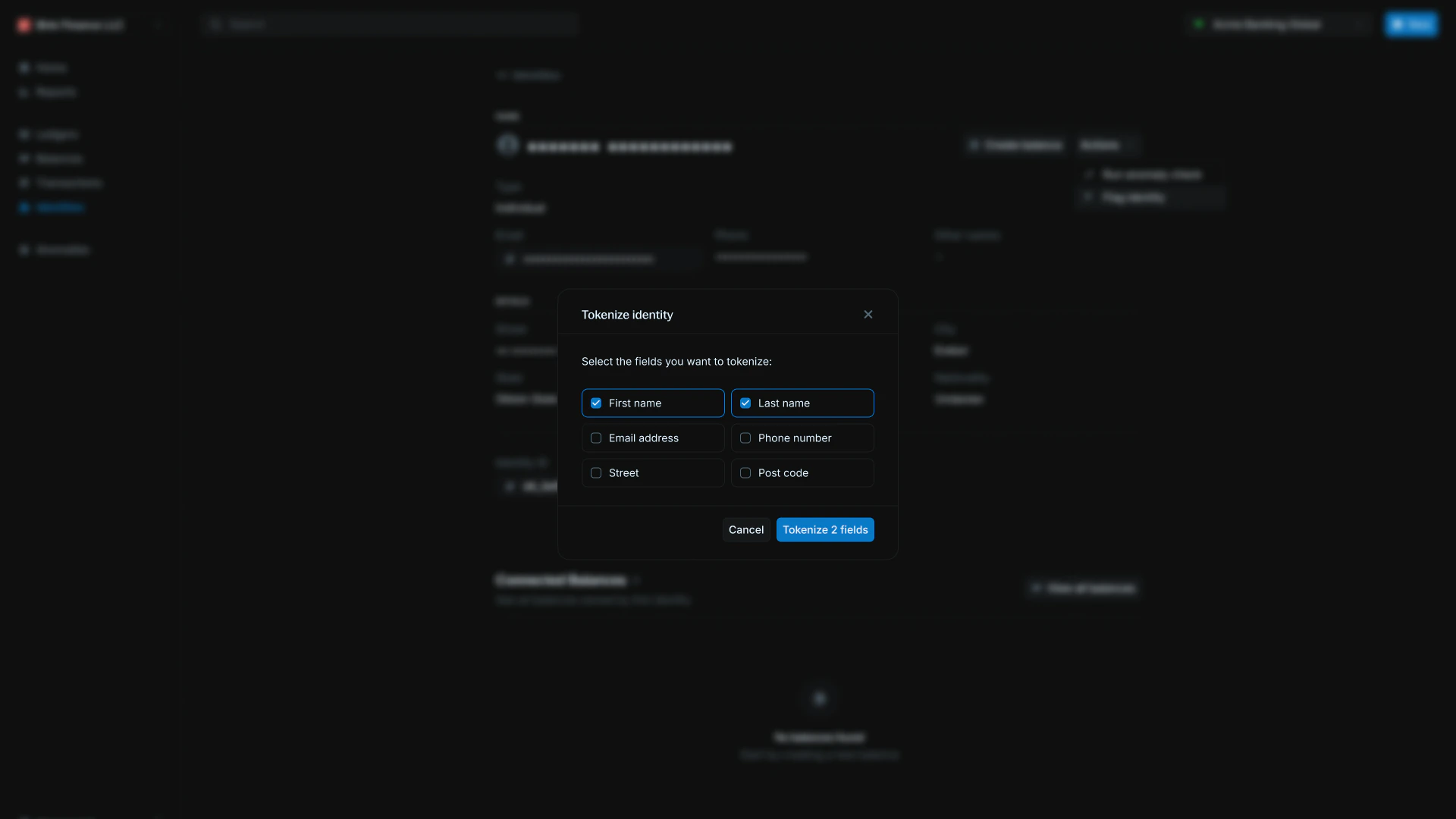
 ## Identity tokenization
We've added PII (Personally Identifiable Information) tokenization to Blnk Cloud, allowing you to decode tokenized fields from your ledger. You can also tokenize identity information from your dashboard if you need to.
To see how it works, read our guide: [PII tokenization](https://guide.cloud.blnkfinance.com/identities/pii#pii-tokenization).
## Identity tokenization
We've added PII (Personally Identifiable Information) tokenization to Blnk Cloud, allowing you to decode tokenized fields from your ledger. You can also tokenize identity information from your dashboard if you need to.
To see how it works, read our guide: [PII tokenization](https://guide.cloud.blnkfinance.com/identities/pii#pii-tokenization).
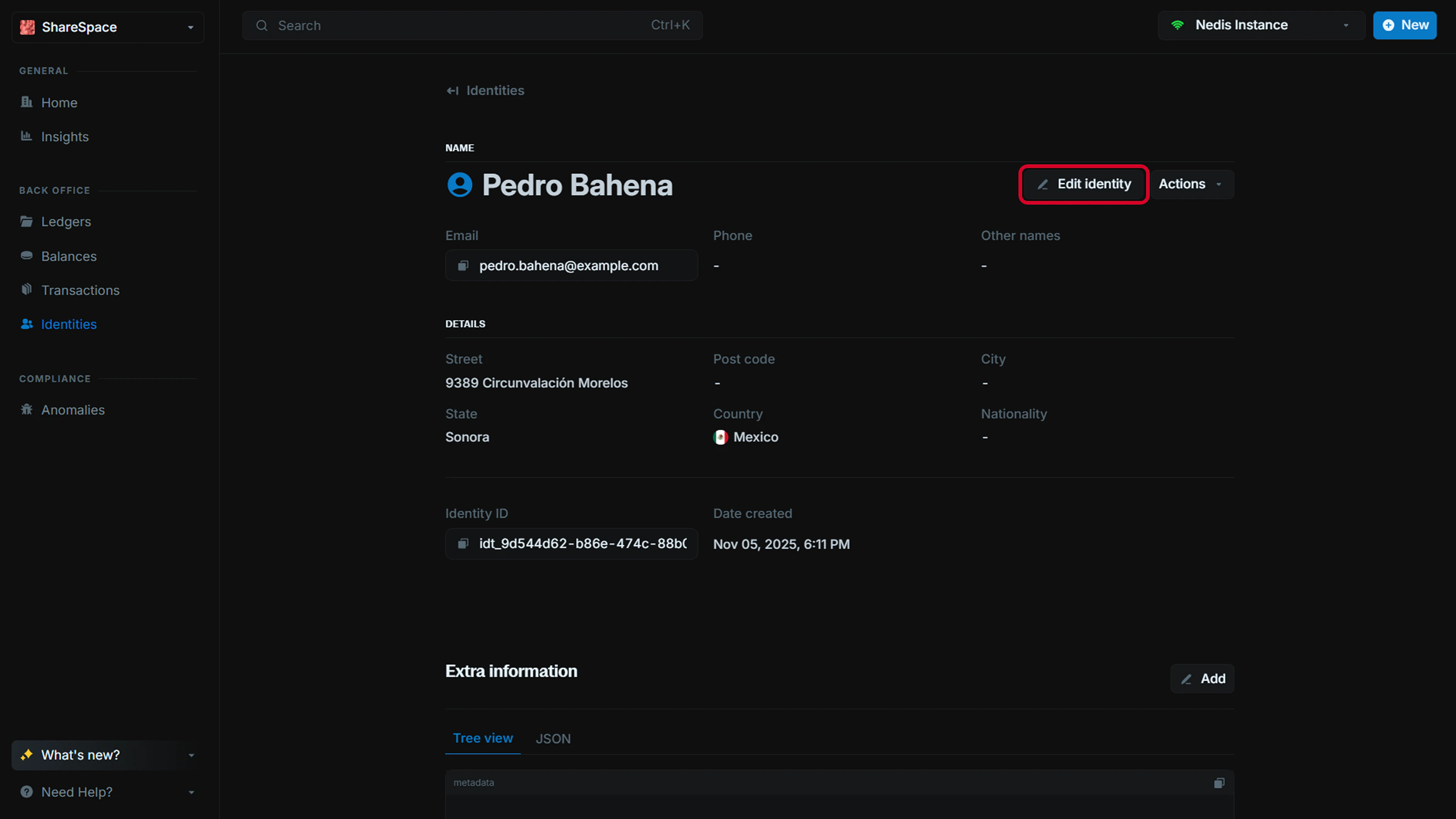
 ## Update Identity
You can now edit any identity information directly from the identity details page. Update names, contact details, addresses, and other identity fields as needed.
## Update Identity
You can now edit any identity information directly from the identity details page. Update names, contact details, addresses, and other identity fields as needed.
 ## Effective date now available
You can now record transactions with their original financial date, instead of their created date. This is great for backdating transactions when you need to.
## Update metadata
You can now add new metadata or update existing metadata of any record after creation.
## Effective date now available
You can now record transactions with their original financial date, instead of their created date. This is great for backdating transactions when you need to.
## Update metadata
You can now add new metadata or update existing metadata of any record after creation.
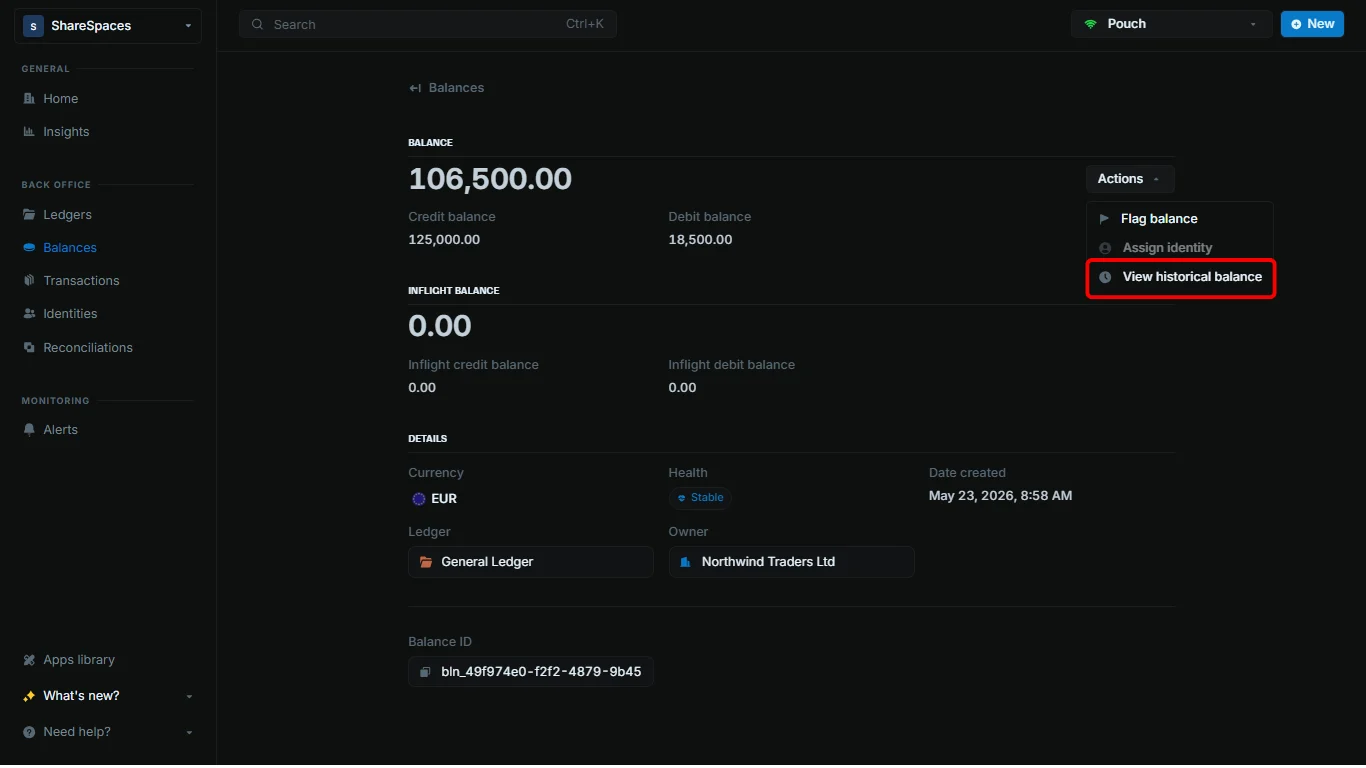
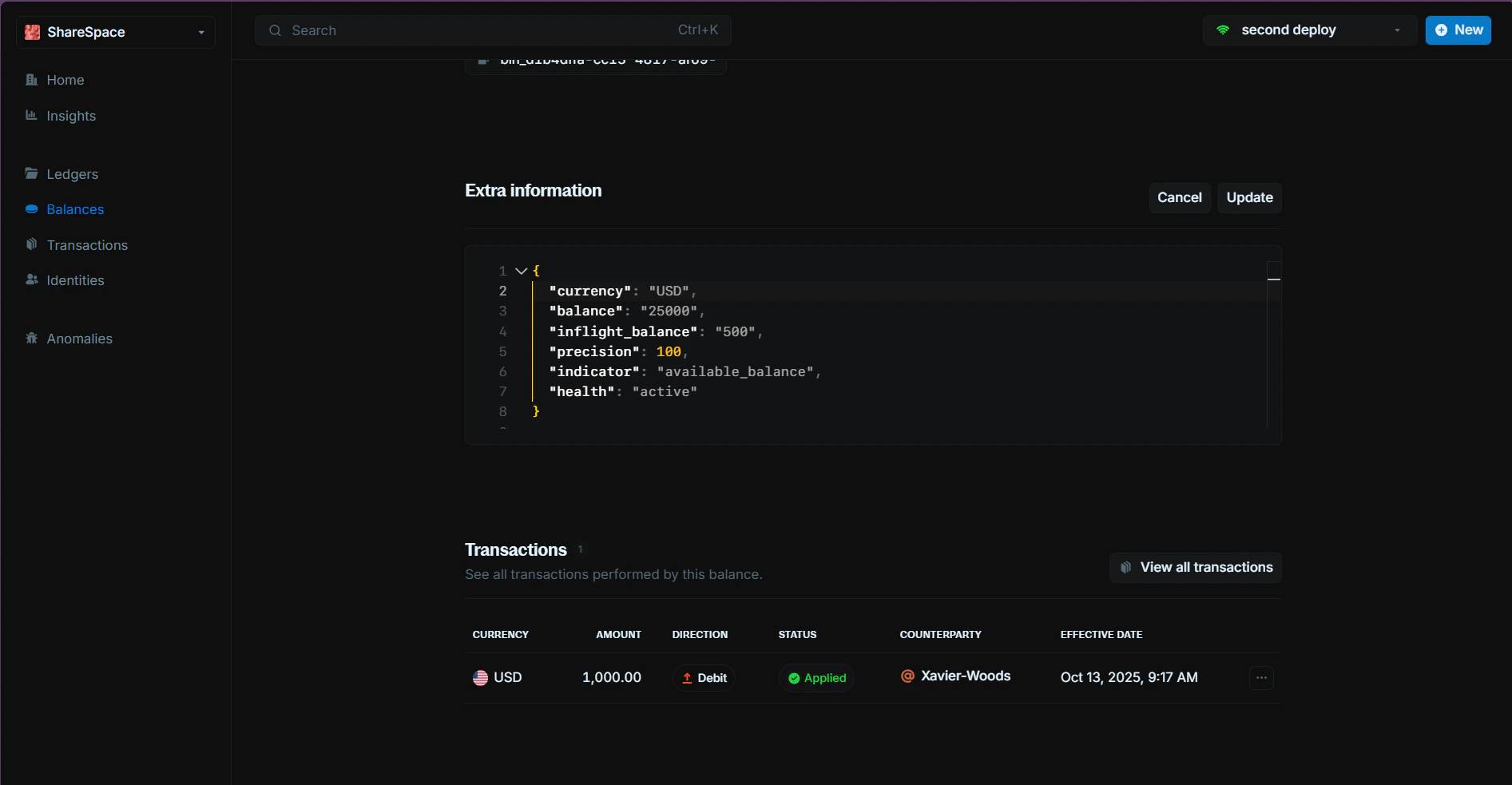 ## Historical Balances Retrieval
Retrieve accurate historical balance information. Particularly useful for financial reporting, auditing, and analysis.
## Historical Balances Retrieval
Retrieve accurate historical balance information. Particularly useful for financial reporting, auditing, and analysis.
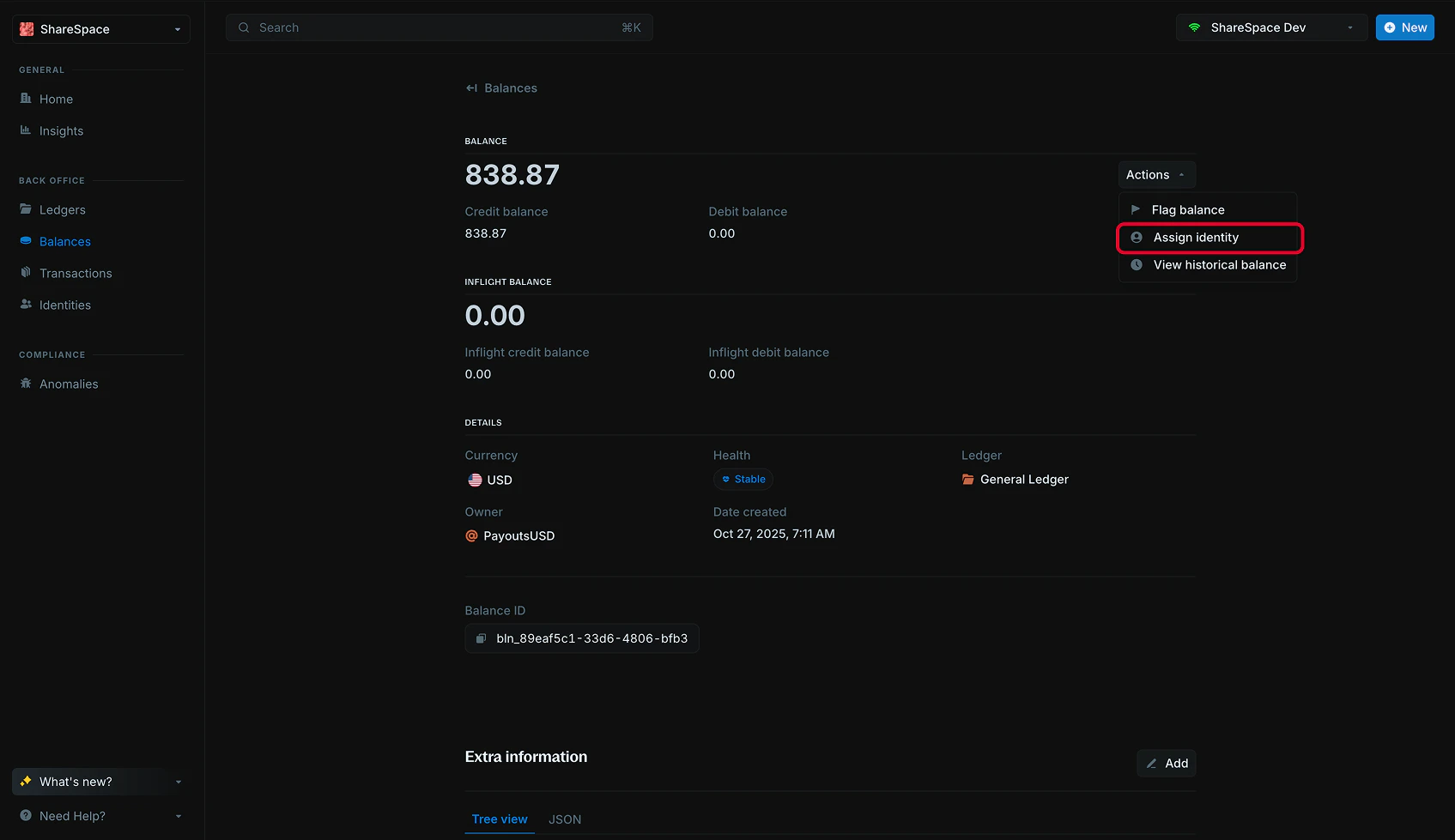
 ## Assign an identity to a existing balance
You can create and link multiple balances to a single identity within your Ledger. Any transaction record associated with a linked balance is also automatically mapped to the corresponding identity.
## Assign an identity to a existing balance
You can create and link multiple balances to a single identity within your Ledger. Any transaction record associated with a linked balance is also automatically mapped to the corresponding identity.
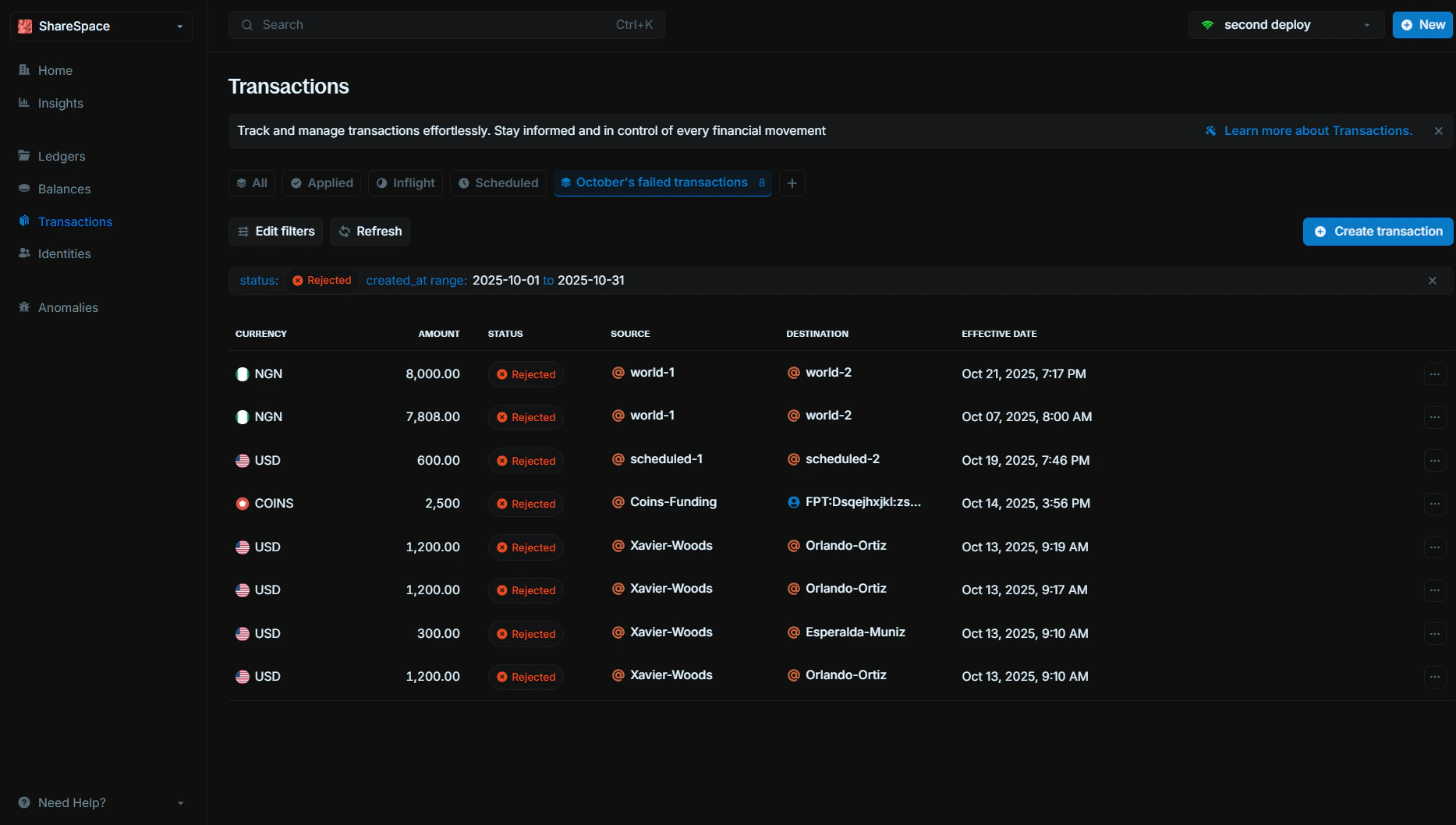
 ## Saved Views
Create and save custom filter combinations across all data tables. Save frequently used filter sets like "This Month's Failed Transactions" and switch between them instantly. Available on all tables.
## Saved Views
Create and save custom filter combinations across all data tables. Save frequently used filter sets like "This Month's Failed Transactions" and switch between them instantly. Available on all tables.
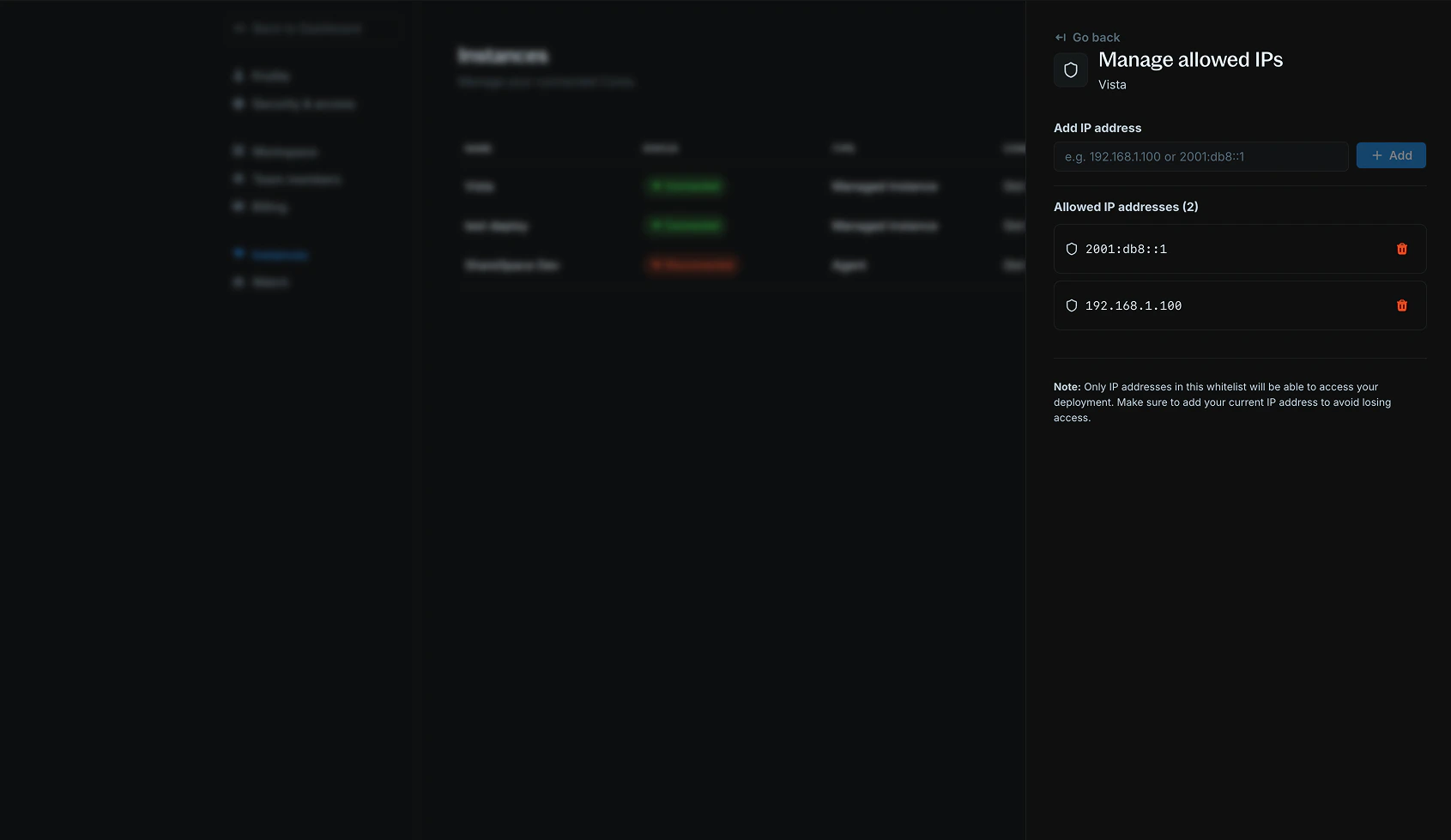
 ## IP Whitelisting
IP whitelisting allows you to control which IP addresses can access your deployed Core instances on Blnk Cloud. This provides an additional layer of security by restricting access to only trusted sources. For more information, see our [IP Whitelisting Guide](/cloud/instances/whitelist).
## IP Whitelisting
IP whitelisting allows you to control which IP addresses can access your deployed Core instances on Blnk Cloud. This provides an additional layer of security by restricting access to only trusted sources. For more information, see our [IP Whitelisting Guide](/cloud/instances/whitelist).
 ## UI/UX Enhancements
* Added a “What’s New” section to the sidebar for quick access to recent updates and features.
## New Features
* **Deploy a managed Core instance**: Deploy a managed Core instance directly from Blnk Cloud. Blnk takes care of the deployment and maintenance of your Core instance, and automatically connects it to your Blnk Cloud workspace. For more information, see our [Deploy Instance Guide](/cloud/instances/deploy#deploy-a-managed-core-instance).
* **Two-Factor Authentication**: To add an extra layer of protection to your account, you can enable two-factor authentication.
## UI/UX Enhancements
* Added a “What’s New” section to the sidebar for quick access to recent updates and features.
## New Features
* **Deploy a managed Core instance**: Deploy a managed Core instance directly from Blnk Cloud. Blnk takes care of the deployment and maintenance of your Core instance, and automatically connects it to your Blnk Cloud workspace. For more information, see our [Deploy Instance Guide](/cloud/instances/deploy#deploy-a-managed-core-instance).
* **Two-Factor Authentication**: To add an extra layer of protection to your account, you can enable two-factor authentication.
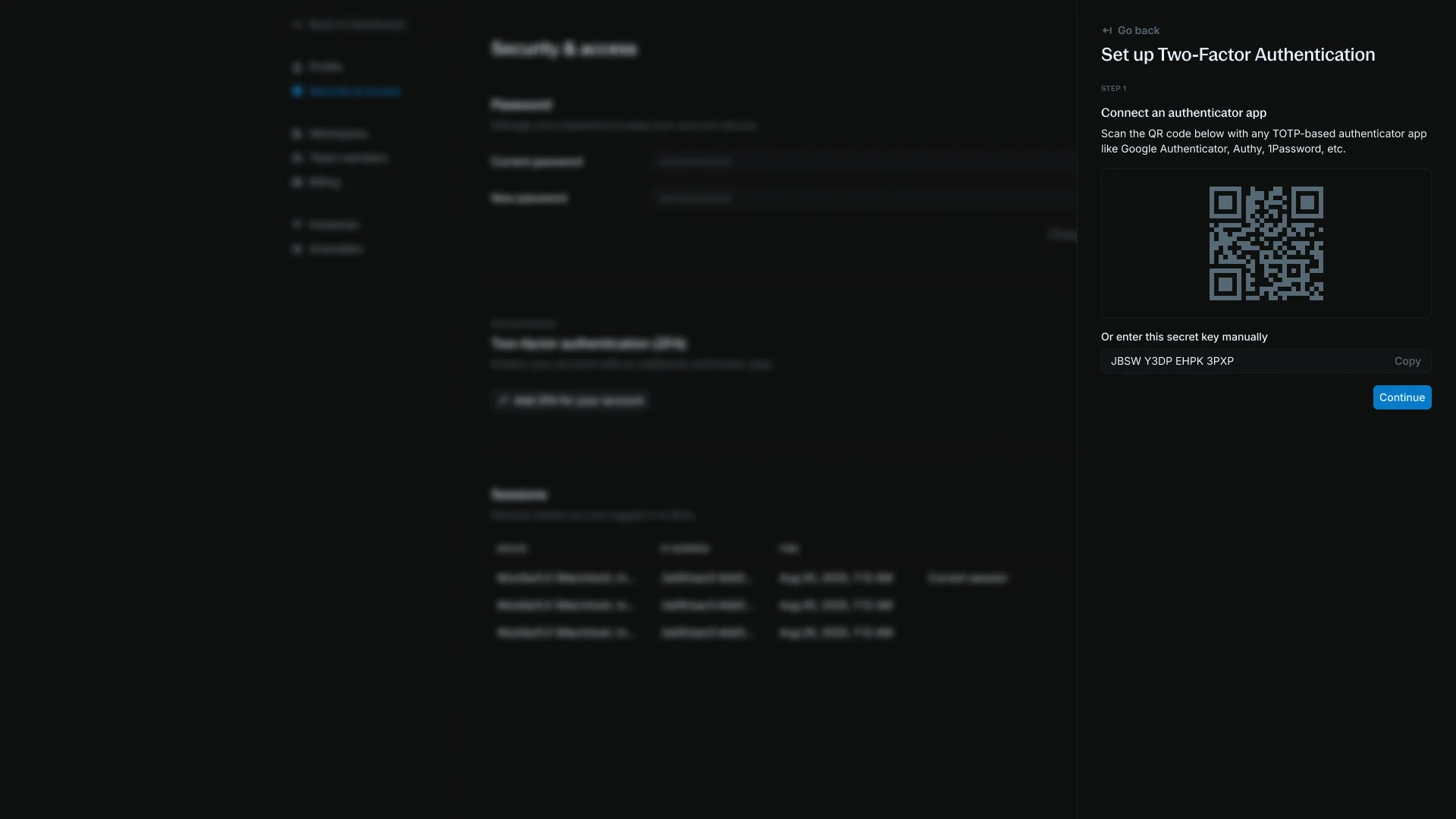 To get started, toggle it on, and follow the instructions to set it up using any of our supported authenticator apps (Authy, Google Authenticator, etc.).
## Improvements
* Significant Cloud performance upgrades.
* Advanced filters added to ledger, balances, transactions, and identity tables for more precise data exploration.
## Simplified Onboarding
Onboarding is now two steps, with instance connection moved into the dashboard:
1. Create your organization
2. Select a Cloud plan
For detailed guidance, see our [Getting Started Guide](/cloud/start/guide).
## UI Refresh
* New sidebar and dashboard designs.
* Empty states added across all tables.
* New table designs for ledgers, transactions, balances, identities, and anomalies - each with a one-click refresh button.
* Redesigned settings for a cleaner experience.
* Private connection notice added to instance connection flow.
## Insights
New **Insights page** that gives you a clear view of what's happening across your ledger. They provide quick, visual reports on balances, transactions, identities, etc. so you can monitor activity at a glance.
To get started, toggle it on, and follow the instructions to set it up using any of our supported authenticator apps (Authy, Google Authenticator, etc.).
## Improvements
* Significant Cloud performance upgrades.
* Advanced filters added to ledger, balances, transactions, and identity tables for more precise data exploration.
## Simplified Onboarding
Onboarding is now two steps, with instance connection moved into the dashboard:
1. Create your organization
2. Select a Cloud plan
For detailed guidance, see our [Getting Started Guide](/cloud/start/guide).
## UI Refresh
* New sidebar and dashboard designs.
* Empty states added across all tables.
* New table designs for ledgers, transactions, balances, identities, and anomalies - each with a one-click refresh button.
* Redesigned settings for a cleaner experience.
* Private connection notice added to instance connection flow.
## Insights
New **Insights page** that gives you a clear view of what's happening across your ledger. They provide quick, visual reports on balances, transactions, identities, etc. so you can monitor activity at a glance.
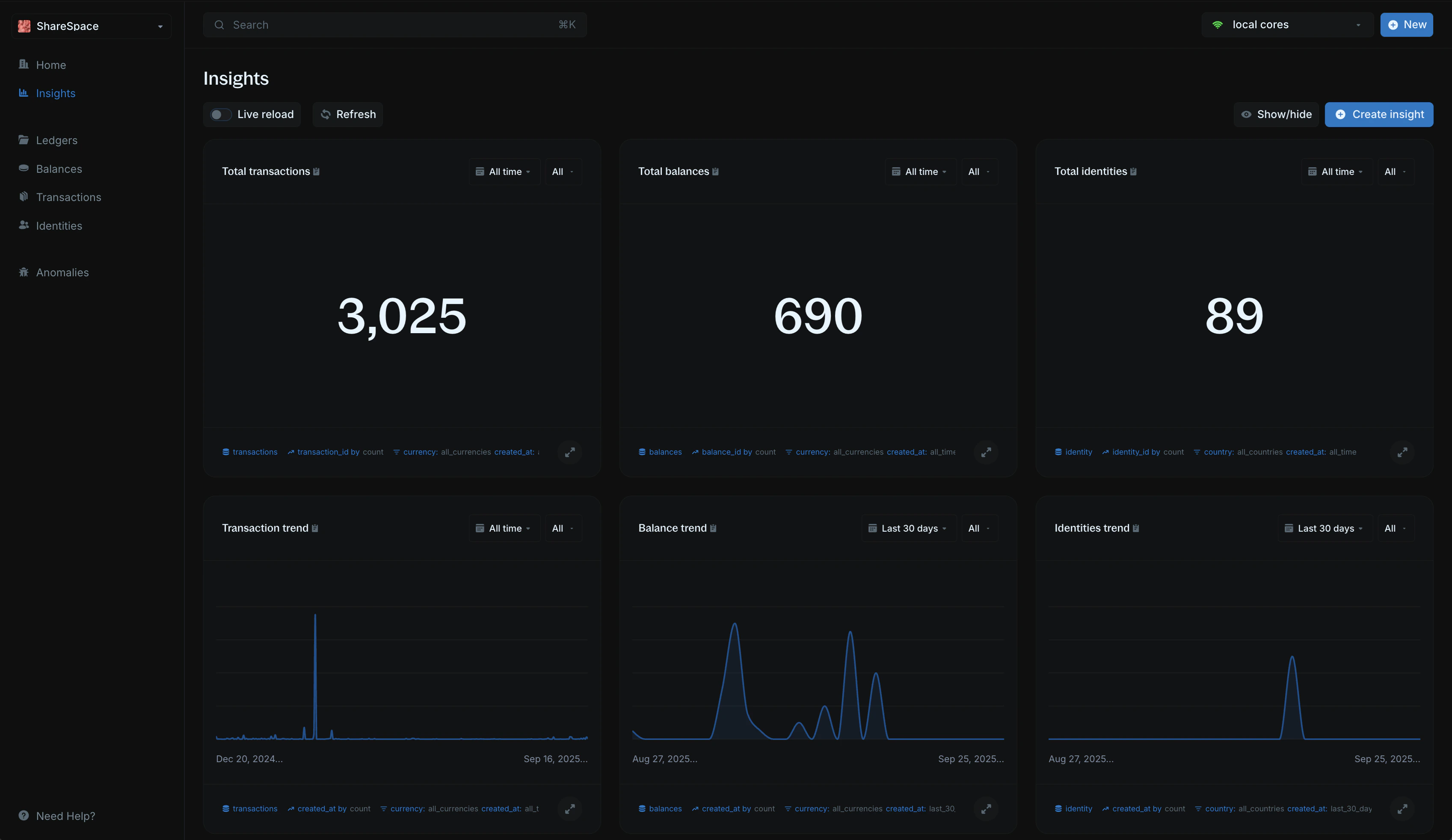 Six default visualizations are generated when you connect your Core:
* Total transactions
* Total balances
* Total identities
* Transaction trend
* Balance trend
* Identities trend
Create custom insights with advanced filtering operators like *between ranges*, *in lists*, *greater than*, and more. For more information, see our [Insights](/cloud/insights/overview).
## Other Improvements
* Instance connection switched from direct to [**Query Agent**](/cloud/instances/create).
* Vault feature removed.
* General ledger is now **always pinned to the top** of the ledgers page.
## New Onboarding Flow
New onboarding with the following steps:
1. Create your organization
2. Select a Cloud plan
3. Connect an instance
## UI & Usability Improvements
* Updated font from *Inter Display* → *Inter Variable* for better readability.
* Transactions table now shows **Effective Date** instead of Created At.
* Added hover tooltips to display both **Created At** and **Effective Date**.
* Introduced a new **Cloud Home page**.
## Google SSO
Log in seamlessly with your Google account for faster access to your workspace. If your email is linked to a Google account, you can now use it to sign in.
## Fixes & Improvements
* All amounts now display to the smallest unit, with hover support to view the raw value and the applied precision.
* Added effective date display on transactions tables, with hover support to view the original creation timestamp.
* Minor UI refinements and bug fixes for a smoother experience.
Six default visualizations are generated when you connect your Core:
* Total transactions
* Total balances
* Total identities
* Transaction trend
* Balance trend
* Identities trend
Create custom insights with advanced filtering operators like *between ranges*, *in lists*, *greater than*, and more. For more information, see our [Insights](/cloud/insights/overview).
## Other Improvements
* Instance connection switched from direct to [**Query Agent**](/cloud/instances/create).
* Vault feature removed.
* General ledger is now **always pinned to the top** of the ledgers page.
## New Onboarding Flow
New onboarding with the following steps:
1. Create your organization
2. Select a Cloud plan
3. Connect an instance
## UI & Usability Improvements
* Updated font from *Inter Display* → *Inter Variable* for better readability.
* Transactions table now shows **Effective Date** instead of Created At.
* Added hover tooltips to display both **Created At** and **Effective Date**.
* Introduced a new **Cloud Home page**.
## Google SSO
Log in seamlessly with your Google account for faster access to your workspace. If your email is linked to a Google account, you can now use it to sign in.
## Fixes & Improvements
* All amounts now display to the smallest unit, with hover support to view the raw value and the applied precision.
* Added effective date display on transactions tables, with hover support to view the original creation timestamp.
* Minor UI refinements and bug fixes for a smoother experience.